Show less than 6 articles on Category.hbs template | Community
Skip to main content

Show less than 6 articles on Category.hbs template

  • December 4, 2013
  • 165 replies
  • 0 views

Show first post
This topic has been closed for replies.

165 replies

  • June 10, 2015

I'm trying to do something a bit more extreme then others, and can't see where. I want to completely hide the section tree and See more link. I ONLY want the section title so they can click on that to get to the article list.


I found a way with the code above to hide the article list (but it's ugly to me) but I don't know how to hide the More link completely.


  • June 10, 2015

Nevermind. I figure it out once I found another article that set off the lightbulb

   if( document.location.href.indexOf('section') == -1 ) {
      var categories = $('ul.article-list');
      $(categories).hide();
      var more = $('.see-all-articles');
      $(more).hide();

}


ModeratorWes

@Erik - Glad you were able to figure it out and thanks for posting your code as it will benefit others.


  • June 11, 2015

Anytime. And I changed .hide() to .remove() for tidiness. But now I can't get the H3 header to center vertically. Any thoughts? I know it's more CSS than JS.

Am I missing something on the backend of these sections aside from good ol' Vertical-Align:middle?


ModeratorWes

@Erik - Can you provide a link to your Help Center so that I can see the code via the developer browser.


  • June 15, 2015

http://support.nonprofiteasy.com/hc/en-us/ Though I haven't published my work yet, waiting to get things right.


ModeratorWes

@Erik - It looks like the title are aligned so I don't see any issues at this point.


  • June 15, 2015

Horizontally yes, but not vertically. See below.


This is for the Section titles, not the Category titles (which ware what I'm trying to duplicate)


ModeratorWes

@Erik - I got ya but I don't currently see that since you haven't published it as of yet.  When you get ready to publish it just let me know and I'll have a look.


  • June 15, 2015

Try now.


  • June 16, 2015

@Erik - You can reduce the height of the Section blocks by adjusting the CSS for .section-tree h3

  line-height: 60px;

This will reduce the amount of scrolling to see all your sections...


ModeratorWes

@Erik - On line 880 on your CSS remove the .section-tree .section and add the following in its place.

.section-tree .section {
width: 296px;
height: 203px;
background: #525F6D;
/* display: block; */
margin-bottom: 25px;
margin-right: 25px;
overflow: hidden;
color: #00D287;
float: left;
font-weight: normal;
vertical-align:middle;
display: flex;
align-items: center;
justify-content: center;
}


  • June 16, 2015

Perfect. Thank you. Not sure what I did wrong, so I'll have to compare them later when I have time. But it looks good now.


ModeratorWes

@Erik - Glad everything is looking good and the last three lines is what I added especially the display: flex which allows the two item below it to work.  If you run into any other Help Center issues just let me know.  Best of luck.


If been using *Frank Perazelli's *javascript above (and now below) to suppress the "See all x articles" link text. In the last day or two it stopped working. Can anyone help troubleshoot what needs to be changed?


//  Limit Article List to display only 3 entries - NEW CODE

if (document.location.href.indexOf('section') == -1 ) {

  var categories = $('ul.article-list');

  for (var j = categories.length - 1; j >= 0; j--) {

    var articles = $(categories[j]).find('li');

    var articleCount = articles.length;

    var moreLink = $(categories[j]).siblings('.see-all-articles');

    var moreArticles = moreLink.text();

    if (moreArticles != "") {

      articleCount = moreArticles.replace("See all","");

      articleCount = +articleCount.replace("articles","");

      moreLink.hide(); }

     if ( articles.length > 3 ) {

      for (var k = 3; k < articles.length; k++ ) {

        $(articles[k]).hide(); } }

// change the heading title

      var articleCount = " (" + articleCount + ")";

      var catTitle = $(categories[j]).parent().find('h3 a').text();

       $(categories[j]).parent().find('h3 a').text(catTitle + articleCount);

}}


  • June 24, 2015

@Geoff - I've compared what is working on our site to the code above. The only difference is this:

// change the heading title

var catHeader = $(categories[j]).parent().find('h3 a');
var catTitle = $(catHeader).text();
var catHref = $(catHeader).attr('href');
$(catHeader).text(catTitle
//+ " (" + articleCount + ")"
);
if (articleCount > 3) {
var newSeeAllText = '<a class="see-all-articles" href="' + catHref + '">See all ' + articleCount + ' articles</a>';
var newSeeAll = $(categories[j]).append(newSeeAllText);
}
}}

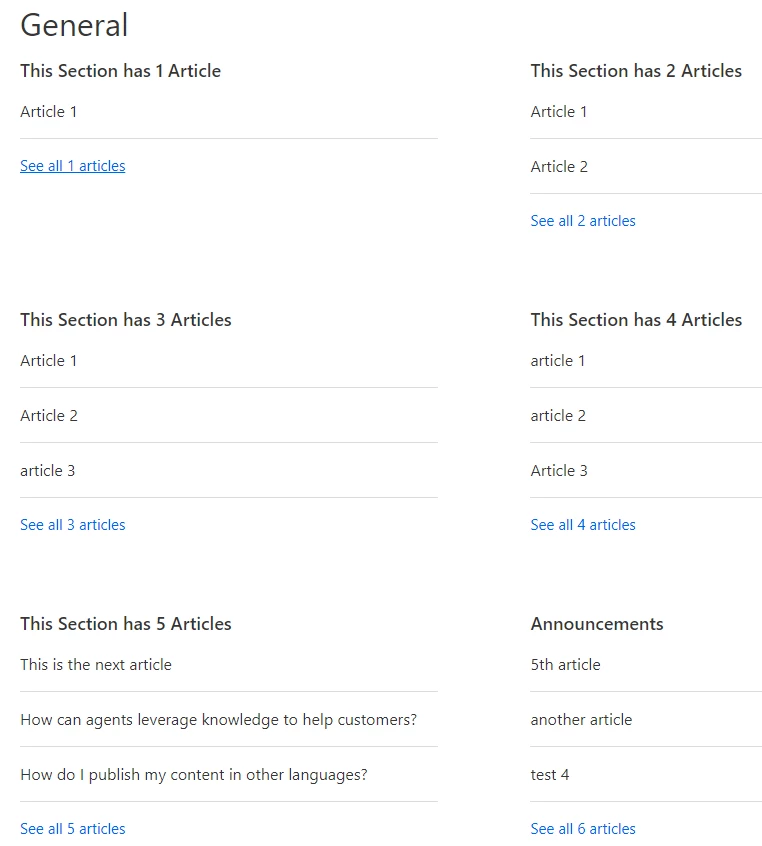
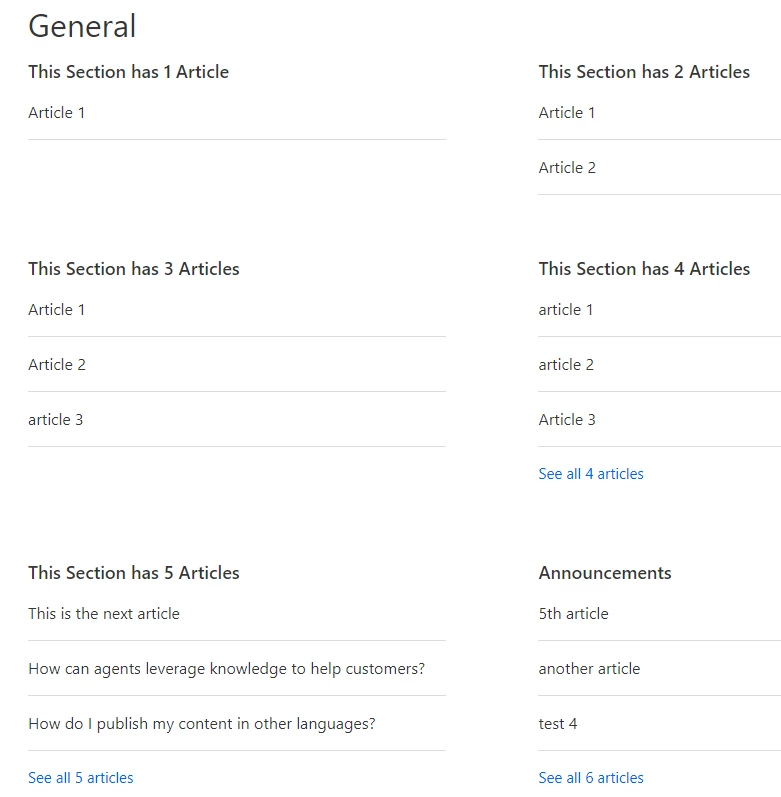
See attached screen shot. If less than 3 articles, the "See all ..." does not appear.

Hope this helps.


@frank thanks! My site started working properly today without me changing anything, so something changed and reverted in Zendesk source I suppose.


  • June 25, 2015

@Wes thank for this tip! This works great for me on Category pages, but on the Home Page I am running into one problem. For the Categories with 6 or less articles this works as expected, but for categories with more than 6 articles the default See all... displays in addition to More...Sell all. Interestingly, the More...See all also displays incorrect number (basically does not go beyond 6). Hope the screenshot helps to see what I mean. Would be very grateful for any tips on fixing this. Thanks!


ModeratorWes

@Yahor,  There is alot of code on this thread so which code are you using.  


  • June 25, 2015

@Wes, the one in the article, not the comments.


  • June 29, 2015

Got the same as Yahor on our HC when setting length to 5 (if( articles.length <= 5). If I go for 6, then the nativeMore kicks in, leaving the customized one out but also section with exactly 6 articles. :( here is part of the code I have in the JS.

Thanks for any feedback as this is driving me mad.


if( document.location.href.indexOf('section') == -1 ) {

var categories = $('ul.article-list');

for (var j = categories.length - 1; j >= 0; j--) {

var articles = $(categories[j]).find('li'),

nativeMore = $(categories[j]).siblings('.see-all-articles');

if ( articles.length > 3 ) {

for (var k = 3; k < articles.length; k++ ) {

$(articles[k]).hide();

}

var moreLink = $(categories[j]).parent().find('h3 a').attr('href'),

linkText = '';

if( articles.length <= 5 && nativeMore.length == 0 ) {

linkText += "See all sss" + articles.length + " articles";

}

$("<a class='moreTopics' href=" + moreLink + ">" + linkText + "</a>").insertAfter($(categories[j]));


ModeratorWes

@Yahor & Nicolas - This tip wasn't really for the home page however can you just remove the below line.

$("<a class='moreTopics' href=" + moreLink + ">" + linkText + "</a>").insertAfter($(categories[j]));


JS tab code:

if( document.location.href.indexOf('section') == -1 ) {

var categories = $('ul.article-list');

for (var j = categories.length - 1; j >= 0; j--) {

var articles = $(categories[j]).find('li'),

nativeMore = $(categories[j]).siblings('.see-all-articles');

//Change string for article list length

if ( articles.length > 5 ) {

for (var k = 5; k < articles.length; k++ ) {

$(articles[k]).hide();

}

var moreLink = $(categories[j]).parent().find('h3 a').attr('href'),

linkText = '';

if( articles.length <= 6 && nativeMore.length == 0 ) {

linkText += "See all " + articles.length + " articles";

}


}

}

}


  • June 30, 2015

Hi Wes,

doing this solves the double "See all xx articles", but now I have a section that has 6 articles, shows 5 only and no link to access the left article.

My goal is overall to display 3 articles and a "See more" link, adjusting the article length to 3 max gives me the same result. An easy solution is to add another article so I go above the 6 articles native limit.


ModeratorWes

@Nicolas - Can you provide the link to your Help Center as I need to see the code.


  • July 2, 2015

https://support.elitesingles.com/hc/en-us 

FYI : I went with my back up plan : adding a 7th article to PREMIUM MEMBERSHIP section.