
Zendesk Note: This tip was submitted by a member of our Community and is not officially supported by Zendesk.
Please read this article for more information.
________________________________________
Using HTTP targets, it is relatively simple to create a trigger to remove all CCs from a request.
Create the Target
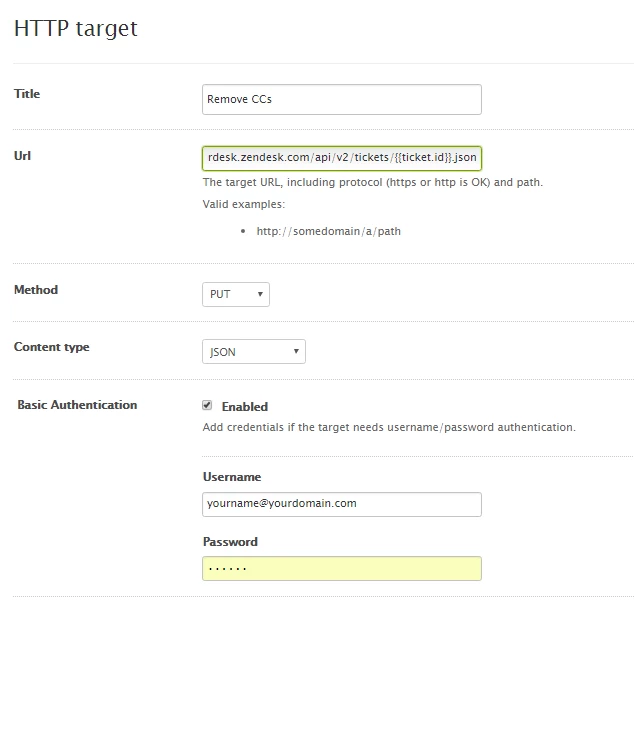
Go to Admin > Extensions > Targets
Add Target > HTTP Target
Complete as below...
Create the Trigger
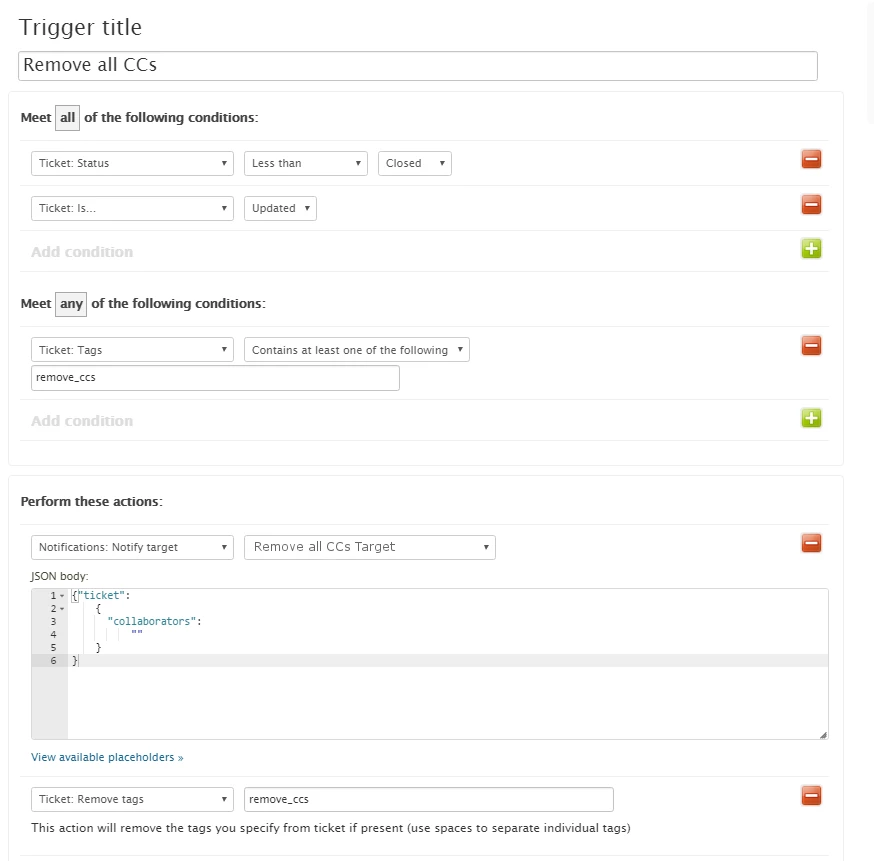
Go to Admin > Triggers > Add Trigger
Configure as below.
JSON is
{"ticket":
{"collaborators": "" }
}
Apply the Tag
Now all that is left is to apply the required tag 'remove_ccs'
This can be done using a specific macro which can simply add the tag.
Alternatively this could be added into any other macro.
NOTE: If the tag is added as part of a public comment, then the CCs WILL get the last message. If this is undesirable then the message should be empty or private.
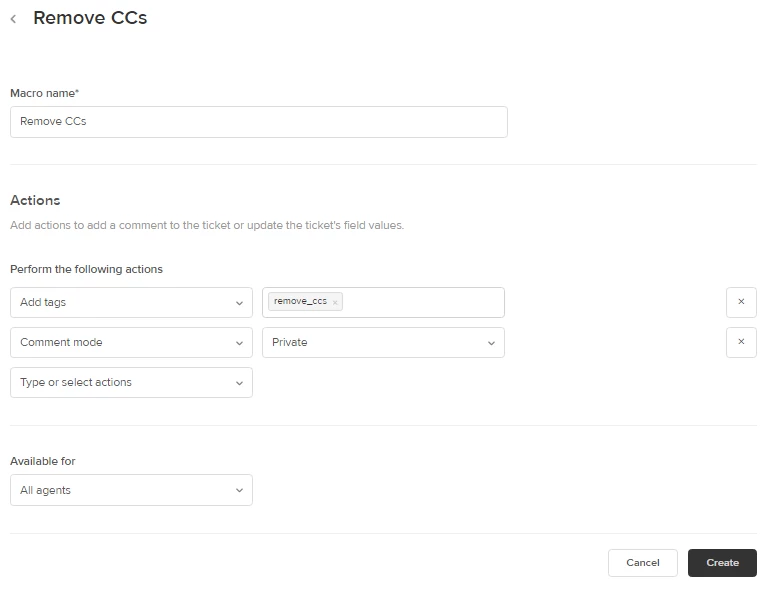
Basic Macro
Go to Admin > Macros > Add Macro
Configure as below.
All done
To use this - simple apply the 'Remove CCs' macro.


You can try to manually make an API call for a ticket to determine if you are using the correct format for the JSON body and the API endpoint. I have tried it on my end and it worked perfectly. Please refer to the screenshot below.
Be mindful of the format of the JSON body and the endpoint. It's possible that what's causing the issue.