Removing ALL CCs from a ticket via a Trigger/Target | Community
Skip to main content

Removing ALL CCs from a ticket via a Trigger/Target

  • May 1, 2016
  • 29 replies
  • 0 views

Zendesk Note: This tip was submitted by a member of our Community and is not officially supported by Zendesk. 

Please read this article for more information.

________________________________________

Using HTTP targets, it is relatively simple to create a trigger to remove all CCs from a request.

Create the Target

Go to Admin > Extensions > Targets

Add Target > HTTP Target

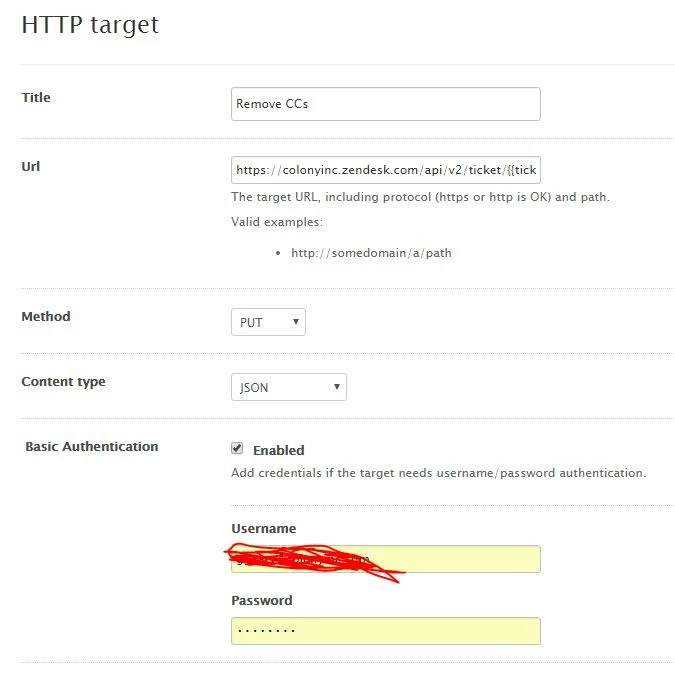
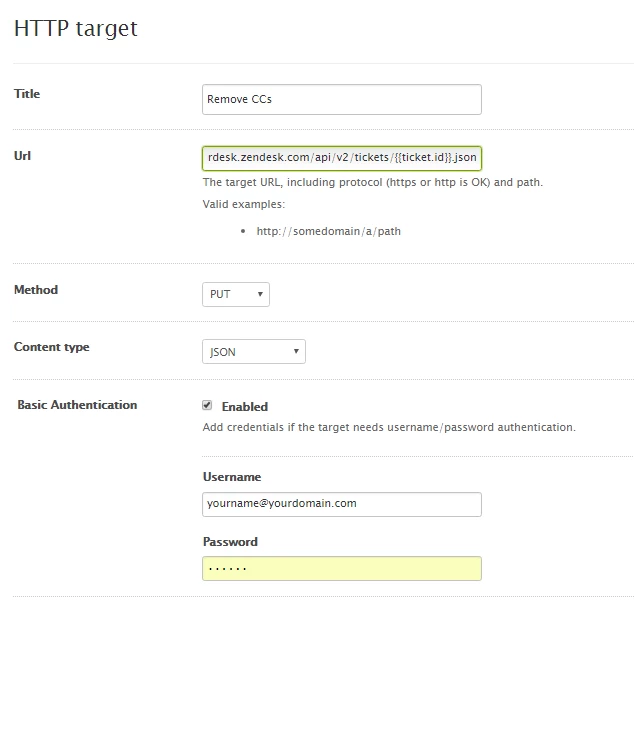
Complete as below...
Create the Trigger

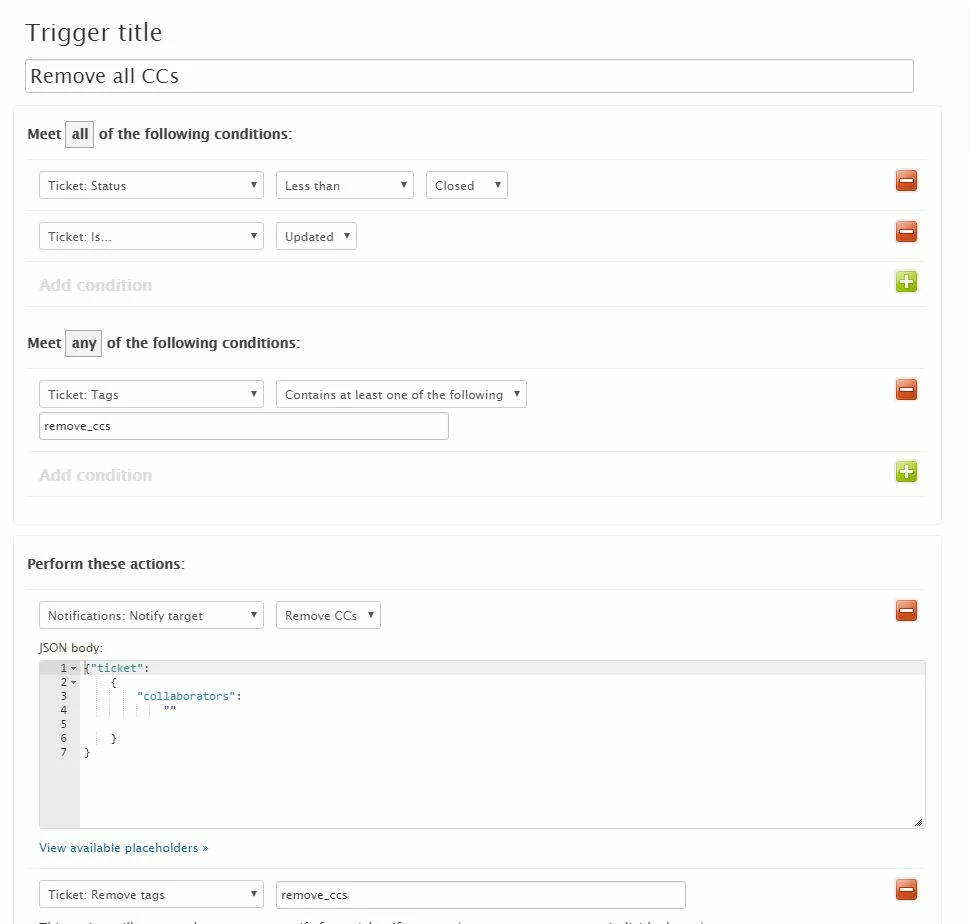
Go to Admin > Triggers > Add Trigger

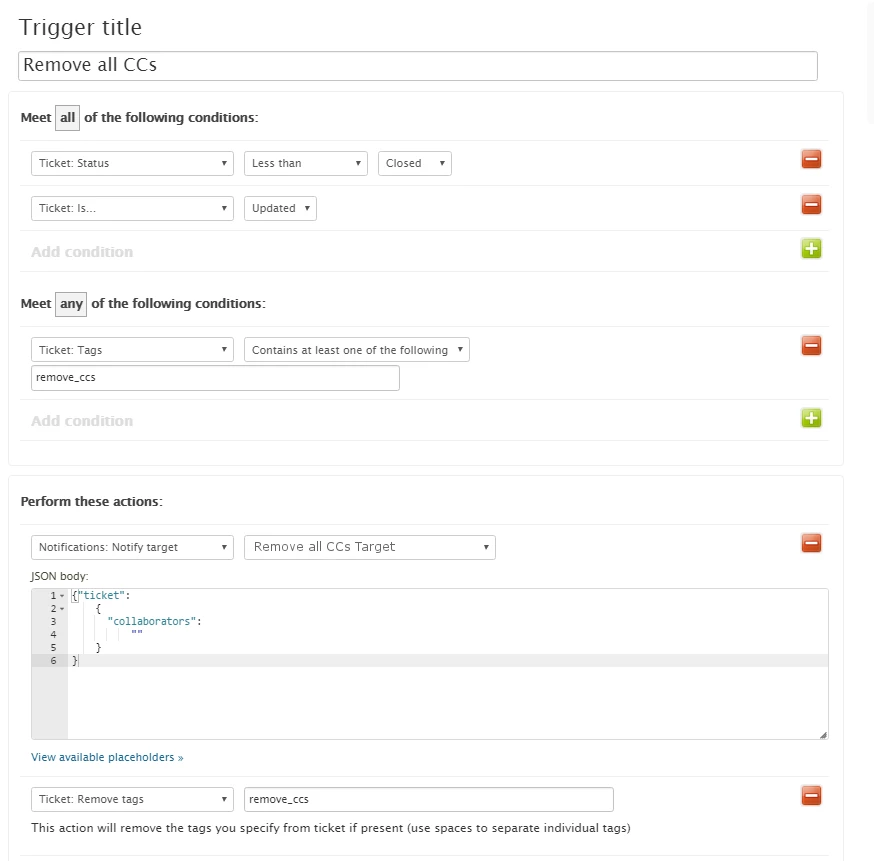
Configure as below.

JSON is 

{"ticket":  
{"collaborators": "" }
}
Apply the Tag

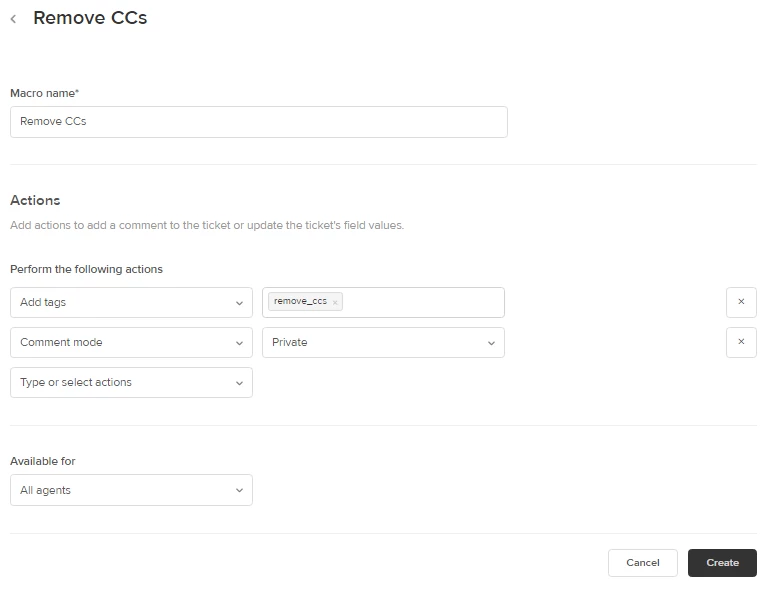
Now all that is left is to apply the required tag 'remove_ccs'

This can be done using a specific macro which can simply add the tag.

Alternatively this could be added into any other macro.

NOTE: If the tag is added as part of a public comment, then the CCs WILL get the last message.  If this is undesirable then the message should be empty or private.


Basic Macro

Go to Admin > Macros > Add Macro

Configure as below.
 

All done

To use this - simple apply the 'Remove CCs' macro.


29 replies

  • May 2, 2016

This is great, thanks.


Jennifer16

Awesome! Thanks, Andrew.


  • May 5, 2016

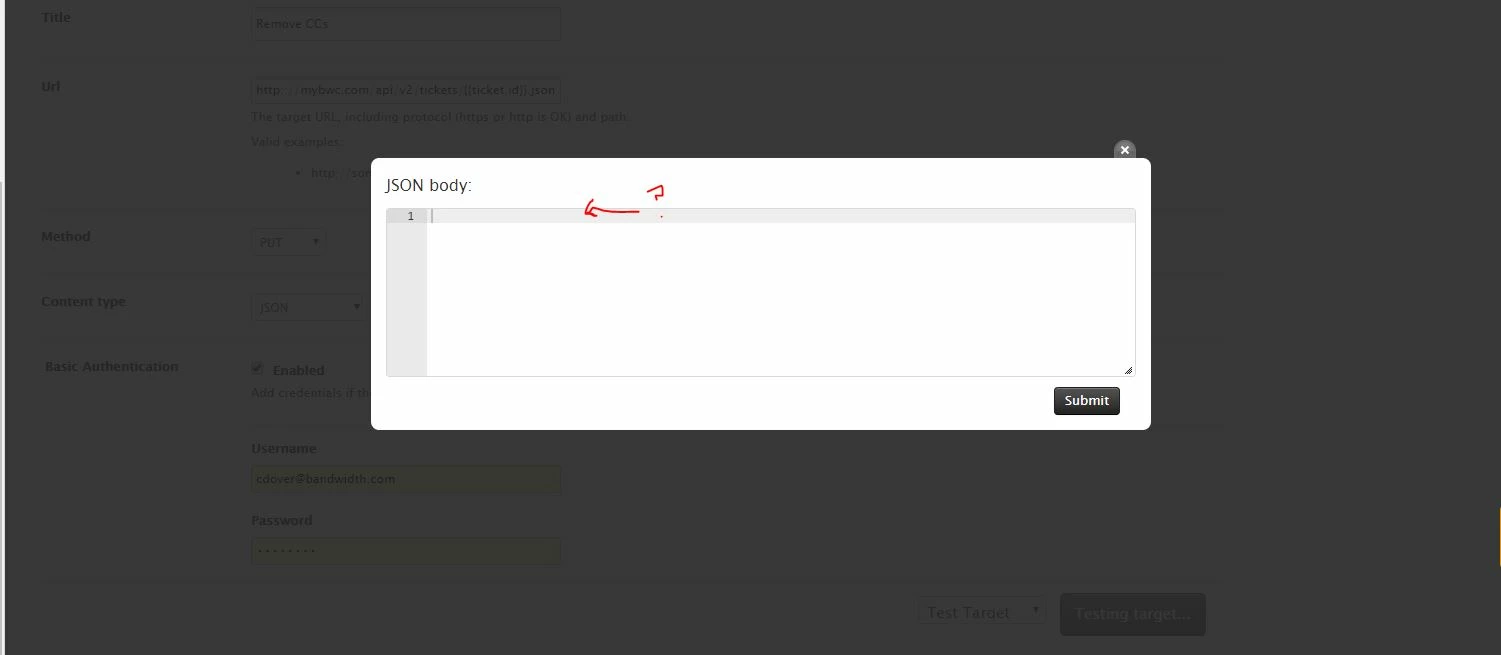
Andrew when I test the target I get the following box. what goes here?


  • Author
  • May 5, 2016

You don't test that target - just make sure you have the URL right and test it on a test ticket with the trigger


  • May 11, 2016

Weird - It is not removing the cc's after creating the target, trigger, and then adding the tag to a ticket.


  • Author
  • May 11, 2016

typo in target url - should be 'tickets' not 'ticket'


  • May 11, 2016

That did it! Thanks Andrew


  • June 20, 2016

I followed the above instructions and got the following error.

Please help.

Thanks!

Alex Z


  • Author
  • June 22, 2016

Looks like some authentication error - are the username and password you are using admin ones?  There might be an option for this type of access to be turned on for the user - can't remember sorry.

@Jessie @Colin - any other ideas?


  • June 23, 2016

@Alex - Yeah, the only thing I can think is that there's something wrong with the username or password that you're entering. Colin or someone else might have more insight though...

I would like to ask you to please review your screenshots and make sure that there isn't anything in them that shouldn't be posted publicly, like an API key or something like that. If there is, let me know and I can take the screenshots down right away.


  • June 24, 2016

good idea! I took them down. As for the problem I will check to make sure the username and password it correct


  • June 27, 2016

Excellent! Let us know how it goes!


  • August 8, 2016

Hi Andrew

Thanks for this tip - I really like it.

Would it be possible to remove one particular user from a ticket if they've being CCed on the ticket, leaving everyone else on there?

For example, I have two 'email' addresses I receive emails at - one which goes to Zendesk, and one which is a regular email account.

Often, customers will message both my email and Zendesk accounts. I want my email removed from the Zendesk ticket (but keep other 3rd parties on the ticket as a CC if they've been CCed initially). Hopefully this makes sense.

Thanks!


  • Author
  • August 8, 2016

Hello Hamish,  that may be possible.

I found this code I just suggested to someone else a while back - I havent confirmed if it is the right syntax

{"ticket":  
{"collaborators": remove;'name@domain.com' }
}


In fact I'm fairly certain this is totally wrong

@wes  - can you help?


  • August 9, 2016

Thanks AndrewJ - I've had a play and can't for the life of me get that to work (although your suggestion is exactly what I want to achieve).

I'm a bit out my depth here though so it's a bit of trial and error....


ModeratorWes

@Andrew - I'll see if I can get caught up here but not that familiar with http targets.


  • Author
  • August 10, 2016

@wes thanks!

I've played a little but my JSON is barely existent.

From what I can tell, there should be a way to get the existing collaborators, then subtract the given email address from it.

Let me know if there's anything I can help with.


  • August 29, 2016

Hi, sorry without wanting to hijack this thread, does anyone know a developer I could work with to get to the bottom of this CC issue?

Thanks!


  • September 7, 2016

Hi all -

Unfortunately there isn't going to be an easy solution for removing one user from the list of CCs on a ticket. I'm fairly certain it's not possible since it would typically take two API calls (one to get the list of CCs and one to reset the list.) 

There is an established feature request for CC functions to be added to triggers/automations, so feel free to add your thoughts there:

https://support.zendesk.com/hc/en-us/community/posts/203429686

If this is an absolute deal-breaker, you could look into possibly utilizing liquid markup in the target. I'm not certain this would work at all, and it would beyond the bounds of support to help you on this.


  • October 9, 2018

Does anyone know if this still works?  I tried to reproduce the workflow, without success.


Edit - I figured it out.  It's super helpful that there's a "Target Failures" tab within the API channels menu.


Nicole17
  • October 22, 2018

Hey Peter!

Thanks for letting us know that you got it sorted and what the resolution was. :)


  • June 17, 2019

Is it possible to use an API token for authentication in the HTTP Target? I've tried with an existing token we use for other API calls but I'm receiving a 401 HTTP response code for Unauthorized.

Has anyone had success using an API token for this or any other HTTP target back into Zendesk?

Thanks!


Devan
  • June 18, 2019

Hello Scott,

So regarding this snafu you are running into if you are hitting the Zendesk API, you would put the admin’s email + /token in for the username and the API token for the password.

User: `admin@companyname.com/token`
Password: `[api token]`

I've also included a small guide that touches on the topic a little further in case you need more help down the line.

Let me know if this helps and please reach out of there is anything else we can troubleshoot for you. 


  • June 18, 2019

Thank you, Devan. That did the trick. I was prefixing the API token with 'token:' in the password field but adding it to the end of the user makes more sense. Cheers!


Devan
  • June 18, 2019

Hello Scott,

I'm glad it worked out for you! If you run into another tricky moment, let us know, and we'll do our best to get you a solution.