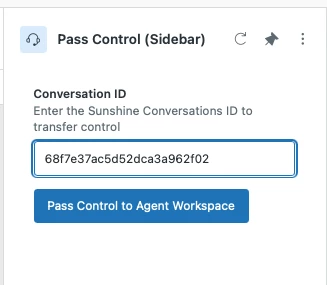
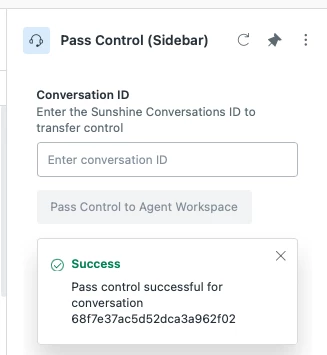
Zendesk's AI Agent Tickets allow agents to view tickets before the Bot hands off to an Agent, but sometimes it's clear that an agent should jump in and offer guided assistance to the customer. This is a planned feature for a future release, but it can be implemented now with the App Builder.
Problem Statement
Agents, Team Leads, and Admins need to be able to take control of AI Agent tickets and turn them into agent tickets so that they can reply to the end user. This can be helpful if the agents have more flexibility with policy than the AI is allowed.
As long as the Bot has control of the ticket, the agent can't assign or comment on the ticket. When an AI Agent is transferring to an agent, the bot will prompt the end user to confirm that they want to speak with an agent.
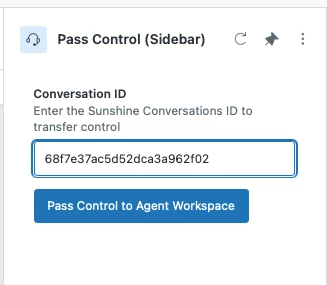
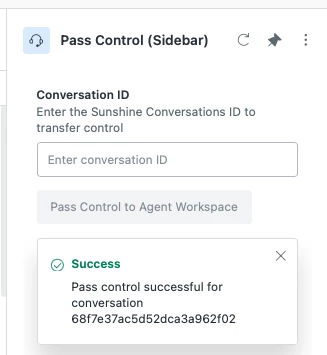
The app we're building will take the AI Agent ticket and reassign the conversation to the default group in Agent Workspace. The ticket can then be reassigned to an agent and replied to like any other ticket passed to Agent Workspace.
Prerequisites
* An AI bot using
* Zendesk Sunshine Conversations and
* AI Agent tickets, which is a feature currently being developed by Zendesk.
Sunshine Conversations works with Zendesk AI as well as third-party AI when configured to use the switchboard.
Potential Enhancements
This app requires an agent to start with a conversation ID. Admins using App Builder can add additional features, such as a list of conversation IDs to select from or the ability to assign the ticket directly to the current user, a group, or another agent.
Screenshots
Prompt
Build an app that requests the conversation ID from the user. Use the conversation id to perform a pass control using the Sunshine Conversations API. POST https://{subdomain}.zendesk.com/v2/apps/{{appId}}/conversations/{{conversationId}}/passControl
The API requires an appID, an appkeyID, and app secret. The API will require an appID, an appkeyID, and an app Secret. Pass control should use the parameter, "switchboardIntegration": "zd-agentWorkspace", and include in the metadata, tag = “admin_bot_escalated”."
Designer's Notes
The agent can view the conversation ID of a ticket by viewing the ticket events in Agent Workspace or by viewing the ticket audits via the List Audits for a Ticket endpoint.
Please do not include secret keys in your prompt. App Builder will prompt for keys when it needs them and use them securely, putting secrets into secure settings in our Zendesk App Proxy. When building an app, please keep security in mind.
This app can also be created as a Top Bar app if that makes more sense for your usecase.