

Onboarding a new employee requires a number of steps that require tight coordination and deadlines. This app creates a checklist of which steps in the process have been completed and allows the agent to see what needs to be done next.
Problem Statement
User onboarding requires coordination of many teams, each doing tasks that may be sequential or may be possible to execute in parallel. Agents need to be able to see where in the process a new hire is and what steps need to be completed to successfully onboard them,
Screenshots
Prerequisites
This prompt is looking for a user field with the ID of 41586677216283 to read the lists of “Onboarding Tasks”. Please create a multi-select custom User Field, call it Onboarding Tasks, and add your steps to that dropdown. Then edit the prompt to use your specific field ID.
Prompt
We are creating an HR onboarding App to assure that each step of the new hire onboarding process has been followed.
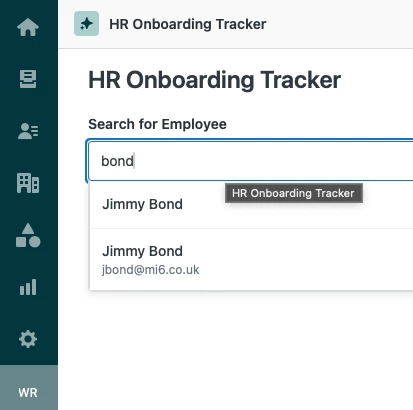
When the app is opened, allow the agent to select any user. Allow autocoomplete of the user (using https://developer.zendesk.com/api-reference/ticketing/users/users/#autocomplete-users API to fetch autocomplete options)
Also find the dropdown options and current values of the multi-select user field 'Onboarding Tasks' To get those tasks, use the following API: https://z3n-whiterose.zendesk.com/api/v2/user_fields/41586677216283.json and look at the user_field.custom_field_options array.
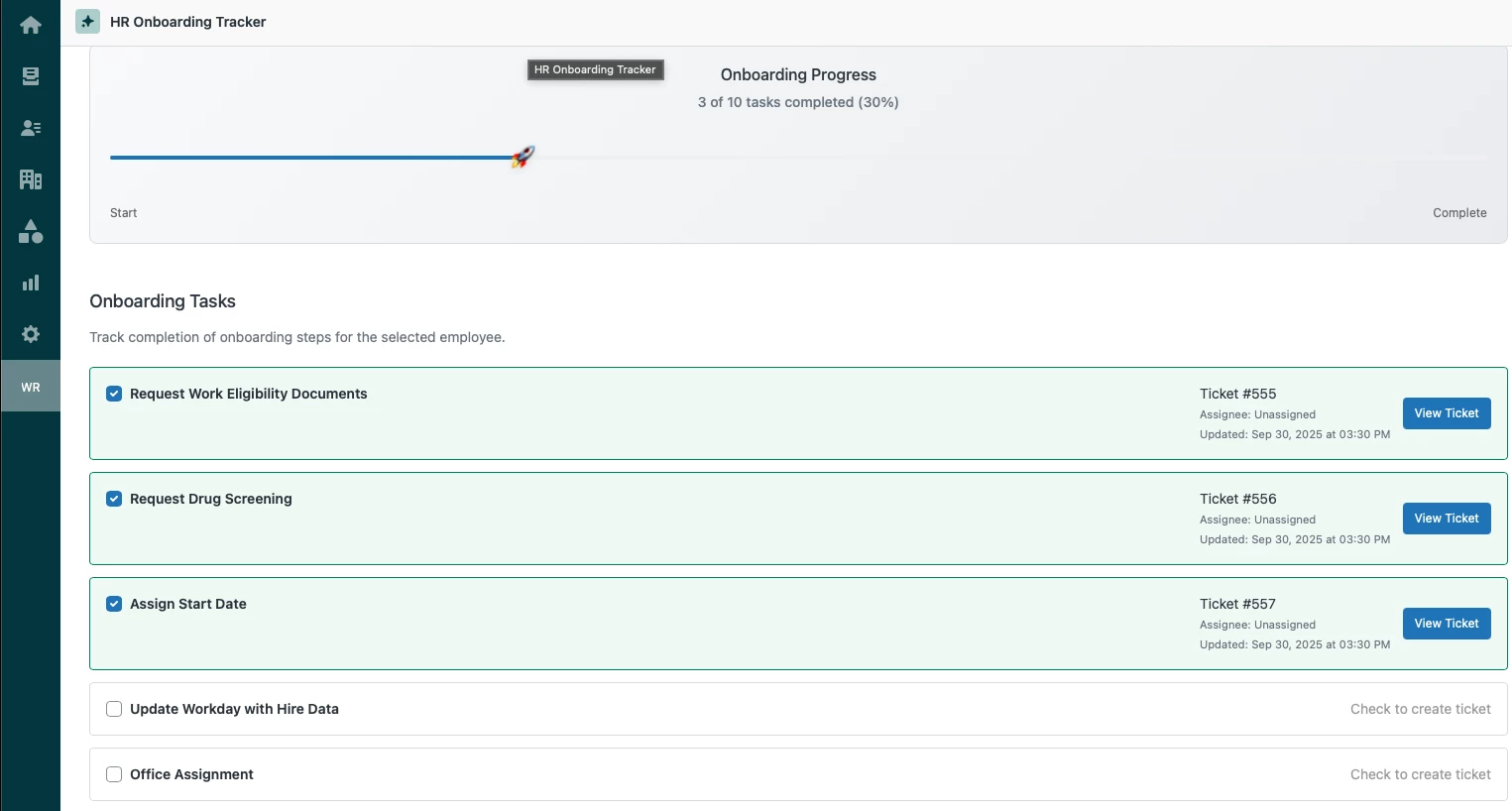
Expand the dropdown into a list of checkboxes, in the same order as the tasks appear in the drop-down and sync them to the Onboarding task selectons.
Search for tickets where the requested user is the requester and the subject of the ticket is the same as a task name. If there is one, add the ticket ID, assignee, and last updated date. Make the last comment hover text. Have a link to open the child ticket.
When a checkmark is checked for the first time, Create a ticket for the selected user assigned the group listed at the end of the field option name. E.g. if the option is "Create a User ID (IT)", then assignee of the new child ticket will be the group IT and the subject will be "Creat a User ID" (stripped of the "(IT)"). If no matching group can be found, create the child ticket anyway, but warn the agent. The ticket should have an internal note mentioning the date/time and agent who created it.
Show an illustration of a rocketship going across the app, proportional to the number of tasks done and undone.
Developer Notes
There are many different ways to accomplish this task. In this case I created a multi-select dropdown field on the user, so that I could always see what the progress of any user was. It's also possible to create a custom objects version of this process, or one that calls a backend database.
Additional Features
This app can also incorporate additional features in subsequent prompts, such as a “Create User” button or API access to Workday or other systems.