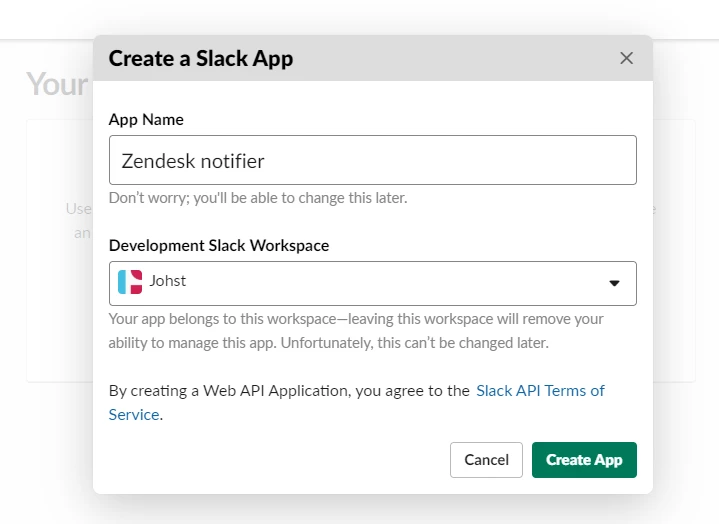
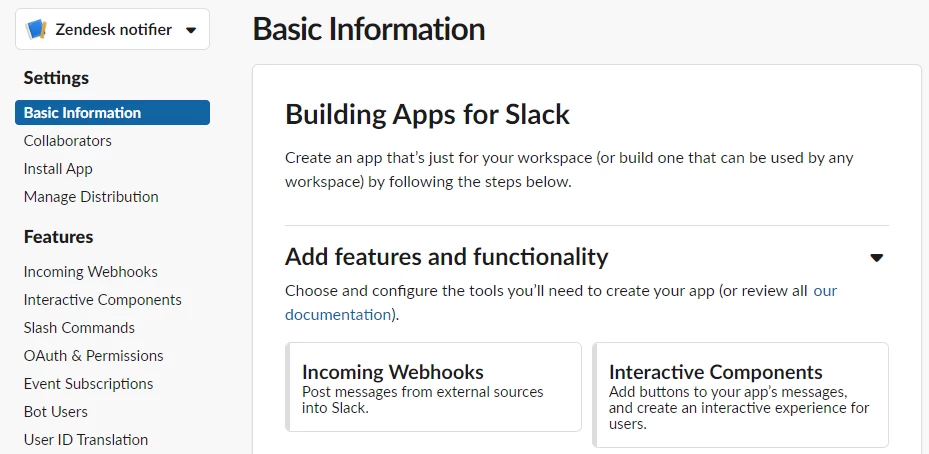
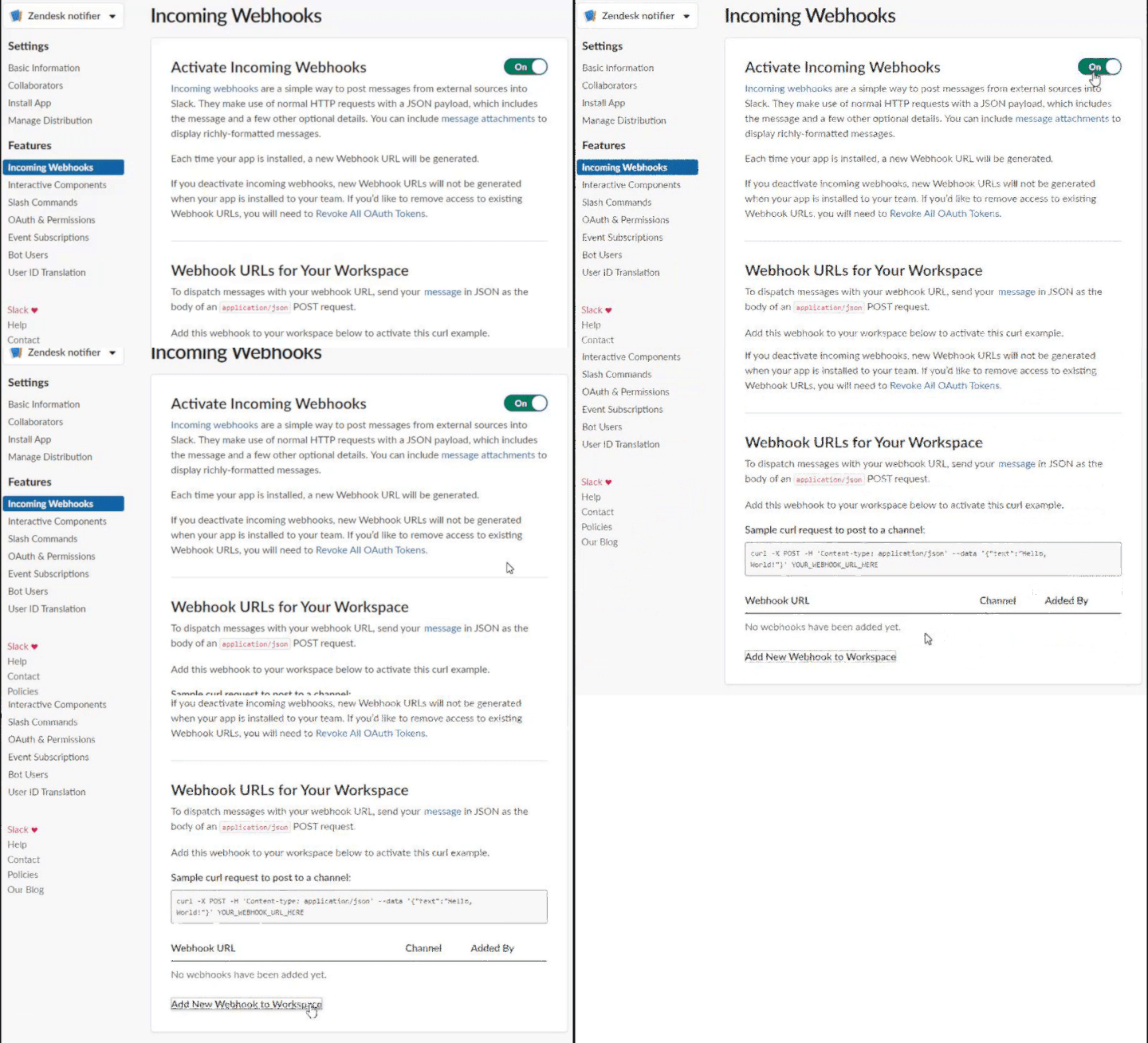
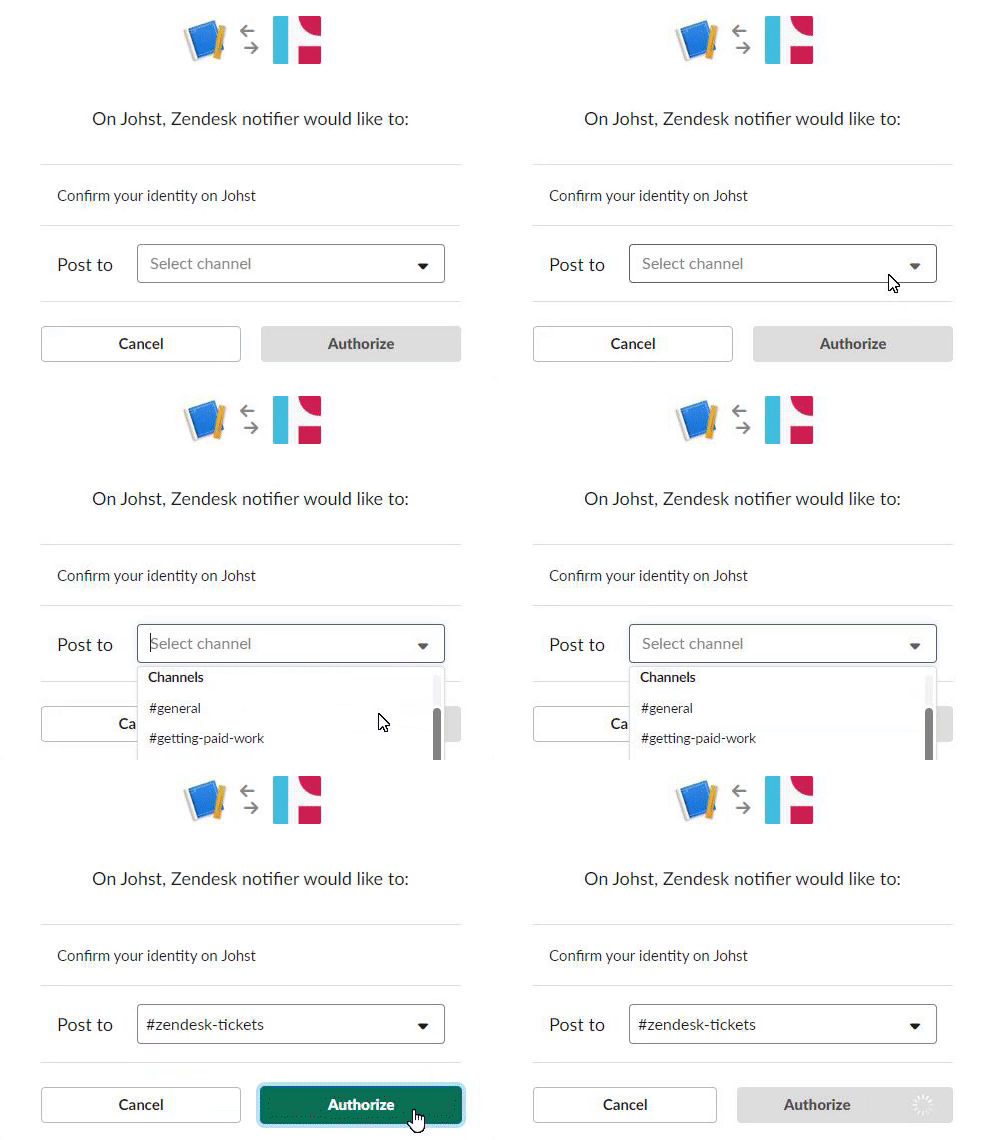
Push notifications from Zendesk to Slack | Community
Skip to main content

Push notifications from Zendesk to Slack

  • May 9, 2019
  • 58 replies
  • 0 views

Show first post

58 replies

Sean26
  • March 1, 2022

Hi @jacob20, thanks for creating and maintaining this article. I've updated your existing HTTP section below to reflect the process for using Webhooks.

Create a Webhook (in Zendesk)

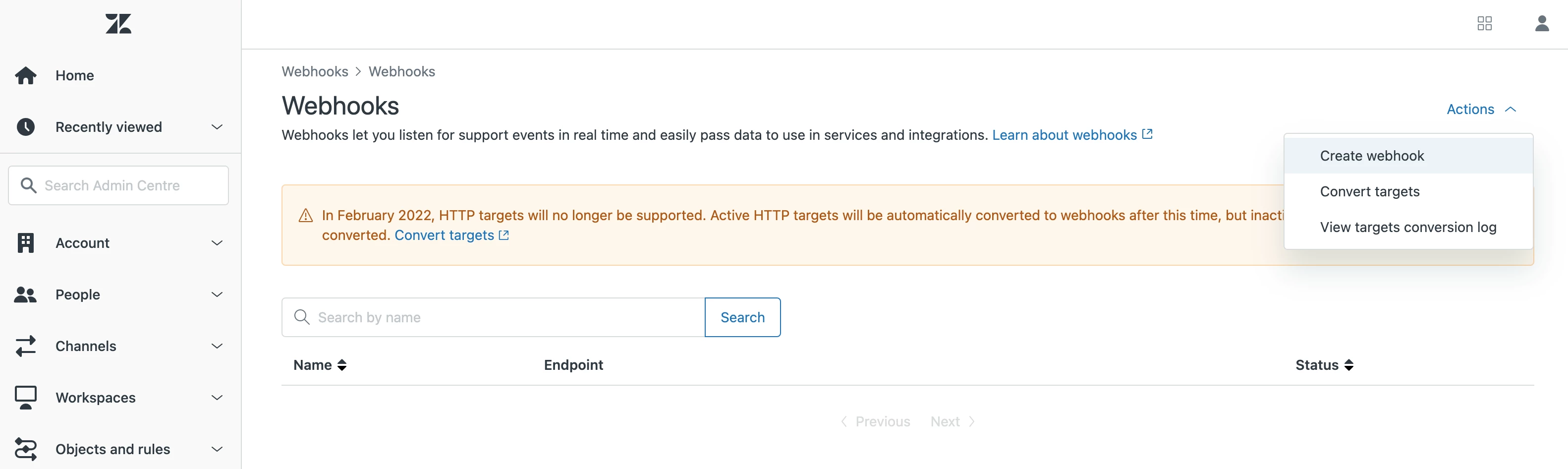
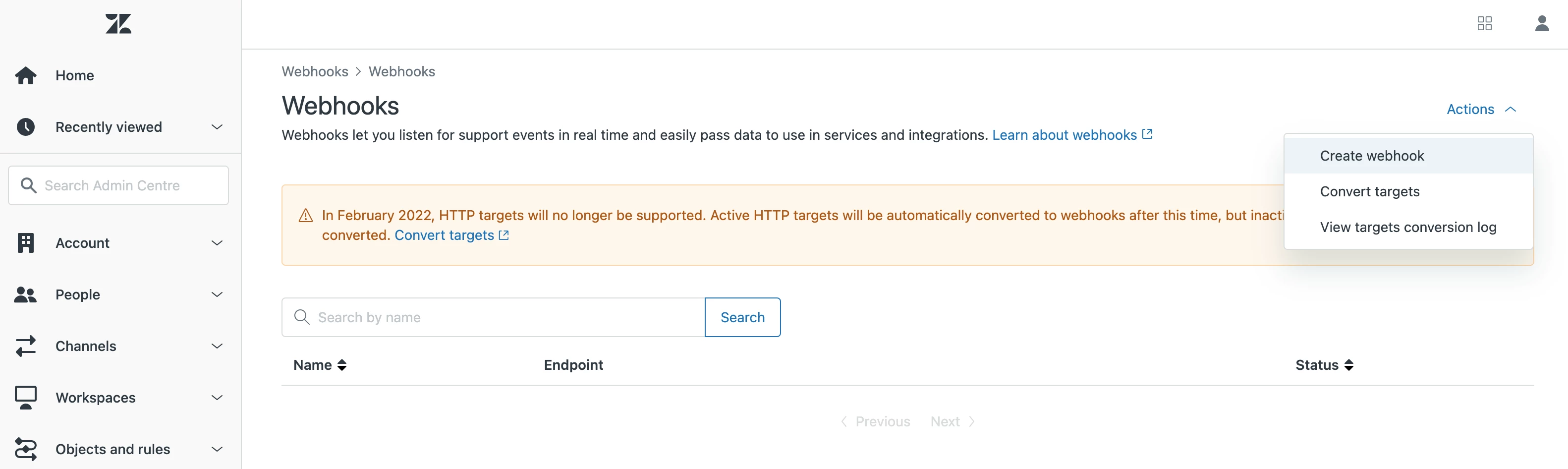
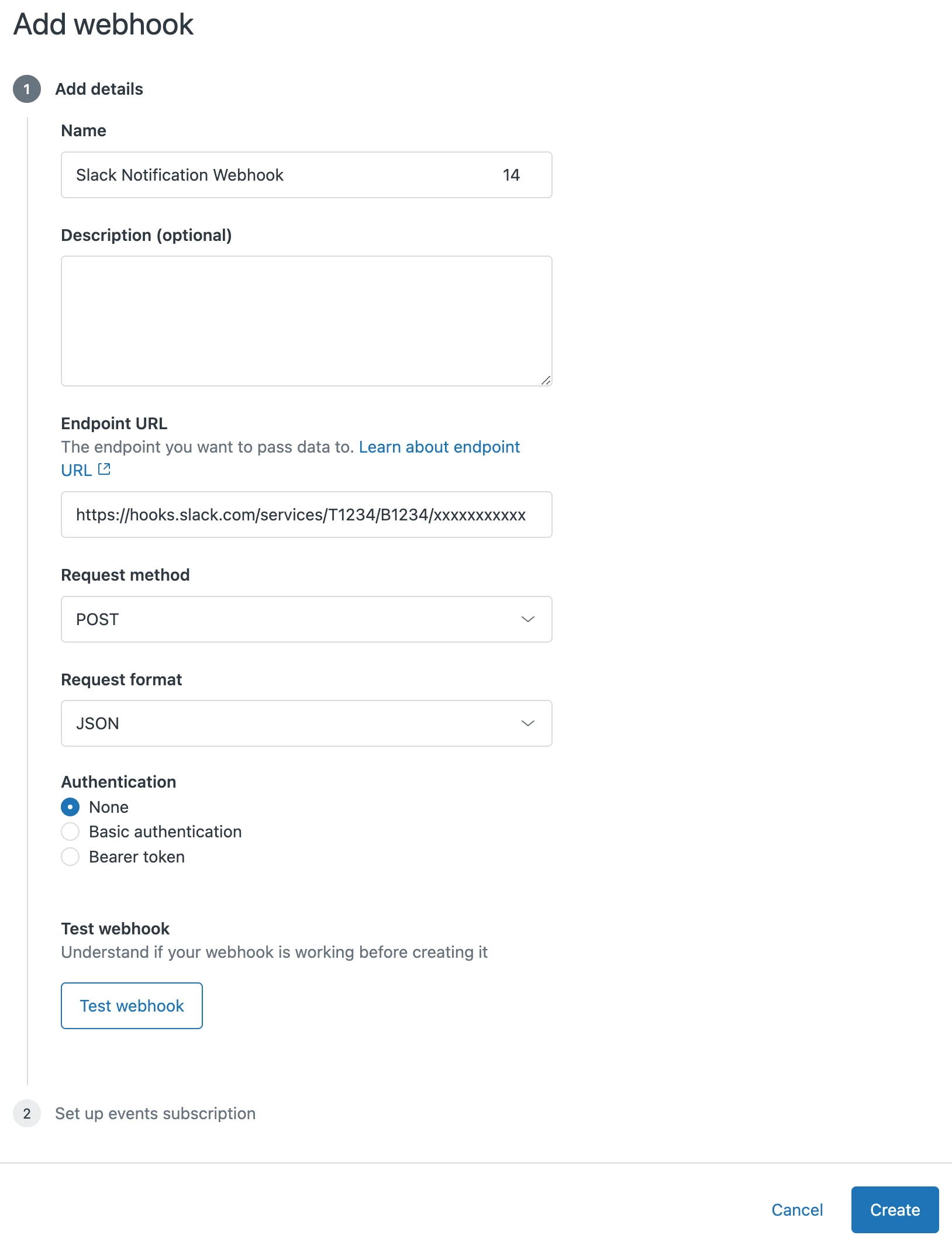
Navigate to the Webooks page: Admin Center > Apps and Integrations > Webhooks, and click Actions > Create Webhook

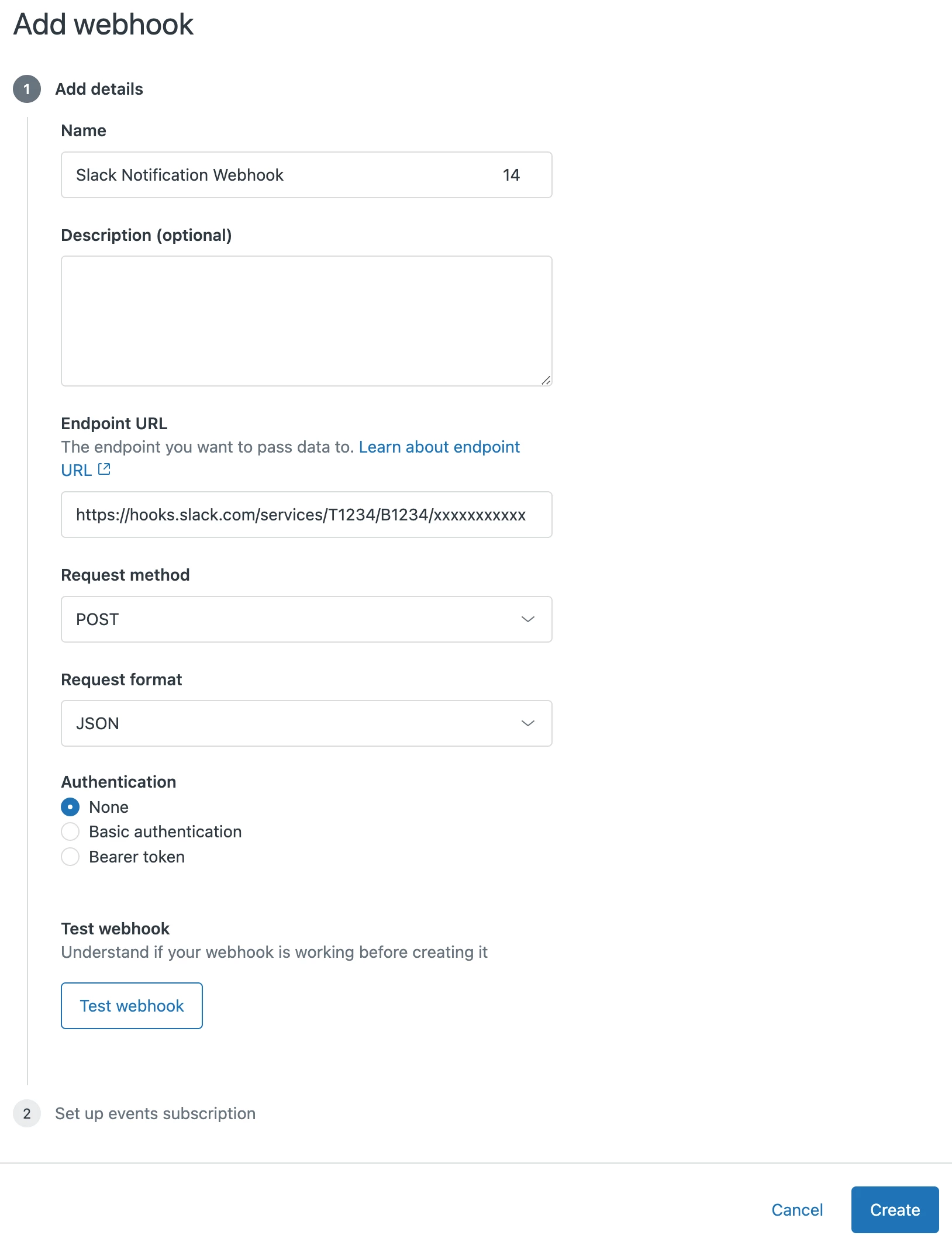
In the Create Webhook screen, enter:

  • A Name which represents the webhook/channel
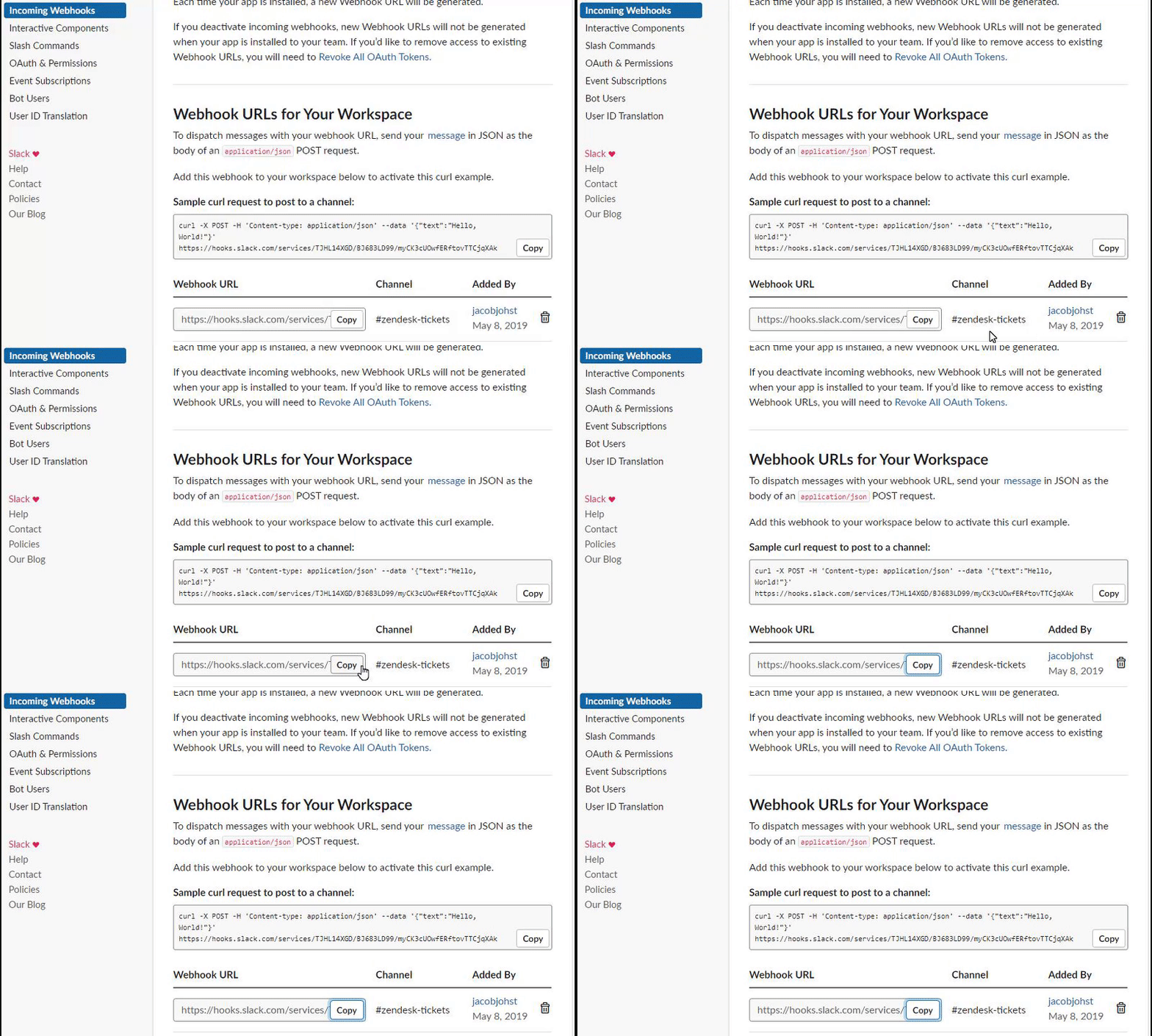
  • The Endpoint URL which is your Slack Webhook URL from earlier
  • Set Request method to POST

Press Create and then press Complete setup on the following screen.

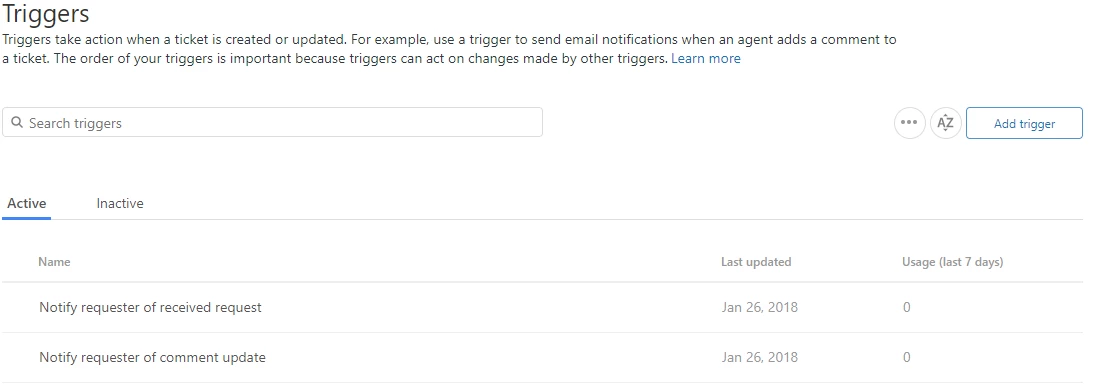
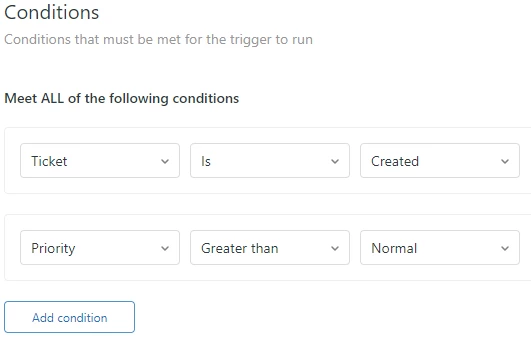
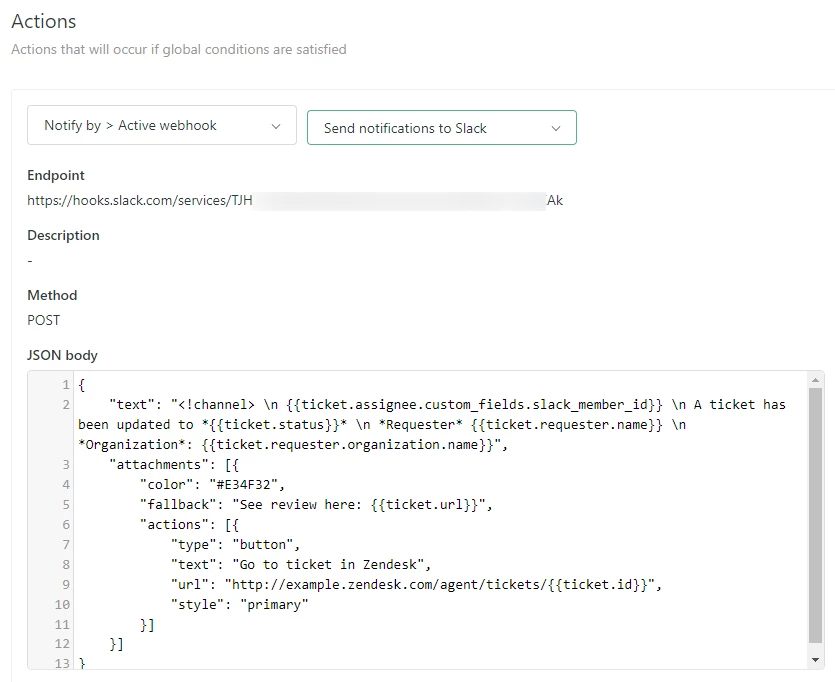
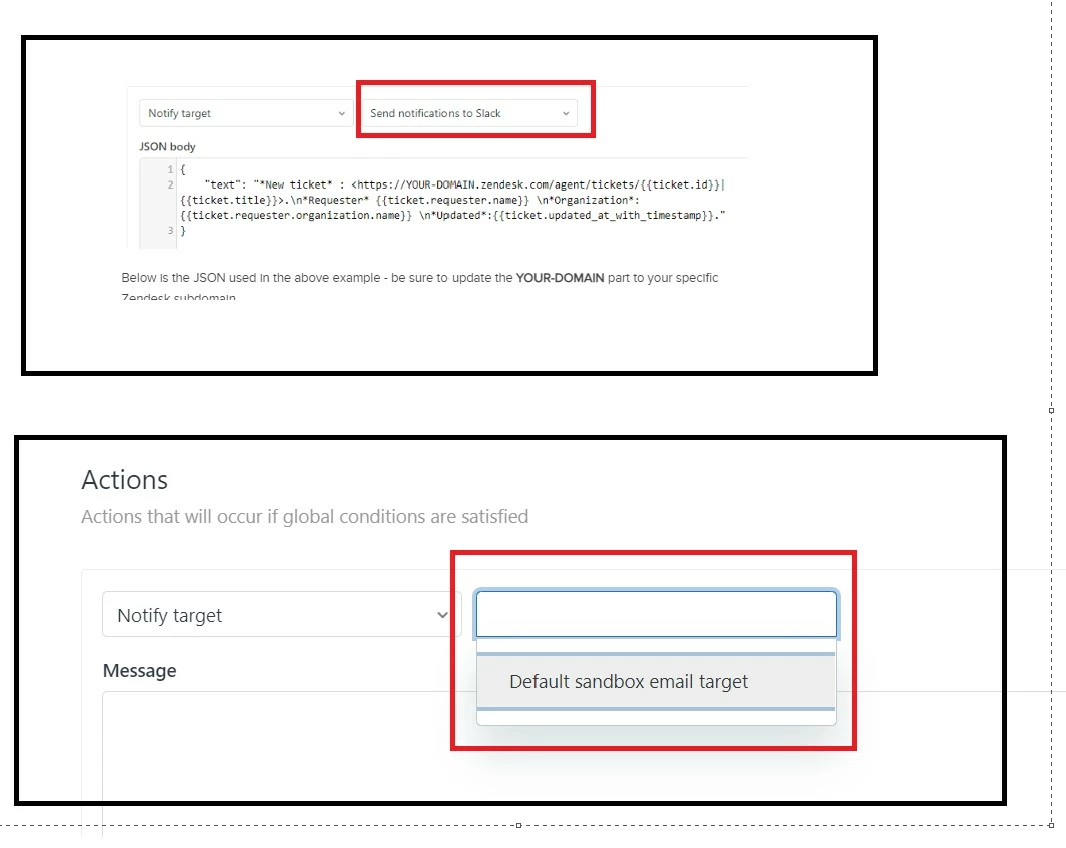
Now that you've created a Webhook linking Zendesk to that Slack Channel, you can create a Trigger following the original post, but instead of selecting Notify target, you select the Notify active webhook action and select the webhook created above.


Jacob20
  • Author
  • September 15, 2022

This announcement about support for Slack DMs might be worth a look for some on this thread:
https://support.zendesk.com/hc/en-us/articles/4933457212442--Announcing-Slack-Direct-Messages


Jahn11
  • November 9, 2022

Hello Jacob Christensen I am trying to follow the process but I don't have the option "Send notification to Slack". 

So I cannot really proceed.


Jacob20
  • Author
  • November 10, 2022

Hey Jahn
That was the title I gave to my webhook. You should look for whatever you called yours.

Let me know if you need more directions.


Jahn11
  • November 10, 2022

Thanks Jacob. I was able to make it work! Woohooo! This article is very helpful.


Eric41
  • December 13, 2022

Great article! One question though - I've setup a slack webhook, and created a trigger so that whenever a specific user is assigned a ticket they receive a slack notification. This works great, however, I am also seeing that notification on their individual channel, and being notified when it comes through on slack. No one else in my organization is seeing this so I can only assume that the webhook/trigger is setup in a way that alerts the creator of the trigger (me) as well as the intended recipient. 

I don't see anything in the setup of the webhook or trigger that accounts for this behavior. Is it possible to alert only the intended recipient? 


  • February 7, 2023

Hey @jacob20 
I am looking to piggy back off the setup that Victor Hrsit was asking about in the comments.

I am struggling with the slack_user_id custom field setup

I want to be able to @tag the ticket assingee through the webhook in the slack channel.

I can get the @here & @channel webhook to fire correctly, but struggling with the agent setup. 

Can you explain the exact setup for Zendesk>Custom fields? Do I require a custom field per agent with their slack ID? I'm currently testing this is the Sandbox setup, which is not integrated with Slack - but I imagine this does not matter.

Thanks in advance 


Jacob20
  • Author
  • February 7, 2023

Hey Shane.
In one of the earlier comments I gave an example of how this could work using a user text field and a placeholder.

https://support.zendesk.com/hc/en-us/community/posts/4409515187866/comments/4409515954970
And I think Viktor confirmed a solution just below. Let me know if you need more details.


Jacob20
  • Author
  • February 8, 2023

Hey @eric41.

Did you work out your unexpected notification conundrum?
I'm not sure I follow who is getting the unexpected notifications and where.


  • March 2, 2023

Really helpful article, however I'm asking myself how I can specify in the JSON which channel I wanna send my notification to ? I would have to send the notification to the slack tech_channel or sales_channel. Thank you for your help


Jacob20
  • Author
  • March 2, 2023

Hey Max,

Glad you found it helpful!
A slack webhook is specific to a single channel, so you may need to create multiple to notify different channels.
I found this article that has more details on slack webhooks, hope you find it helpful.
https://api.slack.com/messaging/webhooks#create_a_webhook


  • March 17, 2023

Hi there, very useful post.. although I am trying to set up an automation and I am struggling :

- one agent starts a side conversation with a special slack channel (tech)

- ticket status changes to on-hold

- automation firing a notification in the same slack channel if no answer from Slack channel after 24h

Is that possible ? 

Thank you :)


Jacob20
  • Author
  • March 20, 2023

Hey @max12 - thanks, I'm glad you find it useful!

That's an interesting use case!

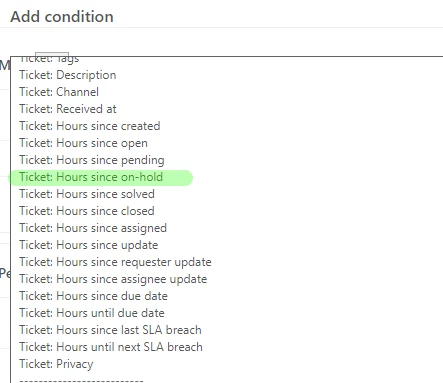
I must admit that I've never used Slack with Side Conversations, so there may be possibilities I'm unaware of. If you have a way to identify which Slack Channel you've reached out to, you may be able to create a per Slack channel automation that will send a message based on "Hours since On-hold > 23 hrs (calendar)".
This could get a lot more complex if you have multiple side conversations on the same ticket.
I hope that's helpful, let me know if you have some specific challenges.


John153
  • November 27, 2023

Is there a way to use the Field 'Value' instead of the Field 'Tag' when sending a message to slack?
Using the tag isn't very readable.

When I go into custom fields for tickets, users, org, etc. there's two columns "Value" and "Tag" 

I am currently using items such as Value:{{ticket.ticket_field_1231232113}} but that displays the tag not the value.


PJ95
  • November 28, 2023
Hi John,

Great question! If you are referring to custom dropdown field values, you may try the below placeholder as stated in the article Using placeholders for custom fields.

Best,

PJ


PJ95
  • November 28, 2023
Hi John,
 
Great question! If you are referring to custom dropdown field values, you may try the below placeholder as stated in the article Using placeholders for custom fields.
 
"{{ticket.ticket_field_option_title_<field ID number>}}"

Best,

PJ

Keti11
  • January 23, 2024

Is it possible to send a notification as a direct message to each user on Slack?

We would like to have an "individual" (direct message) notification for each agent on Slack, once a Zendesk Ticket is assigned to them.

Example:

Zendesk Ticket received to Group A

Someone from Group A assigns the ticket to Agent A

Agent A gets a notification through Slack 

Basically same logic as Notify by Email:

Notify by > Email - Ticket > (assignee)

Thank you!


  • January 23, 2024

Hello @keti11

It is not possible natively, but as a workaround you can tag the assignee in a specific channel. if you're interested you can try using a flow with trigger + side conversation + tagging the Slack userid.

1. First you have to get the Slack userid of your agents. You can export (as admin) the members of your Slack workspace and then get their id (it looks like this : U04WTP4UM7T).

2. To avoid multiple triggers (one per agent) you can store them for each agent as a User Field (Slack id).

3. Set up a trigger (or several triggers, one per agent if few agents) calling/notifying your Slack integration (for example as Side Conversation) and add to the body your Slack ID (as it is, or through the user field you've created).

example : This ticket has been assigned to <@U04WTP4UM7T>

As a result, indeed there's no direct message firing, but the assignee will be tagged and have a notification on Slack.

Hope it helps,


Dave24
  • April 16, 2024

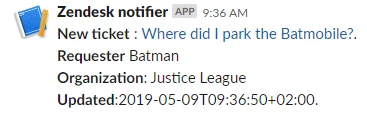
Thanks @jacob20 for helping me to get this working – and just for future reference, here's how you'd get a clickable hyperlink of the ticket Subject that takes you to the ticket:


<https://yoursubdomain.zendesk.com/agent/tickets/{{ticket.id}}|{{ticket.title}}>


Vamshi12
  • April 18, 2024

Hello Everyone, 
 

Can someone assist me in setting up Slack notifications for whenever we post something on our Zendesk Community?


Jacob20
  • Author
  • April 19, 2024

Hi @vamshi12 👋

I did a post on that some years back, but I don't think it exists anymore. 

The good news is that there is more native Zendesk support for such a flow now than then.

Instead of using a trigger to kick off a notification based on a certain ticket event, you can now use a webhook to listen to something like the Community Post Created event, and have it send a notification like the one mentioned in this post.

I'm not sure if there are any placeholders available for the notification, you may need to keep it generic, like “New Post created” and link to a saved search or some other location where the post can be reviewed (I know very little of the Gather product :)).

I haven't tried this setup myself, but let me know if you have questions and I'll do my best to answer them.


Vamshi12
  • April 19, 2024

Hi @jacob20 


Thanks for your response, Yeah i saw the Zendesk native feature but the problem is how to send a notification to slack from here. 


Jacob20
  • Author
  • April 22, 2024

Hi @vamshi12 

OK, I see I may have jumped the gun a bit on calling out the Zendesk Event Webhook as a solution for this. 

I just noticed that there doesn't appear a way (from Zendesk) to modify the payload sent from this kind of webhook. You would need some kind of middleware like for example Zapier or MS Power Automate to take the payload and parse it for the information you would want to show in a Slack notification and send it to Slack.


If you're on a paid Slack account, you may have access to email addresses per channel - a low-tech solution using this may be worth considering as an alternative. 

Basically, you would create a Zendesk end user that has this Slack email address, and then you would use the assume feature to make them a Follower on the sections you want to receive notifications on.


The notifications will be a lot less neat than what you could achieve with something like Zapier.

I hope this helps you out somewhat.


  • May 7, 2024

Hey there @jacob20 

I was able to set this up in my instance with no issue, thanks for the great documentation!

I was wondering if someone here or you could point me in the right direction for one request, is it possible to set up some kind of automation or edit the webhook where when a ticket is updated it provides the ticket update in the ticket thread? 


Chris106
  • June 5, 2024

This post is awesome, I followed it step by step and have this working perfectly. Does anybody know if there is a placeholder for voicemail transcripts? This would be a neat inclusion in the Slack notification.