Prefill and hide Subject & Description fields of specific form on New Request Template | Community
Skip to main content

Prefill and hide Subject & Description fields of specific form on New Request Template

  • October 20, 2022
  • 69 replies
  • 0 views

Show first post

69 replies

  • September 4, 2024

Hi,


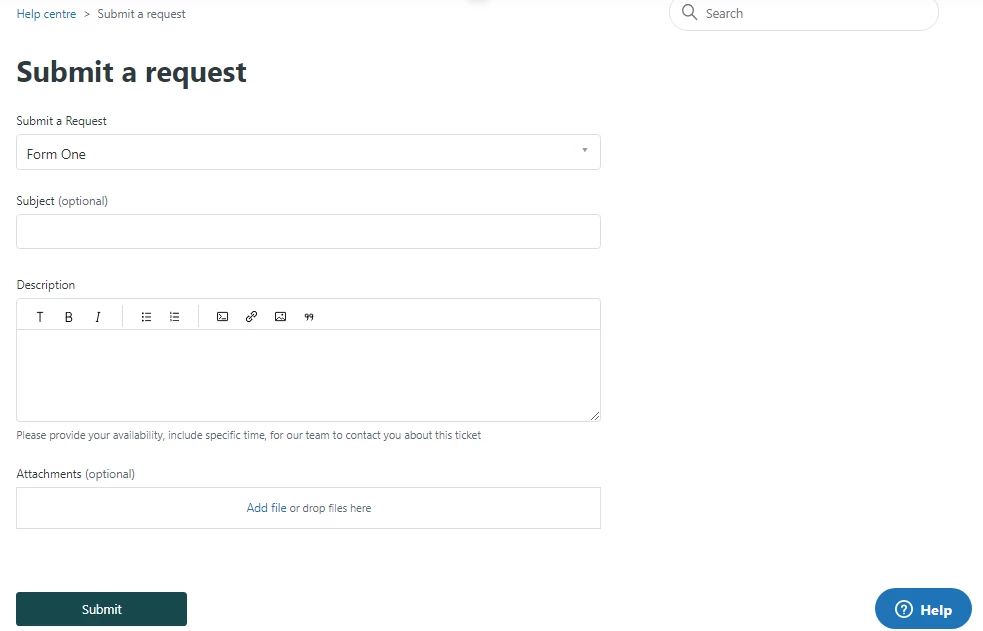
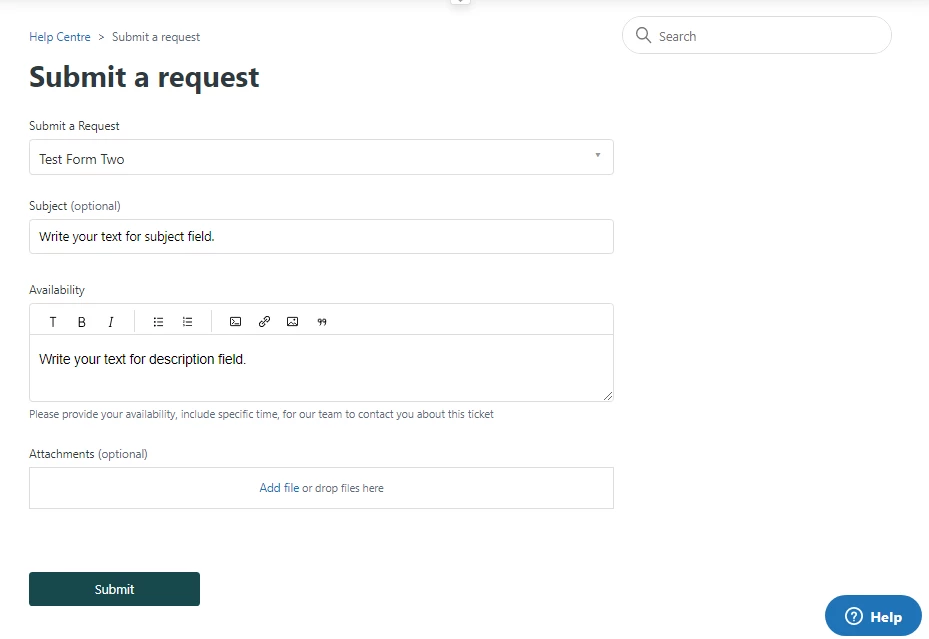
I was wondering if anyone could assist with this functionality. I am trying to hide & prepopulate the Description and Subject Fields on one specific form, however the below code has no effect on my form: 


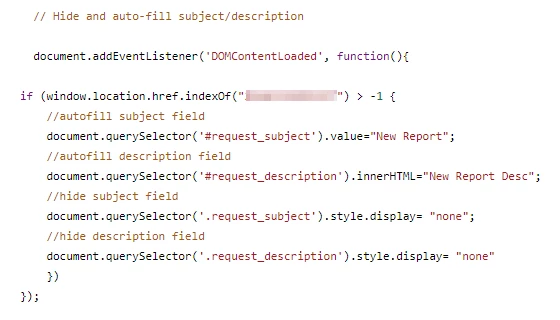
 if (window.location.href.indexOf("21346992414237") > -1) {
// Autofill subject field    
 document.querySelector('#request_subject').value= "Write your text for subject field.";  

// Autofill description field    
  document.querySelector('#request_description').innerHTML= "Write your text for description field.";
     
// Hide subject field     
 document.querySelector('.request_subject').style.display= "none";
    
// Hide description field 
document.querySelector('.request_description').style.display= "none";
 }


Thanks 


Mikey


Hannah12
  • September 27, 2024

@ifra  - Long time since we've talked. I hope you've been well! Echoing everyone else's sentiment here about how awesome you are!!! :)

As always, I'm here to ask for your help. Are you able to assist with making the subject and description field hide on a specific drop-down value? We have a team that has several different functions and they want to have their subject line pre-populate and hidden on specific topic selections. Additionally, they want the description field to have a pre-populate text (not necessarily hidden). Is this possible? Here's the field id and the drop-down values:

<label id="request_custom_fields_29365922002331_label" for="request_custom_fields_29365922002331">What can we help you with?</label>

                           <input type="hidden" name="request[custom_fields][29365922002331]" id="request_custom_fields_29365922002331" autocomplete="off" data-tagger="{&quot;label&quot;:&quot;Associate Lease&quot;,&quot;options&quot;:[{&quot;label&quot;:&quot;Apply for an Associate Lease&quot;,&quot;value&quot;:&quot;associate_lease__apply_for_an_associate_lease&quot;},{&quot;label&quot;:&quot;Associate Lease Renewal&quot;,&quot;value&quot;:&quot;associate_lease__associate_lease_renewal&quot;},{&quot;label&quot;:&quot;Associate Move Outs&quot;,&quot;value&quot;:&quot;associate_lease__associate_move_outs&quot;}]}]" aria-required="true" aria-labelledby="request_custom_fields_29365922002331_label"/>


  • October 1, 2024

Hi all, 

Hoping to get some help with hiding and auto-filling the subject and description fields for a single form. I had gotten it working on a previous form but mirroring the changes isn't giving me any results. Currently testing this code and it doesn't seem to be working properly:
 

I've also tried some of the other solutions that have been given in this article without any luck. 


Ifra
  • Author
  • October 2, 2024

Hey Hannah, I'm good I hope you also. 


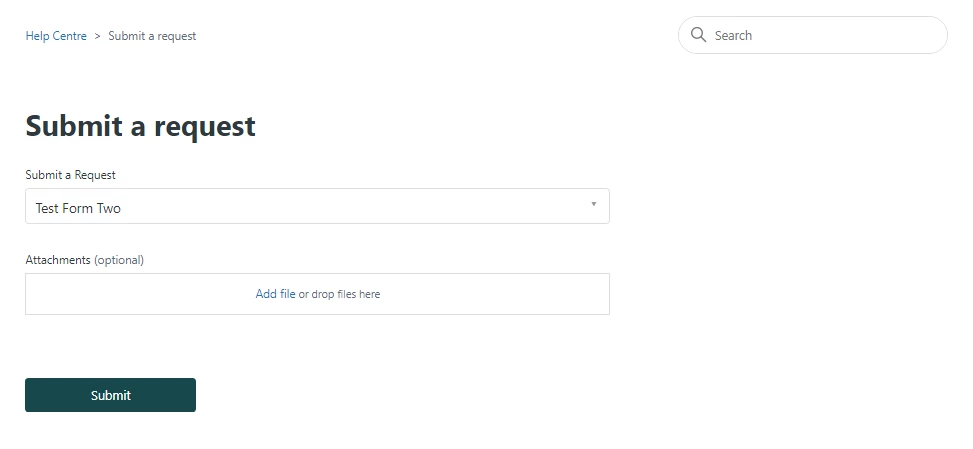
You can use this code to autofill and then hide the both fields.


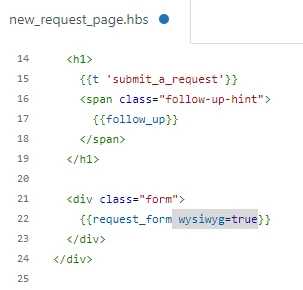
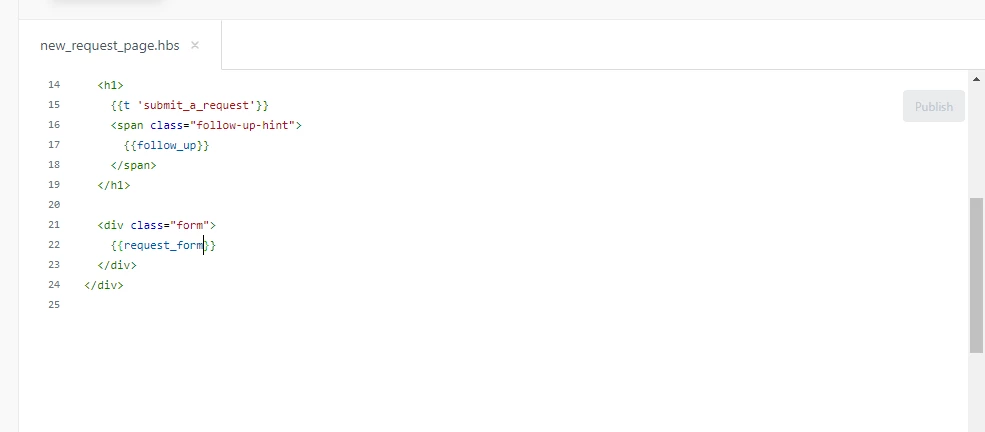
Step 1: Remove  'wysiwyg=true' from the form.


Current-


After-


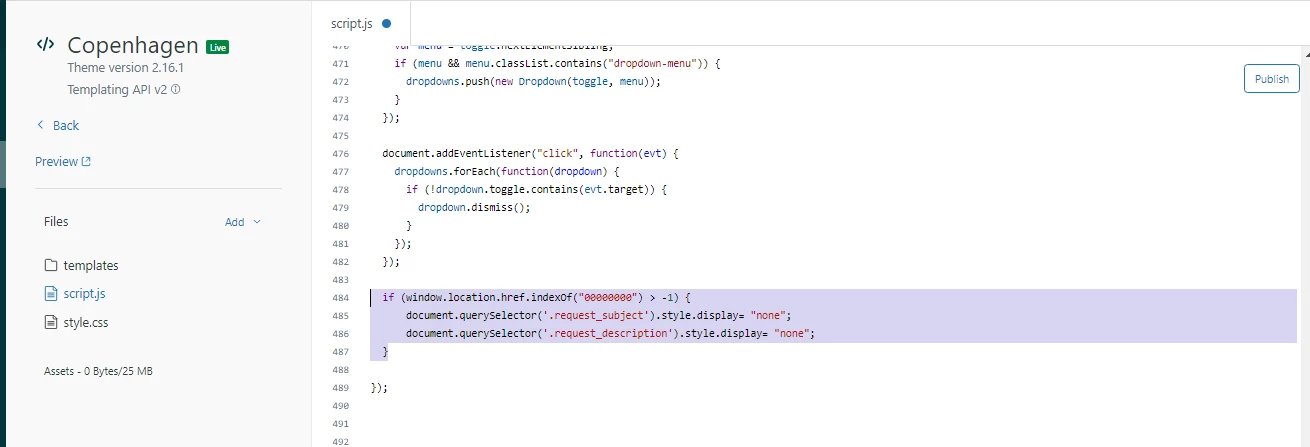
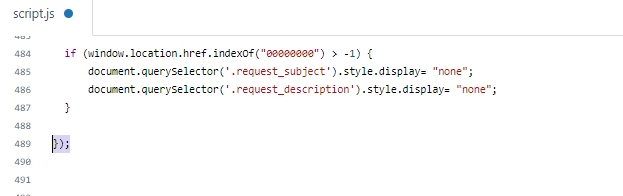
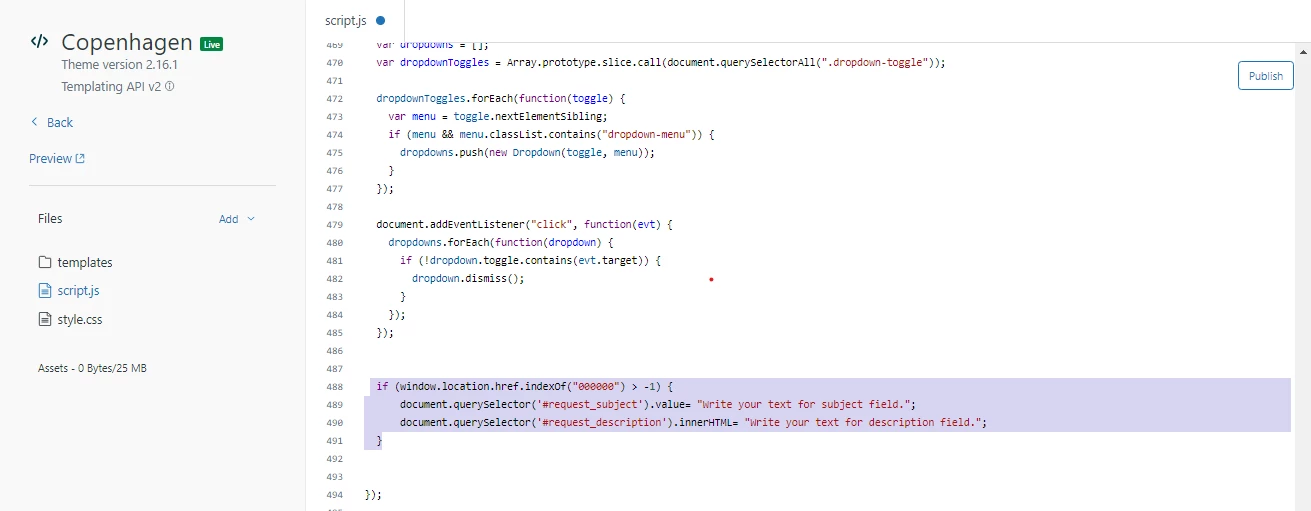
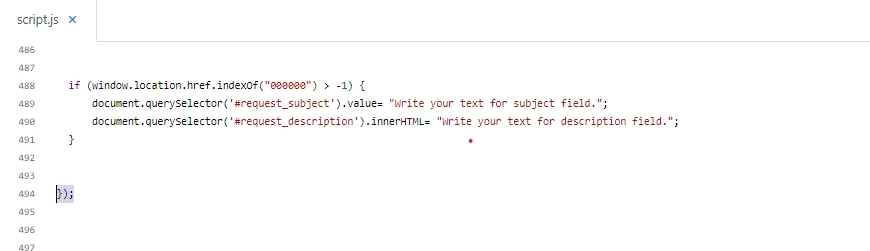
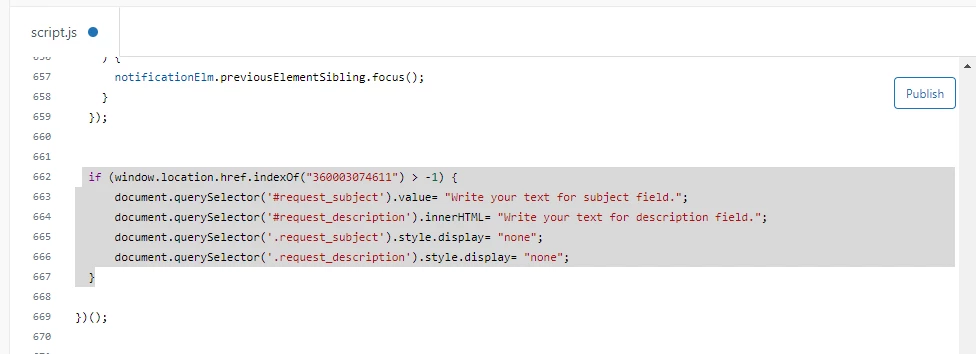
Step 2: Add this given code at the bottom in the script file.


Code- 

 if (window.location.href.indexOf("360003074611") > -1) {
     document.querySelector('#request_subject').value= "Write your text for subject field.";
     document.querySelector('#request_description').innerHTML= "Write your text for description field.";
     document.querySelector('.request_subject').style.display= "none";
     document.querySelector('.request_description').style.display= "none";
 }


You need to remove my form ID and add your form ID where you wanna hide these fields.


First, open that form and then you will see the form ID in the search-bar.


Copy that and add in the script code here:


  if (window.location.href.indexOf("Add Here") > -1) {


If any query Feel free to ask :)

Thanks


Ifra
  • Author
  • October 2, 2024

Hi Jenny,I hope you got your solution as well if not please let me know :)


Thank You


  • October 2, 2024

I created the brand and help center that this form is connected to within the last couple of weeks and have noticed that its new_request_page.hbs and document_head.hbs are significantly different from my other brands. The others look similar to your screenshots, however this new brand's new request page code looks like this and unfortunately isn't responding correctly to the code you provided.

<div class="container-divider"></div>
<div class="container">
 <div class="sub-nav">
   {{breadcrumbs}}
   <div class="search-container">
     <svg xmlns="http://www.w3.org/2000/svg" width="12" height="12" focusable="false" viewBox="0 0 12 12" class="search-icon" aria-hidden="true">
       <circle cx="4.5" cy="4.5" r="4" fill="none" stroke="currentColor"/>
       <path stroke="currentColor" stroke-linecap="round" d="M11 11L7.5 7.5"/>
     </svg>
     {{search submit=false}}
   </div>
 </div>

 <h1>
   {{t 'submit_a_request'}}
 </h1>

 <div id="main-content" class="form">
   <div id="new-request-form"></div>
 </div>
</div>

<script type="module">
 import { renderNewRequestForm } from "new-request-form";

 const container = document.getElementById("new-request-form");

 const settings = {{json settings}};

 const props = {
   requestForm: {{json new_request_form}},
   newRequestPath: {{json (page_path 'new_request')}},
   parentId: {{json parent.id}},
   parentIdPath: {{json parent.url}},
   locale: {{json help_center.locale}},
   baseLocale: {{json help_center.base_locale}},
   hasAtMentions: {{json help_center.at_mentions_enabled}},
   userRole: {{json user.role}},
   userId: {{json user.id}},
   brandId: {{json brand.id}},
   organizations: {{json user.organizations}},
   answerBotModal: {
     answerBot: {{json answer_bot}},
     hasRequestManagement: {{json help_center.request_management_enabled}},
     isSignedIn: {{json signed_in}},
     helpCenterPath: {{json (page_path 'help_center')}},
     requestsPath: {{json (page_path 'requests')}},
     requestPath: {{json (page_path 'request' id=answer_bot.request_id)}}
   },
 };

 renderNewRequestForm(settings, props, container);
</script>

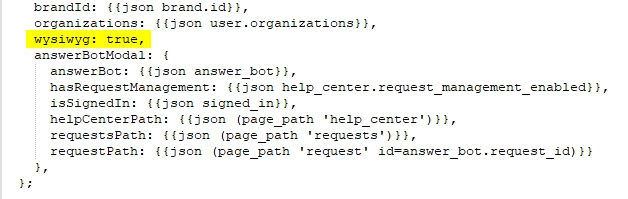
I removed the "wysiwyg: true," line from the new request page as well during testing.

When I attempt to update the page to look similar to my other brands, I'm prompted with “request_form does not exist”.


  • October 2, 2024

I just realized the new brand has Copenhagen v4.1.0, while the previous one is at Copenhagen v3.3.0. 

Do you know how we might be able to get similar code for the 4.1 version, or perhaps how to set up the new brand with an older version of Copenhagen?


  • October 24, 2024

Hi Ifra Saqlain, this is something i've been searching a while for and just come to implement in our help centre but i think i'm experiencing the same issue as its now V4.1.0 so anything referenced here is not right. Is anyone able to help as I really need the ability to input some wording by default into the description on our requests


Sheena11
  • November 12, 2024


@ifra I added the code but still the subject and description field is not hidden.
Can you help fixing it


Ifra
  • Author
  • November 13, 2024

Sheena, I'll get back to you soon :), give me some hours.


  • November 13, 2024

@alex129 I am experiencing the same issue. Since the upgrade to templating v4 it seems like every guide about editing the java code of the theme no longer work. I know this doesn't solve your issue, but maybe some comfort you are not alone?

@ifra I appreciate I have come across this article on the same day as your latest comment but I would like to add it would be incredible appreciated if you were able to come up with an updated guide/solution. Thanks in advance!


  • November 27, 2024

Hello I was doing some digging and managed to find a solution to pre-fill and hide the Subject and Description fields with the following code in Copenhagen v4.2.4. 

As I'm rather new to JS, I appreciate this code may be more complicated than it needs to be, and possibly could be simplified by a pro, but it works! :) 

Make sure to change  wysiwyg: true, to    wysiwyg: false, in the new_request_page.hbs. 

I used the following, added to the bottom of my script.js:

// Pre-fill the Subject and Description fields for specific form
function prefillForm() {
   const container = document.getElementById("new-request-form");
   if (container) {
       // Wait for the form to render
       const observer = new MutationObserver(() => {
           const form = container.querySelector("form");
           const formField = container.querySelector("input[name='request[ticket_form_id]']");

           if (form && formField && formField.value === "insert form-id") // Replace with your form ID
           {
               const subjectField = container.querySelector("input[name='request[subject]']");
               const descriptionField = container.querySelector("textarea[name='request[description]']");

               if (subjectField && descriptionField) {
                   // Pre-fill values
                   subjectField.value = "Enter your pre-fill text here"; // Replace with your desired subject
                   descriptionField.value = "Enter your pre-fill text here."; // Replace with your desired description

                   // Hide fields by setting their style
                   subjectField.style.display = "none";
                   descriptionField.style.display = "none";

                   // Hide the labels for these fields
                   const subjectLabel = container.querySelector("label[for='" + subjectField.id + "']");
                   const descriptionLabel = container.querySelector("label[for='" + descriptionField.id + "']");
                   if (subjectLabel) subjectLabel.style.display = "none";
                   if (descriptionLabel) descriptionLabel.style.display = "none";

                   // Hide additional header texts or descriptions
                   const subjectHeader = container.querySelector("h2:contains('Subject')");
                   const descriptionHeader = container.querySelector("h2:contains('Description')");
                   const descriptionDetails = container.querySelector("p:contains('Please enter the details of your request.')");

                   // Disconnect observer after fields are populated
                   observer.disconnect();
               }
           }
       });

       // Observe the container for changes
       observer.observe(container, {
           childList: true,
           subtree: true
       });
   }
}

// Ensure the script runs when the DOM is fully loaded
window.addEventListener("DOMContentLoaded", prefillForm);
})();


Bruce21
  • December 10, 2024

Hi Domokos, 


thank you for this. Is there a specific place in the Script.js file where this should be input?


Also, can you point out which variables we should change to customize to our form? (i.e. Form ID, the info we want input into the subject and description etc.?


it's a bit confusing to figure out what should be replaced in the code for our particular scenario.


Thanks again for posting this. Super helpful!


Bruce21
  • December 10, 2024

Hi Domokos, 


so I added the code to the bottom of my script.js file and it worked. The only issue I have is that I am still seeing the description details, which I think is supposed to be hidden by this line:


const descriptionDetails = container.querySelector("p:contains('Please enter the details of your request.')");


Would you be able to help me also hide the attachments?


Thank you.


  • December 11, 2024

Hi Bruce,


I actually struggled with this and didn't manage to hide the description detail. In the end I just removed the description from the Field within zendesk admin and just updated the Title to be more suitable across multiple forms. 

For the attachment I have this:

 // Check if the form exists and contains the ticket form ID
 const attachmentField = container.querySelector("div[data-garden-id='forms.file_upload']");


//  Attachments fields and their labels/headers
 attachmentField.style.display = "none";

 // Hide the Attachments label
         const attachmentLabel = container.querySelector(`label[for='${attachmentField.querySelector("input").id}']`);
         if (attachmentLabel) attachmentLabel.style.display = "none";


________________________________________________________________________________

an updated code that i use for multiple forms now looks like this:
Replace 000000000-000000003 with your form IDs. Subject, Description and Attachment fields will be hidden all these forms. 


// Pre-fill Form & Hide Fields

function prefillForm() {
 const container = document.getElementById("new-request-form");
 if (container) {
   // Wait for the form to render
   const observer = new MutationObserver(() => {
     const form = container.querySelector("form");
     const formField = container.querySelector("input[name='request[ticket_form_id]']");

     // Check if the form exists and contains the ticket form ID
     if (form && formField) {
       const subjectField = container.querySelector("input[name='request[subject]']");
       const descriptionField = container.querySelector("textarea[name='request[description]']");
       const attachmentField = container.querySelector("div[data-garden-id='forms.file_upload']");
       const descriptionHint = container.querySelector("div[data-garden-id='forms.input_hint']"); // For the instruction text

       if (subjectField && descriptionField && attachmentField) {
         // Determine the form ID and apply specific pre-fill text
         if (formField.value === "000000000000000") {
           // Pre-fill for form ID 0000000000000
           subjectField.value = "ENTER YOUR TEXT HERE";
           descriptionField.value = "ENTER YOUR TEXT HERE";
         } else if (formField.value === "0000000000001") {
           // Pre-fill for form ID 00000000000001
           subjectField.value = "ENTER YOUR TEXT HERE";
           descriptionField.value = "ENTER YOUR TEXT HERE";
         } else if (formField.value === "00000000000002") {
           // Pre-fill for form ID 000000000002
           subjectField.value = "ENTER YOUR TEXT HERE";
           descriptionField.value = "ENTER YOUR TEXT HERE";
         } else if (formField.value === "000000000003") {
           // Pre-fill for form ID 0000000003
           subjectField.value = "ENTER YOUR TEXT HERE";
           descriptionField.value = "ENTER YOUR TEXT HERE";
         } else {
           // For other forms, exit without making changes
           observer.disconnect();
           return;
         }

         // Hide Subject, Description, Attachments fields and their labels/headers
         subjectField.style.display = "none";
         descriptionField.style.display = "none";
         attachmentField.style.display = "none";

         // Hide the labels for these fields
         const subjectLabel = container.querySelector(`label[for='${subjectField.id}']`);
         const descriptionLabel = container.querySelector(`label[for='${descriptionField.id}']`);
         if (subjectLabel) subjectLabel.style.display = "none";
         if (descriptionLabel) descriptionLabel.style.display = "none";

         // Hide the Attachments label
         const attachmentLabel = container.querySelector(`label[for='${attachmentField.querySelector("input").id}']`);
         if (attachmentLabel) attachmentLabel.style.display = "none";

        // Hide additional headers or instructions if present
         const subjectHeader = container.querySelector("h2:contains('Subject')");
         const descriptionHeader = container.querySelector("h2:contains('Description')");

         if (subjectHeader) subjectHeader.style.display = "none";
         if (descriptionHeader) descriptionHeader.style.display = "none";

         // Disconnect observer after making changes
         observer.disconnect();
       }
     }
   });

   // Observe the container for changes
   observer.observe(container, { childList: true, subtree: true });
 }
}

// Ensure the script runs when the DOM is fully loaded
window.addEventListener("DOMContentLoaded", prefillForm); 


___________________________________________________________________

ChatGPT done a lot of work on this and I suspect it can be simplified by someone who has more experience with JS. But hey, it works! :)


Bruce21
  • December 11, 2024

Amazing!! Thank you so much Domokos! This worked beautifully!


  • December 11, 2024

Hello. 

I have the code to add to new_request_page.hbs to condition a field according to the form ID, and it works fine.
And I'd like to do the same thing, but by conditioning a field according to the value of another custom field, either a drop-down list or a text field, but I can't manage to adapt the code. I must be missing something simple. 

Thanks in advance for your help!


Simple codes that work:

if ($("#request_issue_type_select").val() == "123456789") {
 $("#request_subject").val("New request");
};

if ($("#request_issue_type_select").val() == "123456789") {
$("#request_custom_fields_11111").val("value");
};


Simple codes that don't work:

if ($("#request_custom_fields_11111").val() == "value") {
 $("#request_subject").val("New request");
};

if ($("#request_custom_fields_22222").val() == "value") {
$("#request_custom_fields_11111").val("value");
};


Matthew14
  • March 3, 2025

This has been really effective for our primary use case, but I got a recent request to hide a custom field that needs to be editable by the end user via a pre-fill URL.


Is it possible to use something like your original

      document.querySelector('.request_subject').style.display= "none";
 

For the custom field?

      document.querySelector('.custom_field_123').style.display= "none";
 

The label can be hidden, but I haven't been able to hide the text entry portion.


Hannah12
  • April 4, 2025

@ifra  - I am back with more questions a year later! LOL


How can we hide the subject when a specific drop-down value is selected? Is this possible?