Prefill and hide Subject & Description fields of specific form on New Request Template | Community
Skip to main content

Prefill and hide Subject & Description fields of specific form on New Request Template

  • October 20, 2022
  • 69 replies
  • 0 views

Show first post

69 replies

Ifra
  • Author
  • May 20, 2023

Marc, first thing is, closing tags are missing at the end of the code

   $('#request_subject').val("FORM Request");
     var rt = document.querySelector('#new_request > div.form-field.string.required.request_custom_fields_5975694187661 > a');
     var cn = document.querySelector('#new_request > div.form-field.string.required.request_custom_fields_360040294151 > a');
     var bn = document.querySelector('#new_request > div.form-field.string.required.request_custom_fields_360017033972 > a');
     var pt = rt.parentElement;
    
     let reminder = document.createElement('reminder');
     pt.appendChild(reminder);
     let req = document.createElement('req');
    
     $(".request_custom_fields_360040294151").change(function () {   
     var rt = document.querySelector('#new_request > div.form-field.string.required.request_custom_fields_5975694187661 > a');
     var cn = document.querySelector('#new_request > div.form-field.string.required.request_custom_fields_360040294151 > a');
     var bn = document.querySelector('#new_request > div.form-field.string.required.request_custom_fields_360017033972 > a');
         $('#request_subject').val(rt.text + " - "+ cn.text + " - "+ bn.text);
     });
         $(".request_custom_fields_5975694187661").change(function () {   
     var rt = document.querySelector('#new_request > div.form-field.string.required.request_custom_fields_5975694187661 > a');
     var cn = document.querySelector('#new_request > div.form-field.string.required.request_custom_fields_360040294151 > a');
     var bn = document.querySelector('#new_request > div.form-field.string.required.request_custom_fields_360017033972 > a');
         $('#request_subject').val(rt.text + " - "+ cn.text + " - "+ bn.text);

}) // Missing


And, If you share URL of your theme where you working with this code it would be good to catch the issue.


  • May 25, 2023

Hi Ifra, 

Thank you for your response. I attempted to add the closing tags but unfortunately it did not resolve the issue. Upon added the missing the closing tags the hidden subject line appeared. 

I tested a few things to isolate the issue and noticed that when using the variable bn with .text; I lose all formatting and the subject line only read "FORM Request". 

$('#request_subject').val(rt.text + " - "+ cn.text + " - " + bn.text);

However, when using the variable cn twice (ref: below) the subject line read as expected "RT String - CN String - CN String"

$('#request_subject').val(rt.text + " - "+ cn.text + " - " + cn.text);

I'm wondering if since bn is not a drop-down menu selection but is instead a numerical value / regex field type, if that makes any difference.

Below is the reposted code including the beginning if statement. 


  if(location.href.indexOf("/hc/en-us/requests/new?ticket_form_id=360001541692") !=-1){
      
  $('#request_subject').val("FORM Request");
     var rt = document.querySelector('#new_request > div.form-field.string.required.request_custom_fields_5975694187661 > a');
     var cn = document.querySelector('#new_request > div.form-field.string.required.request_custom_fields_360040294151 > a');
     var bn = document.querySelector('#new_request > div.form-field.string.required.request_custom_fields_360017033972 > a');
     var pt = rt.parentElement;
    
     let reminder = document.createElement('reminder');
     pt.appendChild(reminder);
     let req = document.createElement('req');
    
     $(".request_custom_fields_360040294151").change(function () {   
     var rt = document.querySelector('#new_request > div.form-field.string.required.request_custom_fields_5975694187661 > a');
     var cn = document.querySelector('#new_request > div.form-field.string.required.request_custom_fields_360040294151 > a');
     var bn = document.querySelector('#new_request > div.form-field.string.required.request_custom_fields_360017033972 > a');
       $('#request_subject').val(rt.text + " - "+ cn.text + " - " + bn.text);
     });
         $(".request_custom_fields_5975694187661").change(function () {   
     var rt = document.querySelector('#new_request > div.form-field.string.required.request_custom_fields_5975694187661 > a');
     var cn = document.querySelector('#new_request > div.form-field.string.required.request_custom_fields_360040294151 > a');
     var bn = document.querySelector('#new_request > div.form-field.string.required.request_custom_fields_360017033972 > a');
       $('#request_subject').val(rt.text + " - "+ cn.text + " - " + bn.text);

Ifra
  • Author
  • May 25, 2023

@Marc, are these anchor tag of dropdown fields?

var rt = document.querySelector('#new_request > div.form-field.string.required.request_custom_fields_5975694187661 > a');
var cn = document.querySelector('#new_request > div.form-field.string.required.request_custom_fields_360040294151 > a');
var bn = document.querySelector('#new_request > div.form-field.string.required.request_custom_fields_360017033972 > a');


Can you please share the public URL here?, so it would be easy for me to figure out.


Pete12
  • June 21, 2023

Hi @ifra

I had previously used the below code to prefill and hide the subject and description field on our form but it stopped working.

  //Hiding description and subject lines from specific new request form
  var ticketForm = location.search.split('ticket_form_id=')[1];

if(ticketForm == 11425629164941) {
$('.form-field.request_subject').hide(); // Hide subject
$('.form-field.request_description').hide(); // Hide description
$('.form-field.request_collaborators_').hide(); // Hide CCs
$('.form-field.request-attachments').hide(); // Hide attachment upload
$('#request_subject').val('Comp Account Req'); // autofill subject
$('#request_description').val('Comp Account Req'); // autofill description
}

I tried using your example in this thread but it still didn't work.  Any chance you are able to help?

Thanks


Ifra
  • Author
  • June 22, 2023

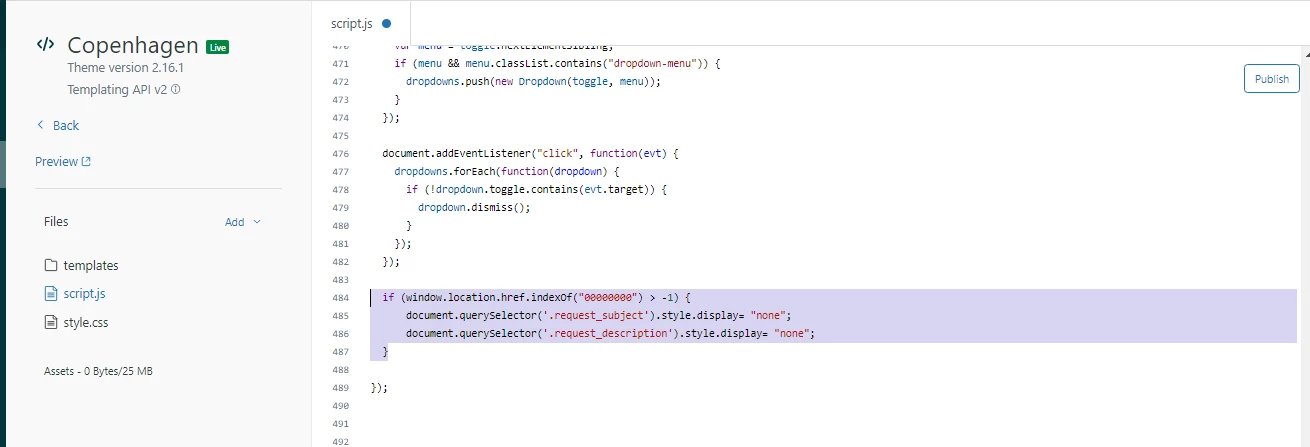
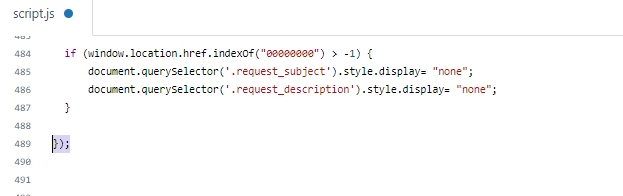
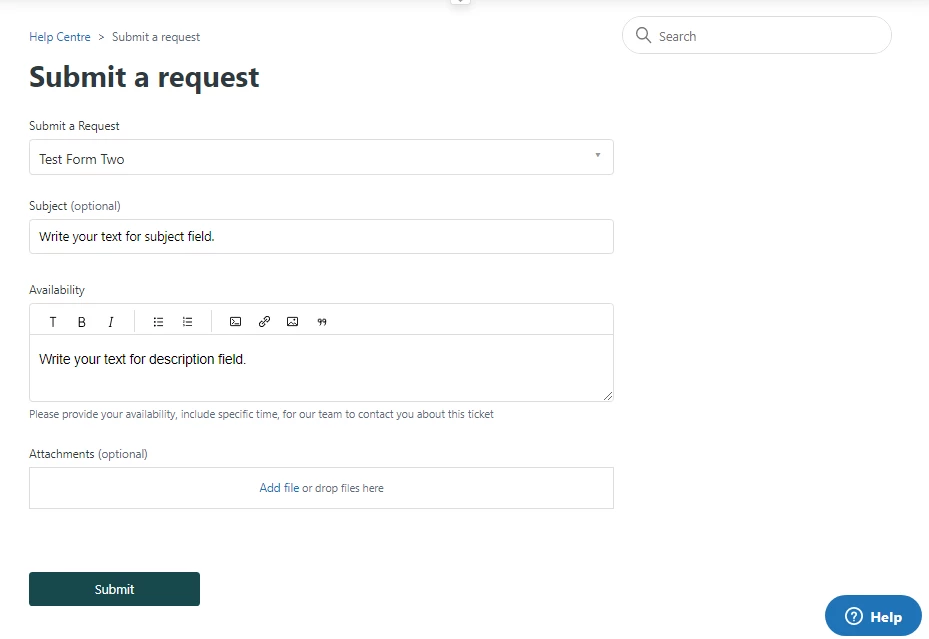
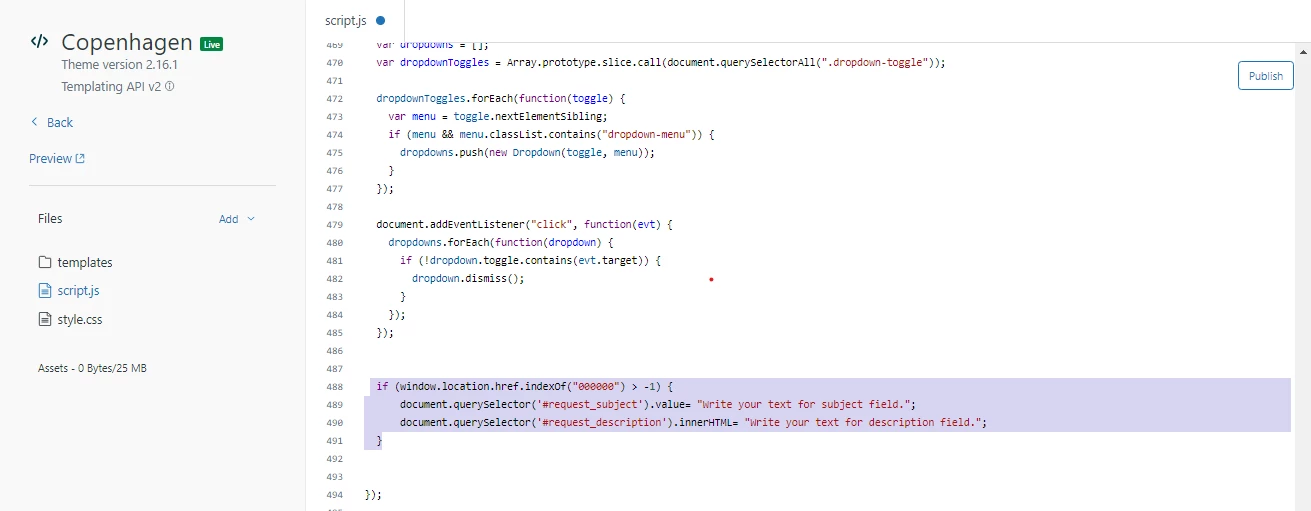
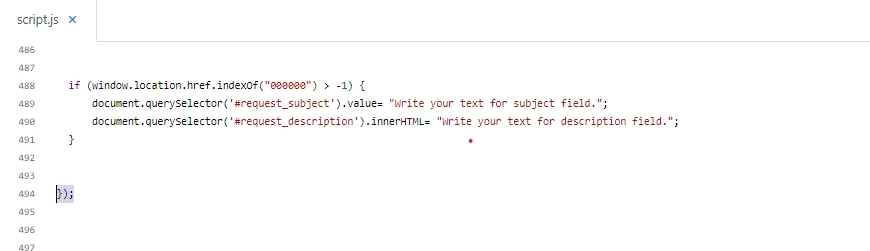
Hey Pete,  add the given code to your script.js file, it will work for you:

 if (window.location.href.indexOf("00000000") > -1) {
// Autofill subject field    
  document.querySelector('#request_subject').value= "Write your text for subject field.";  

// Autofill description field    
   document.querySelector('#request_description').innerHTML= "Write your text for description field.";
      
// Hide subject field     
  document.querySelector('.request_subject').style.display= "none";
     
// Hide description field 
 document.querySelector('.request_description').style.display= "none";
  }


00000000: Remove this zeros and add your form ID.

If any issue let me know :)

Thanks 


Shubham14
  • August 24, 2023

Hi,

We are able to populate the ticket subject but we can't seem to populate the ticket description with the provided code. We're on Copenhagen 2.16.1. Please advise.


Ifra
  • Author
  • August 25, 2023

Hi Shubham Aggarwal,

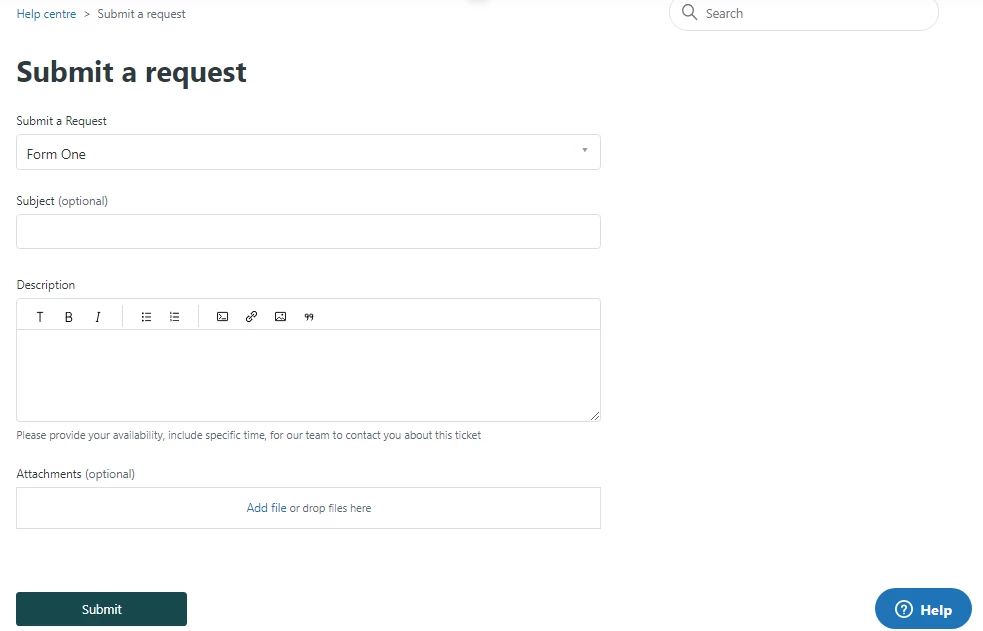
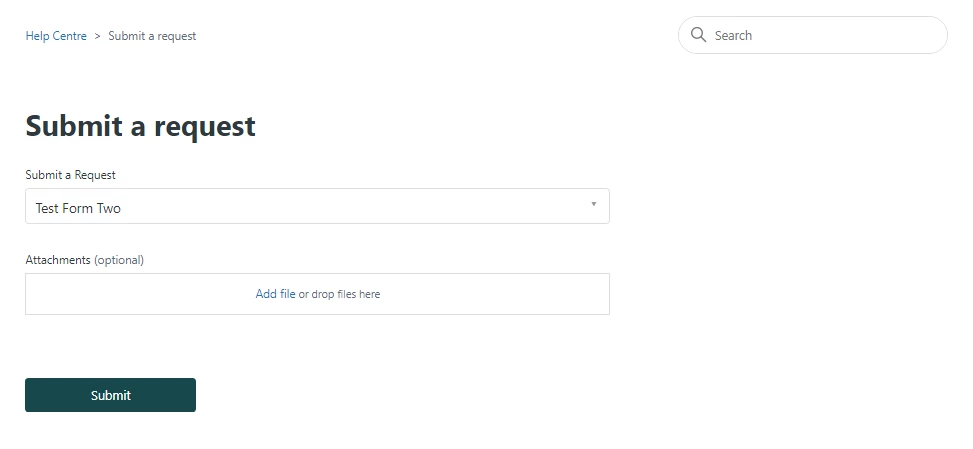
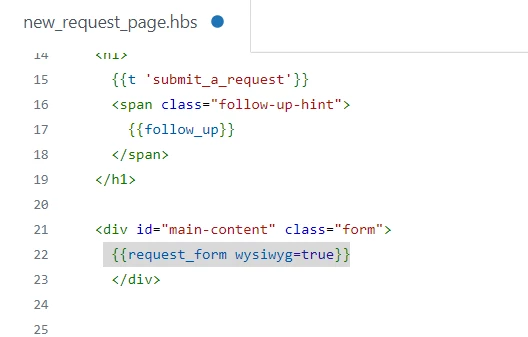
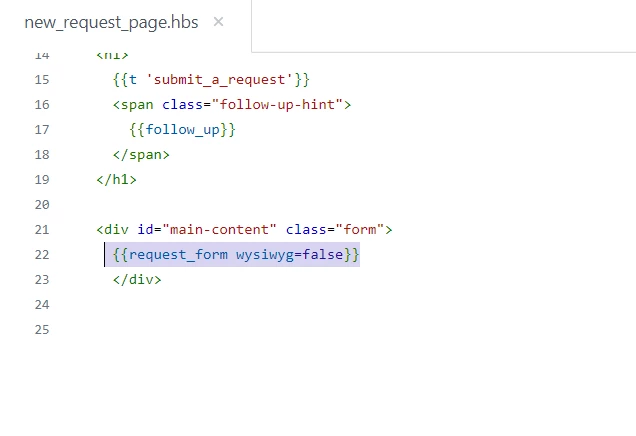
After adding the above code, do one thing, go to your request_page.hbs and find this strig:   {{request_form wysiwyg=true}}


See the screenshot --


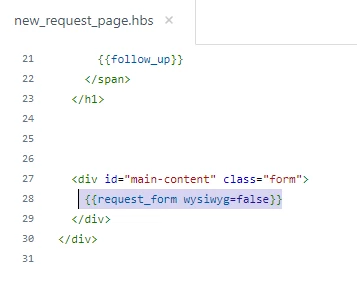
Make wysiwyg false as below:


It will resolve your query.


Thanks


  • March 15, 2024

Can someone provide some help?

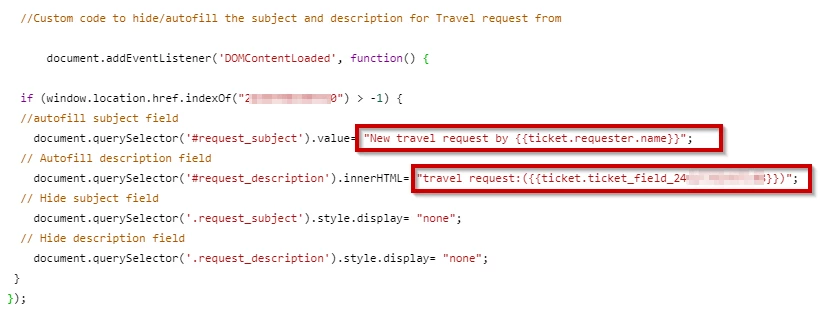
I was able to hide and fill the subject and description with the following code but I would like to autopopulate de description with a custom ticket field that is being filled in the same ticket form. Is that possible?


Ifra
  • Author
  • March 15, 2024

Hi Ulises Soto

What's your ticket custom field type? 

Dropdown list?

 Text Field?

Checkbox ?

Or something else?


  • March 20, 2024

Hi @ifra,

It's a multi-line field 


Ifra
  • Author
  • March 22, 2024

Ulises Soto,

multi-line field, means what?

Dropdown field means when you click on the field a list will be open.

Text field means simple box as the subject field.


  • April 24, 2024

Hi @ifra I tried to do what Nicole did where it inputted the field value into the subject and description but I couldn't get it to work. It kept showing as undefined like her results. This is the code I have and I'm working on jQuery so not javascript which is probably why I'm having some issues. Would you be able to assist? Thank you!


 //SET SUBJECT AND DESCRIPTION FOR FORMS
   var ticketForm = location.search.split('ticket_form_id=')[1];
     if(ticketForm == 12345) {
    var requestType = $("#custom-field-id-9876").html();
      $('#request_subject').val(requestType + ' ' + 'Portal Credential Request');
             $('#request_description').val('Request for' + ' ' + requestType);
   }


Ifra
  • Author
  • April 25, 2024


Hi Noelle Cheng, 

 you didn't copy the same solution that I gave to Nicole,  the below code is the exact solution that I gave to Nicole, please use this correct code:


 //hide subject and autofill subject on submission for the form


if ($("#request_issue_type_select").val() == "TicketFormID") {
 $("#request_subject").val("New request");
 $("#request_custom_fields_FieldID").keyup(function(event) {
 var stt = $(this).val();
 $("#request_subject").val(stt + " Portal Credential Request");
    $('#request_description').val(stt + " Request for");
});
 
};


And you adding the value in your description field so do this :


If any issue feel free to ask :)


Thanks


henri.mercier

Hi @ifra 

Thank you so much for your immense help to the community.

I'm attempting to hide the subject and description fields, and automatically fill them with default text if only one value from a drop-down list is selected.

I've succeeded in making it work for the subject, but I'm struggling to find a way to auto-fill the description (so I've omitted it from the code below). Could you please assist? (maybe there's a simpler way to do it with jQuery ?)


In the new_request_page.hbs: 

<script>
document.addEventListener('DOMContentLoaded', function() {
  // Custom field you want to listen
  var selectElement = document.getElementById('request_custom_fields_12368015596316');

  // Subject and Description fields
  var sujetField = document.querySelector('.request_subject');
  var commentaireField = document.querySelector('.request_description');

  // Function to hide Subject and Description fields
  function masquerChamps() {
    sujetField.classList.add('masque');
    commentaireField.classList.add('masque');
  }

  // Function to show Subject and Description fields
  function afficherChamps() {
    sujetField.classList.remove('masque');
    commentaireField.classList.remove('masque');
  }

  // Listen to the changes in the custom ticket field
  selectElement.addEventListener('change', function() {
    var valeurSelectionnee = selectElement.value;
    // For a specific value, hide Subject and Description fields and auto fill with text
    if (valeurSelectionnee === 'désinscription_à_la_newsletter_et_sms') {
  		sujetField.querySelector('input').value = 'test subject'
      masquerChamps();
    } else {
  	sujetField.querySelector('input').value = ''
      afficherChamps();
    }
  });
});
</script>

In the style.css: 

.masque {
  display: none;
}

Ifra
  • Author
  • April 25, 2024

Hi Henri,

You need to do the same as I mentioned above, go to your new_request_page.hbs file and set wysiwyg=true’  to 'wysiwyg=false'.


Ex.


henri.mercier

@ifra  I'm still experiencing the same issue. The fields are hidden, but when I attempt to submit a ticket, I receive an error message. I can see that the subject worked, but not the description. Perhaps the issue lies with the following line ? : commentaireField.querySelector('input').value = 'test commentaire'

 // Listen to the changes in the custom ticket field
  selectElement.addEventListener('change', function() {
    var valeurSelectionnee = selectElement.value;
    // For a specific value, hide Subject and Description fields and auto fill with text
    if (valeurSelectionnee === 'désinscription_à_la_newsletter_et_sms') {
  		sujetField.querySelector('input').value = 'test subject'
  		commentaireField.querySelector('input').value = 'test commentaire'
      masquerChamps();
    } else {
  	sujetField.querySelector('input').value = ''
  	commentaireField.querySelector('input').value = ''
      afficherChamps();
    }
  });
});
</script>


Ifra
  • Author
  • April 25, 2024

Change the class to ID in your script code because there is only      id=request_description


 var commentaireField = document.querySelector('.request_description');
 
 TO 
 
 var commentaireField = document.querySelector('#request_description');

  • April 25, 2024

hi @ifra I added your code but now the incorrect values is showing in the fields. It used to say undefined and then the custom text but not the subject is saying new request and the description is blank. I have the updated jQuery in the document_head.hbs but it looks like your code requirement is javascript for this. I don't know if this matters, but also all my code uses ' and not " is that the issue?


Here is the code I entered.


henri.mercier

@ifra When I do this, the subject and description fields are no longer hidden, whereas they were before, and my text 'test' increments properly in the subject field, but nothing in the description field.


Ifra
  • Author
  • April 26, 2024

@henri.mercier , please compare the code I have fixed it for you


  document.addEventListener('DOMContentLoaded', function() {
 // Custom field you want to listen
 var selectElement = document.getElementById('request_custom_fields_12368015596316');

 // Subject and Description fields
 var sujetField = document.querySelector('.request_subject');
 var commentaireField = document.querySelector('.request_description');

 // Function to hide Subject and Description fields
 function masquerChamps() {
   sujetField.classList.add('masque');
   commentaireField.classList.add('masque');
 }

 // Function to show Subject and Description fields
 function afficherChamps() {
   sujetField.classList.remove('masque');
   commentaireField.classList.remove('masque');
 }

 // Listen to the changes in the custom ticket field
 selectElement.addEventListener('change', function() {
   var valeurSelectionnee = selectElement.value;
   // For a specific value, hide Subject and Description fields and auto fill with text
   if (valeurSelectionnee === 'désinscription_à_la_newsletter_et_sms') {
         sujetField.querySelector('input').value = 'test subject';
     commentaireField.querySelector('textarea').value = 'test description';
     masquerChamps();
   } else {
     sujetField.querySelector('input').value = ''
     commentaireField.querySelector('textarea').value = 'test description';
     afficherChamps();
   }
 });
});


Ifra
  • Author
  • April 26, 2024

@Noelle,

This is the exact code that you want, when you write something in your custom text field the subject and description will pick that text automatically, please test once.

 If not work then check the console, if you find any error let me know.


  //hide subject-description and autofill subject-description on submission for form


 if ($("#request_issue_type_select").val() == "TicketFormID") {
   $("#request_subject").val("Test Subject");
   $('#request_description').val("Test Description");
   $("#request_custom_fields_FieldID").keyup(function(event) {
   var stt = $(this).val();
      $("#request_subject").val(stt + " New Request");
      $('#request_description').val( + ' ' + stt +'Request for');
 });

 };


  • April 29, 2024

Bonjour @ifra

J'ai suivi vos indications mais je n'arrive pas a ajouter aux champs “Sujet” et Description" la notion suivante : Demande de création de compte de (champ Nom) (Champ prénom) :

Mon script JS : 

  // Vérifie si l'URL contient le numéro spécifique du formulaire
 if (window.location.href.indexOf("18445823651613") > -1) { 
     // Cacher les éléments du formulaire
    document.querySelector('.request_subject').style.display = "none";
     document.querySelector('.request_description').style.display = "none"; 
     document.querySelector('.request_cc_emails').style.display = "none";   
     
     // Sélection de l'élément conteneur des pièces jointes
     var uploadContainer = document.querySelector('#upload-dropzone');
     // Cacher l'élément conteneur des pièces jointes
     uploadContainer.style.display = "none";
     
     // Sélection de l'élément contenant le libellé des pièces jointes
     var labelElement = document.querySelector('label[for="request-attachments"]');
     // Cacher l'élément contenant le libellé des pièces jointes
     labelElement.style.display = "none"; 
     
     // Ajouter les titres aux champs du formulaire
     // Titre pour les champs identité
     var nomUtilisateurTitle = document.createElement('h3');
     nomUtilisateurTitle.textContent = 'Identité :';
     nomUtilisateurTitle.id = 'titre_nom_utilisateur';
     document.querySelector('.request_custom_fields_18445875745437').parentNode.insertBefore(nomUtilisateurTitle, document.querySelector('.request_custom_fields_18445875745437'));

     // Ajouter un saut de ligne avant le titre Nom et prénom du manager
     var lineBreak = document.createElement('br');
     document.querySelector('.request_custom_fields_18460920253469').parentNode.insertBefore(lineBreak, document.querySelector('.request_custom_fields_18460920253469'));

     // Titre pour le champ Materiel Necessaire
     var nomMaterielNecessaireTitle = document.createElement('h3');
     nomMaterielNecessaireTitle.textContent = 'Materiels et applications nécéssaires :';
     nomMaterielNecessaireTitle.id = 'titre_nom_prenom_manager';
     document.querySelector('.request_custom_fields_18460920253469').parentNode.insertBefore(nomMaterielNecessaireTitle, document.querySelector('.request_custom_fields_18460920253469'));
     
     // Préremplissage des champs "sujet" et "description"
     var nom = document.querySelector('.request_custom_fields_18445875745437 input').value;
     var prenom = document.querySelector('.request_custom_fields_18445894528285 input').value;
     var sujet = "Création d'un compte siège - " + nom + " " + prenom;
     var description = "Création d'un compte siège - " + nom + " " + prenom;
     document.querySelector('.request_subject input').value = sujet;
     document.querySelector('.request_description textarea').value = description;
   
 };

Pouvez vous m'aider ? 

Edit : je suis finalement passer comme cela :

$(document).ready(function() {
   var ticketForm = location.search.split('ticket_form_id=')[1];
   if(ticketForm == 18445823651613) {
   // Ajouter des titres aux champs
   $('.form-field.request_custom_fields_18445875745437').prepend('<h2>Identité :</h2>');
   $('.form-field.request_custom_fields_18460920253469').prepend('<h2>Materiels et applications nécéssaires :</h2>');
 
   // Masquer les champs de sujet et de description
   $('.form-field.string.optional.request_subject').hide();
   $('.form-field.string.required.request_subject').hide();
   $('.form-field.request_description').hide();
   $('.form-field.string.optional.request_cc_emails').hide();// Masquer les CC
   $('.form-field label:contains("Pièces jointes")').hide(); // Masquer l'étiquette des pièces jointes
        $('#upload-dropzone').hide(); // Masquer la boîte de téléchargement des pièces jointes
 
   // Récupérer les valeurs des champs Nom et Prénom de l'utilisateur
   var nom = $('.form-field.request_custom_fields_18445875745437 input').val();
   var prenom = $('.form-field.request_custom_fields_18445894528285 input').val();
 
   // Concaténer les valeurs dans le sujet et la description
   var sujet = 'Demande de création du compte de ' + nom + ' ' + prenom;
   var description = 'Demande de création du compte de ' + nom + ' ' + prenom;
 
   // Remplir automatiquement les champs de sujet et de description
   $('#request_subject').val(sujet);
   $('#request_description').val(description);
}

Et c'est Ok ! 


Par contre, est il possible de masquer un formulaire dans la liste déroulante tout en gardant un raccourcis dans l'en-tête ? 

Merci par avance pour vos retours !


  • April 30, 2024

HI @ifra it doesn't seem to be working. The custom field is a dropdown selection, I noticed that you mentioned if we write something it would updated but since this custom field is not a text field and is a dropdown, would something need to be different? See below. The subject and description shows the text but when the “What would you like to request?” field is selected the subject and description don't update. It should update to the following once that field selection is made.

SUBJECT: Add Processor Portal Credential Request

DESCRIPTION: Add Processor request


Here is the before and after:


BEFORE

AFTER


There looks like there is an issue


Ifra
  • Author
  • April 30, 2024

Hi Noelle Cheng,

Working with custom dropdown values is not easy, I've tried so many times but didn't get any results :(   I hope someone else can help you in this case. 


Thanks


  • April 30, 2024

@ifra Bummer! No problem! Thought this could make it easier for our agents but I can go with a more standard populating without the customization of adding the selection from the dropdown. Thank you for all your help!