How to export Zendesk macros into a spreadsheet | Community
Skip to main content

How to export Zendesk macros into a spreadsheet

  • April 20, 2017
  • 71 replies
  • 0 views

Show first post

71 replies

  • May 7, 2019

Hello we have 1300 macros that are assigned to several groups, so the JSON in our case has 13 pages. Is there a way to display only the macros that are assigned to a specific group? 


ZZ55
  • May 7, 2019

Antonio

You can filter the output by group ID like this:

https://XYZ.zendesk.com/api/v2/macros.json?group_id=XXXXX

Where XXXXX is the group ID number of the group to filter. It is a little tricky to find that number. I suggest making a GoodData report and filtering by group name with the group ID as the output. Or you can use the API:

https://XYZ.zendesk.com/api/v2/groups.json


  • May 7, 2019

Thank you Greame that is awesome, I was able to quickly find the group ID by looking in People > Groups > Copy Link address over the group name.

Are there other filters we can do with the URL? Imagine that together with filtering the group, I want only to display the title of the macro, the comment text value, and the value of a specific custom field and nothing else.

The use case is to export all macros in a language, send it to a translator in an excel format that is easy to read and has only the comment of the macros, which is the real part to translate.

Since the volume of macros is quite high and the order of the different actions is not exactly the same, when I export to CSV I need to do a lot a clean up with the CSV. Instead if I was able to export just :

- macro title

- macro comment value

- value of a custom field 

That would save me a lot of time instead of cleaning more than 10K of macros.


ZZ55
  • May 7, 2019

Antonio

There a few parameters available here.

Unfortunately, you cannot select the columns in your output. You will always have the full macro definition returned by the API. So it sounds like you will have to a little clean up to extract the columns you are interested in using this method.

Just in case it helps, dynamic content is the recommended way of dealing with multiple languages and is available on the professional and enterprise plans.

Hope you get on ok.


Michael44
  • May 8, 2019

Hello

we have lots of macros, and we want to get data based on actions status by json , how do we do that?


Brett13
  • Community Manager
  • May 8, 2019

Hi CSM Zendesk,

Could you clarify what sort of data you're looking to export in regards to macros?

Just want to make sure we're both on the same page here :)


Mary12
  • June 10, 2019

WOW!  This was fast and easy!  Thank you for this post.  It was very helpful.


Do you have something similar for exporting a report from the Zendesk Manage articles UI based on applying a filter?


Brett13
  • Community Manager
  • June 10, 2019

Hey Mary,

There are are a couple of options for exporting Help Center content as mentioned here: Help Center data export

The most common method I've seen is through Kbackup integration that was developed in our App Marketplace: kBackup

If you have any questions regarding the integration you'll want to reach out to the developer directly.

Hope this helps!


  • July 3, 2019

Thank you so much for this.  You probably just saved me HOURS of typing!


Sydra
  • October 21, 2019

We've been using the https://XYZ.zendesk.com/api/v2/macros.json?group_id=XXXXX option to download macros based on the group, but cannot figure out how to get the next page of macros for that specific group. Does anyone know how to do that?


ZZ55
  • October 22, 2019

Syd S

Try this:

https://XYZ.zendesk.com/api/v2/macros.json?group_id=XXXXX&page=2

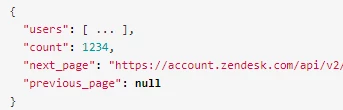
Or look for the 'next page:' url near the end of your output:


Sydra
  • October 22, 2019

Thank you so much Graeme! Worked like a charm. 


  • January 27, 2020

Worked perfectly first time. 


Thank you!


  • April 21, 2020

Super helpful, thanks a mil! :) 


Vladan
  • Author
  • April 21, 2020

Thanks for the feedback, Rebekah. Very glad to hear that! 

I just spotted this post is created precisely 3 years ago :O 
The days are long and the years are short. :)


  • May 22, 2020

Thanks to OP.

I am just not clear on point 2a and 2b


"2. open this link XYZ.zendesk.com/api/v2/macros.json?per_page=99 (but change XYZ to your zendesk account name)
2a. If you have more than 100 macros, you should export one more JSON file cause it's up to 100 macros per export. Second file is on this url https://XYZ.zendesk.com/api/v2/macros.json?per_page=99&page=2  (replace XYZ to your ZD name)


My understanding is that point 2 is for less than 100 macros?

We have over 200, so I used point 2a, but I did not understand the logic behind "the 2nd file?" What is a 2nd file?

I used both points, and both times it extracted over 200 macros, so I am not sure what the "more than 100 macros" has to do with anything?

Thanks to clarify.


Vladan
  • Author
  • May 23, 2020

Hey Matthew, the key is that number of macros per an API call/request is limited to max 99 macros. 

So, if you have eg 250 macros, you will have to do the call 3x.
How to do that? Just replacing the last part of the URL "page=2". So you should call it with: page=1, page=2, page=3. Let me know if anything still isn't clear. Best.


Pradeep14
  • June 9, 2020

Vladan
  • Author
  • June 9, 2020

Hey Pradeep, I just checked and they seem to work. Please note you should remove XYZ from the links and put there your ZD subdomain. Sure, you need to be logged in as admin in your ZD. 


Juan38
  • June 26, 2020

Hi There, 

What is the best way to export by usage in the last 30 days; 

I tried

https://(MyCompany).zendesk.com/api/v2/macros.json?per_page=99&sort_by=usage=30d


but was unable to do so


  • July 1, 2020

Hello Juan,

You can try using sideload instead (if your plan is Enterprise)

/api/v2/macros.json?include=usage_30d&sort_order=asc

Or the standard usage for macros:

/api/v2/macros.json?sort_by=usage_30d&sort_order=asc

You can change asc to desc.

Hope this helps!


  • August 19, 2020

Is this link, http://xyz.zendesk.com/api/v2/macros.json?per_page=99, still functional? I tried it but it does not work. I'm getting the error message below.

  "error": {
    "title": "No help desk at jedbonillaephan.zendesk.com",
    "message": "There is no help desk configured at this address. This means that the address is available and that you can claim it at http://www.zendesk.com/signup"

Nicole17
  • August 19, 2020

Hi Jed - Yes, that API call should still work. However, I clicked through to your account and it looks like you have a different subdomain listed there from the one you indicated in your comment above. 


  • January 14, 2021

Hi, thanks for the tip how to export macros, it's very useful.

Is there a way to export the JSON file back to Zendesk with some changes? I want to add descriptions to macros and it would be very convenient if I could do it this way. 


Brett13
  • Community Manager
  • January 14, 2021

Hey Mateusz,

You would need to use the api to bulk import macros and make changes to the descriptions. The link I attached should provide some additional information for you.

Cheers!