
I saw lately a couple of posts here that people are looking for a auto-reply function for the connected Facebook pages.
https://support.zendesk.com/hc/en-us/articles/226599587
https://support.zendesk.com/hc/en-us/community/posts/203597387
I've set this up for our account last month and will share it with you ... and yes, i am also interested in the Zendesk Swag offered in the january e-mail 😎
I will try to explain as simple as possible, if you need it more detailed please comment. But enough talked, let's start :)
Why I've implemented it?
We have around 3k tickets per month in our company, approx. 10% of them are via Facebook Messenger Channel. At a certain point this were simply too much tickets each month, which have not the same customer service experience as over the E-Mail or Help-Center channel, where we've set up dozens of automated service e-mails.
I think especially for Facebook messages, this missing feature is very critical for Zendesk, since customers expect an answer within minutes not hours.
Implementation
In fact it just consists of 2 parts:
- Trigger for determining when it should be sent
- Extension for posting a public reply
Trigger
Conditions
-
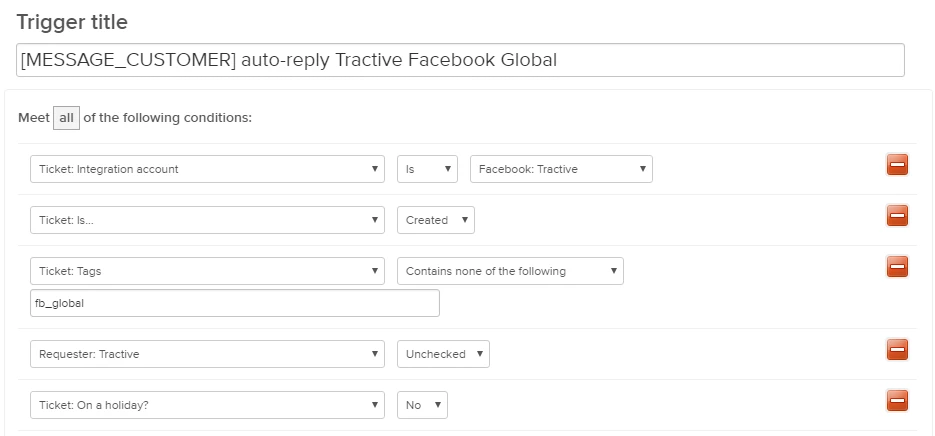
Integration Account: Choose your Facebook page (watch out if you are using global pages, they have all the same name!)
-
Ticket Is: of course only created when we are dealing with an auto-response
-
Tags: just in case i am adding a tag to prevent multiple auto-replies, since I remember a service outage where Facebook messages got fetched dozens of times.
- Requester Tractive: This is a user flag I've added to all the "Users" of our Facebook pages (Every Facebook page has a user in Zendesk, which is used when you write a customer first, or somebody is replying via business manager), so that a message created from ort marketing team e.g. reply to a post with a PM does also not get an auto-reply.
Actions
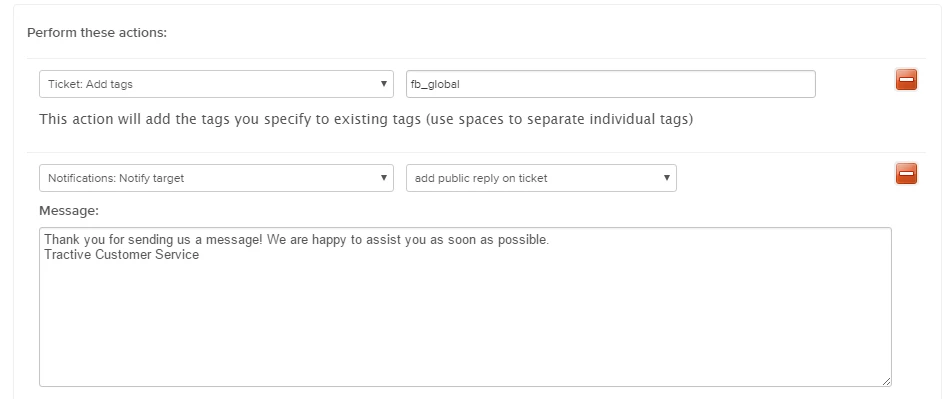
- Before sending the message, I am checking if the tag is not set already, to prevent duplicate messages as written before
- I am using my Extension to update the ticket with a public reply.
Extension
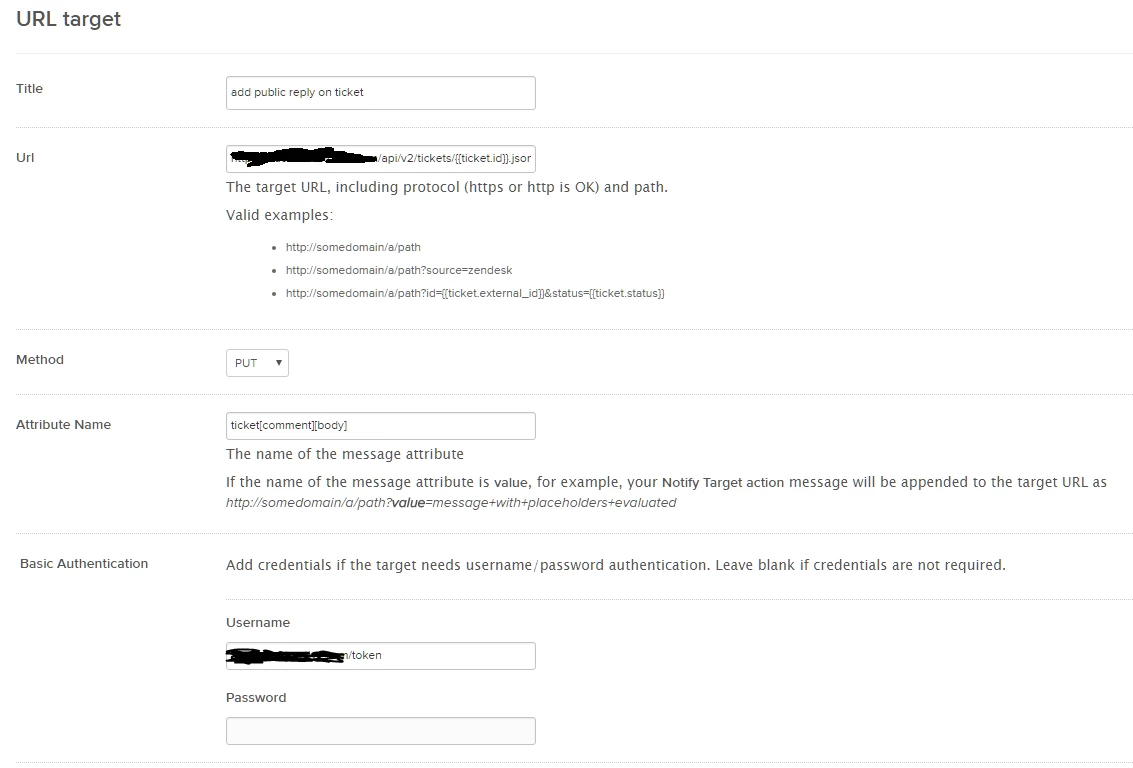
This extension will update the ticket itself via an API call. I know this is not the proper way according to Zendesk documentation, however i saw plenty of forum posts which are using this for example to write internal notes from triggers.
Url:
https://YOUR.zendesk.com/api/v2/tickets/{{ticket.id}}.json?ticket[comment][public]=trueAttribute Name:
ticket[comment][body]Basic Authentication
Username: e-mail address + "/token"
Password: create an API token in your settings
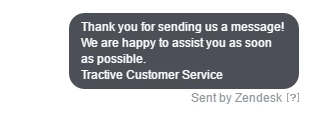
Voila, after you made this everything should work. 👍
I hope i could help you a little bit, in case there is something not understandable or missing please let me know 😃
Andreas
PS: In addition to the nice auto replies you have, the facebook page you manage will also get the very responsive badge quickly :)



Hi Donald,
Thank you for reaching out. Automation is possible for this workaround. For example, if you add a tag to a user or organization, that tag will be added to any tickets where that user is the requester. But It may help to provide more information on the tag. I'm rather limited on what I can assist with on my end.
Alternatively, I can create another ticket if you are to provide more specific information.
Cheers,
Blanca | Customer Advocate
Chat with our live support!
https://support.zendesk.com/hc/en-us