How to create an auto reply for Facebook | Community
Skip to main content

How to create an auto reply for Facebook

  • January 25, 2017
  • 31 replies
  • 0 views

I saw lately a couple of posts here that people are looking for a auto-reply function for the connected Facebook pages.
https://support.zendesk.com/hc/en-us/articles/226599587
https://support.zendesk.com/hc/en-us/community/posts/203597387

I've set this up for our account last month and will share it with you ... and yes, i am also interested in the Zendesk Swag offered in the january e-mail 😎

I will try to explain as simple as possible, if you need it more detailed please comment. But enough talked, let's start :)

Why I've implemented it?

We have around 3k tickets per month in our company, approx. 10% of them are via Facebook Messenger Channel. At a certain point this were simply too much tickets each month, which have not the same customer service experience as over the E-Mail or Help-Center channel, where we've set up dozens of automated service e-mails.

I think especially for Facebook messages, this missing feature is very critical for Zendesk, since customers expect an answer within minutes not hours.

Implementation

In fact it just consists of 2 parts:

  • Trigger for determining when it should be sent
  • Extension for posting a public reply

Trigger
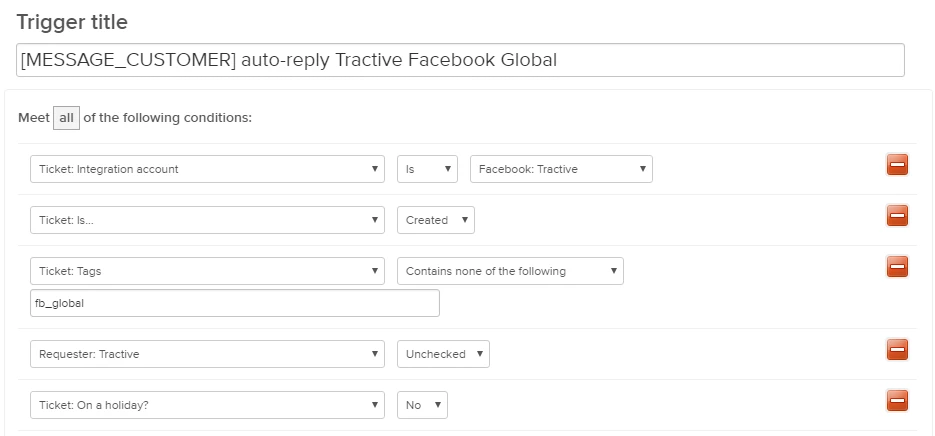
Conditions

  • Integration Account: Choose your Facebook page (watch out if you are using global pages, they have all the same name!)

  • Ticket Is: of course only created when we are dealing with an auto-response

  • Tags: just in case i am adding a tag to prevent multiple auto-replies, since I remember a service outage where Facebook messages got fetched dozens of times.

  • Requester Tractive: This is a user flag I've added to all the "Users" of our Facebook pages (Every Facebook page has a user in Zendesk, which is used when you write a customer first, or somebody is replying via business manager), so that a message created from ort marketing team e.g. reply to a post with a PM does also not get an auto-reply.

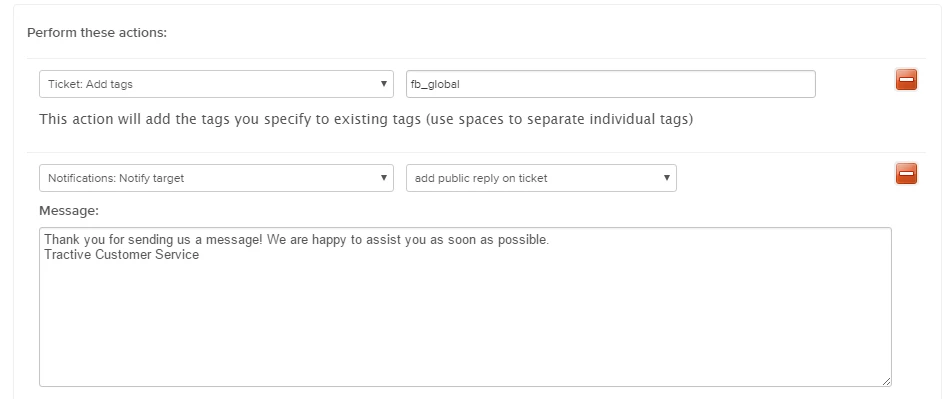
Actions

  • Before sending the message, I am checking if the tag is not set already, to prevent duplicate messages as written before
  • I am using my Extension to update the ticket with a public reply.

Extension

This extension will update the ticket itself via an API call. I know this is not the proper way according to Zendesk documentation, however i saw plenty of forum posts which are using this for example to write internal notes from triggers.
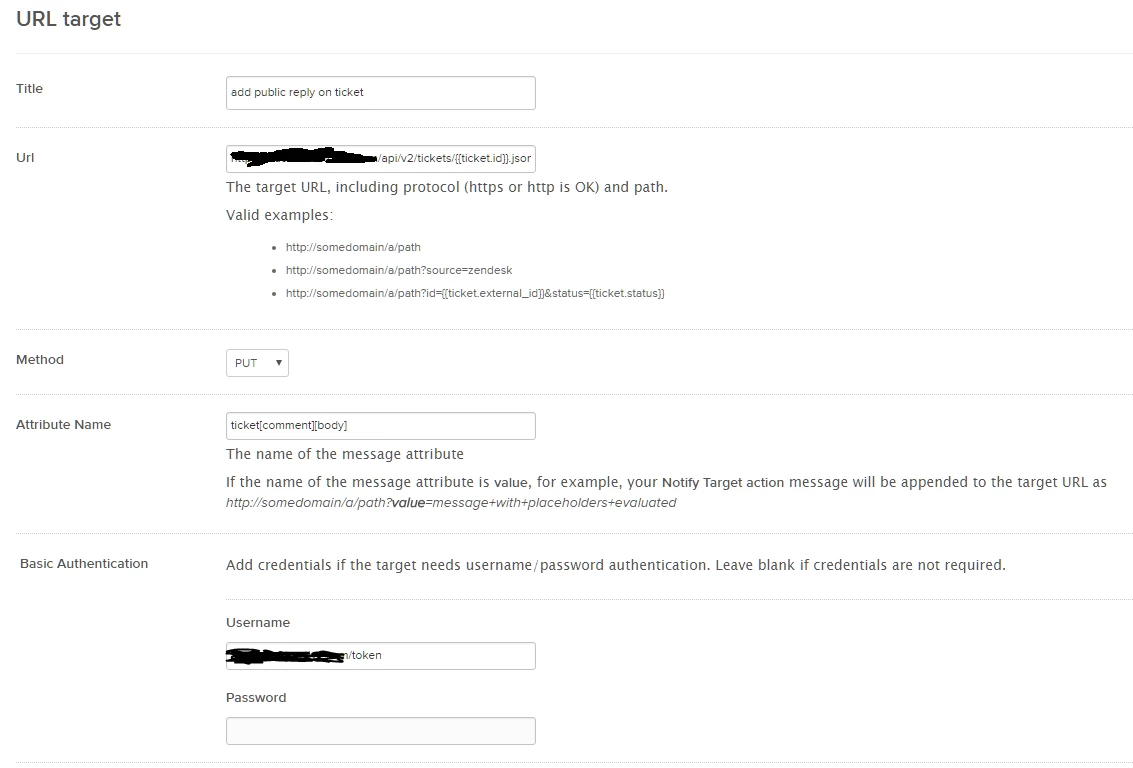

Url:

https://YOUR.zendesk.com/api/v2/tickets/{{ticket.id}}.json?ticket[comment][public]=true

Attribute Name:

ticket[comment][body]

Basic Authentication

Username: e-mail address + "/token"
Password: create an API token in your settings


Voila, after you made this everything should work. 👍
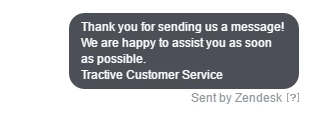
I hope i could help you a little bit, in case there is something not understandable or missing please let me know 😃

Andreas


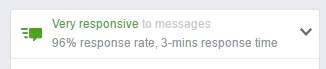
PS: In addition to the nice auto replies you have, the facebook page you manage will also get the very responsive badge quickly :)
31 replies

  • January 25, 2017

Thanks, Andreas! This worked perfectly for us.


  • Author
  • January 25, 2017

Hi Dennis,

thanks for getting back to me, I am happy that you could achieve what you wanted. In case you've implemented some additional features, feel free to share with us here to make this article even better! :)

Best,
Andreas


Jennifer16
  • January 25, 2017

Thanks for sharing your tip, Andreas.

And you already have one happy customer. Nice work. :)


  • May 1, 2017

Many thanks for taking the time to share what you know, Andreas! We haven't set up auto-response for Facebook yet. Seeing what you've done here, I'd like to have this implemented ASAP.


  • Author
  • May 1, 2017

Hi Mike,

thanks for your thoughts about my implementation.
I would love to your feedback as soon you've implemented it.

Best,
Andreas


  • August 31, 2017

Hello Andreas, 

This looks good but I think Zendesk has changed UI and the screenshot seems to old which doesn't apply anymore.

Can you help me apply it to my account or do a video around the same? Will be really helpful.


Nicole17
  • August 31, 2017

Hey Sachin - 

Welcome to the Zendesk Community! Hopefully Andreas will weigh in soon. :) 


  • September 10, 2017

If you are looking for an Auto Responder for your Personal Facebook Messages, I have developed an open-source app just for that. Visit https://faceply.io to download it. Or check out the source code on https://github.com/romankisil/Faceply.io


Vladan
  • March 25, 2018

Thanks Andreas, this really saved me! :)


  • April 10, 2018

Hey Guys,

Just dropping this here :), I created an article which shows you how to enable auto replies within the settings of your Page on Facebook for those not aware of this possible option:

https://support.zendesk.com/hc/en-us/articles/360000992688


Andreas27
  • April 16, 2018

Hi all,

I changed my employer last autumn, that's why I don't have access anymore to the account I created this article with.


@Sachin

In case this is still relevant, please post your questions here.


@Yanick

I'm not aware of any delays, as soon the ticket is fetched and replied in your Zendesk, it should also update on Facebook. Is it still persistent?


@Vladan

Always nice to hear that my solution could help a community moderator :)


@Claudia

Your solution of course also works, but there are several reasons why I think my solution could be the preferred one especially when using Zendesk.

- An auto-reply set up in Facebook is considered as public comment in Zendesk, this can mess with your triggers.
- My implementation can get you the responsive badge very quickly, while the official Facebook responder does not count towards that metric.
- You can populate the content based on information in Zendesk e.g. Out of office hours, holidays.


Hope I did not miss anything, I'm very happy to see that this solution is still in use and helpful to other people.


  • April 16, 2018

Hey @Andreas,

Totally get your point :) there are some customers who do not have complicated workflows, so they don't take those points into account. I just posted my solution for those who are looking for a simple auto reply and they are not aware of that option existing on Facebook.


  • June 20, 2018

Hey @Andreas,

Like Sachin, I would like an updated version to the post since the UI has changed so much.  Not seeing the option to add a public reply under Actions and would love to implement this for our business.

Any assistance would be great!


  • July 23, 2018

Hi @Andreas, 

I am having the same problem as Kelsa. After adding the URL target, I am not seeing the option to add a public reply. Can you help us please?

Thanks!!


  • September 15, 2019

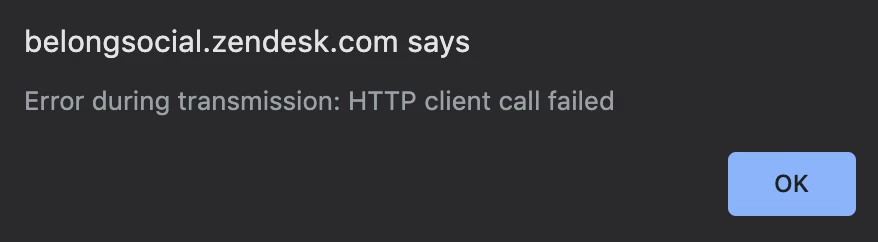
Thanks @Andreas! I'm trying to create the extension, but I think something is wrong with the URL. I'm getting the attached error. Any ideas?


Brett13
  • Community Manager
  • September 18, 2019

Hey Dion,

It may help to provide a screenshot of the target you've set up on your end so users can take a look. I'm rather limited on what I can assist with on my end but some additional information may help other users :)

Cheers!


  • November 8, 2019

Hi 1149673957,

Thanks your article save my day :)


  • December 9, 2019

Hi @andreas and thank you so much for the detailed guide!


I'm having a problem with the SLA because of the auto replay implantation

my SLA was 4 hours for the first replay and 4 hours for the second replay,

since the implantation the auto replay "count" as a first replay

the SLA "first replay" is shot when the auto replay shot instead of my agent first respond.

Any creative idea? 


Brett13
  • Community Manager
  • December 10, 2019

Hey Helen,

It may be worth excluding Facebook tickets from your SLA policies as a whole so they don't skew your FRT metrics.

You could create a trigger that tags all Facebook tickets and set up your SLA policy to only apply to tickets that do not contain that tag.

When updating your policy, there should be a Tags > Contains none of the following > (tag) condition.

I hope this helps!


  • December 10, 2019

Hi Brett, thank for the quick answer,

truth is - most of my tickets come from facebook so I need a solution for those kinds of tickets

any other idea?


Brett13
  • Community Manager
  • December 10, 2019

Hey Helen,

The only other suggestion I have is updating your auto-reply trigger to add another tag that you can use to exclude these particular Facebook tickets from your SLA. I'm afraid there's no alternative solution as a first reply time metric can only be met from a manual response from the agent.

Perhaps someone else can jump in here and offer up an alternative solution for you.


Andreas27
  • December 11, 2019

Hi Helen,

The "auto-reply" is basically a public agent reply via the Zendesk API, that's why it is also the correct behavior that the SLA fires.

As mentioned by Brett I recommend you to add a tag to exclude such tickets with a facebook auto reply from your SLAs. This does not work however with the URL target below since Tags need to be set with a separate API call.

The easiest solution (but costly) would be to use a separate account for this auto-reply, and then you can set a tag with a trigger when this account replies to a ticket.


  • December 14, 2019

Thank you guys for the suggestions,

I think I have no choice but to do the auto replay from Facebook itself

The Facebook SLA is too important from being ignored


This worked perfectly for me as well ! Thank you ! 


  • September 7, 2021

Hey @Andreas

This article really a big help.

Just want to clarify if this target action is only applicable in a Trigger?

Because I tried it in an Automation and it did not fire. So what I did was a combination of automation (setup a tag) & trigger (validate the tag then execute ng target action).