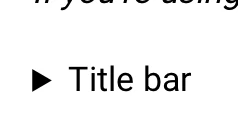
We discovered that you can use the HTML5 Details tag to create accordion sections in Help Center Articles. There are some limitations imposed by ZenDesk's editor, but you can work around them. The HTML5 Details tag doesn't need any JavaScript to work and is pretty easy to code. See the link for details.
The limitations: the HC editor will not allow the very first paragraph on a page to be a Details section, as it inserts paragraph tags that defeat the HTML5 tags. The editor will save the Details section as per it's state when you click "Save" ... if the accordion section is open it will remain open after saving. You can collapse and open the sections in the editor.
There are some other oddities; the editor will add paragraph tags to the top each time you save the page, eventually forcing your content down and off the page. I edit the source to correct this.

Easy HTML5 Details Accordion Sections in Articles







Login to the community
No account yet? Create an account
Enter your E-mail address. We'll send you an e-mail with instructions to reset your password.
Thanks for sharing, Anthony!