Chrome Extension: Submit button expander | Community
Skip to main content

Chrome Extension: Submit button expander

  • June 8, 2018
  • 21 replies
  • 0 views

Hi everyone, not quite sure if this is the right place, it feels like a tip/trick but it's also a bit of a plug of something I've made,

Introducing the Zendesk Submit Expander Chrome Extension:

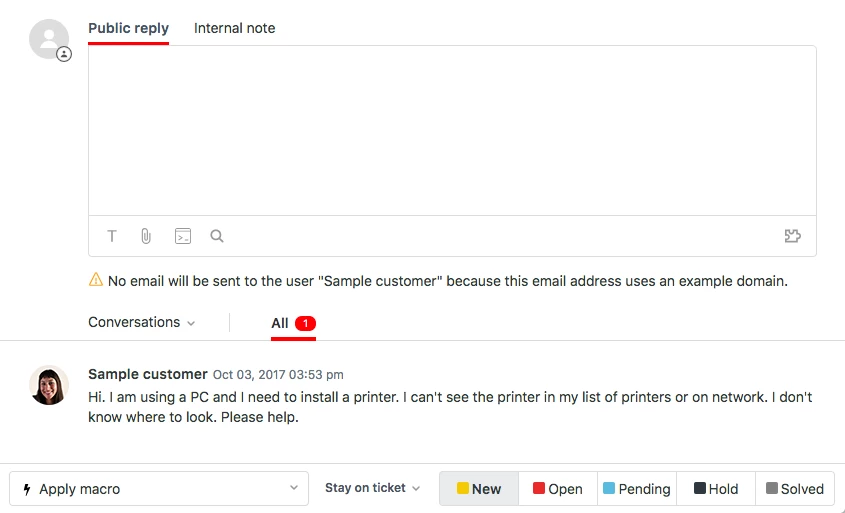
It saves you a click every time you update a ticket (in a new status). It replaces the drop-up menu of the ticket submit button with a row of buttons, allowing you to immediately choose the best status (this does require a good understanding of statuses, this awesome article should help with that).

It works with the Play view and Bulk ticket updates too:
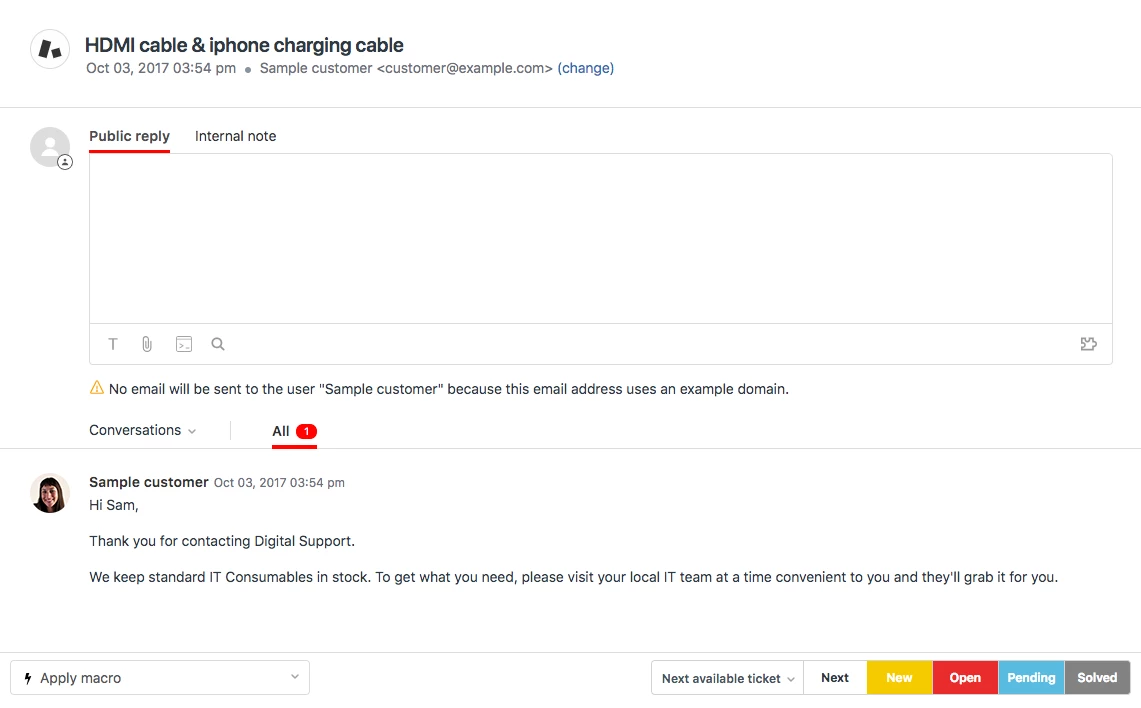
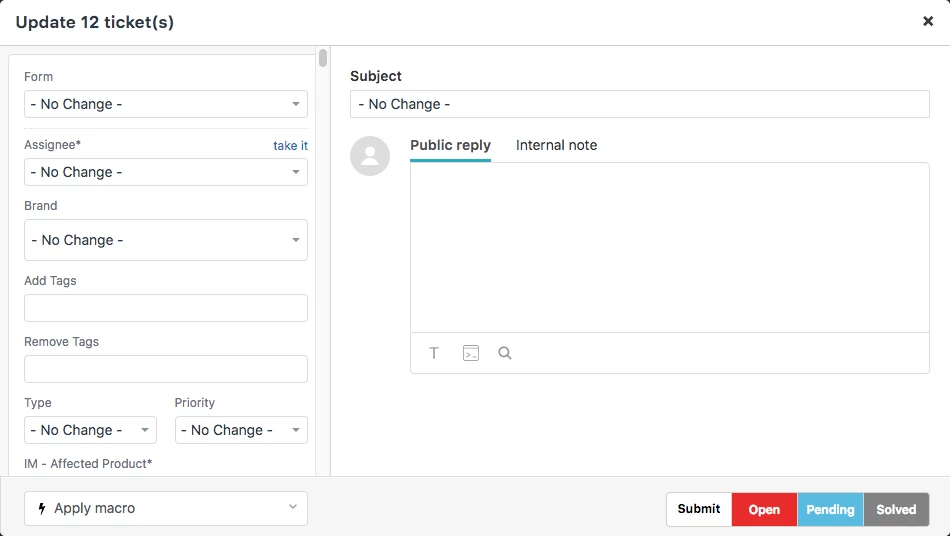
As you see it is designed to fit seamlessly into the zendesk UI, and it is responsive so once the screen cannot support the width it will go back to the drop-up list

The project is open source and pure CSS, available here:

https://github.com/frogamic/zendesk-submit-expander

21 replies

  • June 14, 2018

Thank you so much for sharing this, Dominic!

I think Tips & Tricks would be a great place for this, so I'm going to move it over there. 


Chris21
  • June 14, 2018

This looks really cool Dominic. Thanks for sharing. Does it support all statuses? I don't see the On-Hold status in the screenshots.


  • Author
  • June 15, 2018

@Chris all statuses are supported, I think on-hold was disabled on the trial instance I was using for screenshots.


Chris21
  • June 15, 2018

Excellent. Thank you!


Mark15
  • July 6, 2018

Great, love it! Thanks very much.


Hemin
  • July 6, 2018

Thanks Dominic, this seems great! I would love to see something like this natively in Zendesk.


Heather13
  • July 6, 2018

Fantastic, thank you!


Vladan
  • July 6, 2018

Awesome! Thanks for sharing it!


  • July 13, 2018

Nice!

Some of our team members just use hotkeys / keyboard shortcuts, if anyone's not aware those are available.


Andreas27
  • July 23, 2018

What I like about the default style though, is that you can with one click submit it with the current status.


  • Author
  • July 23, 2018

This is true @Andreas, I think if I find time I'll try add another button for that purpose.


Mark15
  • August 7, 2018

This has stopped working overnight as Zendesk have made a change to the Submit button. Issue submitted on the github page. Shame. We love this extension!


  • August 7, 2018

Our team all loves this extension as well, and have been asking all morning what we can do to fix it. Dominic, we all need your help!


  • Author
  • August 7, 2018

There were some significant changes made to the UI of the submit button, I'll do my best to update the extension ASAP.


  • August 15, 2018

I really look forward to being able to use this again!  Thanks for getting on it right away!


Cheers


  • Author
  • September 2, 2018

Just a quick update on this, I have managed to find time today to take a good look at this and how to recreate the extension in Javascript using the Zendesk Garden UI pattern.

Here's a screenshot of the progress so far:

The buttons are non-functioning and don't pick up the available and current statuses of the ticket yet and they don't reliably replace the standard drop-up for every ticket opened, so it's still a work in progress at this point.


  • Author
  • October 3, 2018

This new version is now published in the Chrome store! The same link above is still valid: https://chrome.google.com/webstore/detail/zendesk-submit-expander/hpocmjkijiifppldckmofghmhjmmmcdk

If you had the extension installed already you will need to re-enable it within Chrome.


  • October 3, 2018

Thanks for letting us know about the new version, Dominic!


  • October 3, 2018

Hi Jessie,

I tried to check and see if there is any way that this issue can be resolved and i am not where to request for help!

how do i resolve this Due Date Issue ?
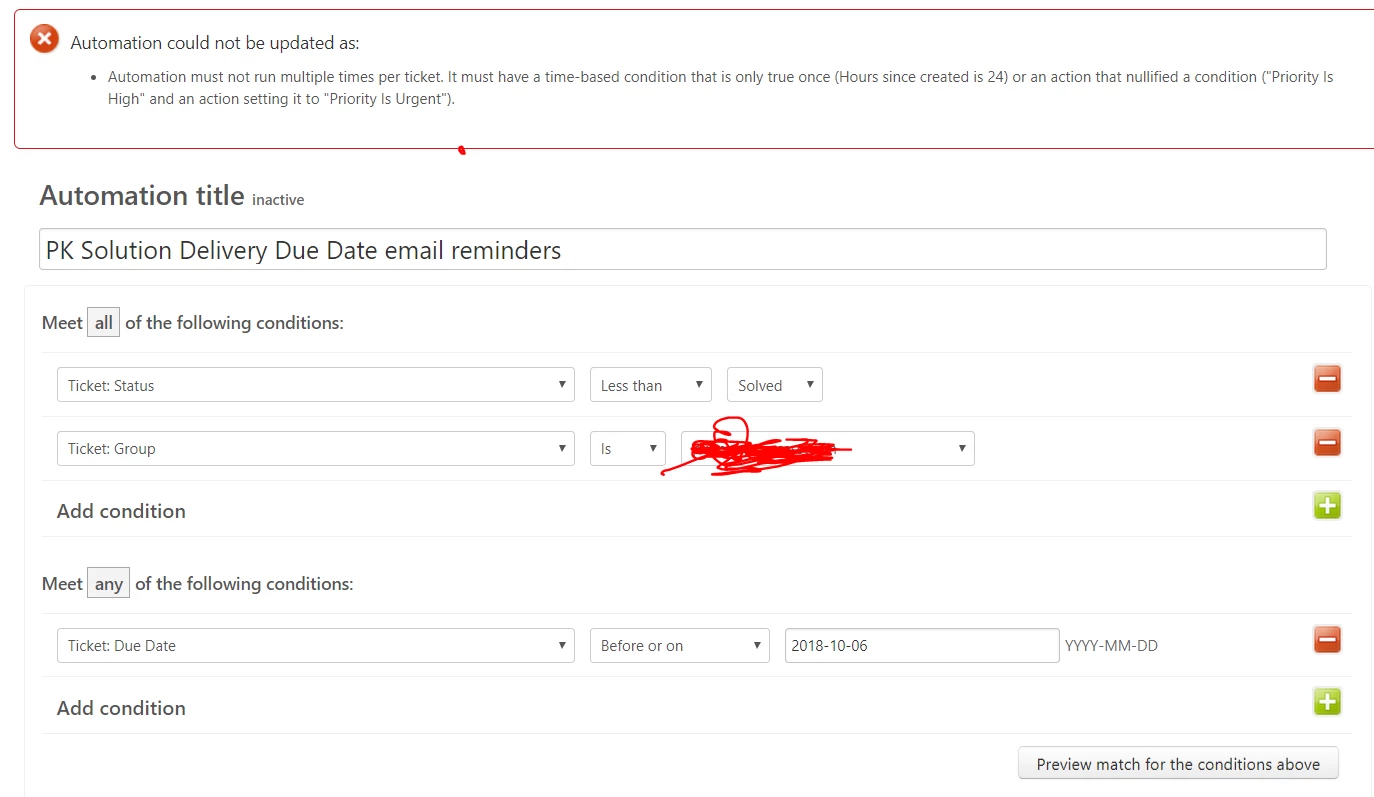
I am trying to set a Reminder email notification for all the tickets that are due in 24 hrs .I tried using the Ticket Hours until Due date which makes it Dynamic and it doesn't work ?


  • October 18, 2018

Hi Manojkumar!

The problem here is that the current conditions you have set would let your automation run multiple times on the same ticket, which isn't allowed by the system.

In order to fix this, you need to add an additional condition and action to prevent this. We have some documentation to help you this, which you can find here: Ensuring your automation only runs once.


Budke,
  • September 18, 2020

This was initially working great but then stopped working - the a couple of months later it came back. now it comes and goes. Very odd - but it is a GREAT tool when it works, I just wish it would work consistently.