

Welcome
Let me introduce you to kBackup! This little app will allow you to back up your help centre content to your local hard drive at the click of a button.
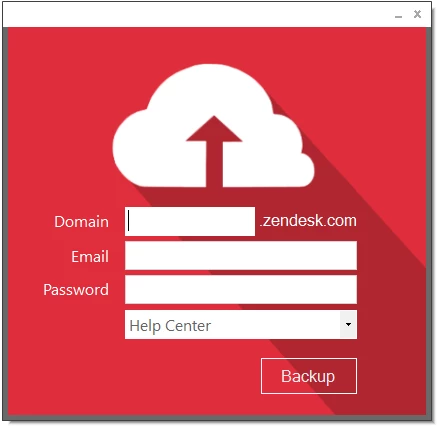
Using this app makes backing up your help centre content a breeze.
Features
The app currently has several features and may be expanded to include additional features if demand arises.
- The app will back up your help centre content to a specified folder as HTML pages in the format of [ArticleId].html. The app will first verify that the user exists in the given Zendesk domain. This is included for security reasons, so only users who exist in the domain can back up the content.
- The app will also back up any images that are embedded in your article and save these in the same backup folder.
- The app will work for any Zendesk help centre, even if a custom domain is used.
- Using the app to back up your help centre content is completely safe and will not affect any existing data. It will simply take a copy of it, so there is no possibility of data loss during the process.
Requirements
There are some requirements for using this app that need to be met in order for it to function correctly. I've included these requirements below:
- Windows 7 or higher.
- Microsoft.Net Framework 4.6 or higher. This version of the .NET Framework can be downloaded here.
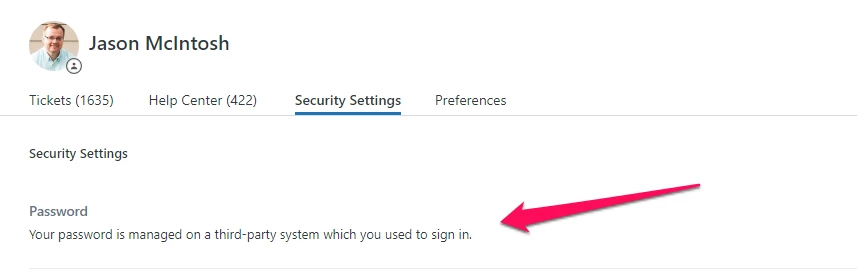
- SSO sign-in and 2FA are not supported. If these are used in your instance, please use the username and API token option instead of the username and password combination. For more info on generating an API token, see Zendesk's help article Generating a new API token.
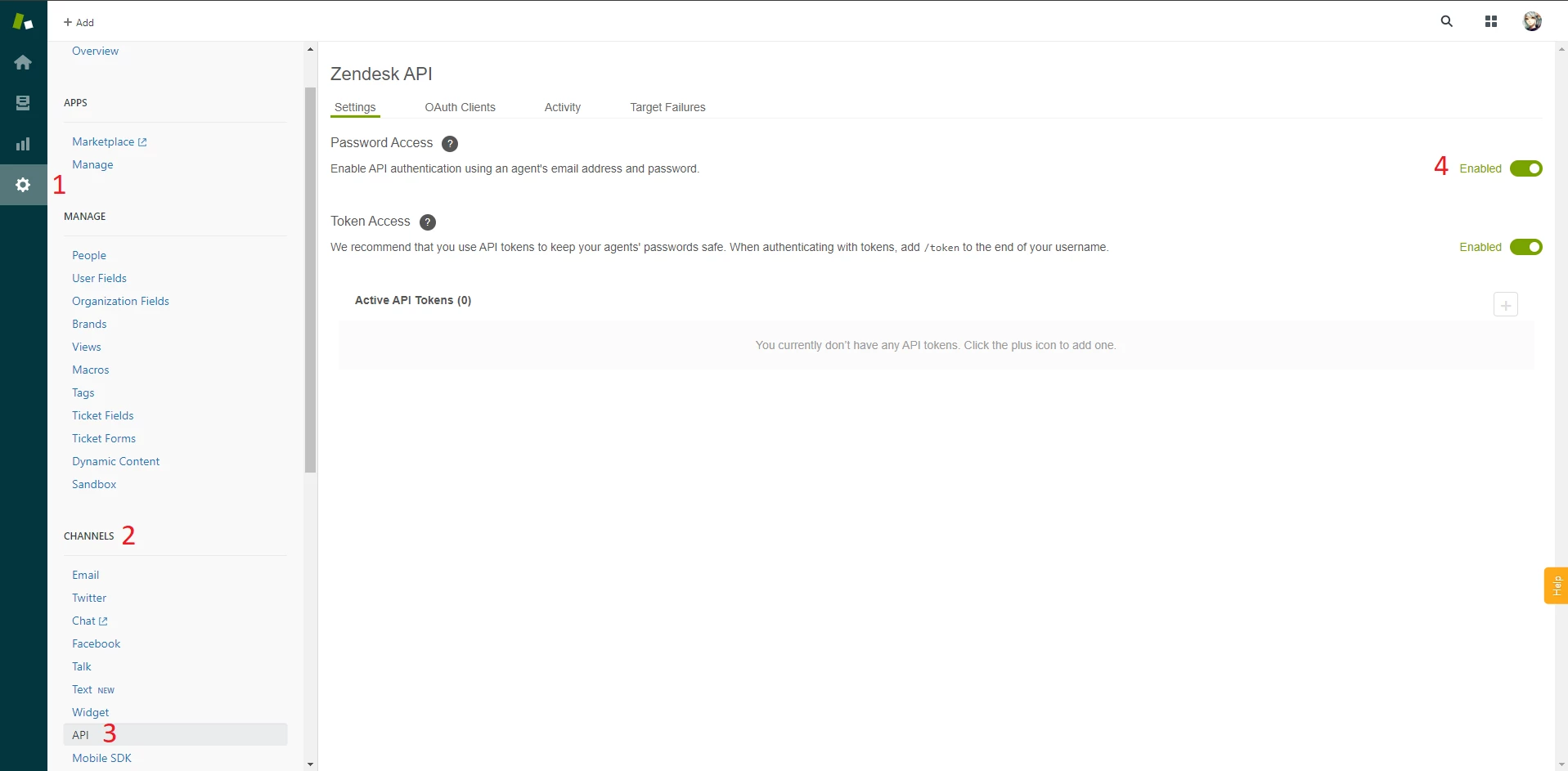
- If you use a username and password combination, your user must have ‘Password Access’ to the API enabled in Zendesk. You can do this by going to Settings > Channels (Subsection) > API and enabling ‘Password Access’.
Getting Started
To get started with backing up your help centre content, ensure that you have met the requirements above, then go ahead and follow the steps below:
- Download the app here
- Extract the downloaded kBackup.zip file to your Desktop
- Right-click the app and select Run as administrator
- Enter your full Zendesk or custom domain into the Domain field (e.g. my-company.com, my-company.zendesk.com)
- Enter your Zendesk user email into the Email field
- Enter your Zendesk user password into the Password field. Alternatively, select the Use API Token checkbox to use an API token
- Select Connect
- Select the language you would like to back up from the Languages dropdown
- Select the Backup button
- Browse for a folder where you would like to back up your content and select Ok
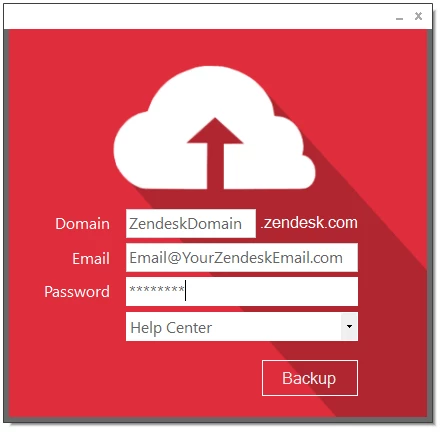
After selecting a folder and clicking Ok, the backup process will begin, and you will receive a notification when the backup is complete.
If you want to back up multiple languages, select another language from the Languages dropdown and click Backup again.
Download kBackup here!
Release Notes
Release notes have been moved into ReleaseNotes.txt, which is now included in the download.
Giving Feedback & Reporting Bugs
For any feedback, feature and functionality requests or bugs you may have encountered, please leave a reply on this post or email me at felix.stubner(at)gmail(dot)com, and I will get back to you as soon as possible.
Leave a Review
If kBackup has helped you, please consider leaving a review on its Zendesk Marketplace Integration page. Additionally, feel free to click on the little up arrow on this post to upvote it. Thanks for your support!
Disclaimer
THE SOFTWARE IS PROVIDED "AS IS", WITHOUT WARRANTY OF ANY KIND, EXPRESS OR IMPLIED, INCLUDING BUT NOT LIMITED TO THE WARRANTIES OF MERCHANTABILITY, FITNESS FOR A PARTICULAR PURPOSE AND NONINFRINGEMENT. IN NO EVENT SHALL THE AUTHORS OR COPYRIGHT HOLDERS BE LIABLE FOR ANY CLAIM, DAMAGES OR OTHER LIABILITY, WHETHER IN AN ACTION OF CONTRACT, TORT OR OTHERWISE, ARISING FROM, OUT OF OR IN CONNECTION WITH THE SOFTWARE OR THE USE OR OTHER DEALINGS IN THE SOFTWARE.
If kBackup has helped you, please consider up-voting this post by clicking the up arrow below. This will help other users to find the post more easily. Thank you!


Thanks for the response, Felix!