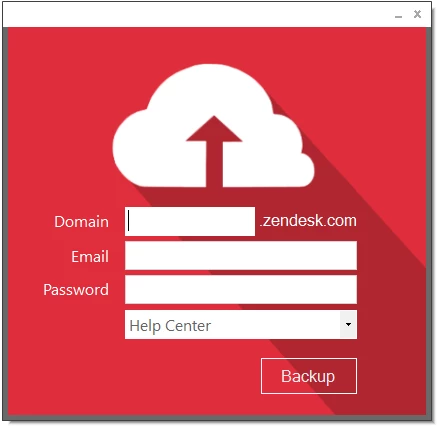
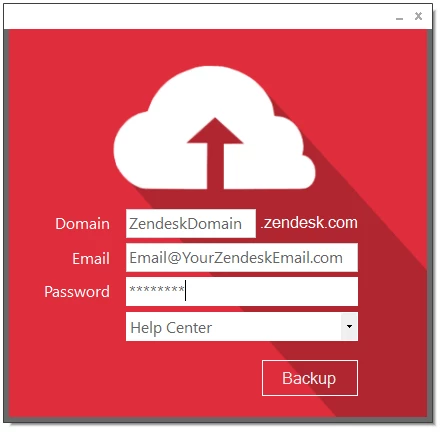
Back up your Help Center articles at the click of a button! | Community
Skip to main content

Back up your Help Center articles at the click of a button!


Show first post

257 replies

Felix11
  • Author
  • September 14, 2016

@Ewan - Thanks for checking out the app, glad to hear you like it! :) 

At this time the app only supports backup, however for the next release I am looking into restore functionality but it will require some effort to make it work. I update this topic every time I create a new release so keep an eye out.


Felix11
  • Author
  • September 15, 2016

@Ewan - I wanted to add something to my previous reply as I did not actually mention how one would restore the content once backed up. 

At the moment there is no automatic restoration through the app. The way the restoration process would currently work is that you would:

  1. Create a new article in Zendesk
  2. Open one of the backed up .html files in Notepad
  3. Copy everything between the <body></body> tags
  4. In the Zendesk article editor select code view, it's the little button with <> on it
  5. Now paste your copied code in there and click Ok
  6. If there were no images then simply copy and paste the text between the <h1></h1> tags into the article title and you are good to go. 
  7. If you have images then you need to look at the article id of the backed up .html file (this is the name of the file itself) and then check the images folder in the backup directory for images that start with the same article id.

That should allow you to restore the articles. I understand it is not the best way to go about it but I am looking to include some restore functionality in a future release. Hope that helps! :)


Felix11
  • Author
  • September 16, 2016

@Lovely Mac users - My sincerest apologies to you guys for the delay of the Mac release. Unfortunately I no longer have access to the Mac that I was using to port the app. I am currently looking into getting a replacement. Thanks again for checking out kBackup, I appreciate your patience.


  • October 12, 2016

I know you have done a lot of work improving this. I have a question, though, so once the HTML files of each article is backed up, is there an automated way to put them back up in the event all is lost or is it going to be just copy and paste?


Felix11
  • Author
  • October 12, 2016

@Kim - thanks for checking out the app! :) Indeed, at the moment it only backs up the articles and they need to be restored manually via copy and paste, simply by copying the html into the html editor when restoring an article. I do have plans to enhance this functional in the future to also allow for restoring but it's still a work in progress. Thanks again for dropping by :)


  • October 14, 2016

@Felix

Thank you for the valuable tool!  We had over 400 articles that represented countless hours of work and backup via JSON export was just not going to fit our requirements.  

Looks like the tool runs like streamlined efficient magic!

We have several iorad tutorials and videos which of course will not pull through in the export.  But the screen prints all seem to have made it through in tact with no visible changes to article layout or format.  Very cool tool.  Thanks!


Felix11
  • Author
  • October 16, 2016

@Corrin - Thanks for trying out kBackup and glad to hear that it has been so useful to you.

I have been thinking about looking into supporting the backup of videos too, but that really depends on where the videos are hosted. If you could give me an idea of where you host your videos I may start adding support bit by bit.

Thanks again and have a lovely weekend! :)


  • October 17, 2016

Thanks Felix,

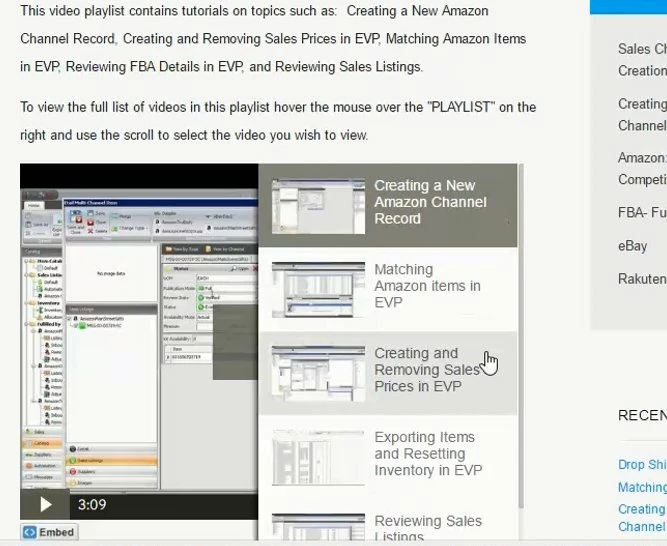
We host our videos via Wistia. Prior to purchasing Zendesk we provided users with direct Playlist access.  Here's a sample.  In Zendesk we embed both individual stand alone videos and playlists.

https://etailsolutions.wistia.com/projects/e4s7l0hvk7

sample of an embedded playlist:


  • October 17, 2016

@ Felix

Thanks for including the instructions for restoring articles (via copy paste of the code).  

A couple questions:

Any ideas how this might work for bulk import?  You mentioned you might be looking to do something along these lines.  Something in the works or just straight manual article by article for the foreseeable future?

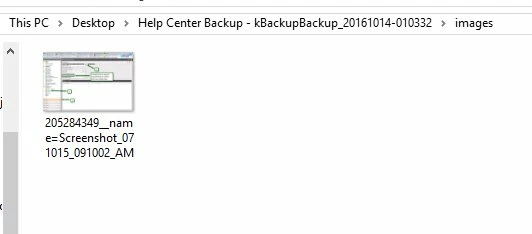
Currently we have over 450 articles.  Only 25 are videos and 40 are iorad tutorials with the remaining being articles with screen prints.  The total size of the entire download was 805 KB.  The image folder has only one screen print in it.  In preview mode of Windows File Explorer the images do not appear.  I went through and opened various HTML pages to see the images did indeed show up in tact once the HTML doc was opened.  How are these files being stored/exported?  Does this size seem odd to you for 450 articles with images?


Felix11
  • Author
  • October 17, 2016

@Corrin - Thanks for getting back to me with the info on how you host your videos. 

Indeed, I am working on a version that allows for the restoration of content in bulk. This is a little more complicated than simply backing up the articles but I am hoping to have a working prototype towards the first week of November. 

Regarding the images, I will need to test this out for myself, could you email me your Zendesk sub-domain to felix.stubner@gmail.com and I'll be able to investigate this and let you know if the behavior you are seeing is correct or not. 

There are always new ways that I come across how users store images so my current code may not account for the way the images are being stored. If the image in the article is a direct link to a .jpeg or .png or a direct link to any image file type it should download these, however I have seen that in some instances the images aren't stored with a direct link. Therefore trying a backup of your data myself will allow me to check it out.

Looking forward to hearing from you.


  • October 18, 2016

@ Felix

Thanks for the information.  Exciting to hear of of your current work on importing in bulk.  

Unfortunately our Zendesk is a closed Zendesk so we would need to schedule another way to actually test.  

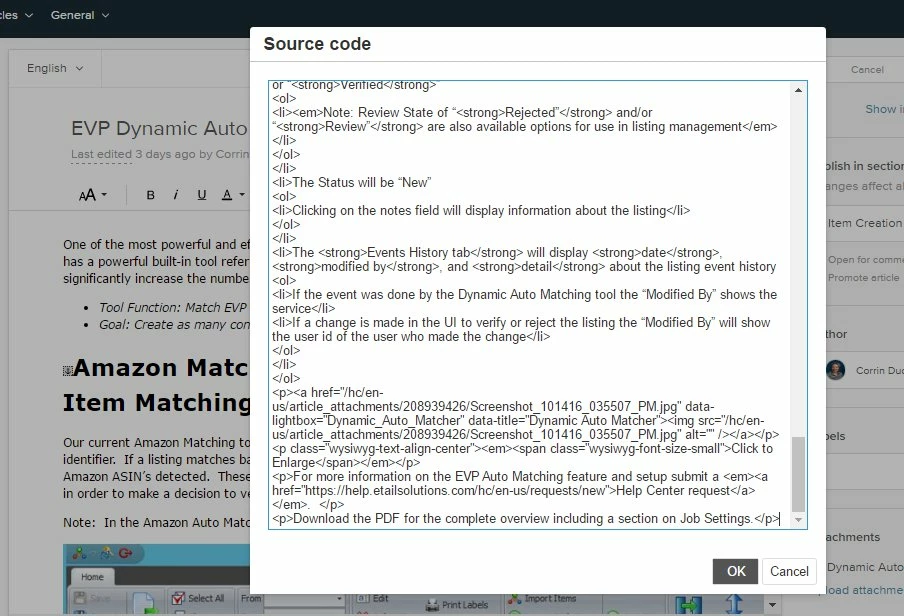
What I can tell you is that for the vast majority of our Help Center resources I have been leveraging the drag and drop convenience of Skitch (screen capture from Evernote).  So I haven't uploaded saved jpeg images.  Although Skitch captures do create a jpg file.  The images do appear as a jpg in the source code.  

Yet the export file included only 1 screen print in the images folder.  

Not sure if this helps but the image above was drag/dropped into this comment entry via Skitch.  

Any thoughts?


  • October 18, 2016

Awesome tool!!!!! 


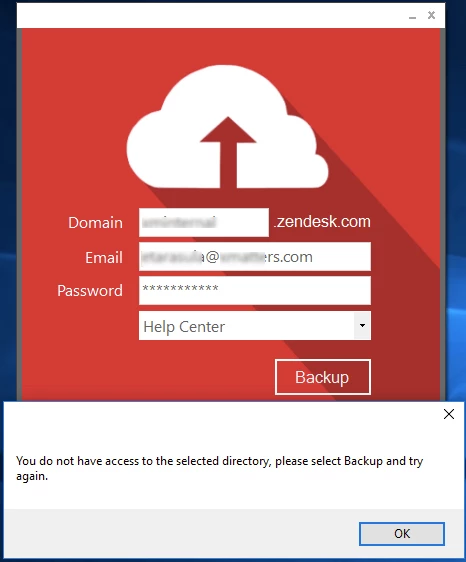
Sadly i am getting this when attempting to run it


Felix11
  • Author
  • October 19, 2016

@Corrin - I've had a look at the images you included but unfortunately I would need to debug my application to see the exact URL structure and what the request returns but I would require a login to a user account that has access to the content. If that is something you could organize I can definitely look into that and try to find a solution. Looking forward to hearing from you. Please also feel free to email me at felix.stubner@gmail.com 


@Eugene - Thanks again for giving kBackup a try. As mentioned in my email I will be investigating the issue that you had come across regarding the images. After debugging using the user credentials you provided I believe I have identified the issue. I will be sending you a test version during the day tomorrow to confirm the fix. Speak to you soon!


  • October 19, 2016

@Felix

Thanks so much Felix!  You’re a ROCKSTAR!

Tested the export and it is downloading images like lightning as I type.

Tremendously appreciated!  I look forward to the future developments for importing!


Jennifer16
  • October 19, 2016

Agreed that Felix is a ROCKSTAR!


Felix11
  • Author
  • October 24, 2016

@Corrin - You are very welcome, glad to hear that your issue is now resolved! :)

@Jennifer - Thanks you guys :3


  • October 24, 2016

Hi Felix,

I'm trying to download the latest version of the app and none of the links in the original post or subsequent comments are working for me. I get the error:

The dstats.net page isn’t working

dstats.net didn’t send any data.

ERR_EMPTY_RESPONSE

Could you help?

Thanks,

Chandra


Felix11
  • Author
  • October 24, 2016

@Chandra - Hey sorry to hear you are having some trouble with the download. I have just tested the links myself and there do not seem to be any issues. However if you are still having some troubles you can find a direct download link here. Let me know how you get on with that :)


  • October 24, 2016

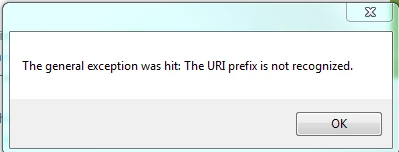
When trying to use this software, I am getting the following error:


It does seem to back up a few articles even with the error but only a few.


Felix11
  • Author
  • October 24, 2016

@Michael - Thanks for giving the app a try, sorry to hear that you are having some troubles with it. 

This particular error occurs when it's trying to download an image but can't understand the URL structure. Fixing this will require some code updates but I'd need to look at the structure of the URL. Could you email me at felix.stubner@gmail.com with the sub-domain of your Help Center and I can investigate the issue. Looking forward to hearing from you.


  • October 24, 2016

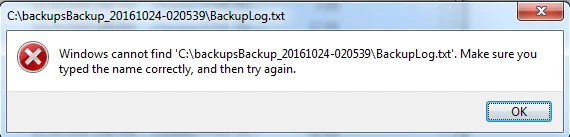
Hi Felix -- Just wanted to pass on an issue I'm experiencing: After kbackup creates a backup of my Help Center content & images, the BackupLog.txt file that's created cannot be opened. When I try to open the file, I get this error message:

I'm not sure why I'm getting this error -- the backup log is right there in the backup folder & it has data in it (it's 14KB). Any idea why/how this might be happening?

Thanks for your help & all your hard work!

UPDATE: I think I figured this one out on my own -- it's a fault on my own computer, nothing to do with kbackup. Sorry for my confusion!!


Felix11
  • Author
  • October 26, 2016

@Jenny - Thanks for getting in touch and including this info. Apologies that you ran into some troubles opening the backup file.

I am happy to hear that you were able to get the issue resolved. My suggestion would have been to try and select a different location for the backup like your Desktop. 

Nonetheless thank you for giving kBackup a try and should you run into any other issues feel free to send me an email at felix.stubner@gmail.com


  • October 27, 2016

@Felix,

Question for you.  Is it possible to get some command line parameters so we can automate this?  We are housing the backup on a network share.

Thanks!


Felix11
  • Author
  • October 27, 2016

@Corrin - Automated backups is something I intend to look into in the future, will likely be December. It will not require command line though, it will be configurable through the UI ;)


Felix11
  • Author
  • November 27, 2016

Thank you!

Hey everyone, kBackup just hit 200 downloads! I just wanted to say thanks to everyone who has tried it and glad to see that so many have found a use for it. 


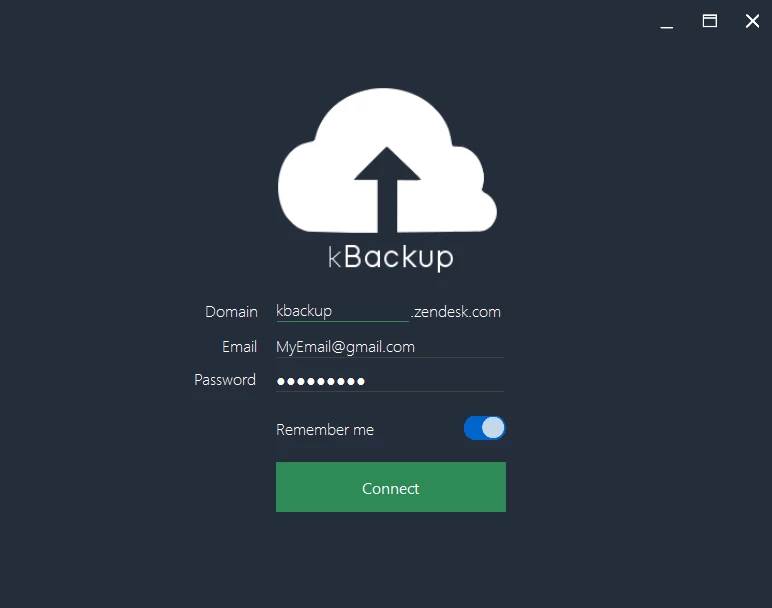
As a little thank you I want to give you a preview of what you can expect to see in the next release. I also sprinkled in some screenshots!

  • Migration to and from Help Center/Community. It will only support full migrations at first. However, later I plan to include selective migrations where the user can choose the specific content to migrate.
  • Restoring backups, bout time this made it in hehe
  • Automatic backups, and easy to set up too, no gimmicks, just options!
  • Fun fact, I have changed the way the app works a little. Instead of running the app and  clicking a button to backup your content, the app will now instead sync all of your data to your PC when you log in (Or if you choose to refresh from within the app). This means that you will always have the data there, and I am thinking of different formats to export it to. If you have any particular formats that you think might be useful to have your exports in, please do leave a reply ^.^
  • Ability to browse all content in your Help Center or Community through kBackup in an intuitive hierarchy structure.
  • Some nifty profile info from your Zendesk profile. (Don't worry, I don't collect any data, it will only remain on your PC and only if you select "Remember me" option).
  • Speaking of which, a "Remember me" option so you don't have to enter all those details again.
  • Encryption of user details when stored locally on the PC.

Here are some more ideas that I have already noted to put on the roadmap:

  • Automatic updates, so you can rest easy and let kBackup take care of the rest.
  • Ability to manage content through the app, because really, that just seems like it would be a really great feature to be able to offer everyone.
  • Ability to multi-select content in the app so you can delete or make edits to multiple items at a time.
  • Ability to encrypt your backed up files.

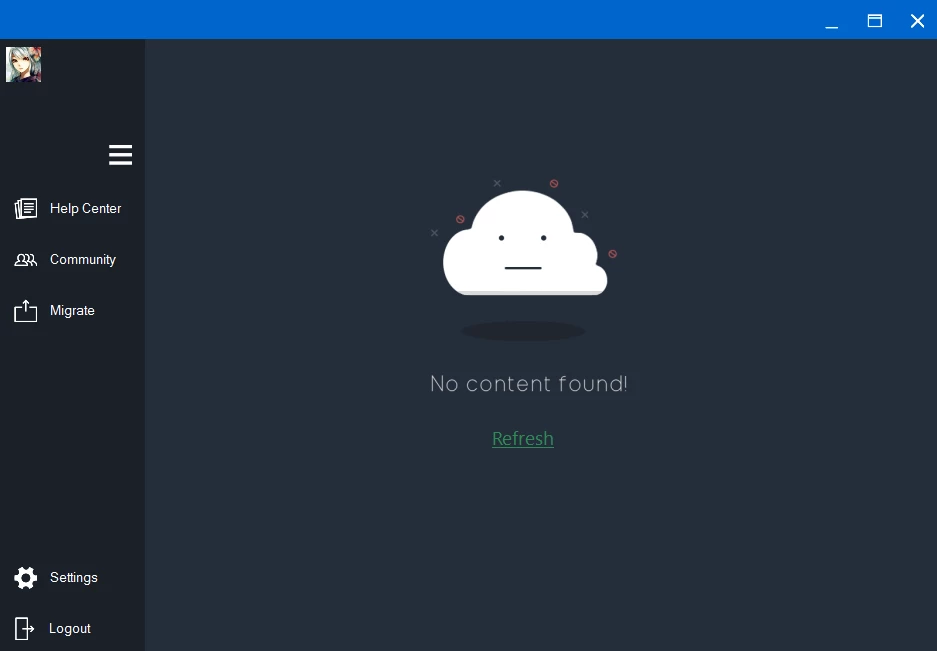
Meet Cloudy! :D

Cloudy is someone you may run into if the data could not be synced. But don't worry, he will kindly provide a Refresh link so you can try to sync your data again. 

As always you guys here are an absolute pleasure to work with and do let me know if you have any feedback or other functionality you want to see in kBackup.