AI Agents - How to handle chats initiated minutes before end of business hours | Community
Skip to main content

AI Agents - How to handle chats initiated minutes before end of business hours

  • July 7, 2025
  • 1 reply
  • 0 views

We utilize a messaging AI Agent with business hours as 7AM-4PM. Within the AI's configured “Answers” we have a condition at the top to flow to a set of answers depending on what time the chat was initiated. During open, most chats end up being routed to a ticket. I'm running into an issue where chats are being initiated at 3:59PM for example but the user doesn't make it to the step in the flow to create a ticket until 4:02PM at which point our support staff is gone for the day. Support has confirmed that the AI Agent doesn't have a way to natively be aware of the business hours status changing mid-chat. If the Answers flow builder allowed me to do something like “route to step *" or “Restart Answers”, I'd be able to insert a business hours check before our ticket creation step and route these back to the beginning to be handled by our main business hours condition. 


Does anyone have a suggestion for working around this issue? 

1 reply

Rj22
  • July 19, 2025

Hello @tnc <Thomas & Company>

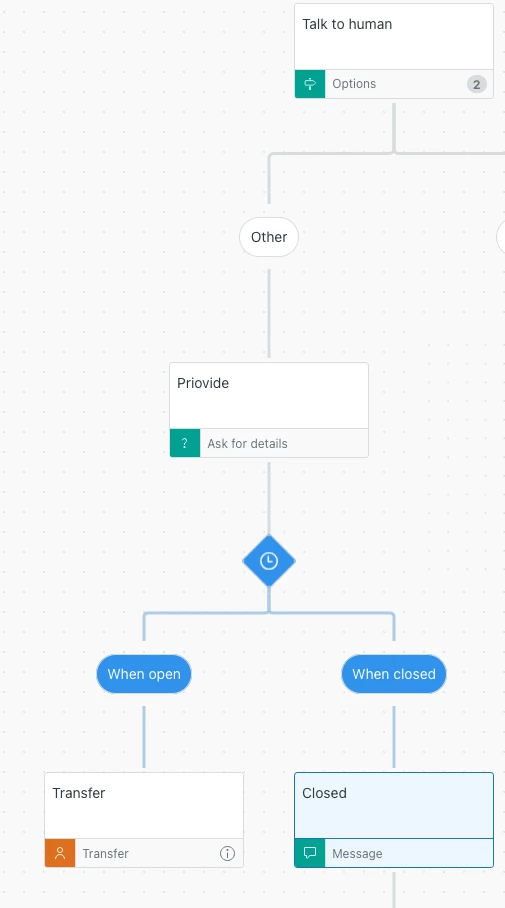
I suggest adding another “Add business hours condition” step right before transferring to an agent. This will ensure the system checks your schedule before creating a ticket.


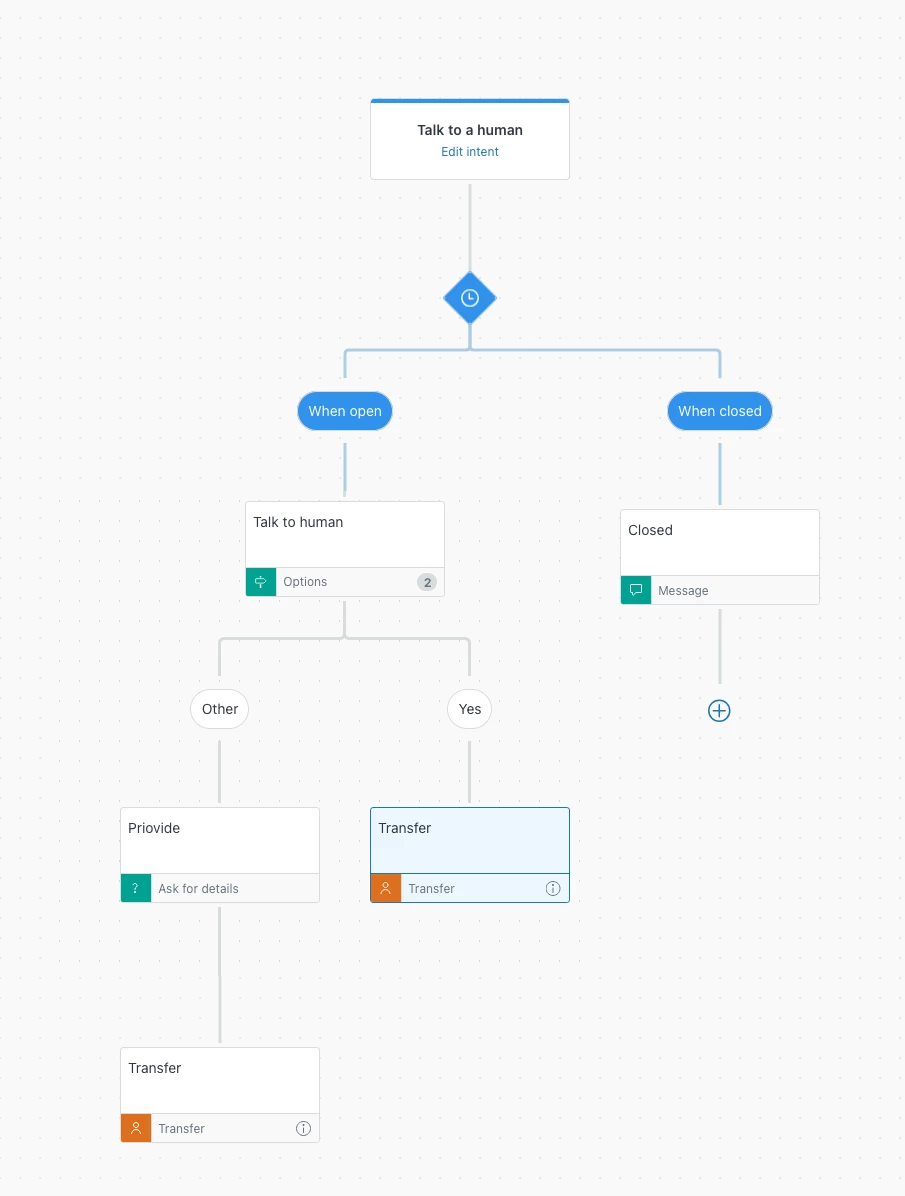
For example, if you have an Answer Bot flow like this:


To apply this change, you can add the business hours condition directly before the “Transfer to agent” step:


If your Answer Bot flow is more complex, I recommend creating a separate Answer Bot flow to check business hours. This makes it easier to manage moving forward if you need to change the schedule or make adjustments, rather than updating each step one by one.

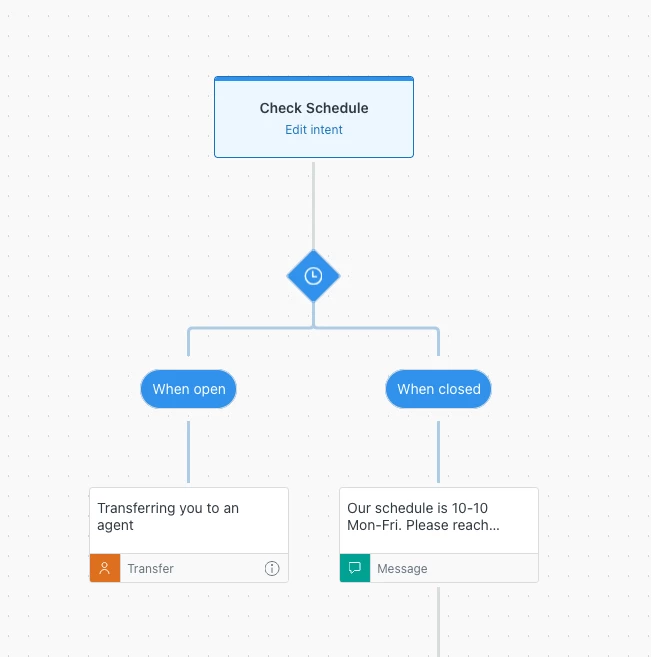
For example, I created a “Check Schedule” flow that transfers to an agent only if it is within business hours:


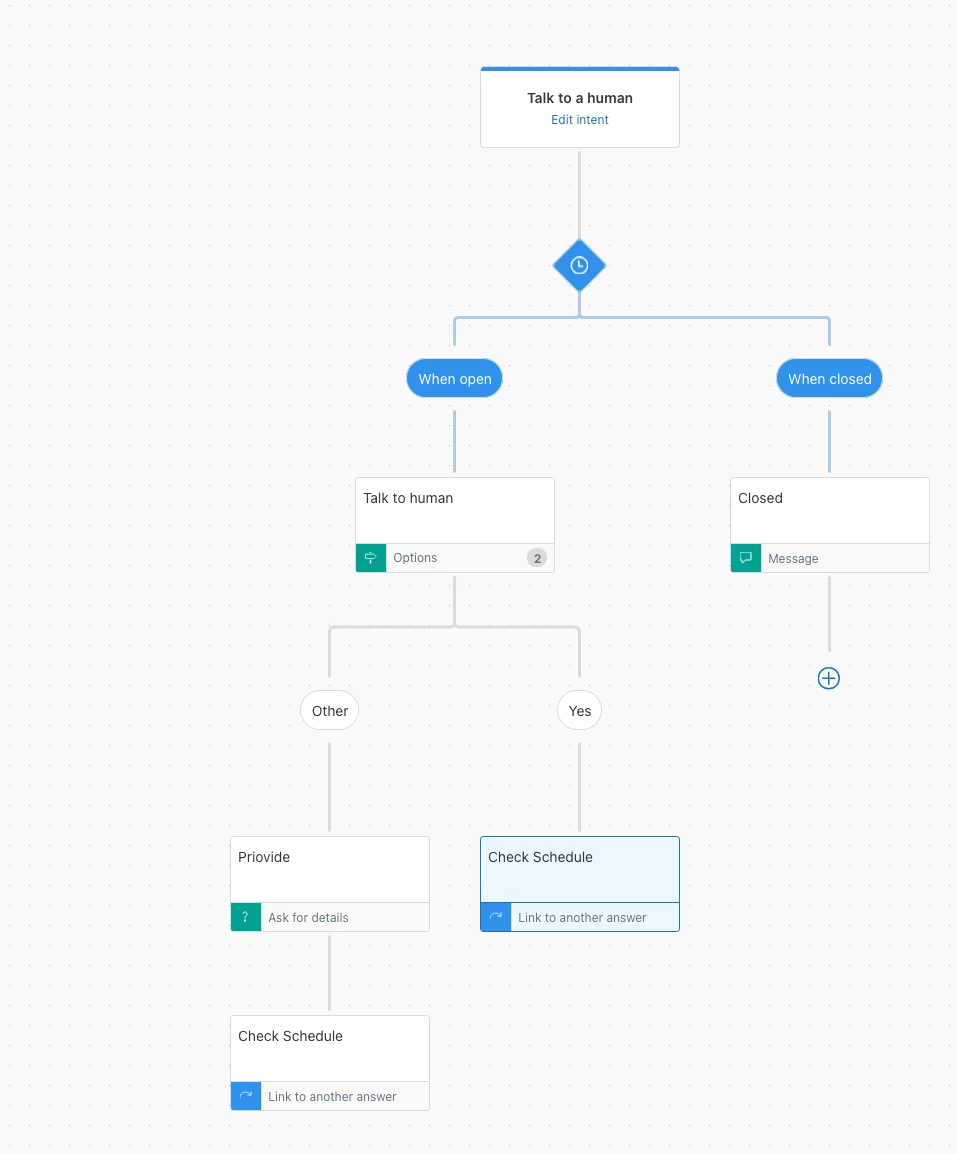
Next, I modified my “Talk to a human” answer flow by removing the “Transfer to agent” step and replacing it with a “Link to another answer” step that links to “Check Schedule”:

This updated Answer Bot flow will always check the schedule before transferring to an agent.


I hope this information helps. Thank you.