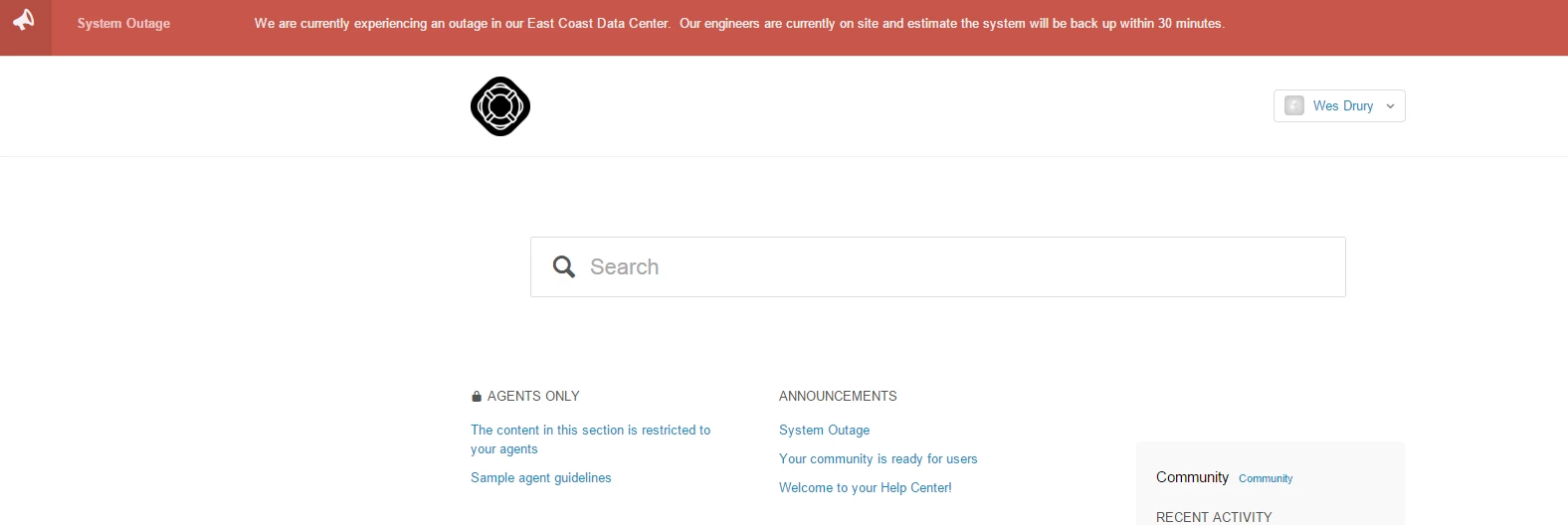
Adding a notification banner to your Help Center v2 | Community
Skip to main content

Adding a notification banner to your Help Center v2

  • February 8, 2016
  • 293 replies
  • 0 views

Show first post

293 replies

  • April 2, 2017

This is truly brilliant. 

I may have missed it, but did someone relate to how (practically) I can limit the banner to appearing on the home page?

I would need an actual example of how to adjust the JS because I don't have any experience at all....

 Also, the x only appears when i checked this as another user, but I (as the admin) don't see it, and I can't close the notification box.....

Thank you!


Ciao Wes,

How are you? We are a very demanding community and you are too generous!

Drink some healthy tea instead of coffe ;-)

We have some problems with the Notification-banner too.

All of the code is installed but nothing is showing up as some other users described before. I believe it must be something in JS. 

We did quite some testing on the JS so i hope we did not end up breaking something important. I hope this is not the case.

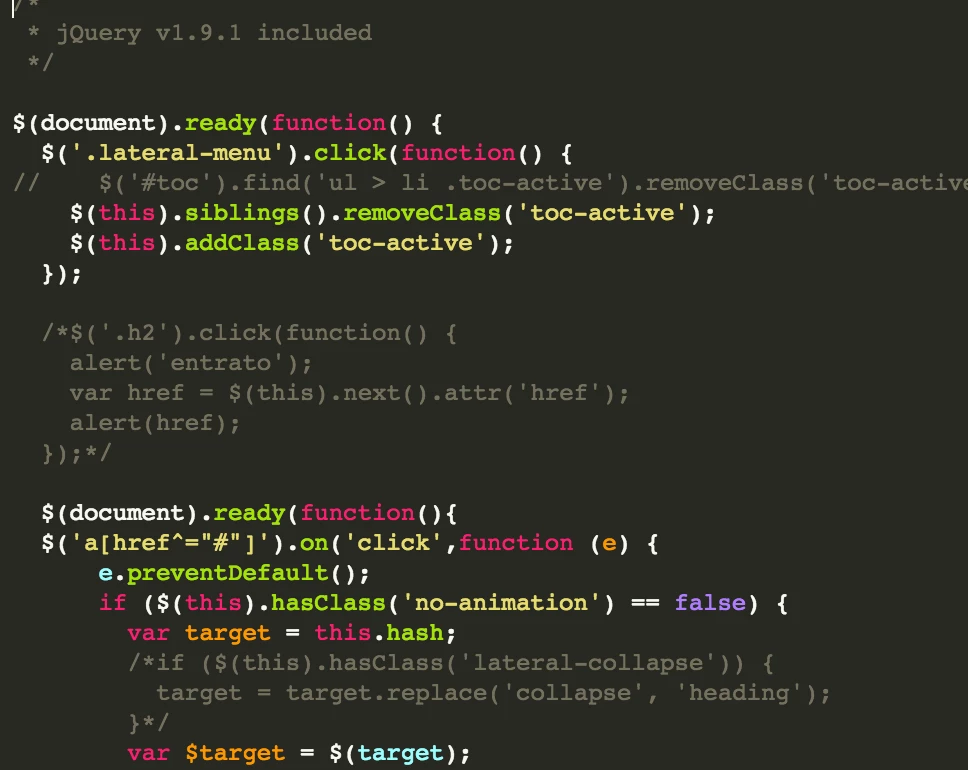
Here is a screenshot

As you can see there are two $(.document.ready) functions. Could this be the problem?

I tried already to change the url to "http" from "https" and also "suport.myname.com" to "myname.zendesk.com" but it did not do the trick.

The console shows a couple of errors but they do not seem to be relevant.

Anything you can think of?


ModeratorWes

@David - Look at the very bottom of the readme on the GitHub link.  You will find out how to limit it to just the home page.


ModeratorWes

@Emiliano - Thanks for the healthy tea.  I've verified the code is correct and is working on my demo site as its supposed to.  Without looking at your code, I would think there is some custom code that is interfering with the notification code.  If you need for me to take a look at your code you can find me hanging out on my SLACK channel.


  • April 24, 2017

Hi Wes - I'm having some trouble getting the notifcation banner to display with the Copenhagen theme.  I've checked the JS to make sure that looks correct, and have an article setup, unprotected with the proper label - just can't get the banner to display in the header. 

I saw you mentioned the Copenhagen theme came after you provided the original code - any updates on what needs to be done specifically for the Copenhagen themed ZD sites?


Thanks!


ModeratorWes

@Andrew - I have verified the notification does work with the Copenhagen theme.  


  • May 19, 2017

Wes - This works great. However, I want to make the transition animation the reverse of the entry animation. Right now when you close it's too quick and want it smoother. What's the CSS I can add to the animation to make that work? Thanks


Any other user experiencing problems since the latest Zendesk "Guide" release with the Notification Bar? 


  • June 29, 2017

Hi Wes,

I have added the code to the Copenhagen theme and it works great. Is it possible to create a second banner with a different label and colour?

Thanks

Kieran


ModeratorWes

@Kieran - Anything is possible just have to modify the code.


  • July 5, 2017

Hi Wes, thank you for this tutorial. I have tried it but I found out that labels can no longer be accessed by end-users. Do you have any suggestions or workaround regarding this? Thanks


ModeratorWes

@Ruth Anne - Where did you hear that from?  Labels are part of the articles and really have nothing to do with end users.  You can actually show the labels on your articles so I'm afraid the information you got may have been wrong.  Can you give me the details on where you got that information and I'll see what I can find out?

I've verified the code still works without any issues.


  • August 16, 2017

No help needed anymore. Somehow it showed after some time again. Not sure if it was some hickup in loading somewhere. 

-----

Hi, I am very new to all types of editing in html/css/js and Zendesk itself. I tried to do some adjustments like adding the notification bar. At first it worked. But I think after trying adding another feature something went wrong and I haven't seen an undo button in the editor. Maybe it's something small as a {  not right. I noticed also an other features showing only 3 articles isn't working anymore. Anyone who can help me?


Vladan
  • August 16, 2017

Hi Marick, any chance you could provide us with the link to your help center? It's pretty hard to catch the issue from this point. 


  • August 16, 2017

Hi Vladan, I understand. It's still behind the scenes at this moment. The banner is back, the 3 articles are back. Just don't get a tag like your 'community moderator' working in the copenhagen theme. But that's a question for another topic.

Can I share my not yet published help center already with you by the way?


Vladan
  • August 16, 2017

Hmm, could you create a sandbox and share it with us? 


  • August 16, 2017

Not sure how to do this since I found sandboxing can only be done with Enterprise? Sorry, you see my beginner level shining through here. 


Vladan
  • August 16, 2017

You're right, SB option is just on the enterprise plan. I'm not sure if there is any other solution for me to have a look into :/


  • August 16, 2017

No problem, magically the basic things I've set are working now. Thanks for helping so far!


  • August 18, 2017

This is brilliant ty so much, I'm wondering though how would I got about adding a second style that if we put another tag on the article to say "complete" in then changed the colour of the Bar to be a nice green to indicate all is right with the world again :)

Thanks

Daniel


  • October 20, 2017

Hey Wes, 

Not sure im able to add the banner only in the home page like it says in you github instructions, is there an example that you can show?


Catherine18

This is perfect! Thanks a lot!


ModeratorWes

@Roteml - You can take a look at the live demo.  I used the code on the GitHub page to just show the alert on the Home Page only.  

@Catherine - Your welcome and best of luck.


Heather13
  • October 25, 2017

This works like a charm! I love that I can just put the Article title and skip the body portion. Thanks so much!


ModeratorWes

@Heather - glad you like it, enjoy!