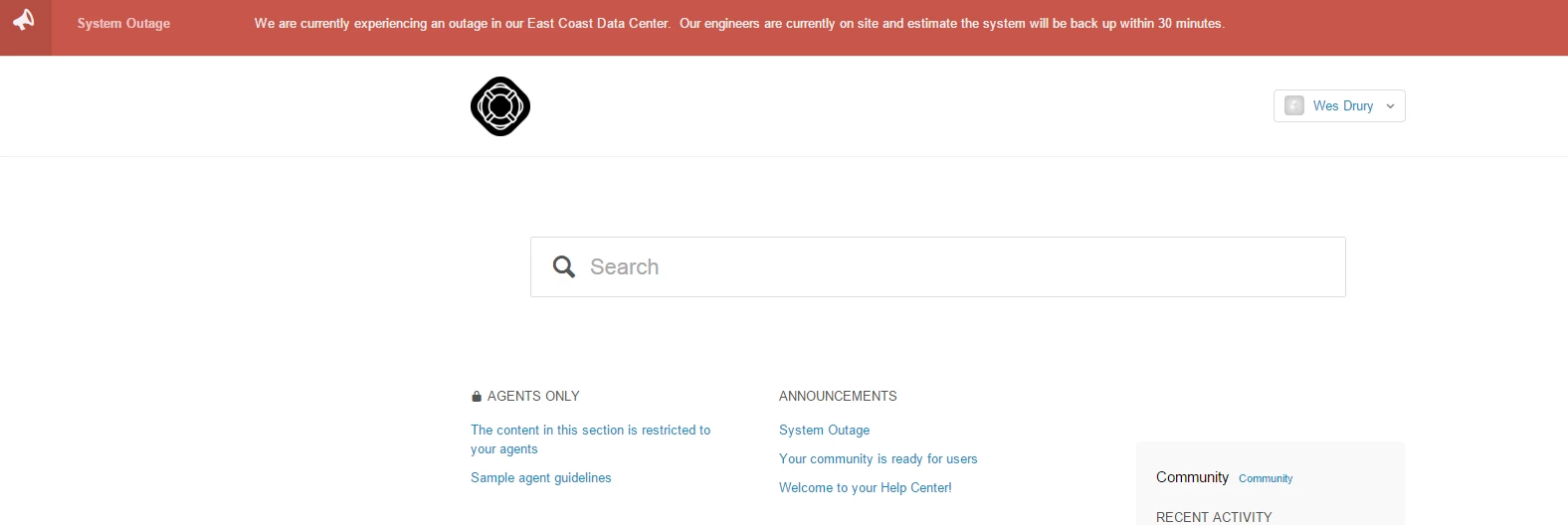
Adding a notification banner to your Help Center v2 | Community
Skip to main content

Adding a notification banner to your Help Center v2

  • February 8, 2016
  • 293 replies
  • 0 views

Show first post

293 replies

  • December 14, 2016

This is great! Thank you!

Is there any way to turn the alert off for users who click the "x" ? They are essentially opting out at that point and the alert pops up on every page necessitating that the use keep closing the message.


  • December 19, 2016

I am coming back on previous request: how do we make the banner available in different languages? We use the Help Center in 4 different languages. If we create an article localized in 4 languages only the default language is displayed which make for us useless this feature. Any idea?   


  • December 19, 2016

Hi Wes,

I'm looking for some help with the older version that works on the Team plan. I have added the JQuery right underneath the $(document).ready function, have the CSS added, the HTML in the Header, fa link in the document head, and an article with the word "Issue" in the title, but nothing shows up. If I change the "display" attribute in the .notification style from "none" to "show," then a banner does appear, so I'm pretty sure it's an issue with the JS, but don't have any ideas at this point. Any thoughts on what to try next?


Birita
  • January 19, 2017

Hi Wes & everyone else

Thanks for this - it was very helpful :-)

We at ChurchDesk also has the issue with supporting different languages. This is how we solved it:

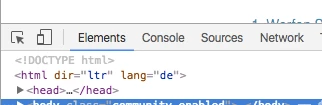
We modified the JS code to identify the language selected on your Zendesk helpdesk. We find this by inspecting the browser in every language.

We added this: var lang = $('html').attr('lang');
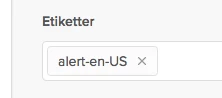
So if you have these languages: Danish, English and German, my tags will be: alert-da, alert-de & alers-en-US which I can add to the respected articles for every country.

To use this method, you can copy and replace the code below. Remember to change the "YOURDOMAIN" part.

// MW-Notification Banner

var lang = $('html').attr('lang');

  $.get( "https://YOURDOMAIN/api/v2/help_center/articles.json?label_names=alert-" + lang ).done(function( data ) {

  $.each(data.articles, function(index,item) {

    var style1 = '<div class="ns-box ns-bar ns-effect-slidetop ns-type-notice ns-show"><div class="ns-box-inner"><span class="megaphone"></span></i><p><a href="'+ item.html_url + '">' + item.title + '</a>' + item.body + '</p></div><span class="ns-close"></span></div>'        

    $('.alertbox').append(style1);

  });

  $('.ns-close').on('click',function(){

   $(".alertbox").remove();

 });


ModeratorWes

@Birita - First off thank you so much for contributing and posting your code for others as thats what the community is all about.  Feel free to make a commit on my GitHub Page and I will include it in the main code base so it will be easier to find.  Every time I started to take a look at this something else popped up so thanks for picking up my slack :-)


Jennifer16
  • January 20, 2017

Yes, Birita, this is awesome. Thanks for sharing your solution!


  • January 23, 2017

Hi Wes, Just wanted to say thanks for this. We were looking for this type of solution. It works great!


--James


ModeratorWes

@James - Glad to hear.  If you run into any issues just let me know.


  • January 24, 2017

Now Zendesk release Connect, we can send campaign to user directly.


Keiron
  • January 27, 2017

This, too, is awesome Wes!  I have it up and running.  Thank you so much!

And, I am curious, like @Duke above, and would also like to know if there any way to turn the alert off for users who click the "x" ?

Thanks!


ModeratorWes

@Keiron - this is where it gets a little complicated.  In order to know this information you would need to send a cookie so the browser knows if you've visited the site before or not.  I've done this in a clients Help Center before so yes it is possible but with more work and coding involved.

You could also use JQuery to only show the alert on the Home Page and not all pages but it would re-appear every time they visited the Home Page unless the cookie solution is implemented.


Keiron
  • January 27, 2017

Ahhh, yes, the marvellous cookie - Thank you very much!

Keep up the great work, Wes!  Next coffees on me :)


Keiron
  • January 27, 2017

My Tip:  

Article must be published for the banner to be visible to end-users.  Otherwise, (in Draft) the banner is visible to admins only.


Keiron
  • January 27, 2017

@Wes My idea for the banner at the moment is to use it to deflect tickets into the forums (i.e. promote the forums), and so made the banner to show only on the ticket submission page - a perfect solution.  Thanks again for another great ideas!


  • January 30, 2017

@Wes - this is awesome and worked perfectly! Enjoy your coffee :)


ModeratorWes

@Keiron & Sharon - Enjoy and thanks so much for the coffee donations.  I really appreciate it :-)


  • February 23, 2017

Hi @Wes, thanksf or sharing this! We installed this on our help center and it works perfectly. We would like to modify the banner so that it's not as tall. Would you be able to suggest how to make the banner not at thick? Thanks!


ModeratorWes
  • Author
  • February 23, 2017

@Scott - You can adjust the padding in your CSS.  Find the below code:

.ns-box {
background: rgba(192, 57, 43,0.85);
padding: 10px 20px 20px 20px;    <----EDIT THIS LINE
line-height: 1.4;
z-index: 1000;
pointer-events: none;
color: rgba(250,251,255,0.95);
font-size: 85%;
border-bottom: 1px solid #DDD;

  • February 23, 2017

@Wes - Thank you so much! Brilliant!


  • February 27, 2017

Is anyone experiencing issues with this lately? Our Alerts seems to have stopped working and I even redid the instructions, but the alert banner isn't showing anywhere.


ModeratorWes
  • Author
  • February 27, 2017

@Scott - I just took a look and seeing the same issue.  It looks like Zendesk is having an issue with their jquery, I'll submit a ticket to them.


  • February 27, 2017

@Wes -  Please let me know what you find. Because I am also having this issue. 


ModeratorWes
  • Author
  • February 27, 2017

@Scott & @Mike - Looks like this was an issue on Zendesk end as everything started working again on my demo site.  Can you confirm this on your end?


  • February 27, 2017

Yessir! It's working again. Thanks for jumping on this Wes. 


  • February 27, 2017

Yes it is working again thanks.