Adding a notification banner to your Help Center v2 | Community
Skip to main content

Adding a notification banner to your Help Center v2

  • February 8, 2016
  • 293 replies
  • 0 views

Show first post

293 replies

  • April 26, 2016

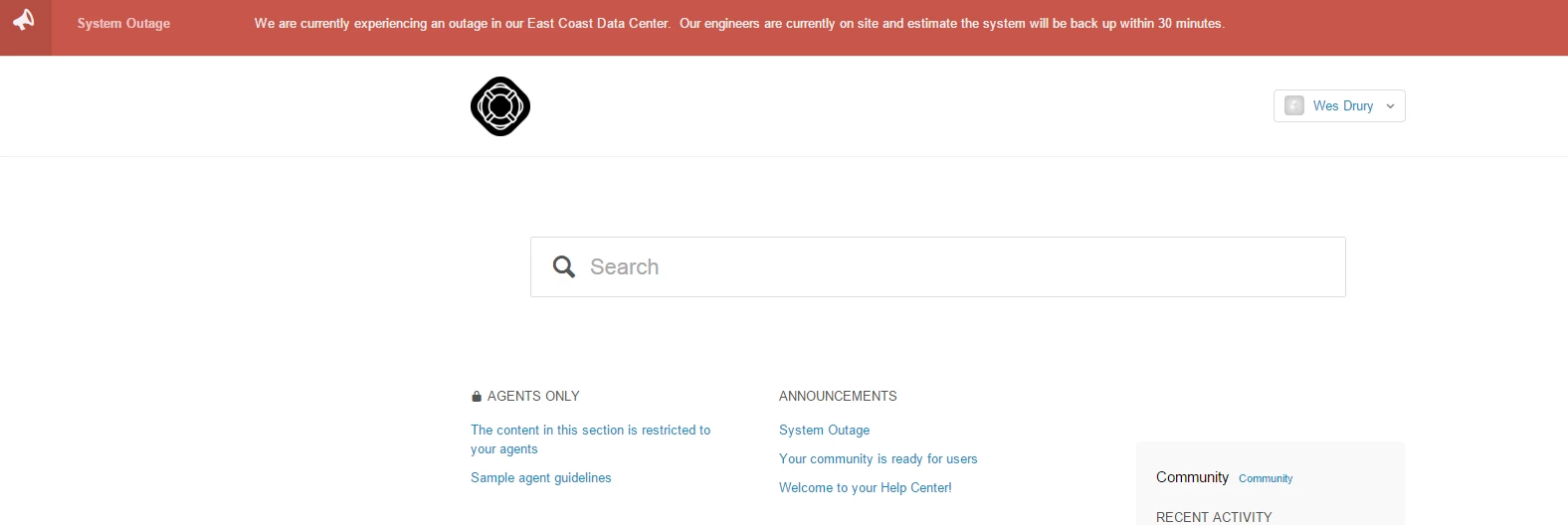
Thank you for the answers! The section where the article has been places is available to "anyone" and our HC is open for anonymous access, yet the alert is displayed only after sign-in. 


  • April 27, 2016

Hi Wes.  This is FANTASTIC!  Thanks for doing this.

I just added the code to my Help Center sandbox and it isn't fully working.  I double checked that I copied in the correct code from your instructions. The announcement bar is white and I can't seem to change it. Suggestions?

Thanks!


  • April 28, 2016

Since for our support this feature is vital, I have 2 comments:

  1. I have installed again the code but  I am unable to make the alert banner visible to logged out users (anonymous users). I have the HC visible to anonymous users and the section of the article is also public. Anybody else having this issue?
  2. Say that I manage 4 languages, and the alert is only related to one of the languages. It is very important then to know if we can manage the alert depending on the language by adding the appropriate translation.

  • April 28, 2016

@antonionaddeo - for the multiple languages could you use a different label for each language, and then display results for the appropriate label depending on the user's language?


  • April 28, 2016

I guess I could use a different label for each language, but how do I add the input about the alert label in different languages?


  • May 17, 2016

Hi Wes,


I have copied everything to the correct place, as per your instructions, but nothing is displaying.


I double checked the url that is accesed in the .js file, and that url does indeed get the correct article. But nothing is showing. Any ideas?


Thanks,


Russ


ModeratorWes

Russ,

Can you provide a link to your Help Center and which solution are you trying to implement.  Are you on Pro Plan or higher.


  • May 17, 2016

Hi Wes,


Here is the link to our Help Center. 

https://support.brainspace.com/hc/en-us

We have an Enterprise plan, and i was trying to use the solution you detailed in your github site.

Thanks, 


Russ


ModeratorWes

@Russ - Your page is behind a sign-in so I can see it to take a look at the code.  Did you add the label to the article and also did you make sure it wan't in a locked down section.


Also make sure your JS is below the $(document.ready) function and you change the first line to your subdomain


  • May 17, 2016

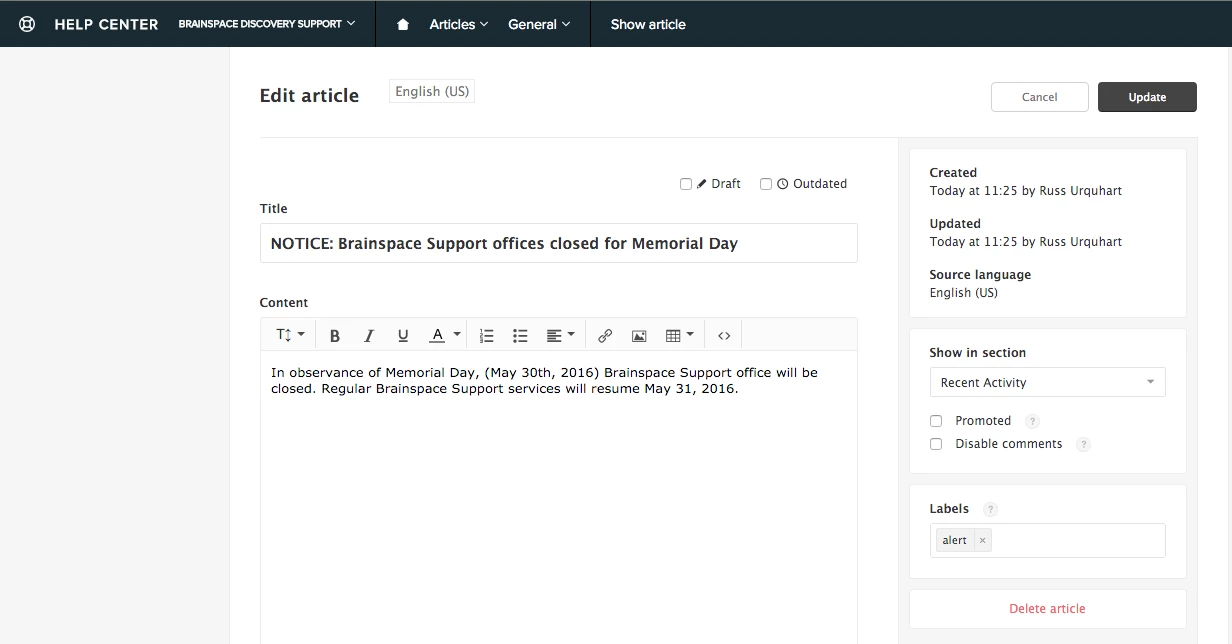
Sorry about that. Here is the article, in edit mode, and you can see the alert setting.


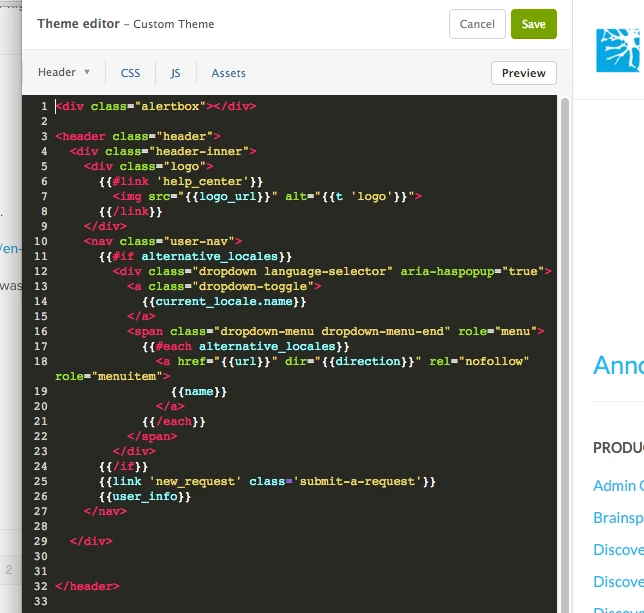
Here is a screen cap of my Header page.

I put your .css source at the bottom of the css file. 

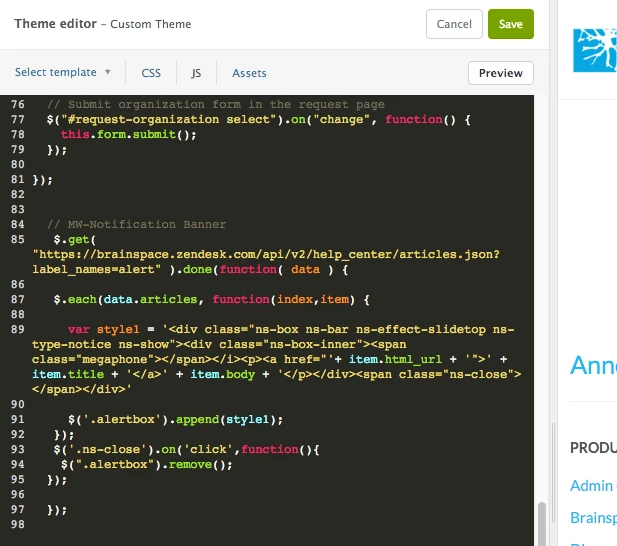
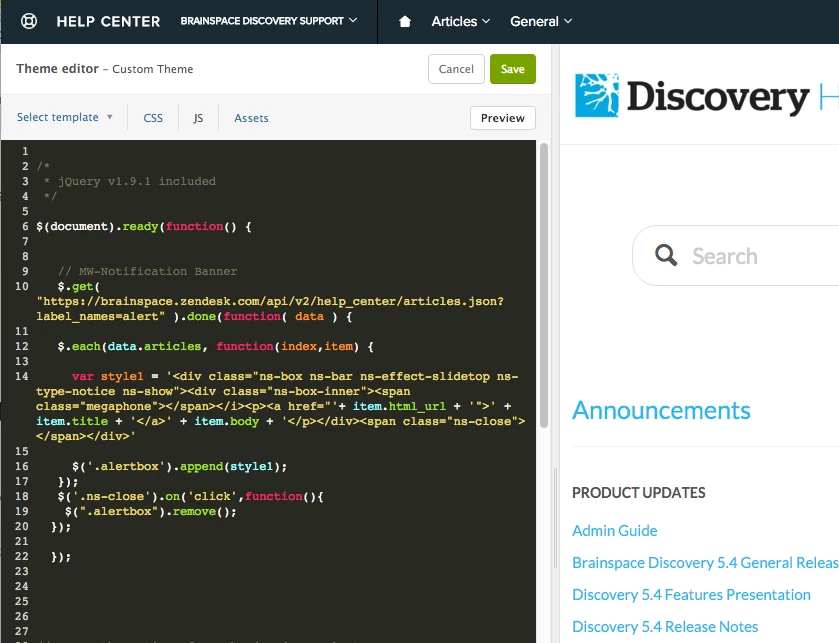
I put the .js, at the bottom of my .js file, here is the screen cap of that:

The article that has the alert setting, is just another article, but you have to be  a logged in user to access them. Even so, shouldn't I be able to see them?

Thanks for your help!


Russ


  • May 17, 2016

Let me change the .js, and see if that works.


  • May 17, 2016

I just moved that, to after the location you mentioned, but didn't seem to make any change.


ModeratorWes

@Russ - Everything looks correct but I would have to see your site in order to troubleshoot further.  Copy and paste this in your browser and let me know if you are returning the article.

https://brainspace.zendesk.com/api/v2/help_center/articles.json?label_names=alert


  • May 17, 2016

Hi Wes,


I had tried this earlier, and got the same resutl. I tried it with your link ,and again got the article i expected:


{"articles":[{"id":210383583,"url":"https://brainspace.zendesk.com/api/v2/help_center/en-us/articles/210383583-NOTICE-Brainspace-Support-offices-closed-for-Memorial-Day.json","html_url":"https://support.brainspace.com/hc/en-us/articles/210383583-NOTICE-Brainspace-Support-offices-closed-for-Memorial-Day","author_id":1531017245,"comments_disabled":false,"label_names":["alert"],"draft":false,"promoted":false,"position":0,"vote_sum":0,"vote_count":0,"section_id":201237369,"created_at":"2016-05-17T16:25:56Z","updated_at":"2016-05-17T16:25:56Z","name":"NOTICE: Brainspace Support offices closed for Memorial Day","title":"NOTICE: Brainspace Support offices closed for Memorial Day","body":"\u003cp\u003eIn observance of Memorial Day, (May 30th, 2016) Brainspace Support office will be closed. Regular Brainspace Support services will resume May 31, 2016.\u003c/p\u003e","source_locale":"en-us","locale":"en-us","outdated":false}],"page":1,"previous_page":null,"next_page":null,"per_page":30,"page_count":1,"count":1,"sort_by":"position","sort_order":"asc"}

ModeratorWes

Do you have any other customization that my be interfering with the script.  What theme are you currently using.


  • May 17, 2016

We are using a customized theme. Would it help if i sent you the .css for that, or any of the other files? 


ModeratorWes

Not really I would have to inspect your home page with the dev tools to make sure the alert is showing and see if anything is overlapping it.


ModeratorWes

You can create me a temp end user account, you can use support@wesdrury.zendesk.com so I can log in as a end user.


  • May 17, 2016

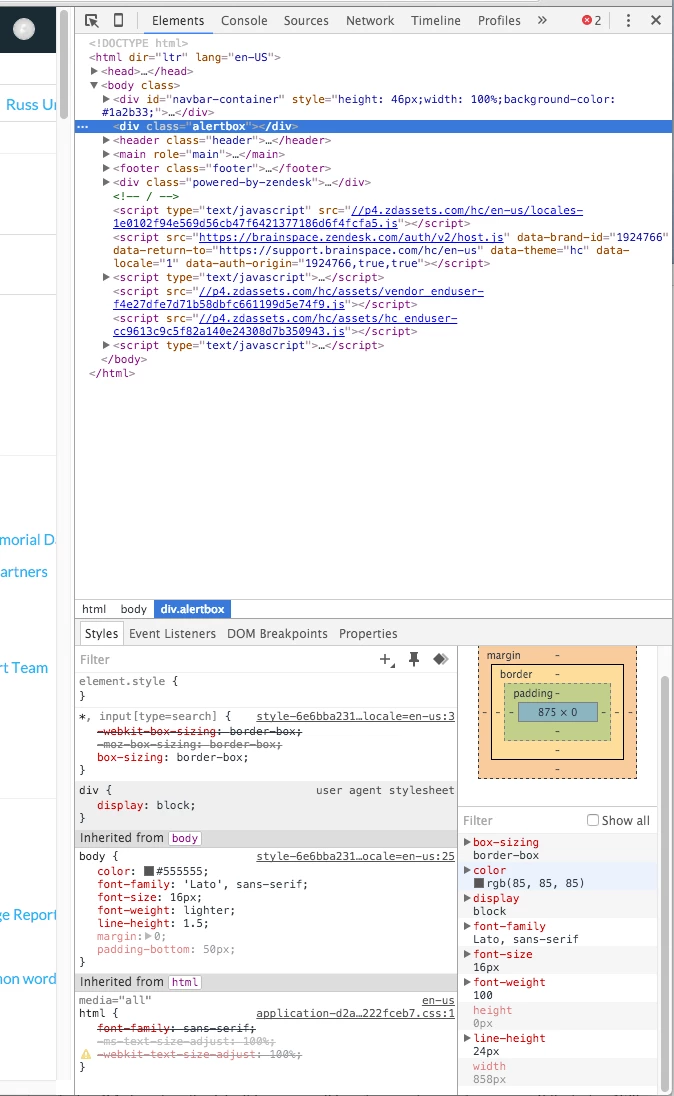
fwiw, I did a screen cap from dev tools, when i had selected teh alertbox div. It appears that its size is inheriting from somewhere else?


ModeratorWes

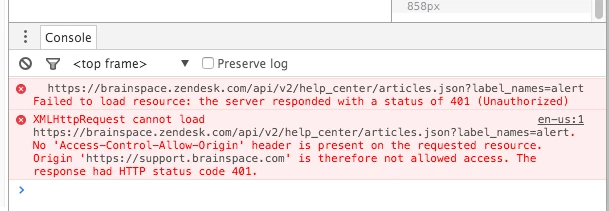
The alertbox won't inherit until there is data in there as the JS will insert it the data.  I see you have two console errors what are they?


  • May 17, 2016

Here is a screen cap of that:


ModeratorWes

K there is our issue I believe.  

Lets change your domain to support.brainspace.com/api/v2.... and if that doesn't work let change to /api/v2....  remove all the https.

Also do you have a SSL certificate or anything installed.


  • May 17, 2016

Hi Wes,


Changing the Domain Name, seemed to do the trick! Looks great! Thanks for your help!


Russ


ModeratorWes

@Russ - Glad to hear the domain name did the trick.  Best of luck!


  • May 18, 2016

Hi Wes,


One other question, is there a way to click and toggle that Notification box off and on?

Thanks,


Russ