Whatsapp Integration - Messages not delivered | Community
Skip to main content

Whatsapp Integration - Messages not delivered

  • March 11, 2021
  • 18 replies
  • 0 views

Hi! 

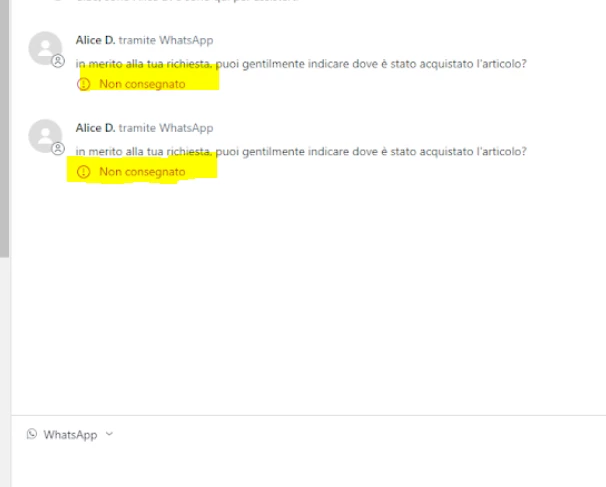
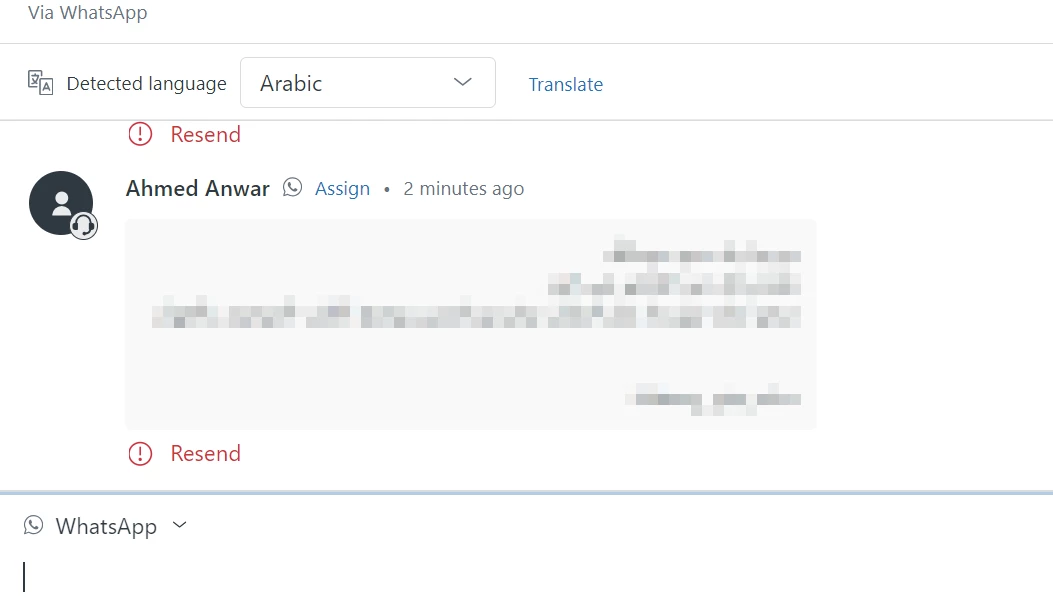
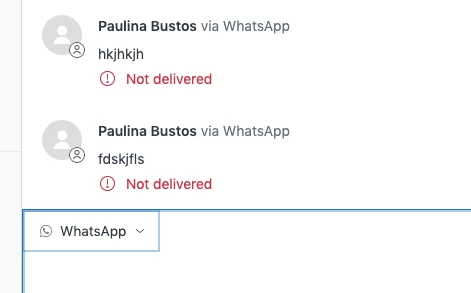
I just integrated a Whatsapp Account to Zendesk and I cannot delivered messages back to my clients. 

Any idea why? Has it happen to other people. 
 

18 replies

  • April 17, 2021

Hello, I would like to know if you could solve your problem and how did you do it?

I have the same problem and I don't know what to do, I would appreciate your support.


Brett13
  • Community Manager
  • April 19, 2021

Hey Daniel,

It looks like you have a ticket created with our Customer Care team regarding this issue. One of our agents will follow-up with you in that ticket to discuss this issue further.

Cheers!


Hello, Any solution? I have several customers with problems for the same reason... sounds like a Zendesk issue.


  • May 14, 2021

DO NOT USE WHATSAPP INTEGRATION, ZENDESK'S CUSTOMER SUPPORT WON'T ANSWER AND YOU WILL NOT BE ABLE TO REPLY MESSAGES TROUGH ZENDESK TO WHATSAPP.!!!!


Elaine17
  • May 16, 2021

Hey Alex,

It looks like you have already created a ticket with us regarding the same issue you're experiencing. Kindly wait for an update from one of our agents on that ticket to discuss the same issue further.


  • June 29, 2021

Same problem here, paid account, verified at facebook and everything in order. Still waiting for the group of experts to help me with a ticket registered several days ago. I really don’t know when or if it will be resolved.


  • June 30, 2021

@Sergio Carrillo Zendesk is having problems sending messages to Mexican phones. After several days I got this answer:

Thanks a lot for the information provided.

In this case, looking at your ticket examples, I found the following error in our logs:This error is due to WhatsApp's new pricing test for end users with a Mexican WhatsApp number. You can find the announcement for this test here: https://support.zendesk.com/hc/en-us/articles/360058475733-Announcing-an-upcoming-WhatsApp-conversation-pricing-test

{"href":"https://developers.facebook.com/docs/whatsapp/api/errors/","code":402,"title":"Message failed to send because there were one or more errors related to your payment method"}

This is affecting sending messages to the requesters of tickets because they have a Mexican phone number. 

We are working on adding the ability to share our line of credit with your WhatsApp Business Account. Once this feature is available you can use our line of credit to message Mexican phone numbers. 

I will link your request to our internal problem ticket so you can receive an update as soon as this becomes available. 

Best regards,

Apparently Facebook used Mexico to test their new business model and Zendesk prefers saving some bucks rather than providing a good service in Mexico.

We had to get in touch with our sales rep and upgrade our plan to pay for this extra cost. More than 2 weeks since we started the process but still can not send messages.

I hope this information helps.


Cheeny
  • July 1, 2021

Hi Sergio,

I can confirm that you have an open ticket that is being worked on by our Team. Rest assured that you will receive all communication updates


  • November 22, 2021

Greetings, we are facing the same problem.

The massages are not delivered to the agent. 


Cheeny
  • November 22, 2021
Hi Faisal, 

Thank you for posting on our Community. We are already working on your ticket. Rest assured that we'll keep you updated. 

  • March 14, 2022

It is an old issue!

I think it is new, and just with me!

Someone from the team will answer: we are already working .. share the solution here to make it easy! 


  • May 18, 2022

Hello, 

Is there a known solution for this error? We have the same issue but with Facebook messenger. 


Gabriel31
  • May 26, 2022
Hello Macy!

It looks like you already opened a ticket with our support team and they helped you Solving this issue.

Thanks!

Maria17
  • September 19, 2022

Hi @...

Has anyone found the solution? I have the same problem here.

Thanks.

Maria


Hi Maria,

Channels can have an expiration period. For WhatsApp, agents cannot respond more than 24 hours after the last end-user response. When the timeout is reached, you can reconnect with the requester on another channel. For example, email or call. See WhatsApp 24-hour rule.

Can you please confirm if you are responding to the WhatsApp ticket within the 24-hour period? Thanks!

Maria17
  • October 2, 2022

Hi @christine17

You are right, the problem is the 24 hours...

We now have the problem that we cannot send the message offline with the migration to Agent Workspace. 

You can see here my post in other discussion.

How can I solve this problem???

Thanks,

Maria


  • November 8, 2022

Hi @maria17,


Prakruti Hindia just left an update on your post regarding the updated triggers and automation for messaging channels, including WhatsApp. You can check it out here


Ahmed25
  • August 3, 2024

We have the same problem, Please help!