Messaging: How to hide text fields | Community
Skip to main content

Messaging: How to hide text fields

  • July 20, 2023
  • 1 reply
  • 0 views

In this example https://developer.zendesk.com/documentation/zendesk-web-widget-sdks/sdks/web/conversation-metadata/#creating-the-itinerary-number-custom-ticket-field one can read

"The itinerary number is displayed on the HTML page and will be passed directly to the agent by the Zendesk bot. It will not be displayed in the bot for the end user to confirm."

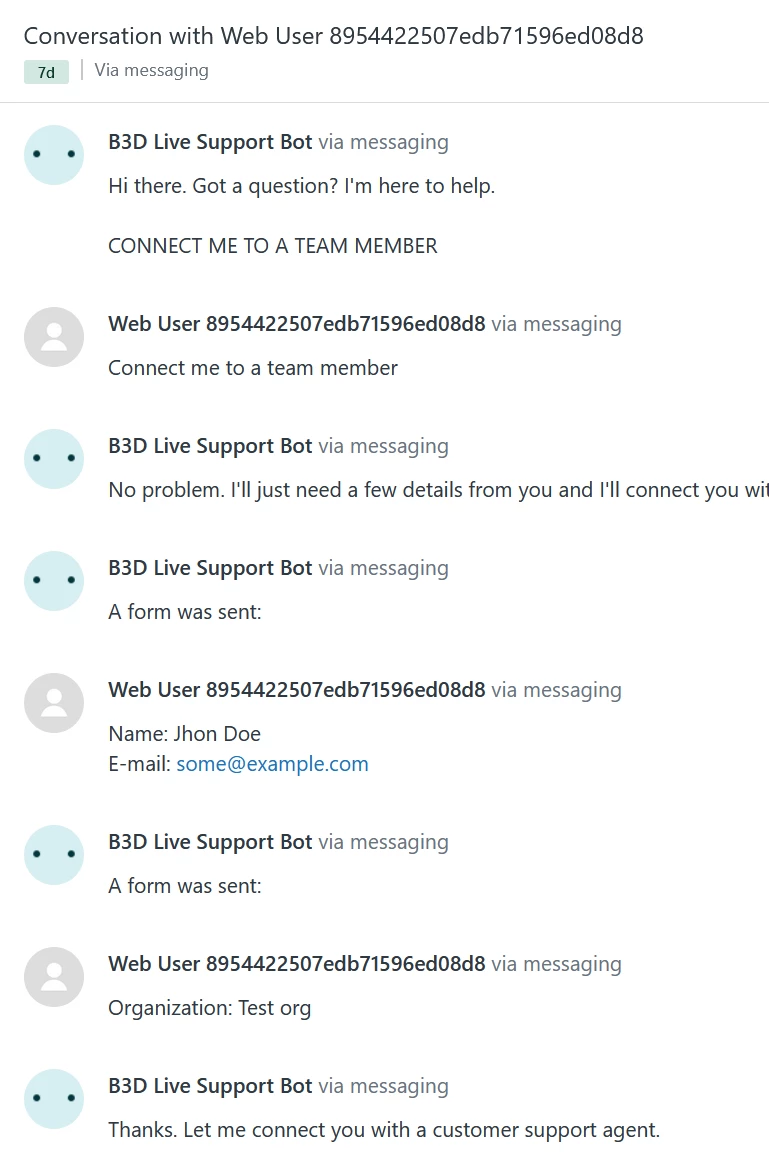
I cannot reproduce this. The text fields are always displayed for the user to confirm.

How can I hide the text field in the bot but pass the metadata information to the ticket ?
1 reply

  • Author
  • July 21, 2023

I have to disagree Ahmed. I have the following code which is very similar to the example.

<!DOCTYPE html><html lang="en">
   <head>      
   <title>Example itinerary</title>   </head>
   <body>      
   <p>Example itinerary</p>        
   <!-- Start of Zendesk Widget script -->        <script id="ze-snippet" src="https://static.zdassets.com/ekr/snippet.js?key=keyhere"> </script>      <!-- End of Zendesk Widget script -->
      <label for="userfullname">User name:</label>     
      <label id="16927605290129" name="userfullname_value">Jhon Doe</label>
      <br>     
      <label for="useremail">User e-mail:</label>     
      <label id="16927665689361" name="useremail_value">some@example.com</label>
      <br>    
      <label for="organization">Organization name:</label>
      <label id="16925140136721" name="organization_value">Test org</label>
      <br>    
      <label for="errorm">Error message:</label>
      <label id="16963591641489" name="errorm_value">errorm</label>
      </body>
</html>

----

zE('messenger', 'close');
var uname = document.getElementById('16927605290129');
console.log('name', uname.getInnerHTML());
zE('messenger:set', 'conversationFields', [{ id: 16927605290129, value: uname.getInnerHTML()}]);
var email = document.getElementById('16927665689361');
console.log('email', email.getInnerHTML());
zE('messenger:set', 'conversationFields', [{ id: 16927665689361, value: email.getInnerHTML()}]);
var org = document.getElementById('16925140136721');
console.log('org', org.getInnerHTML());
zE('messenger:set', 'conversationFields', [{ id: 16925140136721, value: org.getInnerHTML()}]);
var eee = document.getElementById('16963591641489');
console.log('eee', eee.getInnerHTML());
zE('messenger:set', 'conversationFields', [{ id: 16963591641489, value: eee.getInnerHTML()}]);

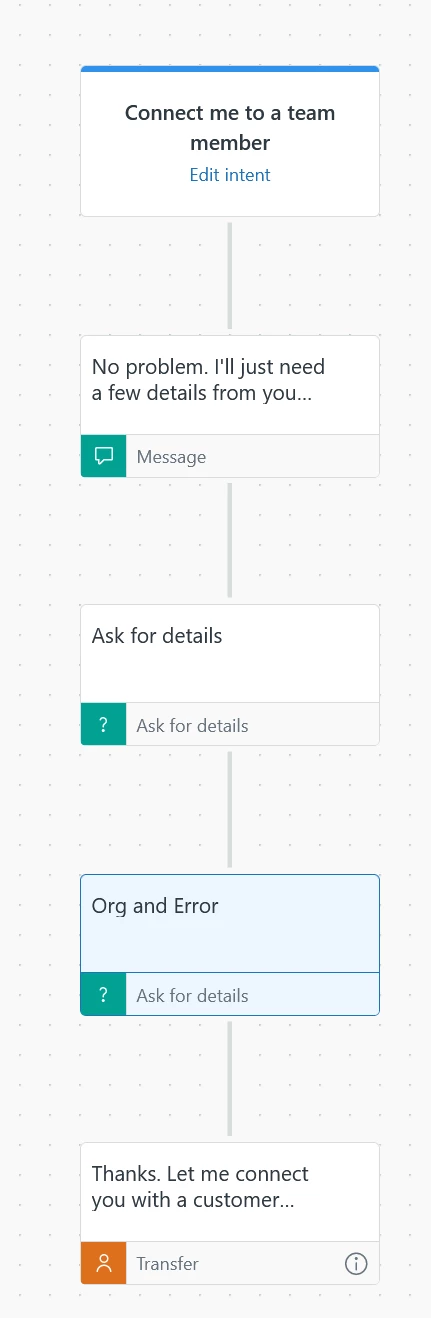
and the following bot. The "Error Message" field is not added to the second "Ask for Details"

The "Error message" is not shown in the widget window, but it is also not passed to the ticket, see below

There are no other step types where I could add the Error message field to be passed to the ticket.

I don't think the example works, or something is missing