change text label of button | Community
Skip to main content

change text label of button

  • March 14, 2019
  • 7 replies
  • 0 views

Good morning,

I am working with the chat system. I would like to change the text of the the chat button (online und offline status)

Online:
Offline:
Now I would like to change the strings "Chat" and "Hilfe"

I found this documantion: https://developer.zendesk.com/embeddables/docs/widget/settings#chatlabel

This Code works fine for the online status button:

<script type="text/javascript">
window.zESettings = {
webWidget: {
launcher: {
chatLabel: {
'*': 'My new online button text'
}
}
}
};
</script>

for the online and offline button status text I should use this code:

<script type="text/javascript">
window.zESettings = {
webWidget: {
contactOptions: {
enabled: true,
chatLabelOnline: { '*': 'My new online button text' },
chatLabelOffline: { '*': 'My new offline button text' }
}
}
};
</script>

But this code doesn't change anything. Where is my fault? Thanks a lot :)
7 replies

  • March 15, 2019

Hi Riccardo,

Since you are using the contact form, you will need to set that label. There is more information on that API here: https://developer.zendesk.com/embeddables/docs/widget/settings#label

-Ramin


  • Author
  • March 15, 2019

thank you very much :)

a few questions more:

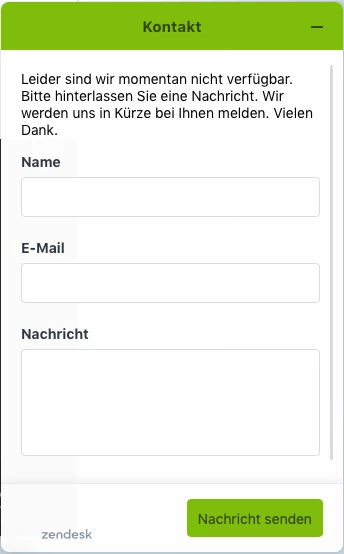
  1. How can I change the icon (questionmark icon) of the offline button?
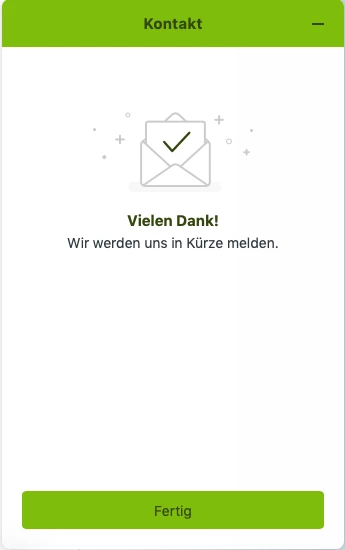
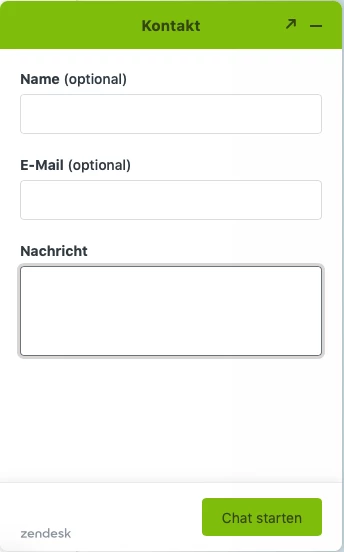
  2. How can I change the text label "Kontakt"? I would like to chance the text and the text color.
    The same for the button "Nachricht senden" and "Fertig"
  3. And here the same for the "online formular". Text color and string for "Kontakt" and for the button "Chat starten". 

Thank you very very much for your support :)


  • March 15, 2019

1. Not possible today

2/3. https://developer.zendesk.com/embeddables/docs/widget/settings#title will change the title of the window, you can set per experience (for Chat and for the contact form)

For the button text, you can change it using this API: https://developer.zendesk.com/embeddables/docs/widget/settings#contactbutton

You cannot change the colour of the text or the ticket sent screen copy, those are predefined.

-Ramin


  • Author
  • March 15, 2019

Thans a lot :)


  • January 16, 2020

Hello, 

i have a question to exact the same topic.

I want to change the label name of the button when shown "offline". The shown "Hilfe" isn't responding to me. 

I do not know where to enter the code to. I entered it in the footer.php of my wordpress theme, but no changes do apply.

Can you tell me where to enter the code to?

Used code to change the "Hilfe" button i used

<script type="text/javascript">
                    window.zESettings = {
                        webWidget: {
                        contactOptions: {
                            enabled: true,
                            contactFormLabel: { '*': 'Leave us a message' }
                        }
                      }
                  };


Regards,

Markus


Dan32
  • January 21, 2020

Hey Markus,


Try checking out these settings instead: https://developer.zendesk.com/embeddables/docs/widget/settings#chatlabel 

and https://developer.zendesk.com/embeddables/docs/widget/settings#chatlabeloffline

I think you've got the right idea, but are changing the label on the wrong settings. 

Hope that helps.


Alex46
  • August 15, 2023

Since you've followed the provided code structure correctly, a possible solution could involve checking if the code is placed within the appropriate location in your website's codebase.

Additionally, ensure there are no conflicting scripts or errors elsewhere that might be affecting the button text change.