

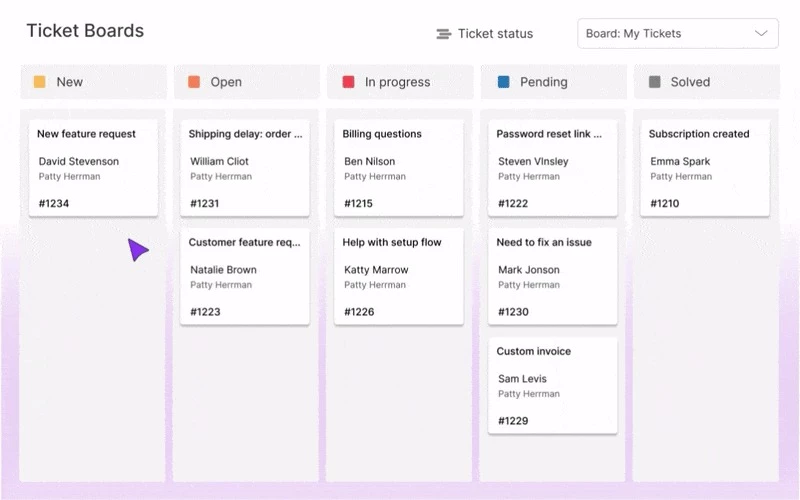
Kanban boards are becoming increasingly popular among Zendesk agents because they make managing tickets more visual and intuitive.
Instead of working through a long list of tickets with generic statuses, agents can see at a glance which tickets are new, which need review, and which are ready for follow-up.
The latest Kanban Pro update makes this even better. Board views can now be fully customizable, giving teams more control over how tickets are organized and displayed, so workflows can truly reflect the way each team works.
Here’s how agents can use it:
1. Group tickets by any custom field
Columns can reflect workflow stages, priorities, or request types — for example: New Request → Under Review → Escalated → Completed. This helps teams see exactly where tickets are in the process.
2. Reorder and hide columns
Columns can be moved to match the team’s actual workflow, and irrelevant stages can be hidden to reduce clutter and keep the board focused.
3. Tailor boards for different teams
Support, QA, and Billing teams can each have their own board layout, so agents only see the tickets relevant to their workflow.
Do you have any applicable ticket workflows to share?