We’re upgrading our Help Center (support.zendesk.com) thanks to your feedback | Community
Skip to main content

We’re upgrading our Help Center (support.zendesk.com) thanks to your feedback

  • March 6, 2024
  • 41 replies
  • 0 views

Show first post

41 replies

Dan28
  • April 2, 2024

I've been running into a few issues with the new theme: 

  • I can't see attachments I've added to requests.  The first time this happened, I thought it failed so I uploaded again, and the support agent had to tell me that they had all the files.  
  • I'd like to be able to CC folks from my team on the requests page. 
  • Text areas should auto expand or be user expandable on the requests page.  The comment box here is expanding as I type, but the requests page doesn't do that.  
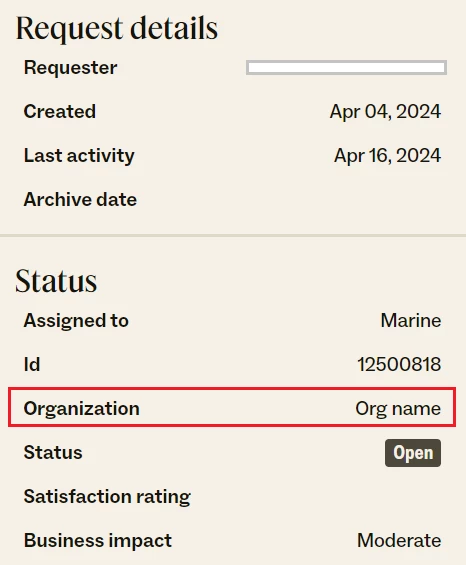
  • On the right sidebar on the request page, under Status there is an Id that doesn't seem to reference one of my orgs, and the Organization name just shows as “Org name”.  Looks like some placeholder values might have snuck in. 
  • The font size gap needs to be reeled in.  I need to zoom my browser to read comments, but that blows up all the big text too. Changing the comment line height to 1.5 and dropping header font size down to 44px does a world of wonders to even things out. 
  • Comments should show more per page.  I got several pages into this and when clicking the vote button, I was prompted to login and lost my place the comment flow and was sent back to page 1. 

Overall things are looking good for what feels like a pretty large update. 


Atanas
  • April 3, 2024

@Ricardo Pinto, what I mean is in that location precisely. In My activity > Requests you can see both your community posts and requests where you have communicated with Support. Will be great if they are separated. 


Also, at the time of this comment, I also noticed that you cannot @ mention someone. 


One more thing I noticed today is that the edit button in Product Feedback posts is not working. It loads for a second and then nothing happens. 


Aaron11
  • April 8, 2024

A few things I've noticed as I've been using the new layout:

  1. The text box for entering comments on tickets is very small. You can only fit 3 lines of text before you need to start scrolling. This does not seem to be by design, as the text box for community posts resizes as I type. Can we fix the comment box for ticket comments?
  2. Pagination in comments can make it hard to find responses to questions other community members have added. 
  3. Some of the font sizing is very extreme. Article titles, for example, often take up the entire screen on a standard monitor, but then the text of the article's content is smaller (I think?) than it used to be, making it harder to read without zooming. 

Anastasia11

Completely agree with Aaron. Same comment is relevant to comments added by users, if it's multi-line comment, not possible to read it normally without zooming in. 


Atanas
  • April 10, 2024

Another thing I noticed is that comments sorted by date in articles can sometimes get a little hectic chronologically wise. 

For example, in the link here for an article in Zendesk: 

- On page 1 we have comments dating from 2021, 2022, 2023 and 2024. 

- On page 2 we suddenly go back to comments from 2023

- And on page 3 we go to 2024 once again


And in one of my own community posts here:

- On page 1 we have comments from Jan and Apr 2024

- On page 2 we suddenly have from Feb 2024 and Apr 2024


Perhaps some of these comments from Zendesk are pinned to the top as an official comment, however this is just a guess from my end. Please fix the comments sorting, pinned comments, official comments etc. on your Help Center as it could leave Zendesk customers confused. 


Chris205
  • April 10, 2024

If you're open to suggestions: Please redesign the huge black navigation bar at the top of the screen. Or maybe don't make it stick at the top while scrolling. Or just make it much smaller. It takes up so much space on the screen while I'm just trying to read an article.


Matthias11

The font sizes are out of control. The fonts themselves are also inconsistent and not an improvement over the old design. The weird brown tint overlayed over everything looks very off (like having a night-time color mode enabled but 24 hours).

There is SO MUCH whitespace. I can barely see two comments at the same time.

In general, it's not pretty at all.


Ricardo18
  • Author
  • April 12, 2024

Hello everyone.  Apologies for the delay addressing all your concerns. We are working hard on fixing some of these issues and in fact some of them no longer happen.


@atanas Under My activities > Requests, you will only see tickets you have requested with the Zendesk Customer Support team. You can't find any information about Community contributions because that is under My activities > Contributions. 

Also, at the time of this comment, I also noticed that you cannot @ mention someone. One more thing I noticed today is that the edit button in Product Feedback posts is not working. It loads for a second and then nothing happens. 

Those two should be fixed. But let me know if you see any issue still :).


Ricardo18
  • Author
  • April 12, 2024

Hello everyone.  Apologies for the delay addressing your comment. 

@aaron11

The text box for entering comments on tickets is very small. You can only fit 3 lines of text before you need to start scrolling. This does not seem to be by design, as the text box for community posts resizes as I type. Can we fix the comment box for ticket comments?

There were some recent changes in the My activities page to fix some issues. I am though going to connect with the team regarding the resizing issue. Thanks for the feedback.

Pagination in comments can make it hard to find responses to questions other community members have added. Some of the font sizing is very extreme. Article titles, for example, often take up the entire screen on a standard monitor, but then the text of the article's content is smaller (I think?) than it used to be, making it harder to read without zooming. 

Those issues are being addressed as we speak!

@sebastian13 

PS: Besides not being able to add someone in CC for a Zendesk ticket I also can't solve a ticket anymore now.

This is fixed. Thanks.

@dan28 

I can't see attachments I've added to requests.  The first time this happened, I thought it failed so I uploaded again, and the support agent had to tell me that they had all the files.  

I'd like to be able to CC folks from my team on the requests page. 

Text areas should auto expand or be user expandable on the requests page.  The comment box here is expanding as I type, but the requests page doesn't do that. 

The font size gap needs to be reeled in.  I need to zoom my browser to read comments, but that blows up all the big text too. Changing the comment line height to 1.5 and dropping header font size down to 44px does a world of wonders to even things out. 

Those should now be fixed.

On the right sidebar on the request page, under Status there is an Id that doesn't seem to reference one of my orgs, and the Organization name just shows as “Org name”.  Looks like some placeholder values might have snuck in. 

Great catch. I will bring it over to the Engineers. Thanks.

Comments should show more per page.  I got several pages into this and when clicking the vote button, I was prompted to login and lost my place the comment flow and was sent back to page 1.

Hmm…this one is tricky. Let me pass the feedback to the team as well.

Overall things are looking good for what feels like a pretty large update. 

Thank you!


Matt70
  • April 15, 2024

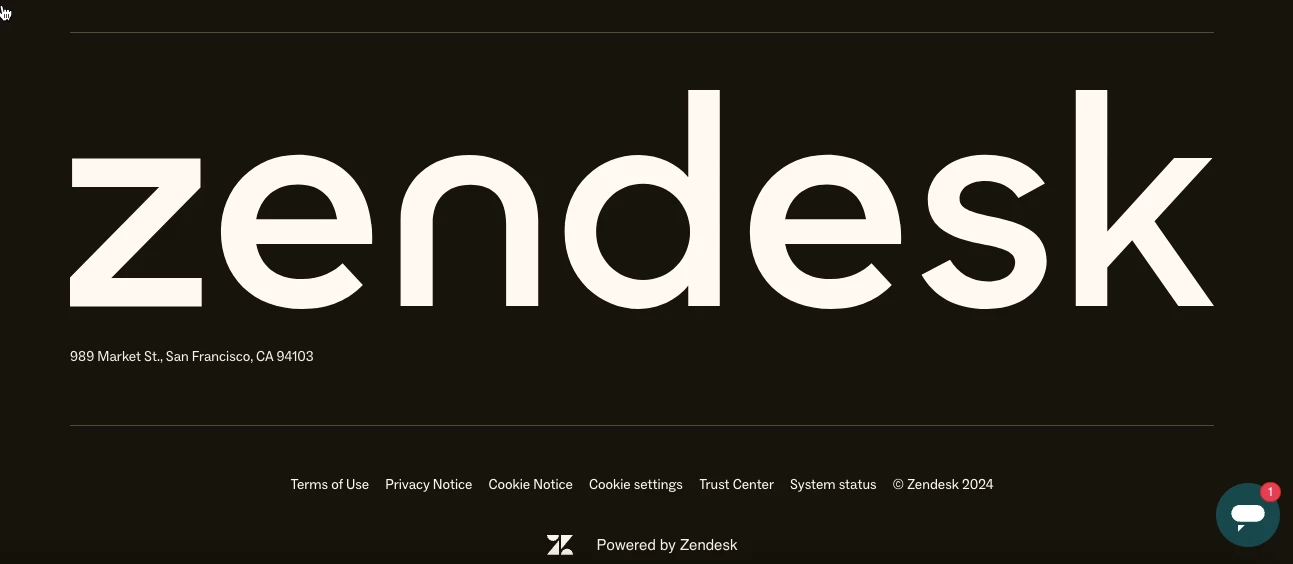
Has anybody mentioned the hulking great Zendesk logo at the bottom of the pages yet?
That can't be right surely?


Anastasia11

A- nother feedback from my end:

What's my plan? on articles is overridden by screenshot with plans:

In My Activities → Requests → Request details:

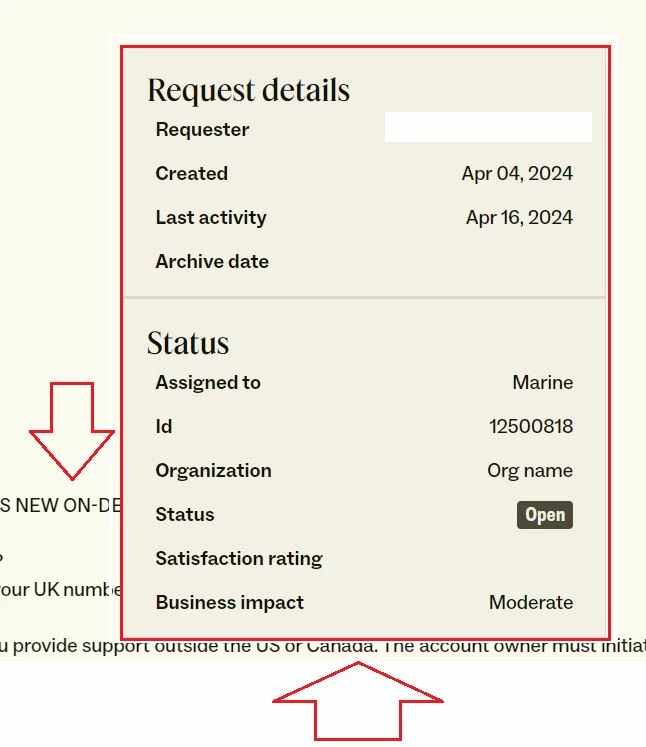
- not possible to see Organization name. In our use-case we manage more than 10 different Zendesk instances, and we need to have a visibility over Ogranization name on Zendesk side, so we can understand this ticket is relevant for what Zendesk instance. 

- not possible to see list of people in CC. I cannot see from this page, who is already added to CC on this ticket and who is not, which is causing us wasted time on double-checking 


Additionally in some of the cases Request details panel is on top of the ticket comment text:


Ricardo18
  • Author
  • April 18, 2024

Thanks for your feedback @matt70 . We are following the design of our zendesk.com pages that has been live for a while now. But I will share your feedback with the designers.
 

@anastasia11, I see. Those issues are currently being worked on. I will share your report with our team. Thanks for sharing.


  • April 19, 2024

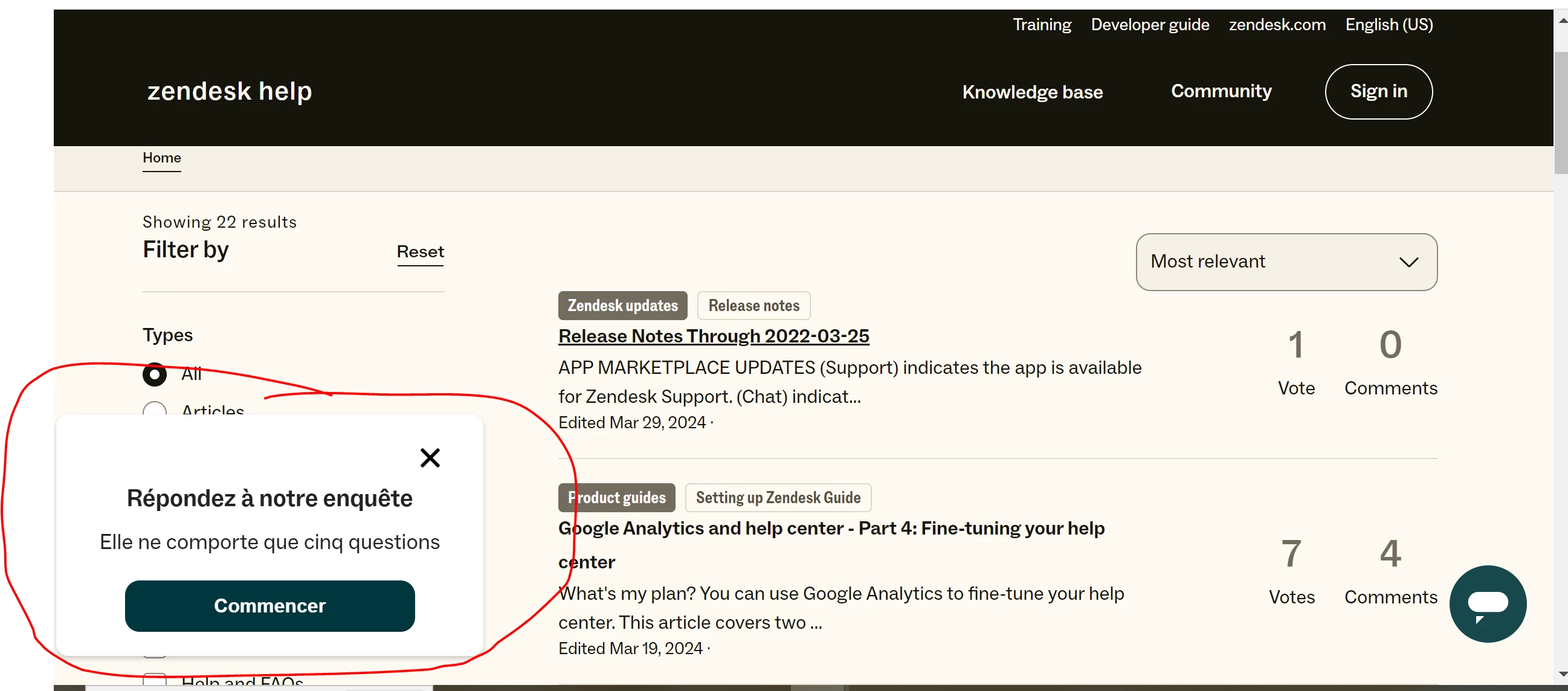
I'm seeing a comment box asking me to take a survey in French, when I am viewing the HC in English and my browser language is English…that's never happened before this HC theme update. What's up?


Ricardo18
  • Author
  • April 29, 2024

Hello @Sally Anne Dishong . That looks like a little glitch that can be solved by clearing the cache of your browser. Thank you.


Miguel12
  • June 3, 2024

Hello,

In general I really do not understand many of the design choices, it really looks very old-fashioned and not following typography best practices.

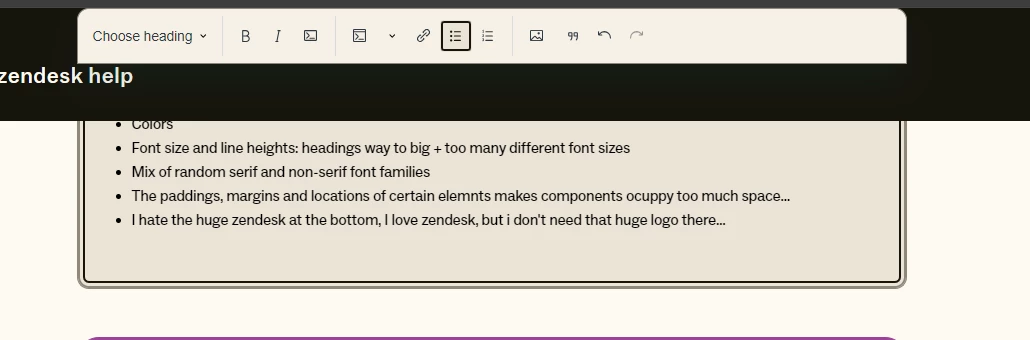
  • Colors
  • Font size and line heights: headings way to big + too many different font sizes
  • Mix of random serif and non-serif font families
  • The paddings, margins and locations of certain elemnts makes components ocuppy too much space…
  • I hate the huge zendesk at the bottom, I love zendesk, but i don't need that huge logo there…
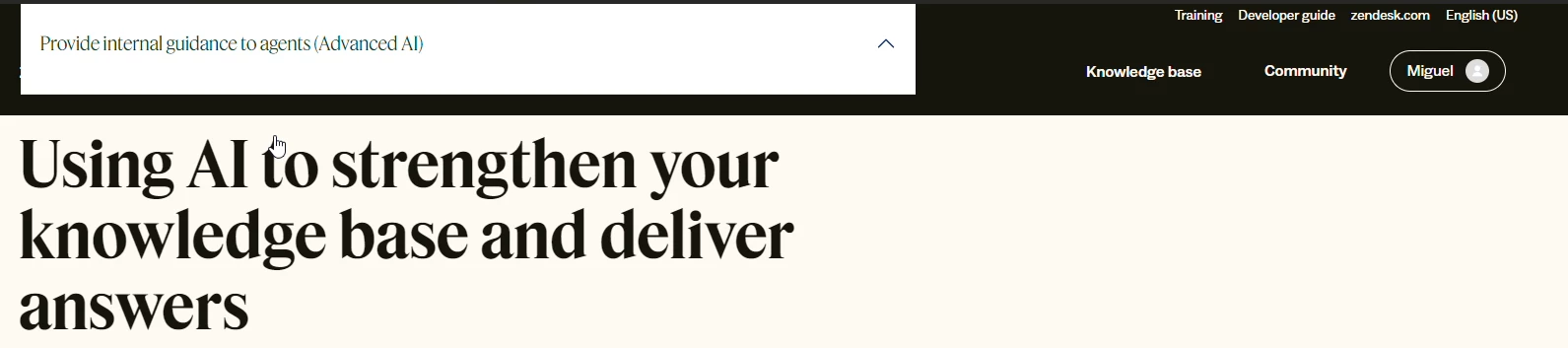
  • Several broken components when interacting with navigation bar:

Overall I'm really dissapointing with the overall design, I would have expected much better design choices from Zendesk, the Zendesk Support UI is amazing…


  • June 9, 2024

Well eveything work smooth so far, we just integrated ticket system in last month at lightning mechanical