
Zendesk Explore | Removing Deleted Organisations From Filters | Community
Skip to main content

Zendesk Explore | Removing Deleted Organisations From Filters

  • February 16, 2022
  • 5 replies
  • 0 views

George21

Hello,

I was wondering whether there was any way to remove deleted ticket fields from being visible in filters on Dashboards? 

I have Excluded all deleted Ticket Organisation Name's them from a Query;
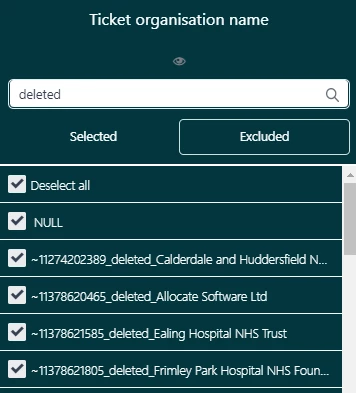
 

But they still appear in the first page of the filter in a dashboard that contains the query.
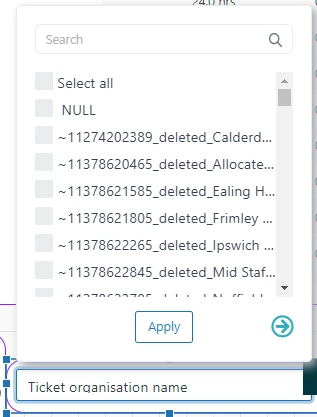
 

Is there any way of making it, so they don't appear. 

5 replies

  • February 24, 2022
Hi Austin,
 
A workaround to hide the deleted values from data filters is to create a custom attribute set that will display only the values that you need to show. You can then add this custom set as dashboard filter. You can check out this article for more info: Organizing values by groups and sets.
 
Thanks Austin! 

John87
  • June 23, 2022

@gab12 thanks Gab - I did something similar - I created a custom field called deleted, exported all the data out, updated the value to yes for deleted, and imported everything back in.   So now I can exclude the ones flagged as yes.


Ate
  • October 10, 2023

Hi Gab,

I'm looking for a better solution than having to create custom filters. We have 100s of active organizations and 1000s of deleted ones. Selecting them would take hours given that the UI does not provide easy ways of doing this by a substring match. 

Is there any way to remove or hide the deleted values permanently? they have 0 value.


Elaine14
  • October 22, 2023
Hello Ate,
 
Regrettably, there is currently no direct option to remove it permanently. However, you can implement a workaround using a custom attribute and the formula provided in this example.


Luke18
  • April 2, 2024

I'm following up on this. We imported thousands of Organizations and now our reporting options are loaded with these useless options.