Why VALUE(date_change_calculated_metric_field) not working in standard calculated metric | Community
Skip to main content

Why VALUE(date_change_calculated_metric_field) not working in standard calculated metric

  • December 22, 2022
  • 5 replies
  • 0 views

Satyndra

Hello! 

I have been having issue with date range calculated metric and standard calculated metric.

Explanation: 

1- When I create date range calculated metric, it works for the timeframe I choose. Let's say this date change calculated metric name is : Agent replies - Previous two weeks. 

2- And then, when I use this metric Agent replies - Previous two weeks in standard calculated metric in order to find Closed ticket with agent's single comment - Previous two weeks in previous two weeks, It is not working. Please follow the query and let me know if anything's wrong with that? 

IF ([Ticket status - Unsorted] = "Solved" 
OR  [Ticket status - Unsorted] = "Closed"
AND VALUE(Agent Replies - Previous two weeks) = 1)  
THEN [Ticket ID] 
ENDIF
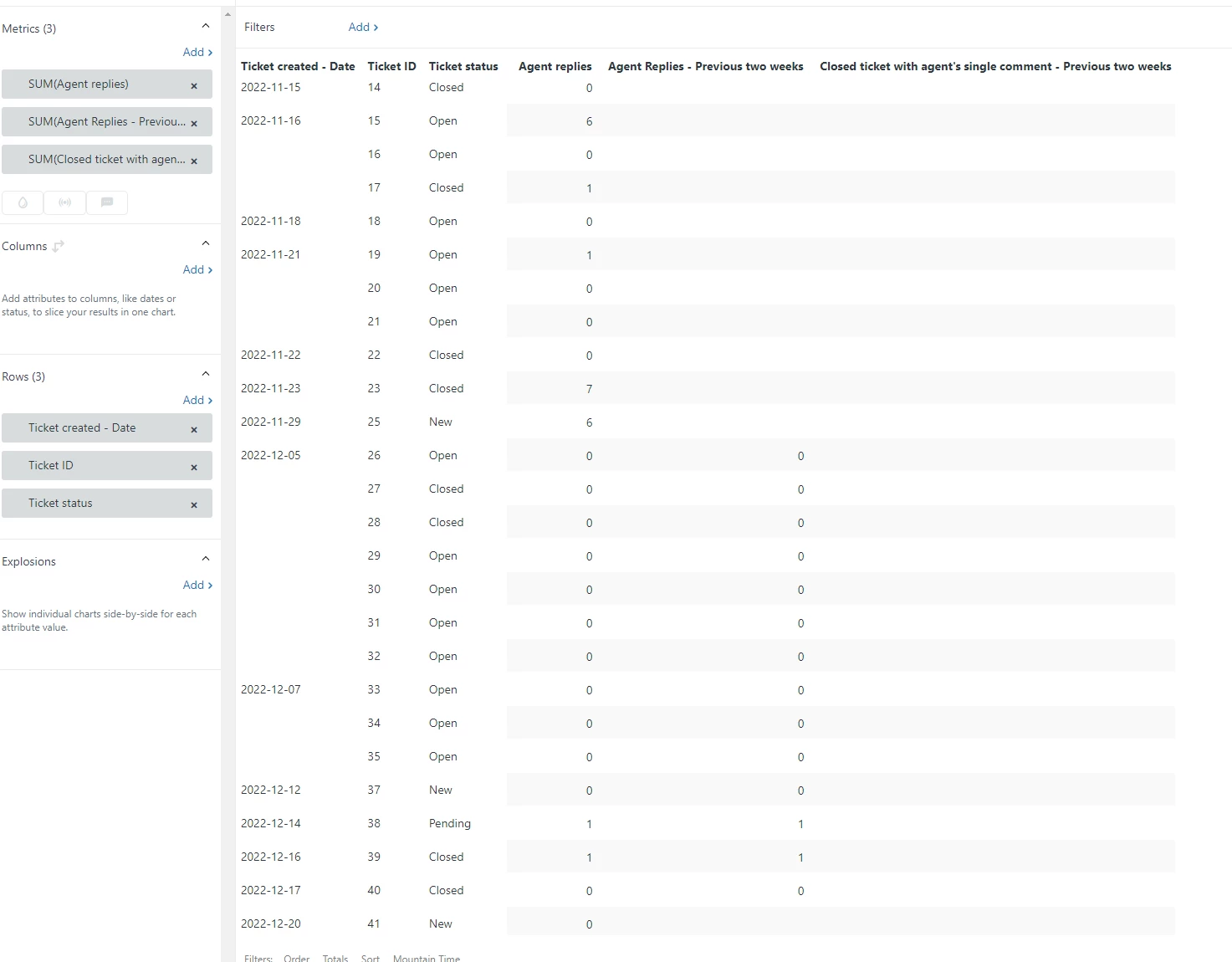
3- Weird thing is that it was working pretty well yesterday but today it is not working. Similarly, whenever I use the VALUE(date_range_calculated_metric_field_name) in the standard calculated metric, it is not throwing the result while it is working for AVG(date_range_calculated_metric_field_name). 

Example: 

Date range calculated metric name: Frustration - Previous two weeks
Standard calculated metric name: Tickets scoring more than or equal to 8 - Previous two weeks 

Standard calculated metric query: 

IF (VALUE(Frustration - Previous two weeks) >=8.0) 
THEN [Ticket ID]
ENDIF

The above query/Tickets scoring more than or equal to 8 - Previous two weeks is not throwing any result. 
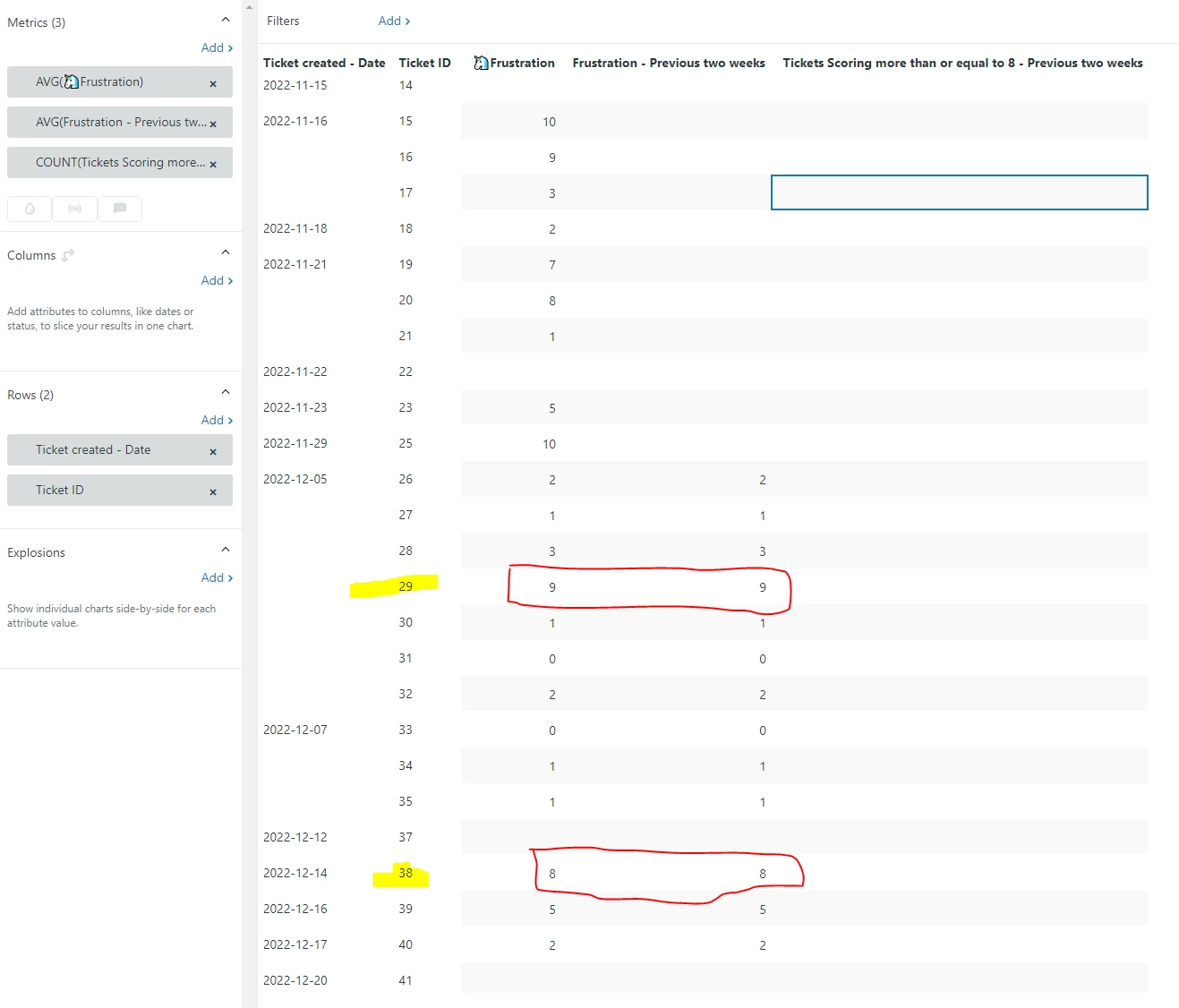
Kindly provide your assistance since I have to complete my urgent project as soon as possible. Your help shall be highly appreciated.


Thanks!

Satyndra

5 replies

CJ99
  • December 22, 2022

I deleted my last comment because I missed a big step! For the section below, what are you setting it to for "Defined on"? 

1- When I create date range calculated metric, it works for the timeframe I choose. Let's say this date change calculated metric name is : Agent replies - Previous two weeks. 


Satyndra
  • Author
  • December 22, 2022

Thanks for your quick response :) really appreciate it

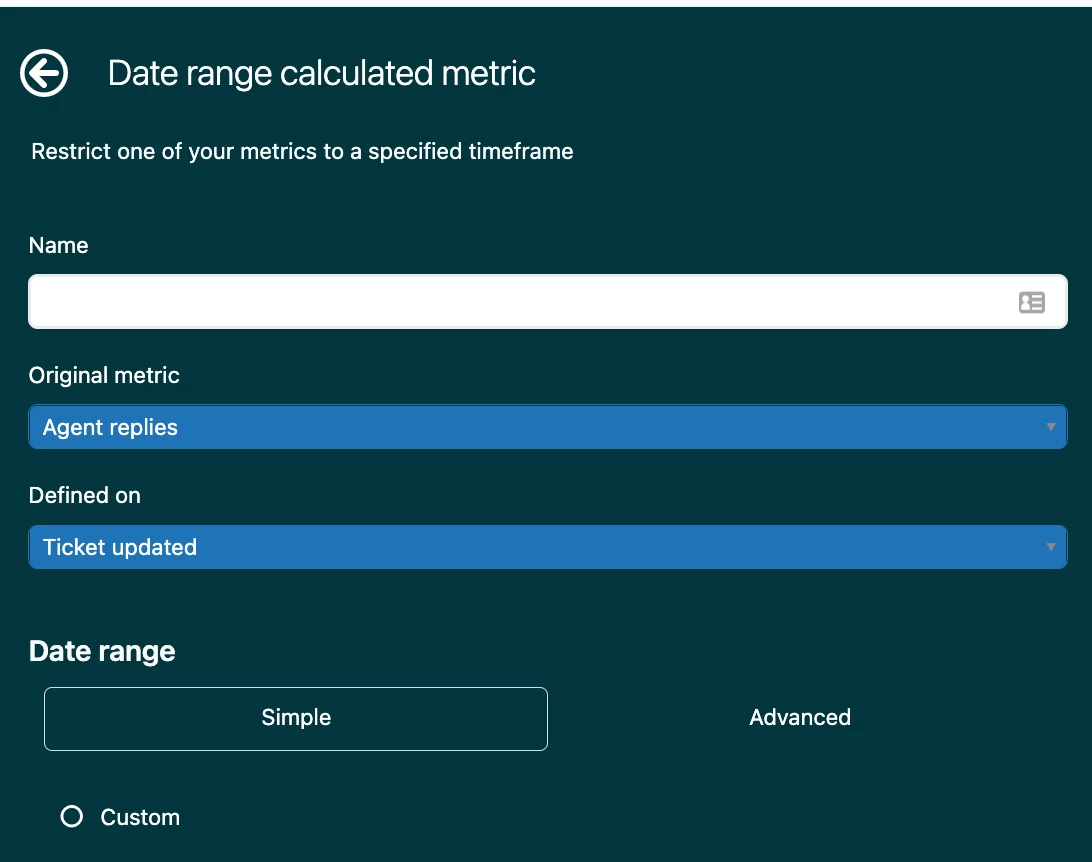
I am setting Ticket Created for Defined On. In addition to it, I am taking the Support Tickets dataset. 


CJ99
  • December 22, 2022

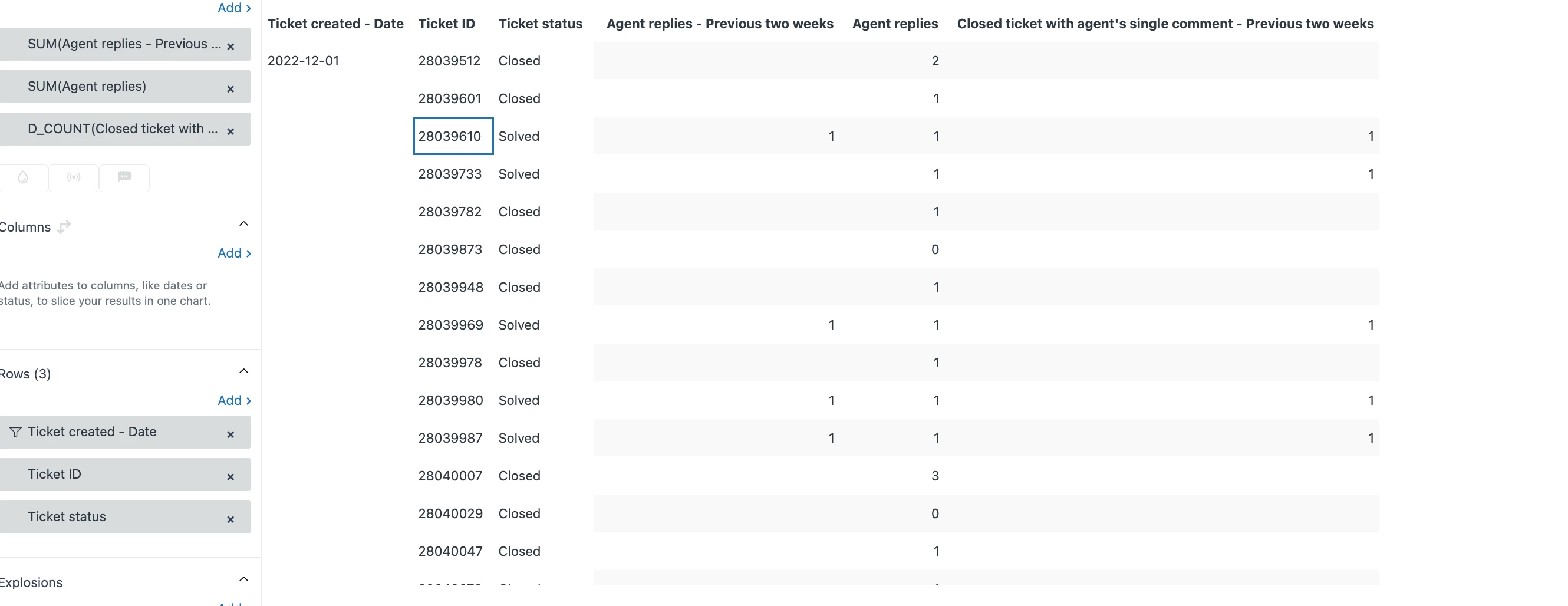
I used "Ticket Updated", I assume that's what you use too. I was able to get your first report to work and return, if I use D_COUNT for the metric "Closed ticket with agent's single comment - Previous two weeks" - however, I got values returned for this, when I used "SUM" instead as well.  Does D_COUNT return anything for you? 

You can see I have tickets showing that they had a reply in the previous 2 weeks, show a count in the final column, too. I had to put a date range on this so it wouldn't crash out from too much data, but that's the only difference I can see between the screenshots: 


EDIT: After reading your update, I tried it with "ticket created", and had the exact same problem as you. I'm puzzling on why Agent Replies by Ticket Created breaks, but Ticket Updated (Which is really ticket last updated), works okay. 


Satyndra
  • Author
  • December 22, 2022

Thank you so much, @cj99!


I followed the same steps following the given screenshots and still, no desired result. 

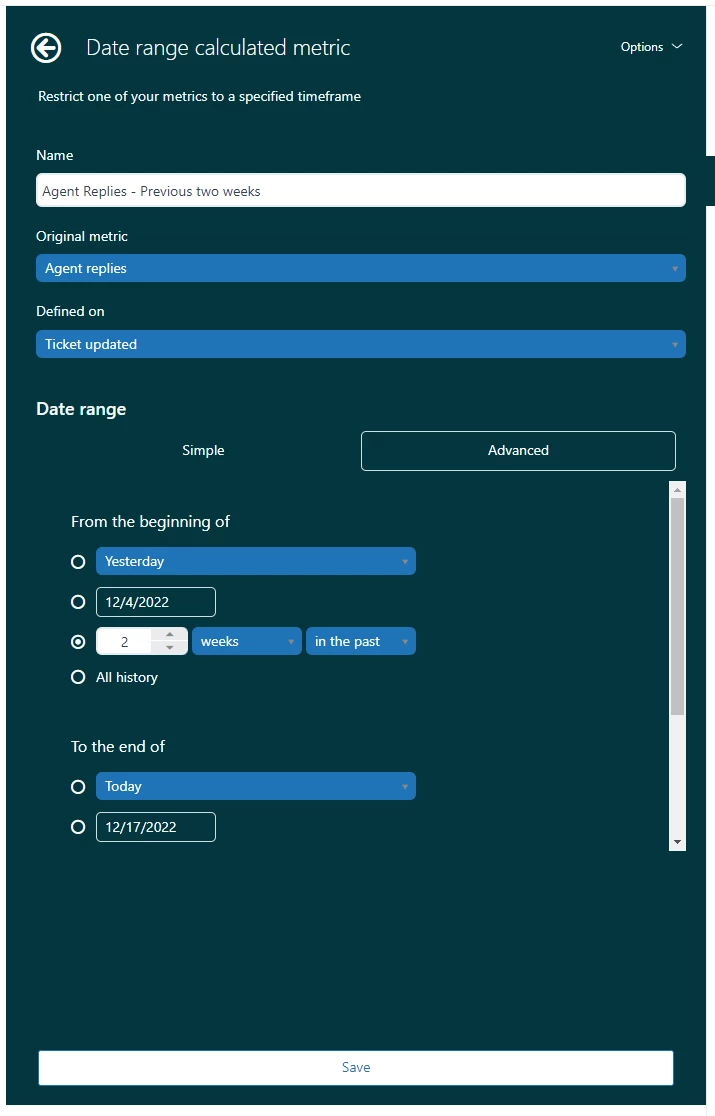
Step 1: I changed defined on setting to Ticket Updated. 


Step 2: I created the standard calculated field. 
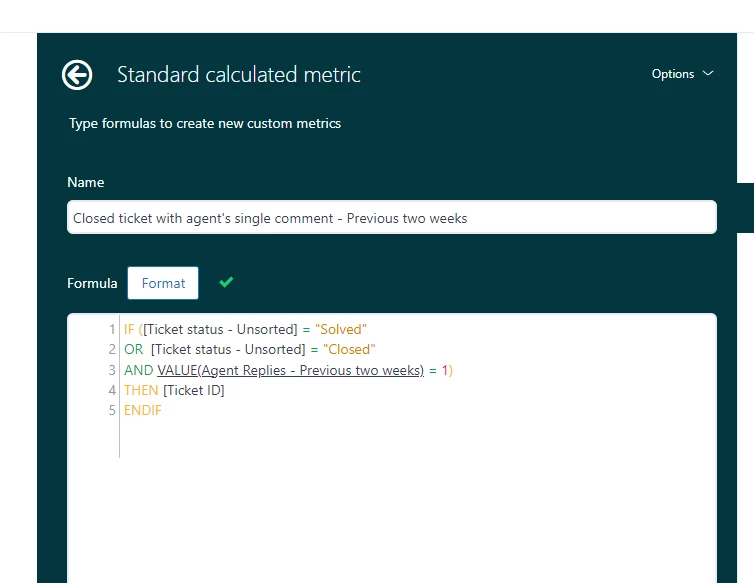
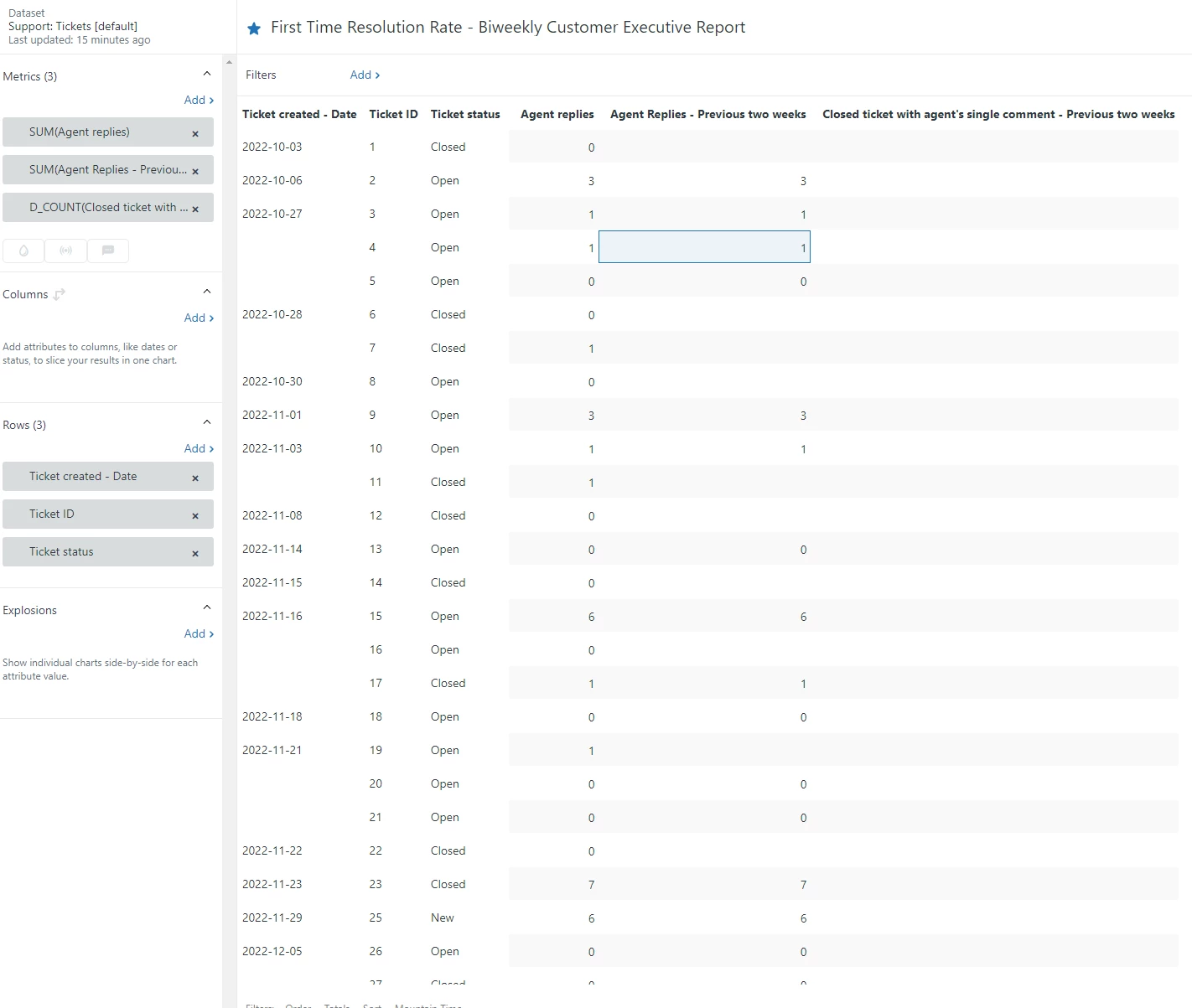
Final Step: When I put the metrics and attribute in the view. desired result is not throwing. 


I also wanted to express that I want the results to be in the timeframe for previous two weeks(2022/12/05 - 2022/12/18) according to Ticket Created - Date field. Now you can see that if I choose the Ticket Updated field for Defined On for date change calculated metric stuff, then we are getting random values which are not matching the timeframe (12/05 - 12/18). In my screenshot, the timeframe (time period with agent replies) is working well and I am getting result according date change calculated metric.  Still, Closed ticket with agent's single comment - Previous two weeks is not throwing the desired result. Weird! 

I assume something's wrong with VALUE(date_change_calculated_metric_field). Please fix it.

My question is why it is not working today while it was working well yesterday. is it possible if custom field name such as (Agent replies - Previous two weeks) is causing this issue?

In addition to that, if Ticket Created Field with Agent Replies is available in Zendesk Support Tickets dataset, they should be working together I guess? I don't know what is happening. 

Thanks 😊


Satyndra
  • Author
  • December 23, 2022

Hey @cj99! Good Morning. I hope you are doing great during this festive time. 

If there is any update on this issue, please let me know. 

I wish you and your family Merry Christmas and Happy Holidays. 

Thanks!