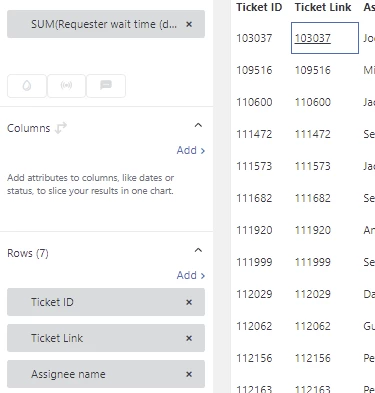
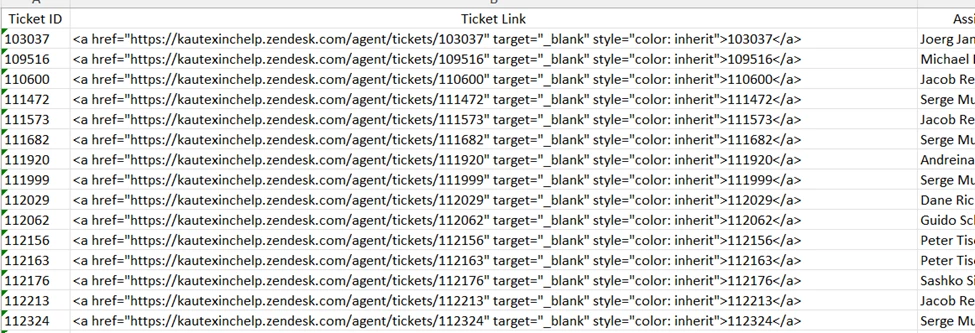
I needed to generate reports for multiple customers containing a list of open tickets and export it to Excel to share with them. Such a list needs to have a ticket number (ID) field, but also a link to the ticket so that the customer can open it in our help center by clicking on the link.
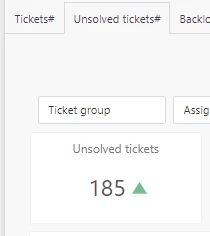
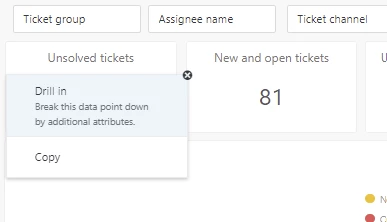
In my Explore dashboard I have a query that can be drilled in
I created the text ticket field (Ticket URL) in Support Suite, which is getting populated by a trigger at the ticket creation. The following text is placed in the field by the trigger: https://userdomain.zendesk.com/agent/tickets/{{ticket.id}}.
When using my 'Ticket URL' field in a view in Support Suite and exporting such view to csv, this works well. Even though the view shows exact string (https://...../{{ticket.id}}, the placeholder "{{ticket.id}}" is getting replaced by the ticket number during export, and the links work perfectly well in the Excell cells.
However, when I use the "drill-in" feature in the Explore for the same ticket field, the placeholder "{{ticket.id}}" is not getting replaced by the ticket number, but rather just passed to the Excell cell as is. So, the exported xls or csv cells contain the same text for each ticket on the list, which is "https://userdomain.com/agent/tickets/{{ticket.id}}".
I understand that such result of a view export to csv may not be intended, but it is convenient and works well. I'd suggest to use the same routine for csv or xls export in Explore so that the community can benefit from it, the same way as if using export of a view.
I spent several hours chatting with a support agent to find out that the two Zendesk apps do not share the same functionality/ routines.
Shedding light or exchanging ideas on ways around is appreciated.