Tab Widget | Community
Skip to main content

Tab Widget

  • March 16, 2021
  • 3 replies
  • 0 views

Matthew15

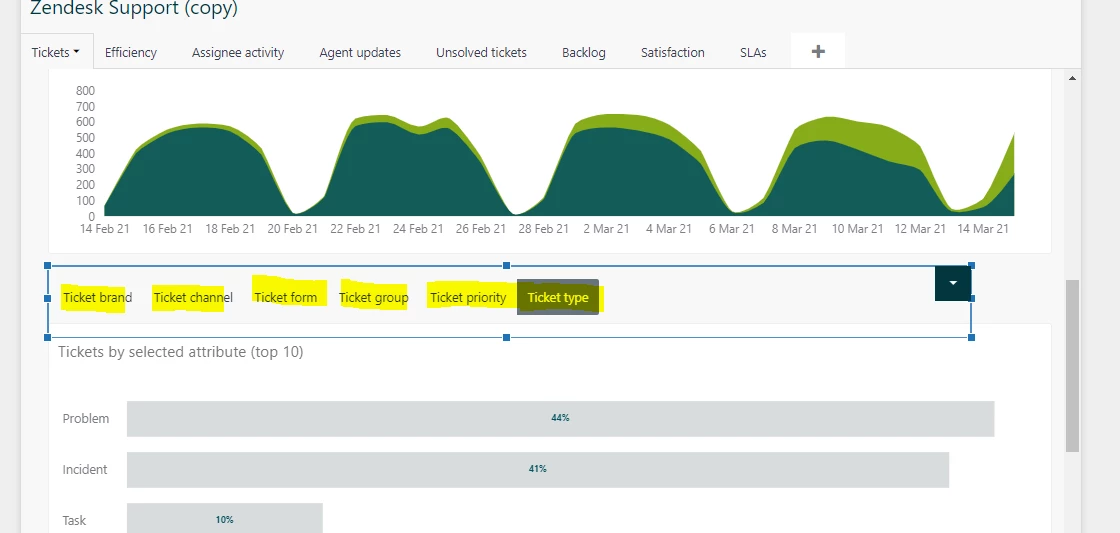
I am wondering which widget this is in the default dashboard and how to add it to a query I added to a new dashboard. 

Thanks!

3 replies

  • March 16, 2021

Hi Matthew Natali, thanks for the question. This isn't a widget you add specifically add and it's not connected to queries.

If you add multiple tabs to your dashboard, you'll automatically see these. For a lot more help with this, see Working with dashboard tabs.

I hope this helps!


Matthew15
  • Author
  • March 16, 2021

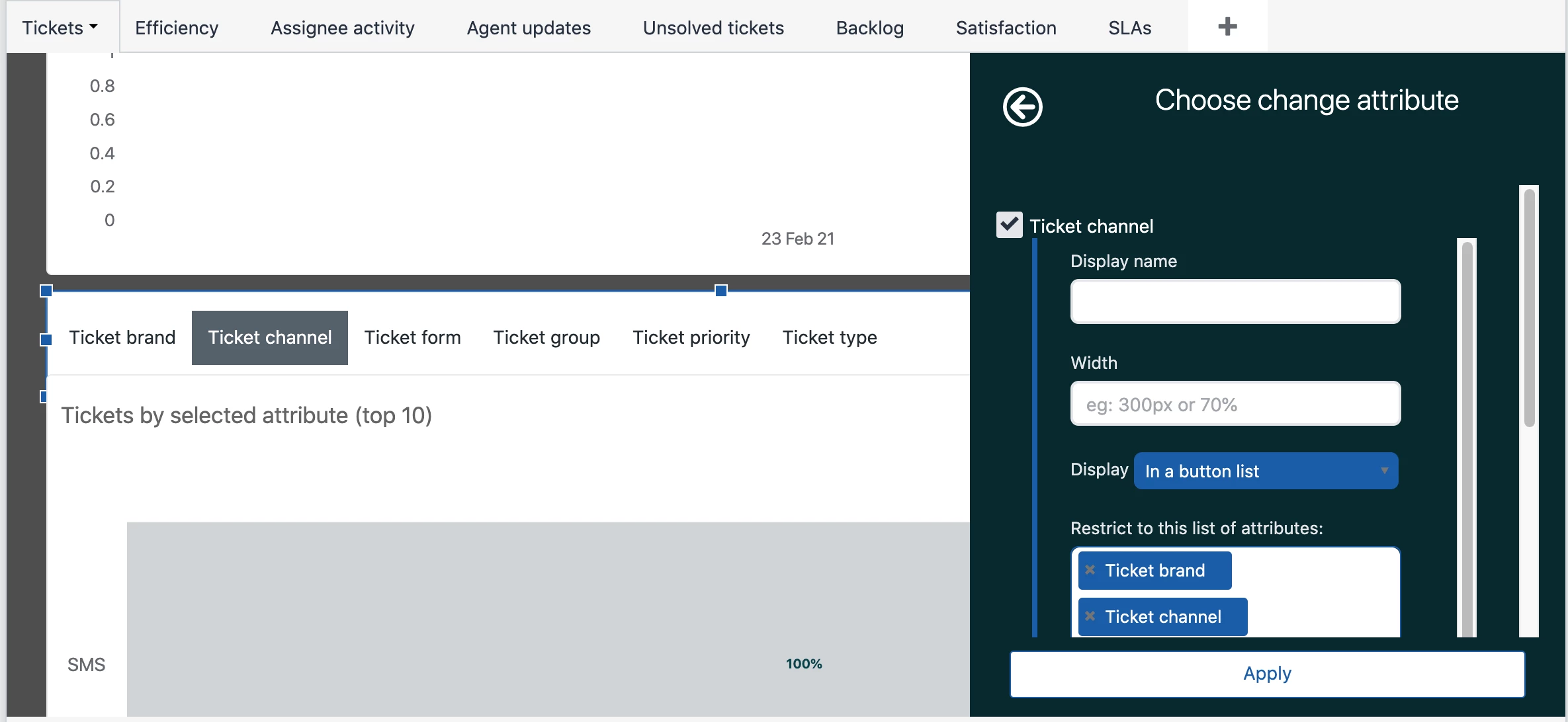
Thanks, Rob. Although, the screenshot is showing tabs for a query within a dashboard tab, i.e. not the actual dashboard tabs. Does that make sense? Here is a screenshot zoomed out.

It looks like these highlighted tabs are only linked to the Selected attributes query in the dashboard. So I am trying to replicate that. 

Thanks,

Matt


  • March 16, 2021

Hi Matthew Natali, ahh, you are correct, my apologies. This is indeed something different. It's what's known as a "Change attribute" meaning the dashboard viewer can change the attribute that's used (by default "Ticket channel") to a number of different attributes. 

This article is quite a good introduction to that - https://support.zendesk.com/hc/en-us/articles/360040720994