Reporting on tickets with no agent reply back to customer | Community
Skip to main content

Reporting on tickets with no agent reply back to customer

  • November 18, 2021
  • 5 replies
  • 0 views

Hi,

I wondered if anyone had some tips on explore reporting.

We have some of our tickets that customers have replied to which agents may have missed and I would like to be able to track these to follow up on.

I cannot just look at open tickets as we have multiple open tickets in which the agents are the last responder and are waiting for another team to action.

 

5 replies

CJ99
  • November 19, 2021

Good news, this is very achievable in Explore! You'll want to use the Tickets dataset, as it has some great metrics for this, mainly "Unreplied Tickets" and "Unsolved Unreplied Tickets", depending on what you are trying to find. 
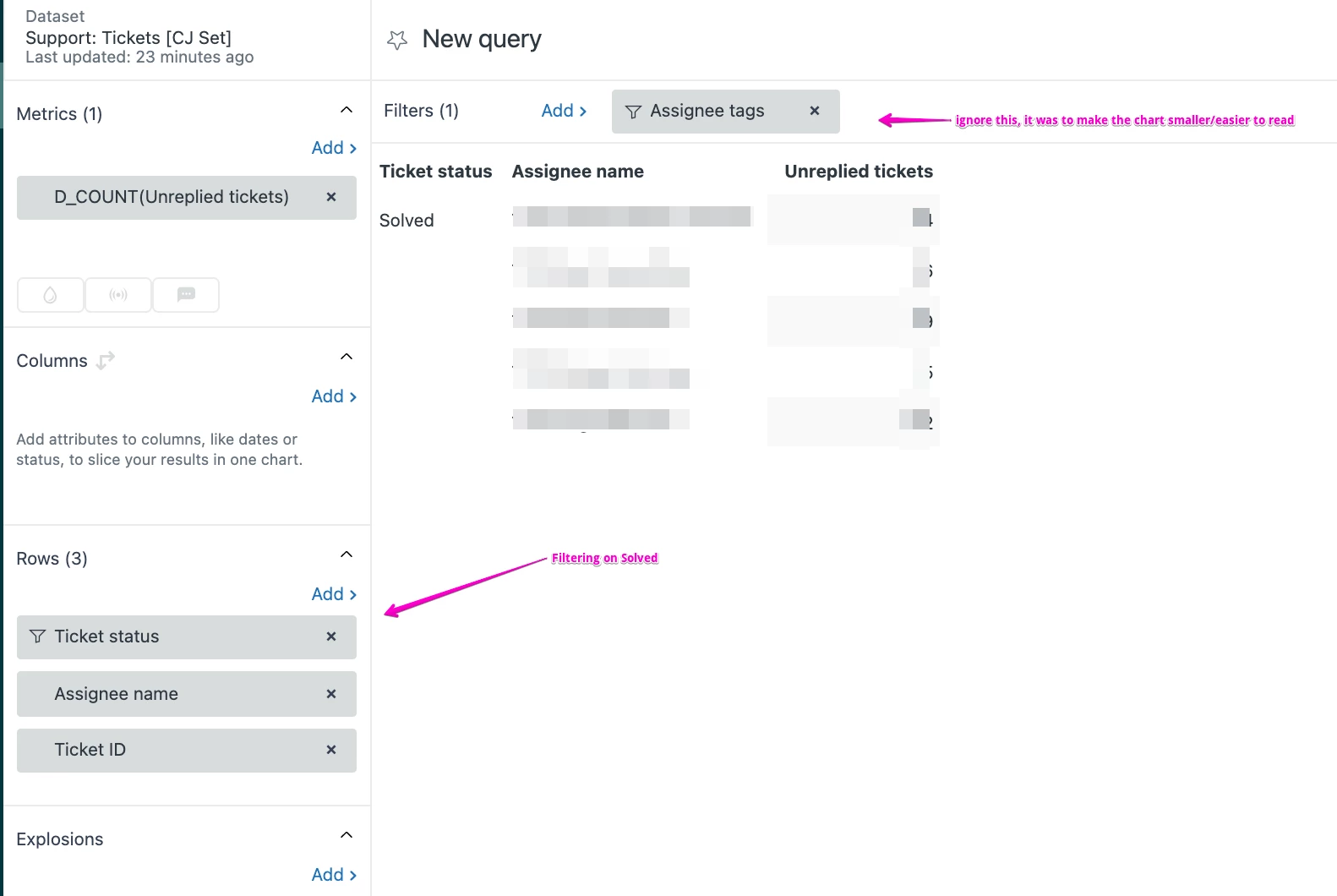
You can easily make something like this, which is showing me a count of tickets with no agent replies that are solved, by assignee name. 

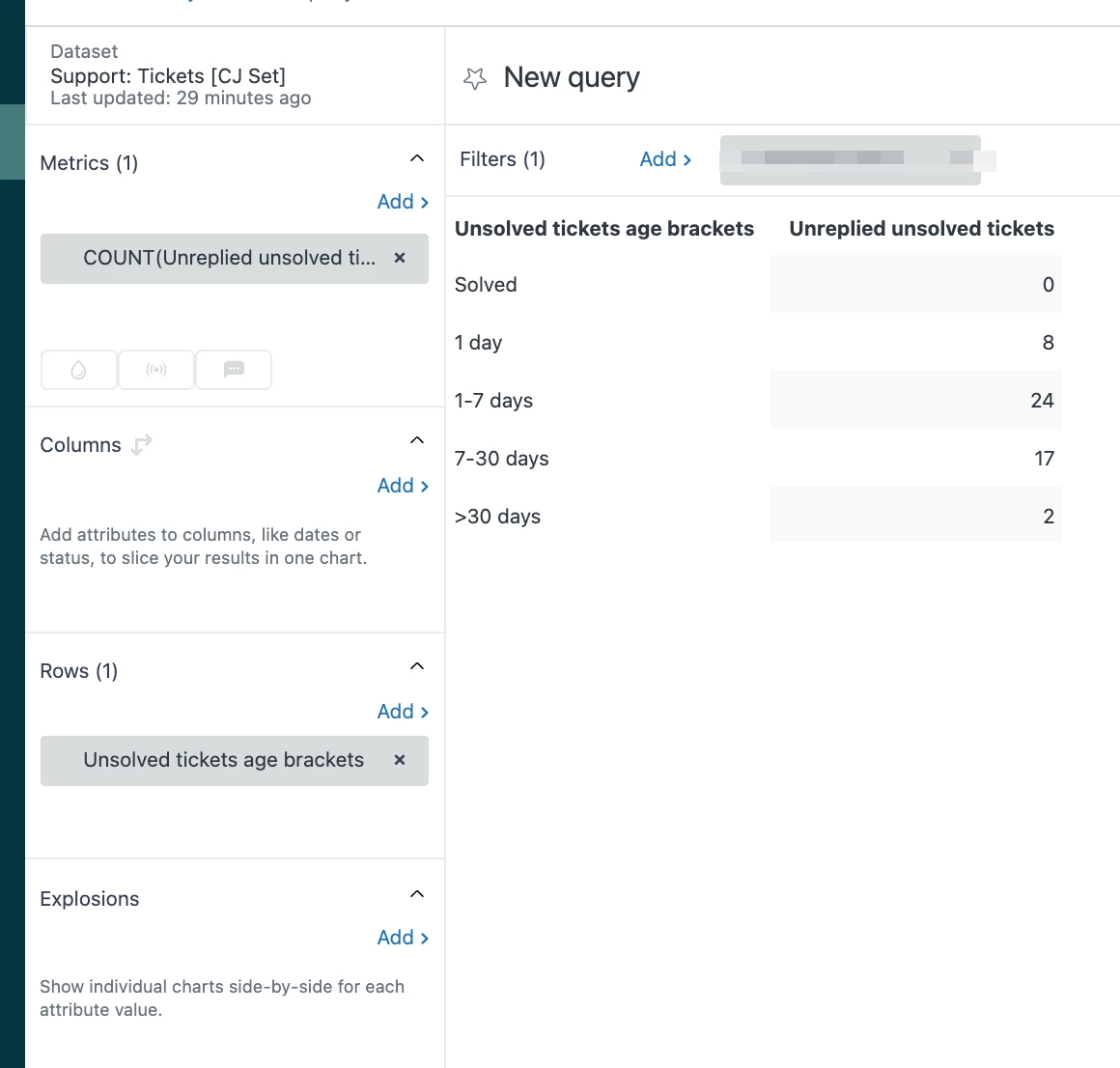
If you're more worried about how long unsolved tickets have been open, something like this might be better. It uses the Unsolved, Unreplied Tickets metric, and the Unsolved Tickets Age Brackets:


You could Decompose on the ranges that are concerning based on Ticket Id, and be able to click through to the tickets and check them out. 


Dave12
  • November 19, 2021
Thanks so much for answering this, CJ!

  • Author
  • November 19, 2021

Hi,

I have looked at this report and it isn't exactly what I am after. I will provide an example below to explain this further.

Ticket created > Agent replies > end user replies

I would like to see tickets in this status where the last reply is from an end-user, not an agent.

We have many tickets in a similar status like this but the last responder is the agent which I do not want to include.


ZZ55
  • November 19, 2021

Paul

In the tickets dataset, there is a time for the last update by a requester and the time for the last ticket update. The ticket updates dataset provides more details so you could calculate the last time bother the requester and an agent made a public comment.

But is all a little messy. 

It may be much easier to use a trigger that adds and removes tags to a ticket to flag who last commented. So when an agent makes a public comment, add a tag lastcommentagent and remove the tag lastcommentrequester and switch that for requester comments.

You can then use Explore to report on tags and filter your results.

That would only work going forward and not for past comments. And of course Explore reporting is not real time. For real time review, you can also use that tag in a view.


  • Author
  • November 21, 2021

Hi Graeme,

Thanks for the tip, this looks like something I could look at adding and backfill the data over time.