Report on list of tickets which were set to Pending status for the very first time | Community
Skip to main content

Report on list of tickets which were set to Pending status for the very first time

  • January 6, 2021
  • 7 replies
  • 0 views

Hi,

Can you please help me to find a way to report on a list of tickets that went in Pending status for the very first time in Explore?

I found how many times the ticket changes its state but was not able to find anything related to solve the above issue

Thanks!


7 replies

ZZ55
  • January 7, 2021

Prerana

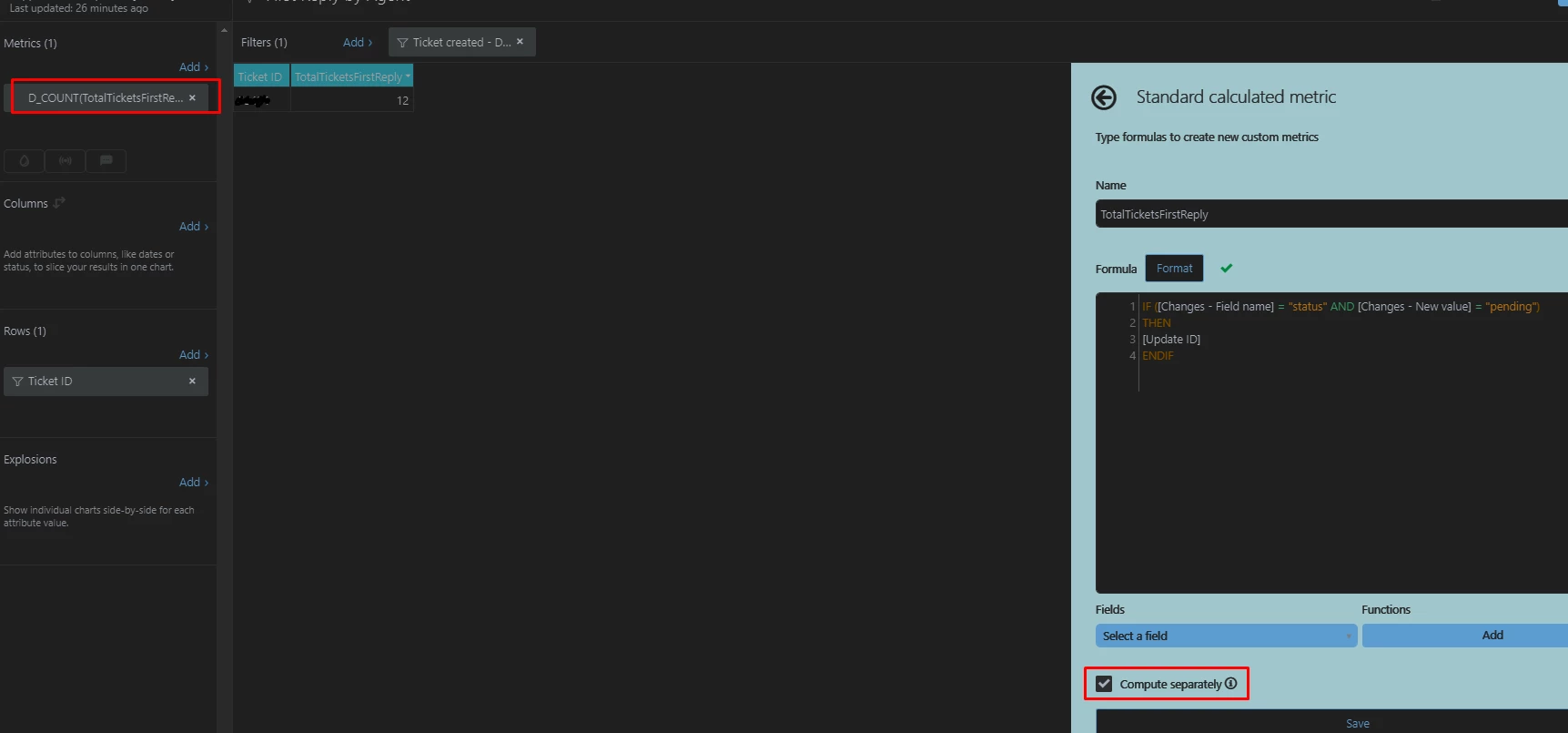
Use the Ticket Updates dataset. Then create a new standard metric to return the update ID when a ticket is set to pending:

IF [Changes - Field name] = "status" AND
[Changes - New value] ="pending"
THEN
[Update ID]
ENDIF

Ensure you tick the 'compute separately' box at the bottom of the page.

Use this with a D_COUNT aggregate.

This counts the number of times that a ticket is set to pending. Tickets that went to pending for the very first time will have a count of 1. So you can go to Result Manipulation>Metric Filter and set the filter to 1:

If you only want to see tickets that are currently pending, add a ticket status = Pending filter to your report.


Hi Graeme Carmichael

I tried to implement this but for a specific ticket I see that it was updated 12 times 

obviously when I try to use the Metric Filter and choose 1 it will not show that ticket at all as it returns 12 and not 1. 

when I add the updateID then it will show the same ticket number multiple times so can't show that either. 

Not sure what I am doing wrong and why it's not showing the first time it moved to pending 

Hope you can help

Anat


ZZ55
  • March 4, 2021

Anata

Are you looking to return the date and time that a ticket first went to pending status?


HI Graeme Carmichael

Yes exactly 

Thanks

Anat


ZZ55
  • March 4, 2021

Anat

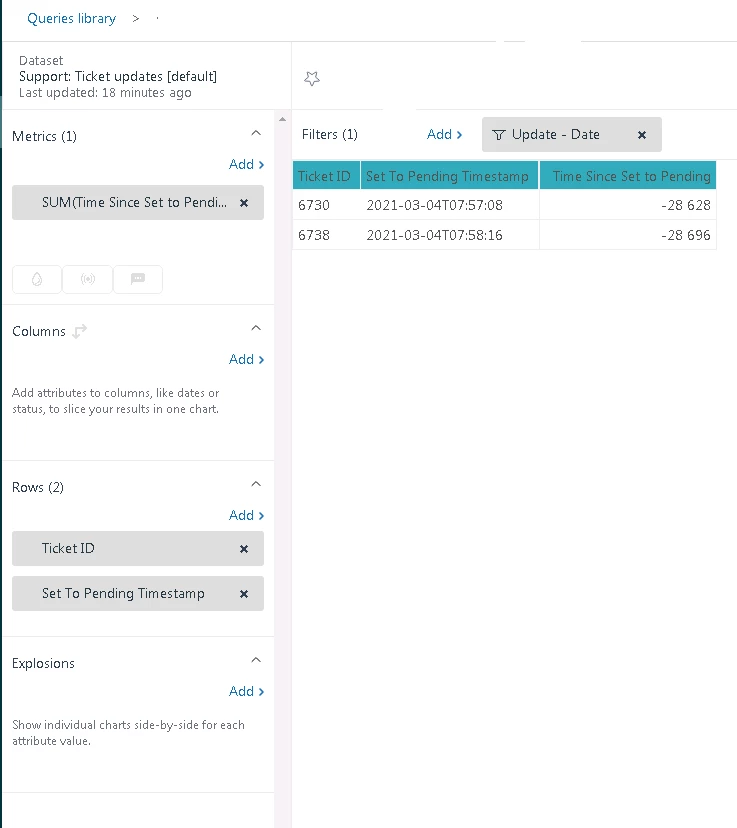
We use the Ticket Updates dataset.

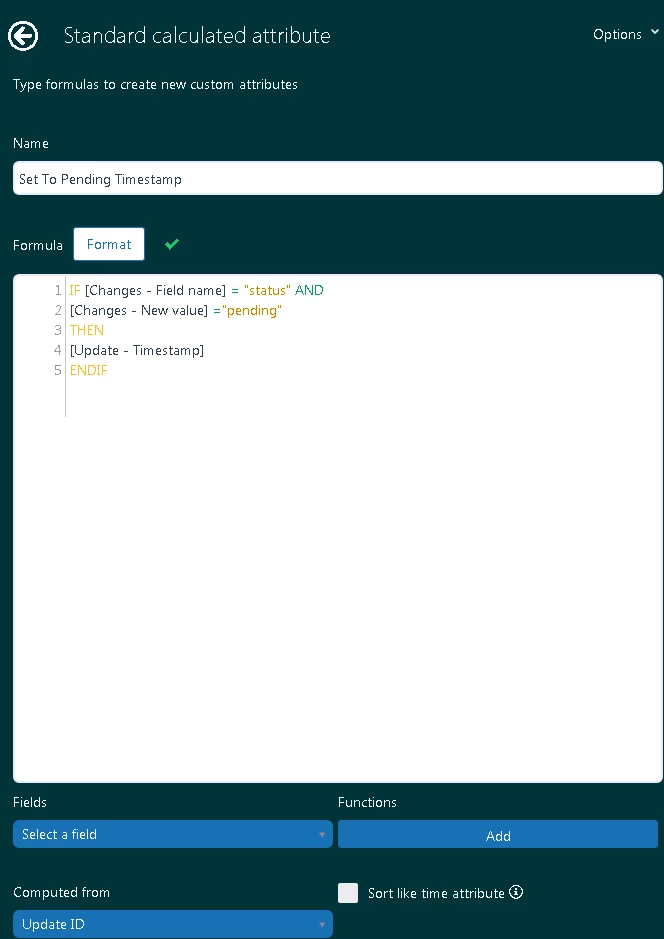
First create a custom attribute to return the timestamp when a ticket goes to pending:

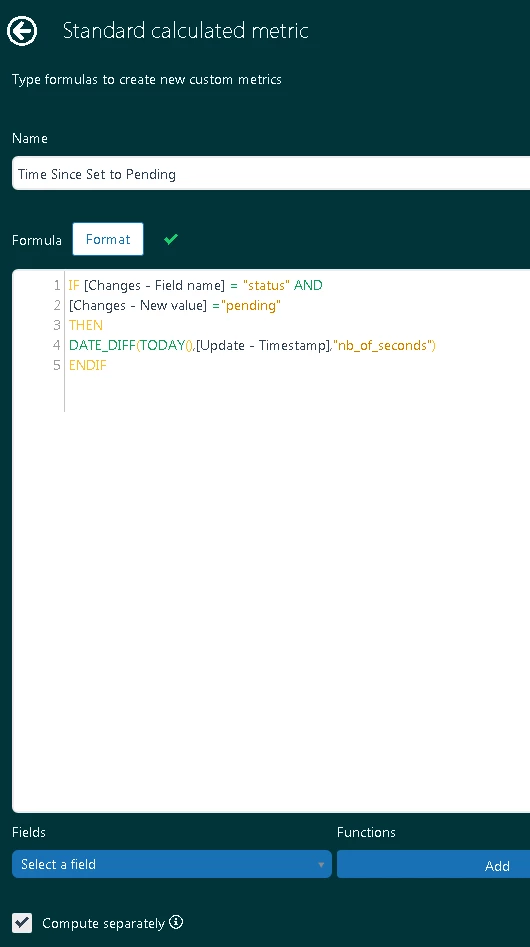
Now create a custom metric to find the time elapsed from the change to pending:

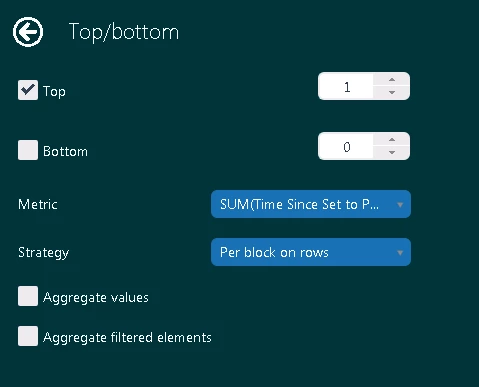
Then use TOP/ BOTTOM result manipulation to find the oldest row based on this metric:

...to give:


Hi Graeme Carmichael

Thank you so much for your help that was a great help :-)

Regards,

Anat


  • November 26, 2025

Hi can you help me do something similar, with status updates, I want to catch the hour and minute when the ticket status was set to pending and not as timestamp but updated hour and updated minute