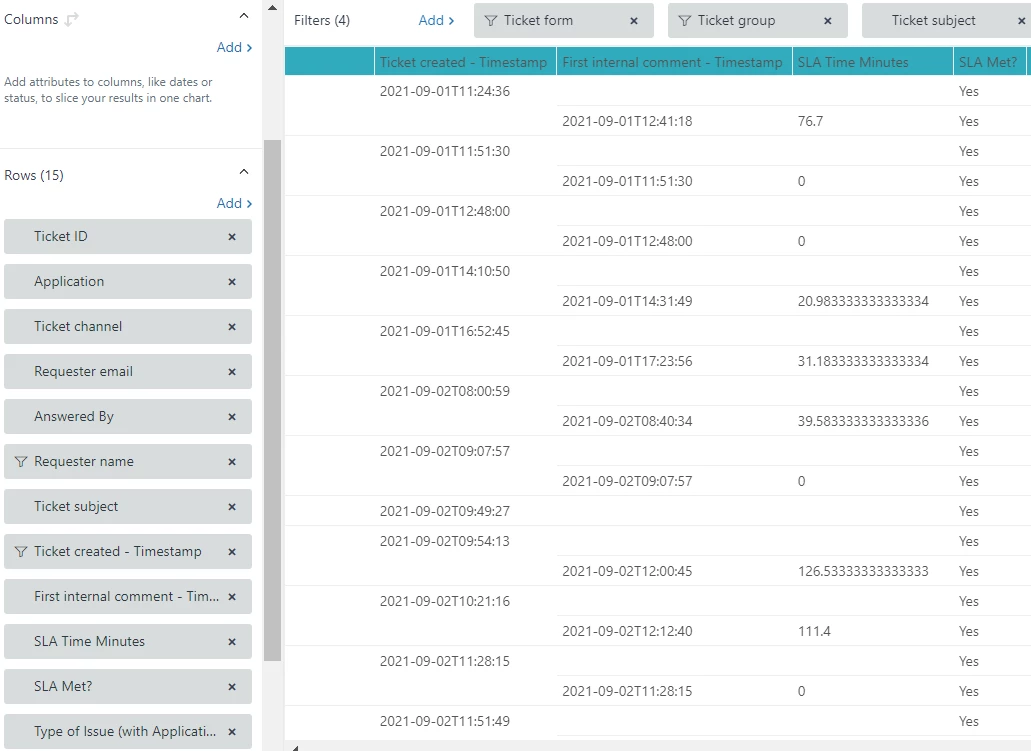
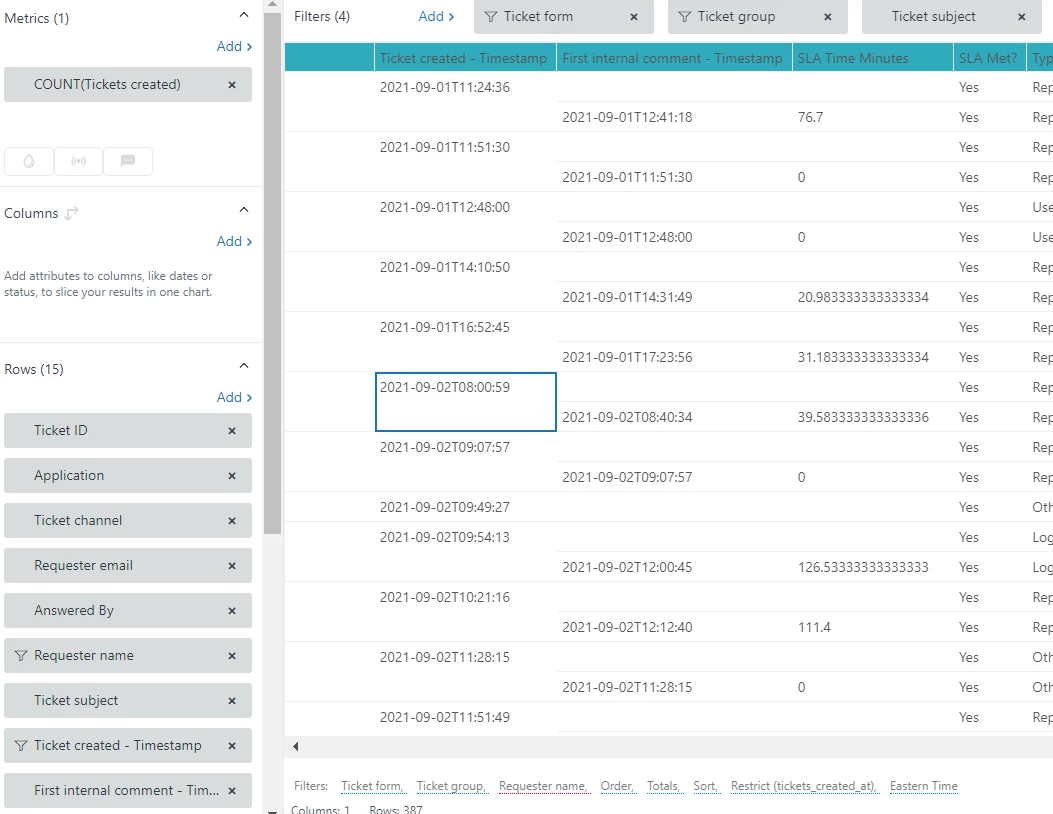
I have a query that is displayed as a table. Among other data, the table displays:
- Ticket Created - Timestamp
- First Internal Comment - Timestamp (using the formula from here: https://support.zendesk.com/hc/en-us/articles/1260801335150-Working-with-earliest-and-latest-date-functions#topic_hrb_wdy_5pb)
- SLA Time Minutes - A calculated attribute that is the difference between those dates
- SLA Met? - A calculated attribute that displays Yes or No depending on the value of the date difference
My issue is, the table is displaying two rows for each ticket that has a First Internal Comment - Timestamp.
In the first row, the First Internal Comment - Timestamp is blank.
In the second row, the First Internal Comment - Timestamp is displayed.
I cannot just filter out rows with a blank First Internal Comment - Timestamp as there are tickets that legitimately do not have one.
I have tried several solutions which included calculated metrics to make rows I do not want, to be unique and filter those out. This did not work and nothing else I have tried seems to work either.
What can i do to prevent the table from displaying both of these rows?