Pull custom report to view articles viewed that contain a certain phrase | Community
Skip to main content

Pull custom report to view articles viewed that contain a certain phrase

  • March 5, 2024
  • 7 replies
  • 0 views

Sara24

I was wondering if anyone found a way to pull a report on article views on articles that contain a certain phrase for example "settings" or "customer support"

7 replies

Elaine14
  • March 7, 2024
Hi Sara,
 
This is available in Zendesk Guide dashboard created by Zendesk. The Search tab provides insights into users' search activities within your knowledge base, including the terms they searched for. It also highlights the impact of search volume on ticket creation and identifies areas for enhancing self-service performance. You may also check this article to learn more about the available reports.

Sara24
  • Author
  • March 7, 2024

Thank you @elaine14 I am pretty familiar with the analytics and dashboards but I have yet to find out if there is a way that I can pull a report of articles that contain a certain phrase that is in the body of an article not an article title. 


Elaine14
  • March 7, 2024
Hi Sara,
 
Looks like the formula provided in this article works in search dataset too. 
 
IF (CONTAINS(LOWERCASE([Search query]),"agent"))
THEN "Has this word"
ELSE "Does not have this word"
ENDIF
 
I don't have enough data in my test account to show you a screenshot but I'm sure this is going to work 😉️


Sara24
  • Author
  • March 8, 2024

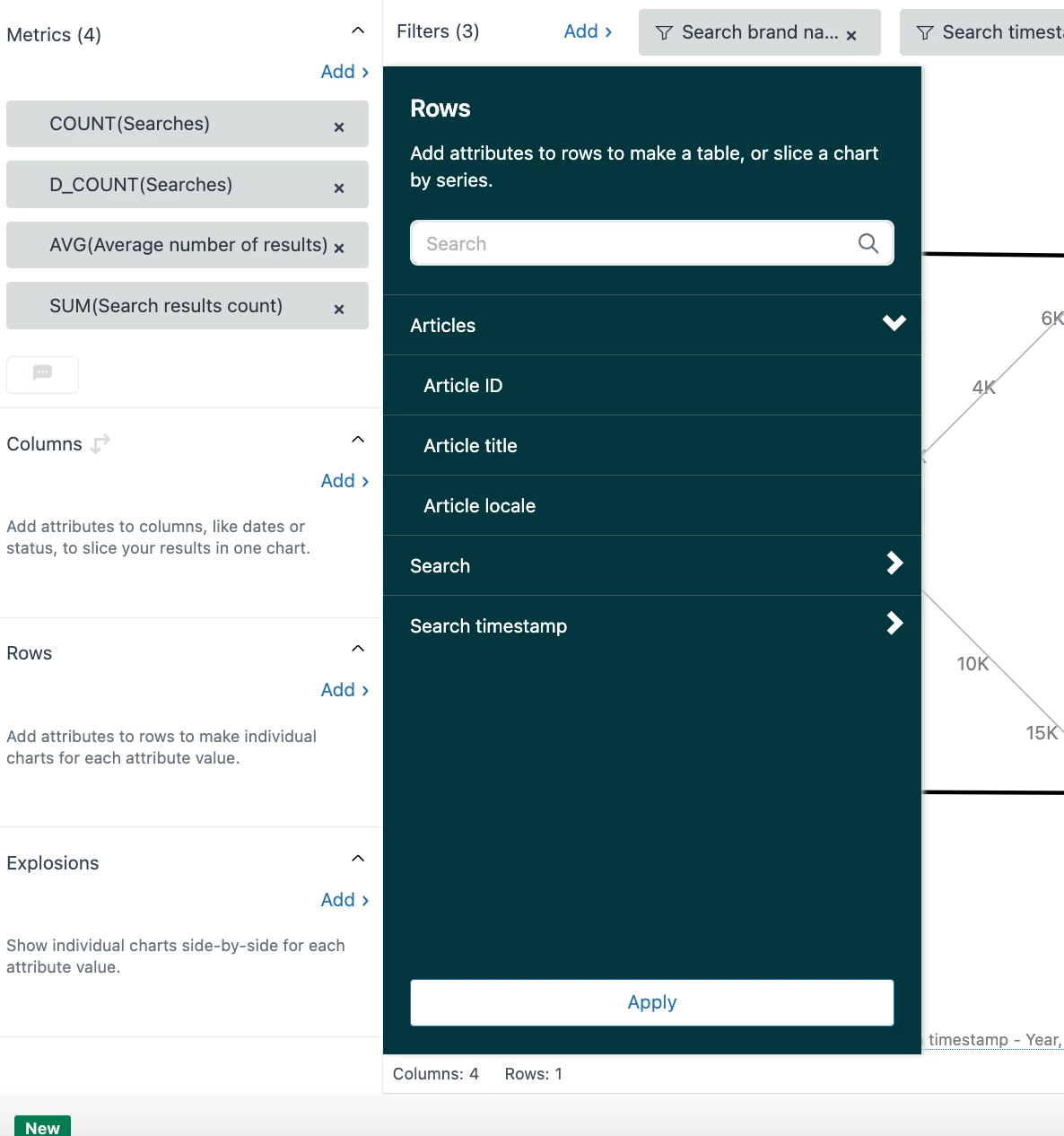
Thank you @elaine14.   I tried that but I cannot find where I input the custom formula 


Elaine14
  • March 8, 2024
Hi Sara,
 
Here's the instruction:
  1. In the Calculations menu (), click Standard calculated attribute.
  2. On the Standard calculated attribute page, give your new metric a name.
  3. In the Formula field, enter or paste the following formula, replacing the word "settings" with the word or phrase you want to search for (in lower case):
 
IF (CONTAINS(LOWERCASE([Search query]),"settings"))
THEN "Has this word"
ELSE "Does not have this word"
ENDIF
 

Sara24
  • Author
  • March 15, 2024

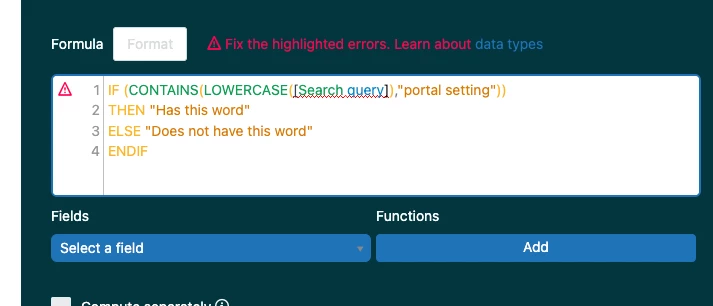
@elaine14 thank you for the additional information I did this however  i was given this error multiple times.


James101
  • March 22, 2024
Hello Sara,
 
I hope you're doing well! I wanted to check with you, have you had a chance to create the custom attribute within the Guide: Search dataset? From the screenshot you provided, it appears that the attribute [Search query] is not being recognized, which can happen if the attribute is not present in the dataset being used.
 
Here's a sample screenshot from my test account - 


Many thanks!