

I’m having a weird issue with dashboards, and I’m hoping I'm just doing something wrong and that someone here can help.
When I build a dashboard in the builder, everything looks how I want it. If I export it as a PNG manually, it’s still as it did in the builder. But as soon as I set up a scheduled delivery (also as a PNG), the formatting gets all messed up. The spacing is way off, and it’s especially bad with tables. What was nicely spaced in the builder suddenly gets compressed into about 1/3 of the size, with a ton of dead space everywhere.
Here’s an example to show what I mean:
-
How it looks in the builder (good):

-
Manual PNG export (good):
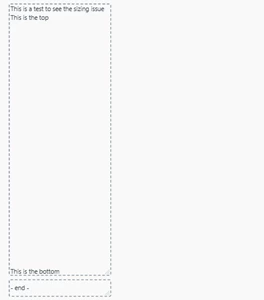
-
Scheduled delivery (not good):

The ‘Annoying’ Workaround:
In order to fix this, I have to:
- Schedule a delivery to myself.
- Check how the spacing looks.
- Go back and adjust report/widget sizes in the builder.
- Schedule it again to see if the fix worked (and I have to wait at least 30 minutes each time because I can’t schedule deliveries more often than that).
Once I finally get the scheduled version to look decent, the dashboard in the builder is squished and ugly because I had to adjust everything to compensate.
A Quirk I Noticed:
The only way I’ve been able to “fix” this (kind of) is by working on my desktop in full screen. My desktop monitor is a 34” ultrawide (3440 x 1440 at 100% scale), and for some reason, it’s easier to make adjustments there. But on my laptop (14” screen, 1920 x 1080, tested at both 100% and 125% scale), the issue is always there.
I’ve also tested this in Opera and Chrome—same results in both browsers. What’s odd is that manual exports always look fine. It’s just the scheduled delivery that’s causing these issues.
My Question:
Is there a way to work in a non-full-screen window and still have the scheduled delivery match what I see in the builder? This is driving me nuts and really slowing me down since I'm always monitoring things so I can't work in full screen. If anyone has ideas or has dealt with this before, I’d love to hear how you fixed it.
Thanks in advance

Thank you for sharing your detailed experience with the dashboard issue. It sounds frustrating to have the formatting change between the builder and scheduled deliveries.
From what you've described, it seems like a spacing issue that might be related to how the dashboard elements are rendered in different contexts. It's great that you've identified a workaround, but I understand it can be quite tedious.
Here are a few suggestions that might help streamline your process:
-
Check Responsive Settings: Ensure that all dashboard elements are set to be responsive. This may help maintain consistent spacing across different delivery methods.
-
Browser Compatibility: Since you've mentioned testing in both Opera and Chrome, consider clearing the cache or trying another browser to see if it impacts the output.
-
Feedback to Zendesk: Since you're experiencing this in the Beta version, providing feedback through your Zendesk account could help the team identify and address the issue in future updates.
-
Community Input: You might also find it helpful to ask in the community if others have faced similar issues. Sometimes, other users may have found different solutions or workarounds.
I hope these suggestions help! If you continue to experience issues, please let us know, and we can assist further.