
I cannot see a field in Explorer to report on | Community
Skip to main content

I cannot see a field in Explorer to report on

  • March 20, 2023
  • 1 reply
  • 0 views

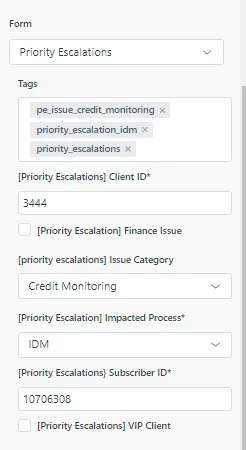
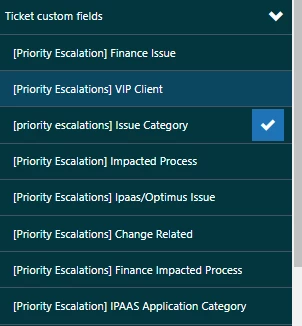
I have a field on a form that I need to report on.  The field has been present on the form for 2 months and has data, but for some reason I cannot get the field to show up in Explorer.  I see the other fields from that form but not this one.  I have attached 2 screen shots one of the form and the other or what I am seeing in Explorer when I sort by that form.
 

1 reply

  • March 21, 2023

Hey @colleen12 - It looks like your ID fields are missing and, since these appear to be numeric values, I suspect you may have these fields set up as either a Numeric or a Decimal ticket field. Is that correct?

If so, these two types of custom fields will actually be available in Explore as a Metric by default (see this help article which highlights how to report on custom fields) but there is a way for you to convert a numeric field into an attribute, as shown in this help article. 

Hope that helps!