How to count the # of reassigned tickets per agent | Community
Skip to main content

How to count the # of reassigned tickets per agent

  • October 15, 2021
  • 3 replies
  • 0 views

Oliver20

Hi,

I'm trying to build a query which counts the total # of times a specific agent has reassigned a ticket to a user-group (during the previous week).

I'm using COUNT(Assignee reassignments) as the metric, and I'm applying a filter for Assignee name, but the result is always zero. Presumably I'm doing something wrong.

How can I achieve this? Essentially I would like to count how many times each of our less experienced team-members in Level 1 Support escalates a ticket to a group called Senior Team (which is our Level 2 Support) for the previous week. The Level 2 folks will then assign a ticket to themselves independently. 

Thank you! :) 

3 replies

CJ99
  • October 15, 2021

Hi Oliver, 

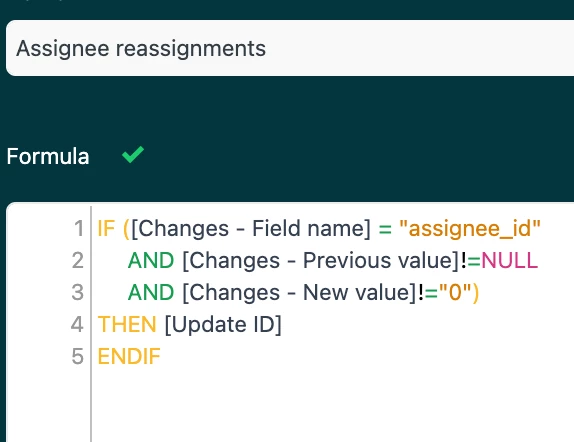
Good question! The metric "assignee reassignments" is what is tripping you up I think. If you look at the underlying formula, you'll see it's entirely about the Assignee ID changing. It sounds like what you want to know, is how many times a specific agent changed the group, of a ticket though:

I would recommend creating a macro for escalations, with a specific tag that gets applied, as it will be a lot easier report on these escalations across all the datasets, and not have to use the "updates" dataset, which is particularly convoluted to understand as a human. 

However, we can still do what you want in this dataset. There's a couple of options. If your inexperienced people are all in the same group, like tier 1, and you want to know every time a ticket changes from group Tier 1, to group Tier 2, we can do that. 

You could "D_COUNT(Tickets updated)" if you just want to know the total number of tickets escalated. However, if you want to see if the agent escalated the same ticket multiple times, you'll want to use D_COUNT(Updates). 

You will also want to set up a filter for "Changes - Field Name" and set it "group_id". This is one of those "not great for humans" parts. You will need to get the group_id for the groups you are investigating. You can get this by navigating to the group page and pulling it out of the URL, or using the API. 

For the Tier 1 group_id, we're going to add another filter for Changes - Previous Value, and put in the group ID. For the Tier 2 group_id, we're going to another filter, called "Changes - New Value" with this one.

Now the Dataset knows you only want to look at Updates where the Field "group_id" changed from Tier 1, to Tier 2. We're almost there! 

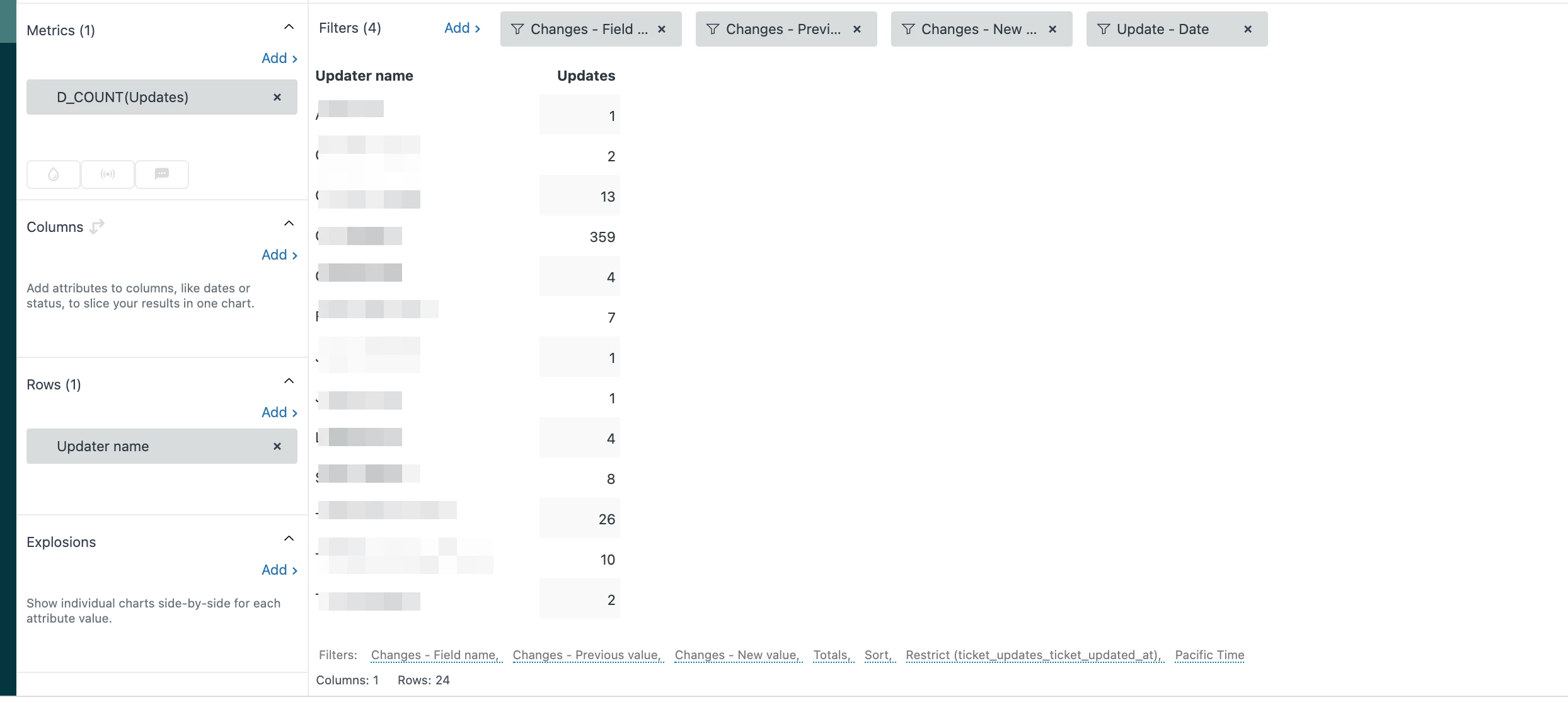
Add "Updater Name" to the Rows, and filter for the specific agents you want to include. Add in a filter for "Update - Date" if you want to limit the time of the re-assignment to something like "last week".  You should have something like this:
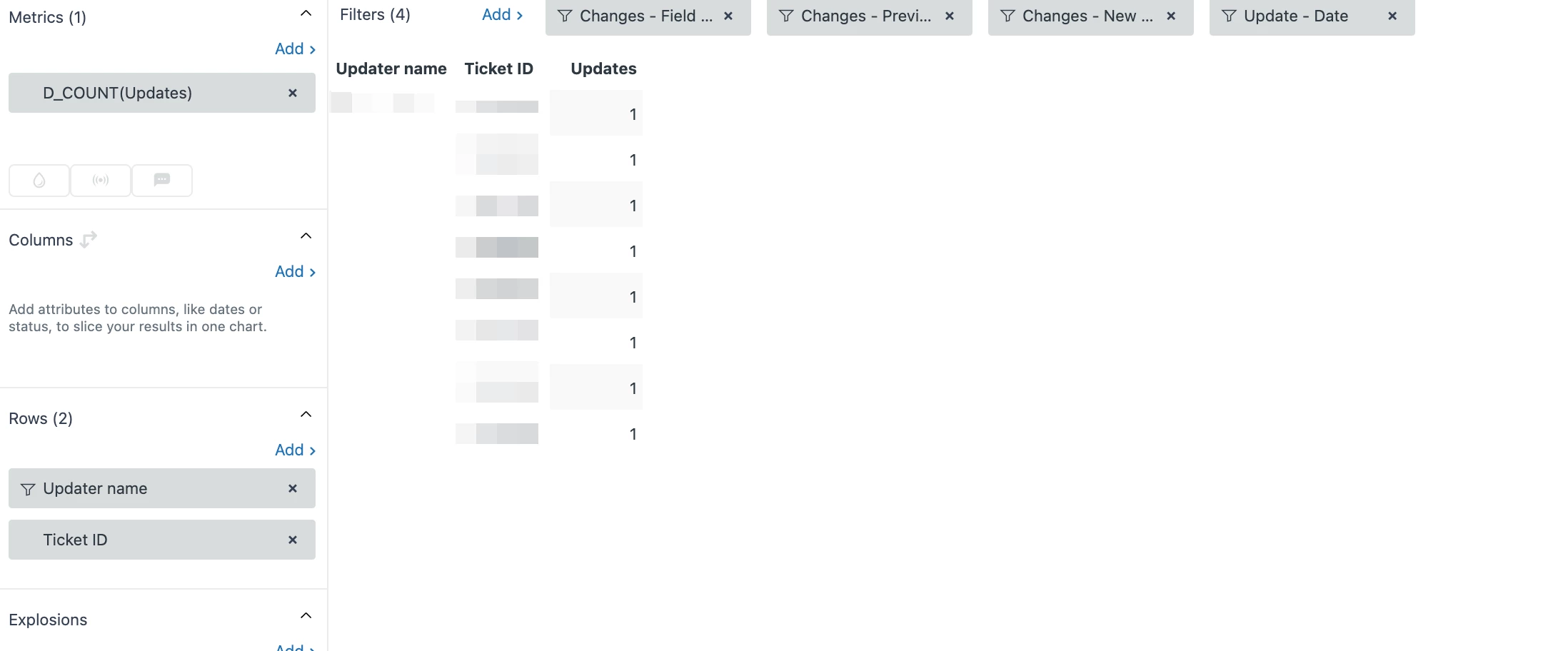
If limited to select agents or it's not a lot of updates, you can add in Ticket Id, to see which tickets specifically were moved by that agent:


Boyce
  • March 2, 2026

Just wanted to share that the below formula in the Updates History Dataset worked for me to be able to track the number of times an agent reassigned a ticket from themselves.
 

Create a Custom Metric called “Agent Transfers”
IF ([Changes - Field name] = "assignee_id" 

AND NUMBER([Changes - Previous value]) = [Updater ID]

AND NUMBER([Changes - New value]) != [Updater ID])

THEN [Update ID]

ENDIF

Limit the aggregator to COUNT


Francis14
  • March 3, 2026
Thanks for sharing your solution! This formula for the "Agent Transfers" custom metric is a great way to count the number of times an agent reassigns a ticket from themselves to someone else. Breaking it down:
 
  • You check if the change was made to the assignee_id field.
  • Confirm that the previous assignee is the same as the updater (the agent reassigning from themselves).
  • Ensure the new assignee is different from the updater.
  • Then you return the Update ID for each such event.
  • Finally, counting these updates gives you the total number of agent transfers.
This logic can be very helpful to analyze agent behavior regarding ticket ownership changes and to identify patterns of reassignment. Thanks again for posting the formula!