how can we check how many chats we get from a certain page on our site? | Community
Skip to main content

how can we check how many chats we get from a certain page on our site?

  • April 24, 2021
  • 1 reply
  • 0 views

If we set up a trigger on a certain web page are we able to track how many chat were initiated on that page?

1 reply

  • May 4, 2021

Hi Sandy!

Good day! There is no native metric per-say to track natively what webpage a chat has come from. However, there is a process that involves a couple of different steps which can help you achieve retrieving this data.

What you will need to do effectively is create a workflow that will tag tickets based on the website they come from, in doing so you can then run a report which will outline how many chats have come from a specific webpage.

Step 1:

To begin tracking such tickets you will need to apply a tag based on the website the ticket originates from. In order to do this, you will need to create a trigger for each webpage the chat originates from. If you have five different pages where chats come from, you will need to create a trigger for each of these and apply a unique tag on each trigger. Please refer to this article which outlines this process below:

Recipe: https://support.zendesk.com/hc/en-us/articles/360050721034-Recipe-Identify-and-track-what-webpage-a-customer-was-on-when-they-started-a-chat

Step 2:

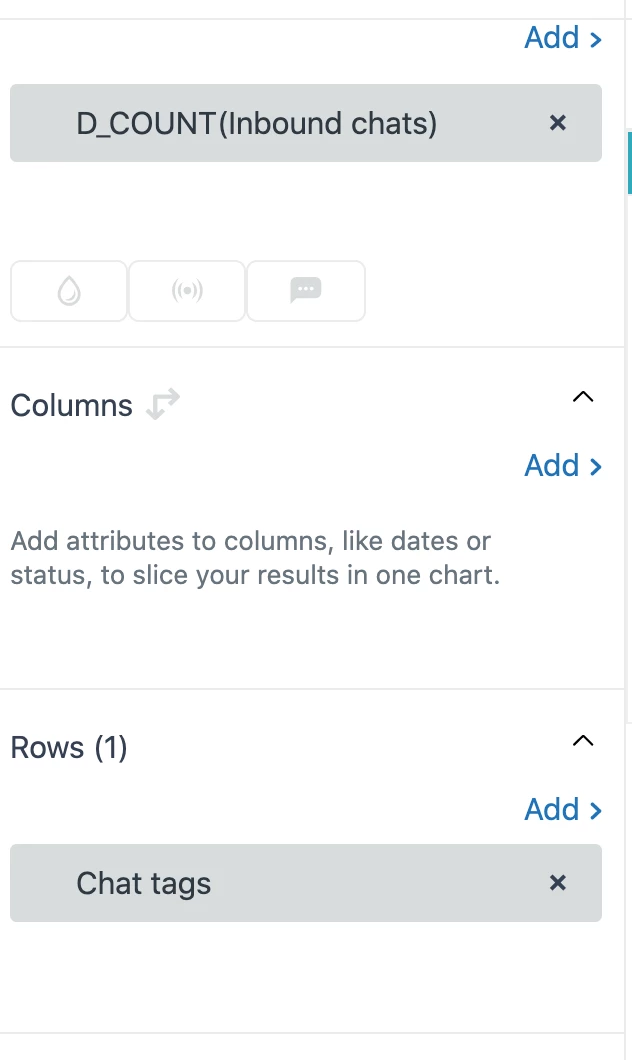
After you have created a trigger to apply a unique tag to each ticket coming from a unique webpage, you will then need to build your report based on these tags. Your query will look something like the screenshot below which will give you ​a report based on inbound chats and filtered by tags.


This is a very basic version of a report but you can customize this as you see fit to filter this information further.

Kind regards.

Shayne Traqueña