

My team leads need some of the common reporting that is on every dashboard to be scheduled and emailed to them. Because the default behavior for reports is to clone when you clone a tab (rather than using a multiple instance of the same report), we now have numerous clones of common reports (basically one each for each tab in each dashboard).
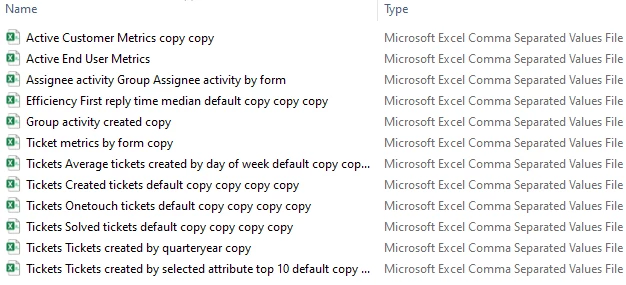
You can see the impact in the screenshot below - the files in scheduled deliveries look completely unprofessional. Additionally, if you want to use the Add > Add report button, there's a high likelihood that you won't know which one to choose ("am I looking for 'report copy copy copy' or 'report copy copy'?"
How can I best wrangle these? My main goal is to have the filenames be cleaner so that it's clearer to the team leads which file is relevant when they receive the scheduled delivery of the files.
Is the only option to go through and rename all of them manually from the reports library in Explore?

When cloning prebuilt dashboard, it is expected that queries will also be cloned. However, if you want to clone it again, it is advisable to clone the cloned dasboard for it will give you the abitlity to disable cloning of queries.
If you already have the cloned queries, the only way is to rename it manually.