First Reply Time - How to find which tickets caused the issue? | Community
Skip to main content

First Reply Time - How to find which tickets caused the issue?

  • April 29, 2021
  • 8 replies
  • 0 views

Our First Reply Time spiked yesterday. I need to find out which ticket caused this. How can this be done?

This topic has been closed for replies.

8 replies

Brett13
  • Community Manager
  • April 29, 2021

Hey Gerald,

I would recommend adding the Ticket ID attribute to your report so you can see the FRT for individual tickets. You can also configure your report to allow clickable links in your report so you can drill through directly to an individual ticket: Configuring clickable links to tickets

I hope this points you in the right direction!


  • Author
  • April 29, 2021

We don't have the Explore option. . . .

How do I add the Ticket ID attribute?


Brett13
  • Community Manager
  • April 29, 2021

Hey Gerald,

Where exactly are you pulling the FRT time from? I'm not aware of a way to show the exact ticket that caused the spike in FRT outside of using Explore unfortunately.

Let me know!


  • Author
  • April 29, 2021

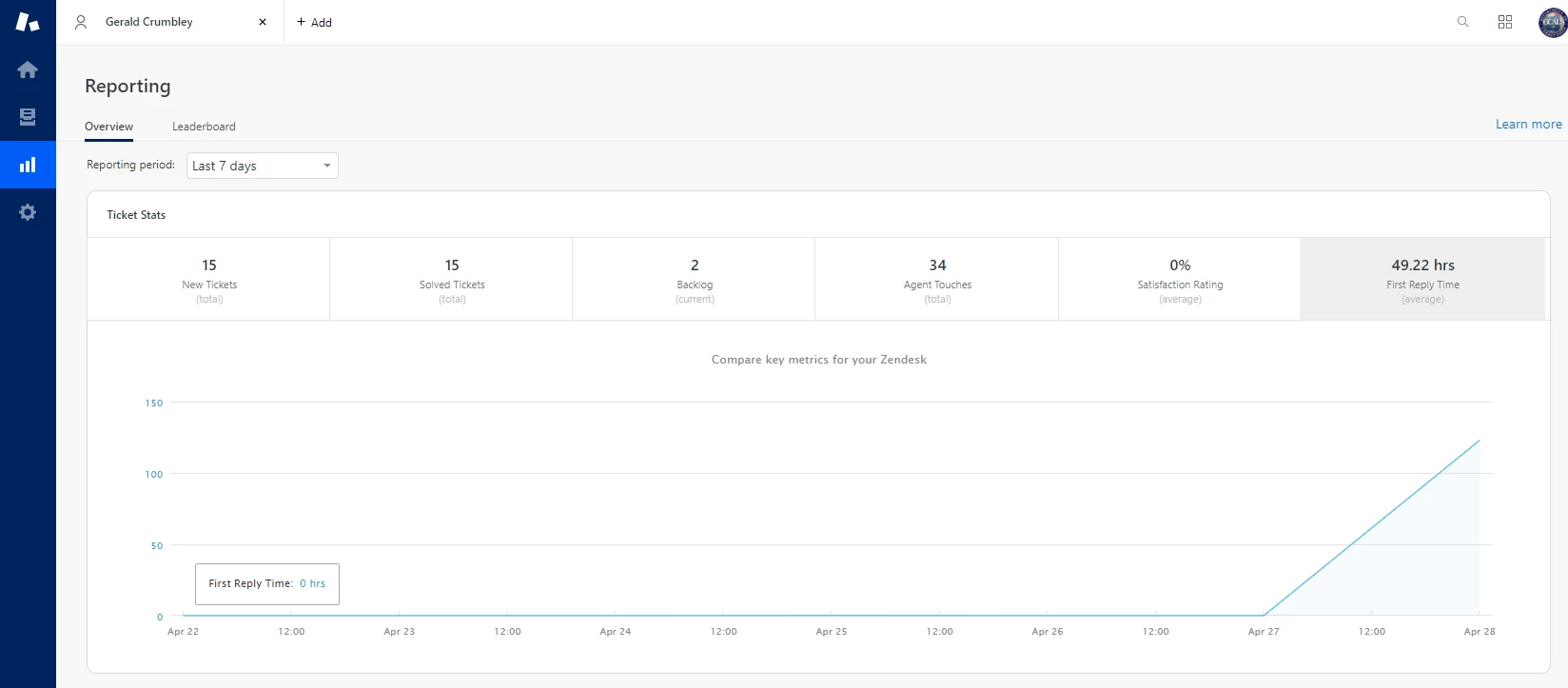
Here is the report page. I can narrow it down to two tickets yesterday. I think I found which ones, but there's a problem . . . . the two tickets were created and set to Pending at the same time. It seems that since no one actually "Responded" to the ticket, Zendesk is reporting it as "no response". Is that correct?


Brett13
  • Community Manager
  • April 29, 2021

Hey Gerald,

Thanks for getting back to me! That is correct and if the agent never responded when setting the ticket to pending, the FRT would still be ongoing. The only time the FRT metric is met is if an agent sends a public response to the requester of the tikcet.

Let me know if that doesn't make sense!


  • Author
  • April 29, 2021

So, if I get a phone call and handle it, and I create a ticket for the record, and set it to pending because I'm waiting for something . . . . it is considered never responded to?

That doesn't make sense to me . . . .


  • Author
  • April 29, 2021

Question:

If I delete those tickets (out of the deleted folder "forever") will they come off the report?


Brett13
  • Community Manager
  • April 29, 2021

He Gerald,

If you're using the native reporting within Zendesk then the deleted ticket would still show up in that report. To be able to customize what tickets show up in your report, for example, removing Talk tickets from your FRT metric, you'd need to use Explore to do so.