Hello,
I was wondering if it was possible to have multiple time filters on a reporting dashboard. One would filter the reports in the current period, and one would be a variance comparison.
Example: A Team Lead wants to compare how the team did this month compared to this month last year. How could they filter a report to show this data?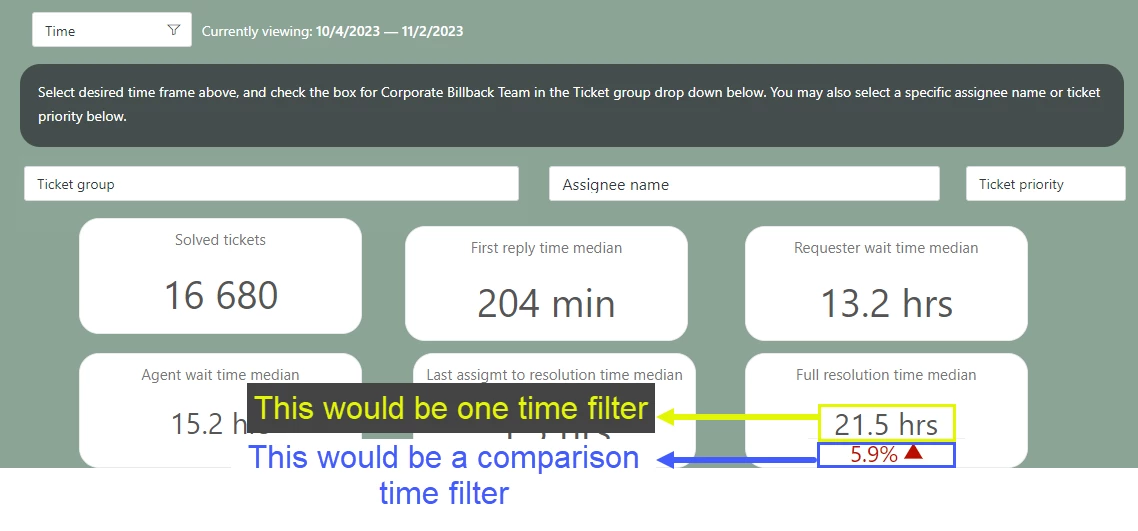 Currently, the variance reporting time filter has to be selected in the actual report build itself, making it almost a static variance report. We'd like something more dynamic for our teams to be able to utilize.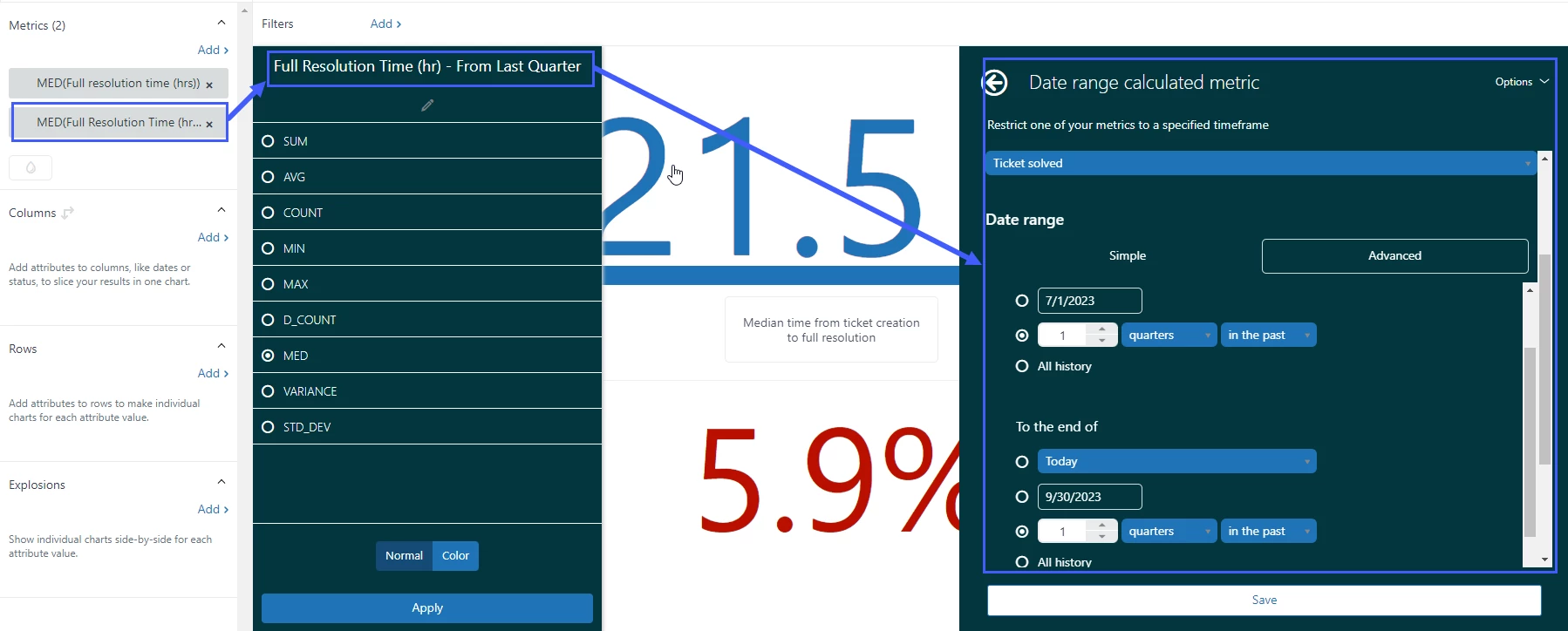

Explore Help: Multiple Time Filters for Date Comparison Variance Reporting


Login to the community
No account yet? Create an account
Enter your E-mail address. We'll send you an e-mail with instructions to reset your password.
Unfortunately, it is not possible to customize the time filter within the dashboard as it was set upon creating the date range calculated metrics.