Explore Dashboard builder - Report labels showing | Community
Skip to main content

Explore Dashboard builder - Report labels showing

  • February 12, 2024
  • 3 replies
  • 0 views

Hi there!
My report names started showing on the bottom of the reports in a dashboard, without any updates on my end.
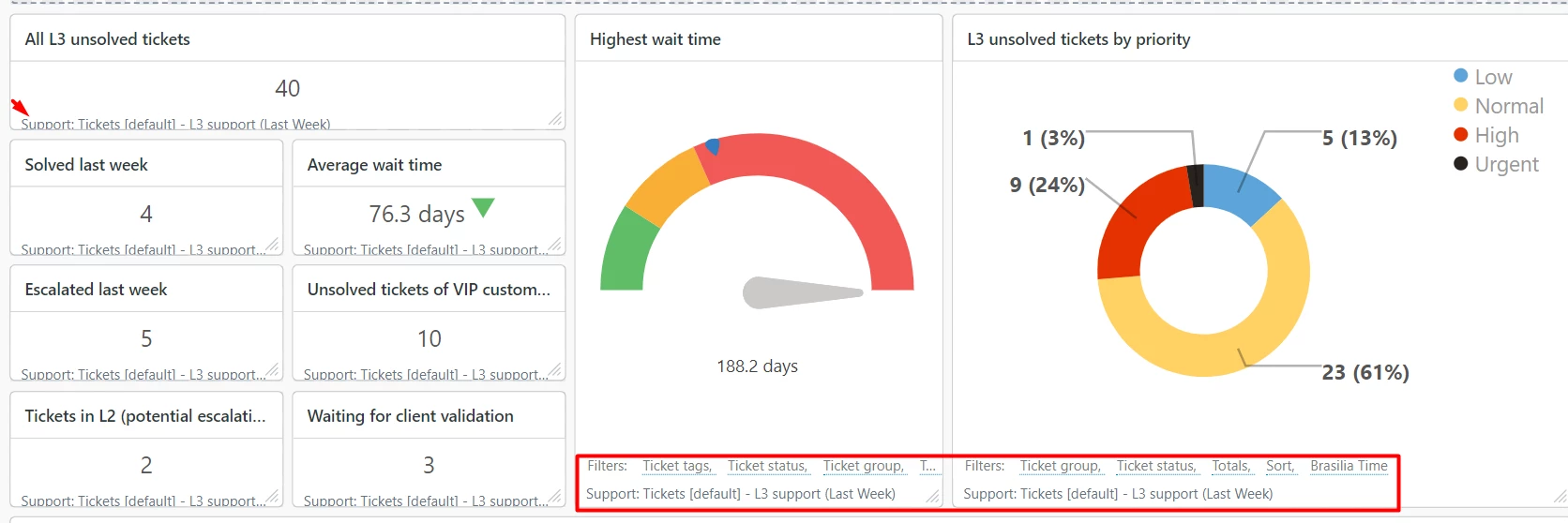
I'm not sure where to change this, I'd like to remove them.

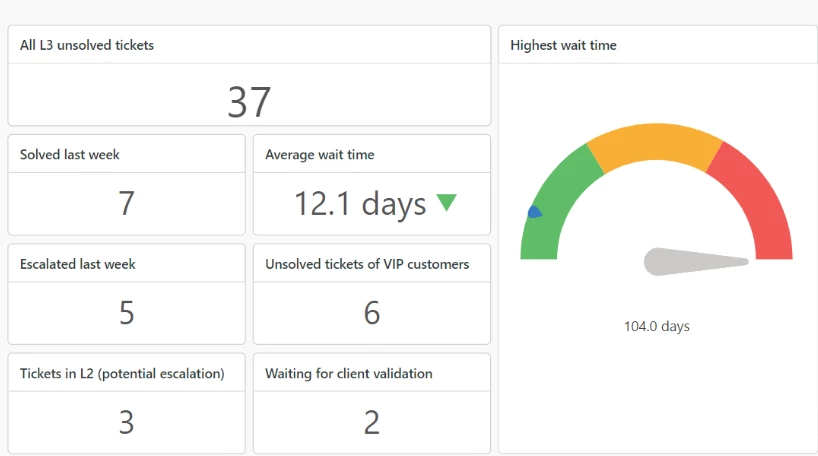
Last week they weren't showing (I take a screenshot every week for a meeting):

3 replies

Salim13
  • February 16, 2024
Hi Francesca,
 
It seems to be the list of the applied filters and the dataset.
 
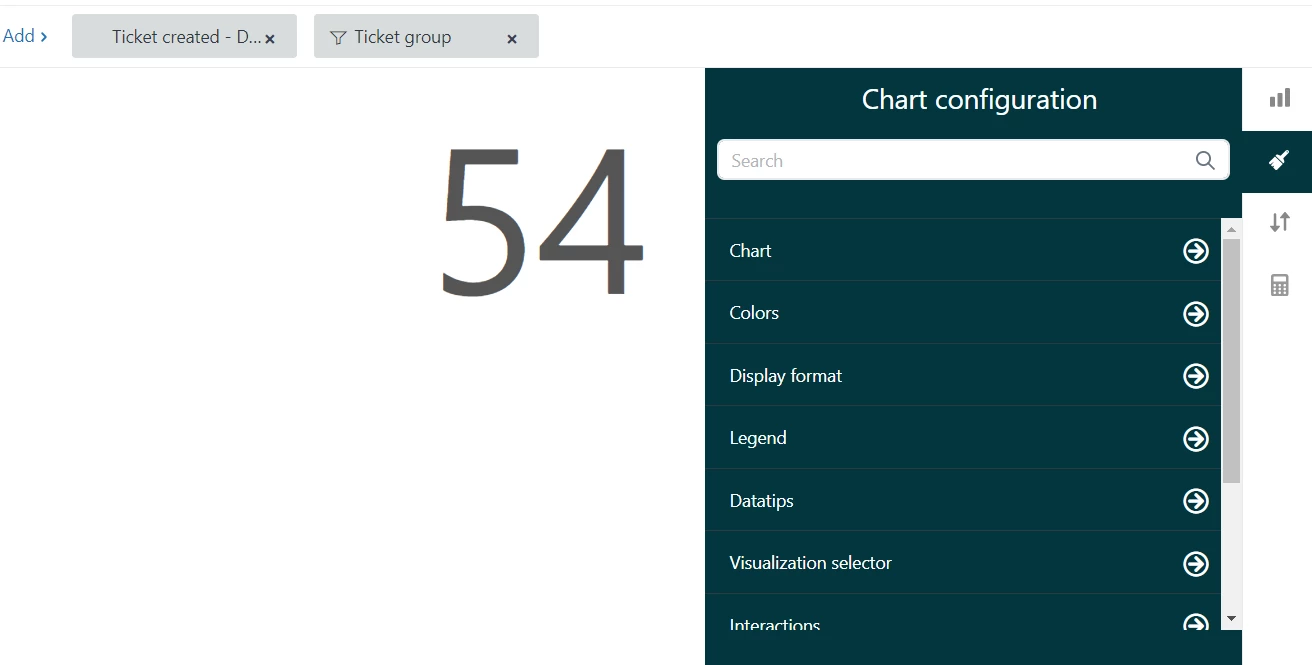
It might be because someone enabled some display settings for these reports just like in the example below


I hope this helps

  • Author
  • March 19, 2024

@salim13
I agree it appears to be it, but I couldn't find my way to the screen you posted. Maybe we're on different versions of the dashboard builder?

I know this setting is out there, but I can't find it.
Plus, it is still weird that it appeared enabled on all my reports out of the blue, now I have to fix one by one 


Zsa
  • March 26, 2024

Hello Francesca,

You seem to be viewing a report using the KPI visualization where the applied filters should no longer show, which is why it isn't showing as an option where you can disable in the Chart Configuration. 

If you try to change the visualization to "Pie", you should be able to see the option to disable "Show applied filters". However, for the name of the dataset, it seems to be expected behavior if you're using the beta dashboard builder, but in Classic, the name of the dataset should not be on the footer.