Dashboard Filters That Will Apply to Two Different Datasets | Community
Skip to main content

Dashboard Filters That Will Apply to Two Different Datasets

  • March 6, 2023
  • 5 replies
  • 0 views

gan

Hi,

I want to build an agent activity dashboard that will show the number of public comments, CSAT scores, and probably other stats as well, but for now, these are the main ones.

I created a report for the public comments using the Updates History dataset, and the CSAT report using the Tickets dataset.

I want the agents to filter the dashboard by their name and date and get relevant results. The problem is that there is no filter that will affect the two different datasets. I will need to add a pair of filters for each report.

What's a creative way to workaround this and have one name filter and one date filter for the agents?

Thanks!

5 replies

Zsa
  • April 11, 2023

Hello Gan,

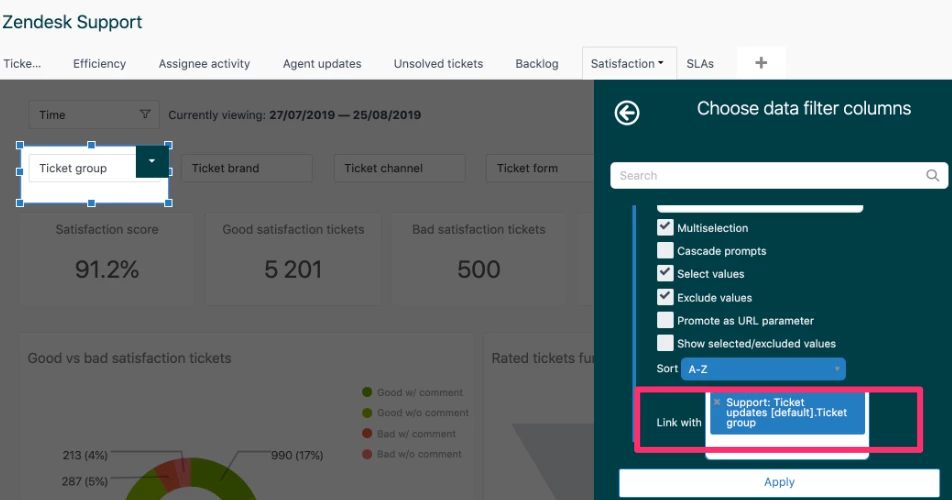
If you have multiple datasets in your dashboard, you can link the data filters to make sure that the filters are applied to all the reports regardless of the dataset used: 


More details about this here


  • July 14, 2023

@zsa

What if I want to use the Time Filter instead to apply it on two different datasets? For example on my dashboard I want to filter all newly created tickets for a specific date and I also want to show all the solved tickets for the same date?

Currently, I only have an option to apply the filter either on the Created date or the Solved date.

Thanks!


Zsa
  • July 20, 2023

Hello Sherwin,

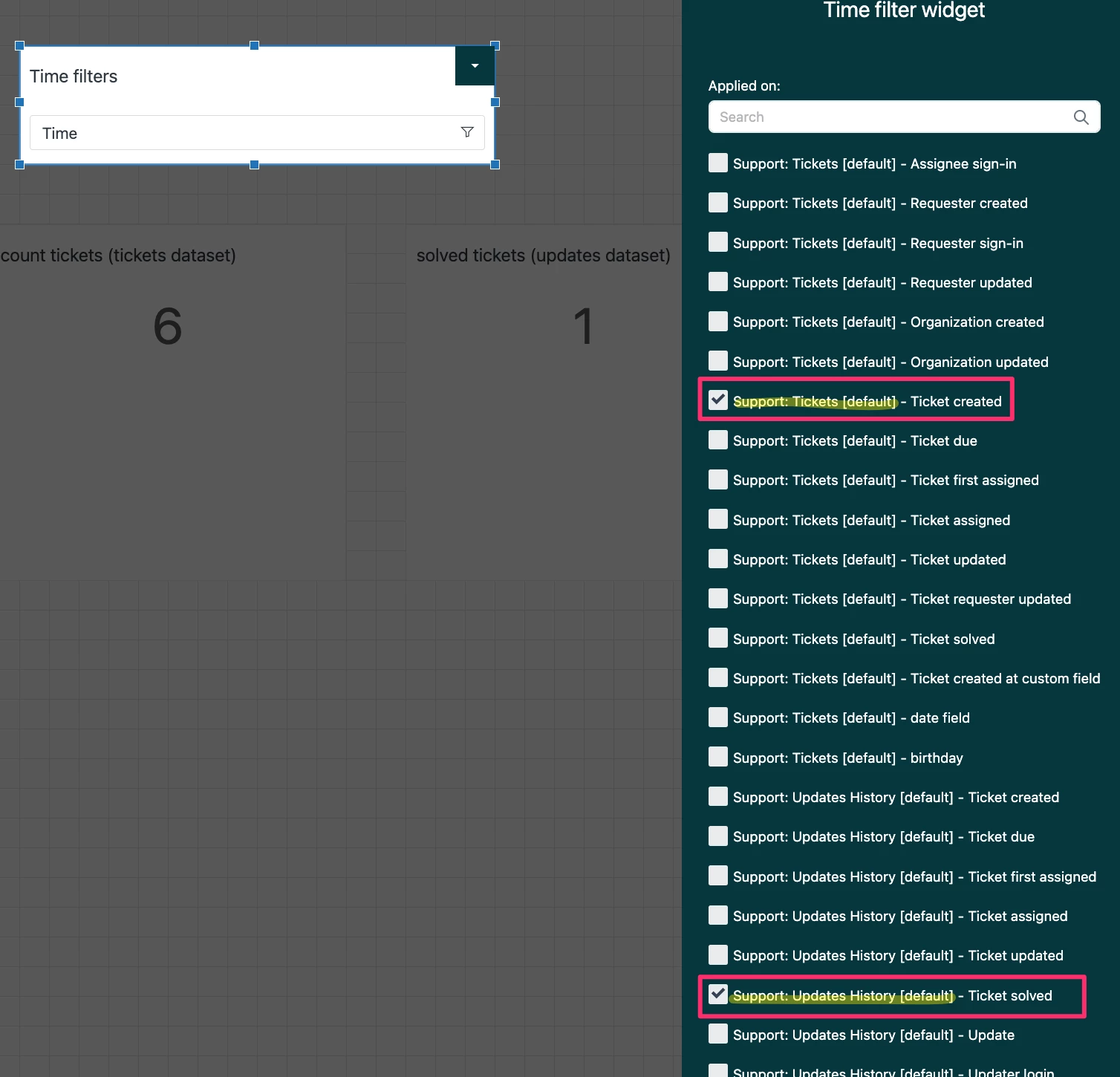
If you have created reports from different datasets, and would like to have them on the same dashboard and use the same time filter, you can select multiple time filters from the "Time filter widget" and select which should be applied to each dataset, the name of the dataset should be on the first part of the name of the filter, such as below: 

The corresponding filter would be applied to the report with the same dataset. 


Jay12
  • April 25, 2024

Hello,

Is the same functionality possible in the beta dashboard builder?


Shawna11
  • Community Manager
  • April 27, 2024
Hey Jay, thank you so much for taking the time to provide us with your feedback here. I wanted to point you in the direction of our Beta forum for Dashboard Builder. Check it out and see if the aswer to your question is there. If not, I would suggest submitting your feedback in the EAP for further consideration by out product team. Thank you!