Custom metric showing changes in a ticket field | Community
Skip to main content

Custom metric showing changes in a ticket field

  • February 12, 2020
  • 20 replies
  • 0 views

Hi,

I am trying to create a custom metric with the Ticket ID for tickets in which the ticket group changed from "Reparatur" to "Beschwerden". This is what I got so far:
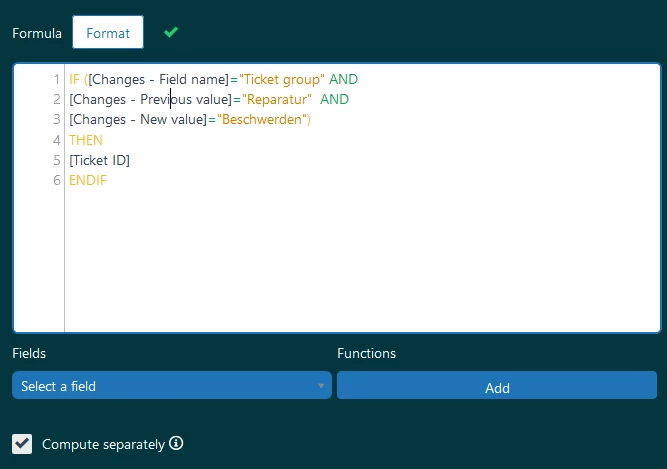
Unfortunately, the metric is only showing 0, even though I know for a fact, that there are tickets with exactly that change. Where did I go wrong?

20 replies

Marie-Cathrine

Hi Jessica,

To look at group changes, you should use the group IDs instead of their names and then use [Update ID] instead of [Ticket ID]. The metric should look something like this:

IF ([Changes - Field name] = "group_id" 
AND [Changes - Previous value] = "insert group id of old group here"
AND [Changes - New value] = "insert group id of new group here")
THEN [Update ID]
ENDIF

For more information on this topic, you can look at this recipe: https://support.zendesk.com/hc/en-us/articles/360025454293-Explore-recipe-Tracking-ticket-assigns-across-groups

#helpsome regards,
Marie-Cathrine Sørensen
Business Intelligence Analyst @ helphouse.io


  • Author
  • February 12, 2020

Hi Marie-Cathrine,

That way it worked. Thanks a lot for your help!


  • Author
  • February 14, 2020

Hi Marie-Cathrine,

Since you were such a great help last time around, I was wondering if you also know how I can access changes in custom field options. More specifically, I want to track a change in a custom ticket field from it was 'xyz' to it is 'not xyz'. I have tried different ways so far but none of them work.


Marie-Cathrine

Hi Jessica,

Here is how I would do it:

  1. Paste the formula from above into where you create calculated metrics
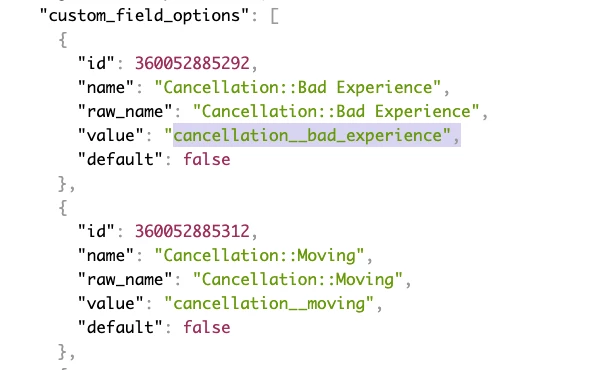
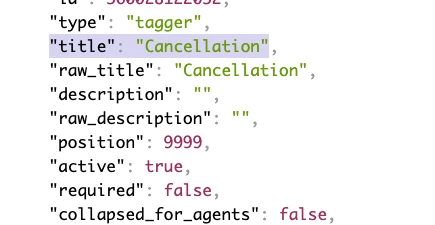
  2. Access the ticket fields endpoint from the API: your-subdomain.zendesk.com/api/v2/ticket_fields.json
  3. Find the ticket field (you can search for the name of the field)
  4. Paste the value from the title property into the field name in the formula
  5. Paste the values of the value properties for the previous and new values into the formula

I hope this helps :)


  • Author
  • February 14, 2020

Thank you so much! I had tried ID and name before, but not value. I am still quite new to zendesk, so I'm only starting to understand its quirks.


Marie-Cathrine

You're welcome, glad I could help :) 


  • September 4, 2020

Hi there,


I was wondering if we are able to build a custom metric for when a checkbox goes from False to True - I've tried a bunch of different methods but it doesn't seem to want to work. I also checked our ticket_fields.json and there are no "Value" sections like above.

IF ([Changes - Field name] = "Needs RS Assistance"
AND [Changes - Previous value] = FALSE
AND [Changes - New value] = TRUE )
THEN [Update ID]
ENDIF

This seems to be returning a "Blank" instead of 0 currently.

We also want to record the date of each switch.


  • September 4, 2020

Nevermind! Just figured it out, unchecked value is 0, checked is 1!


  • February 11, 2021

Hi,

[Changes - Field name] = "group_id"

May I change "group_id" to "role_id"?

Is this syntax practical, if I want to check the custom roles change? (Support Enterprise Plan)


Taylor18
  • February 12, 2021

Hi @Kamolchanok Jittrepit, 

Unfortunately, role_id is not a reportable value for the changes - field name attribute at this time. I recommend posting in our Explore Product Feedback Community

Best, 


  • February 17, 2021

@Taylor Bowser Hi Taylor!

I have a similar problem as per Kamolchanok Jittrepit' s one.

I am trying to count Ticket IDs who changed the brand, I adapted the formula in this way (using brand IDs) but with no results.

IF ([Changes - Field name] = "Ticket brand" AND
[Changes - Previous value] = "301432" AND
[Changes - New value] = "3288609") THEN
[Ticket ID]
ENDIF

Do you have any suggestions?

Thanks and Ciao from Italy!


Taylor18
  • February 17, 2021

Hi @Diego, 

This one is doable! You'll want to adjust the formula to match the following. 

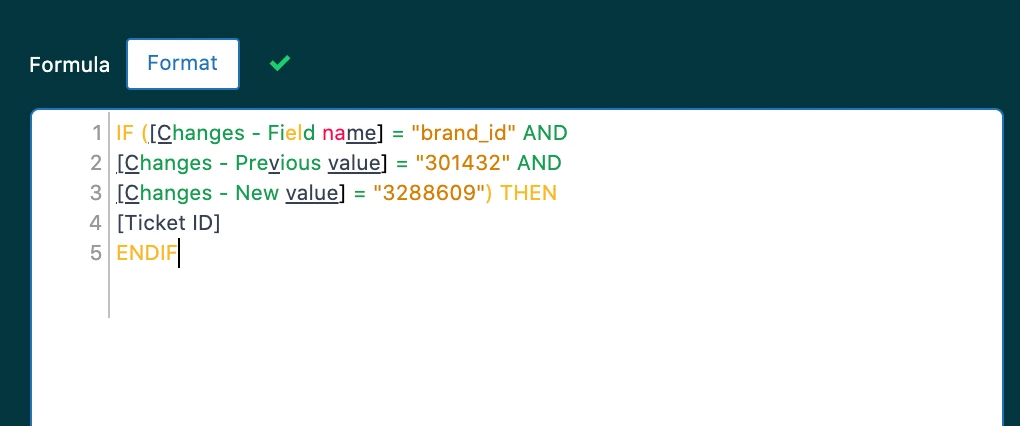
IF ([Changes - Field name] = "brand_id" AND
[Changes - Previous value] = "301432" AND
[Changes - New value] = "3288609") THEN
[Ticket ID]
ENDIF

Hope this helps!


  • February 17, 2021

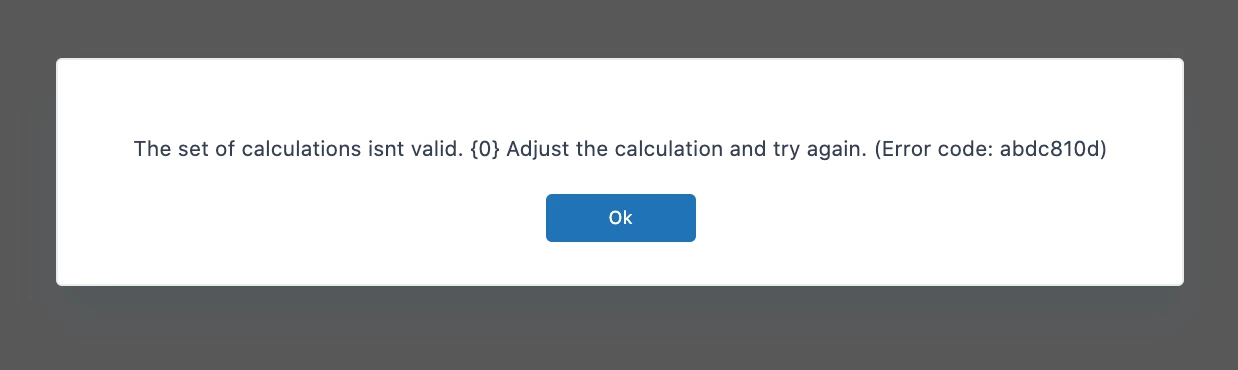
376119785893 Thank a lot for your response, I just pasted the formula but the query returns this error :/ do you know why?


Taylor18
  • February 19, 2021

Hi @Diego, 

Can you double check that you're using the Support: Ticket Updates dataset when building this custom metric? 

Best, 


  • December 29, 2022

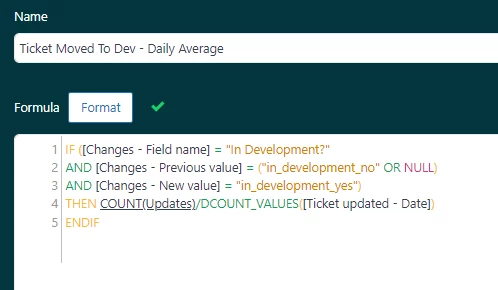
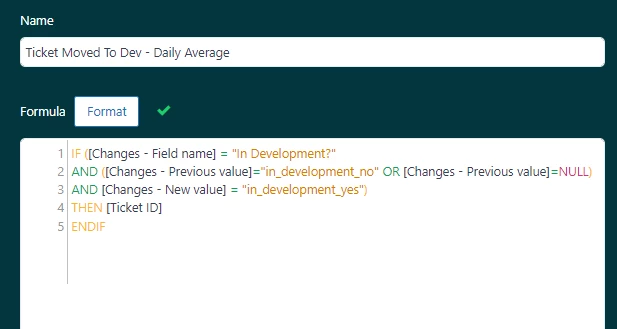
This post has been very helpful! I need to go one step further and calculate the daily average an agent changes a custom field to "yes." We have an integration with Jira and in order to track which cases have been "sent to development" we change a custom field from blank or "no" to "yes." Here is the formula I am trying:

I modified the daily averages formula from the Zendesk default "Tickets solved - Daily average" to create my THEN statement, but it is not pulling in the data I need. What am I missing?


  • January 3, 2023
Hi Hope,

Can you modify this condition in your formula – 

– to something like this?
AND ([Changes - Previous value]="in_development_no" OR [Changes - Previous value]=NULL)

  • January 3, 2023

Gab, 

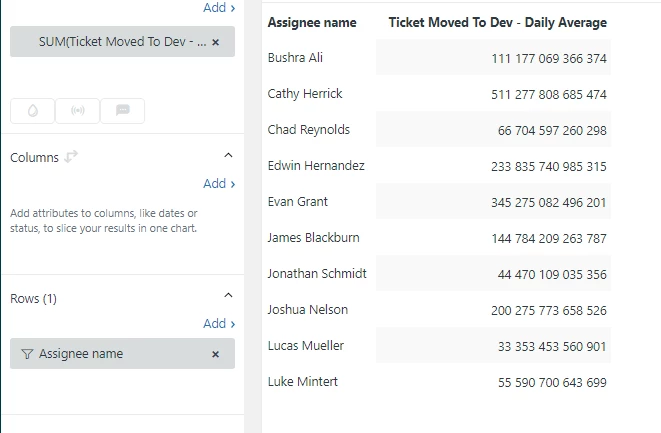
Thanks for the tip! I changed that and its closer.. But it looks like its pulling in the update ID instead of a count of the Ticket ID. 

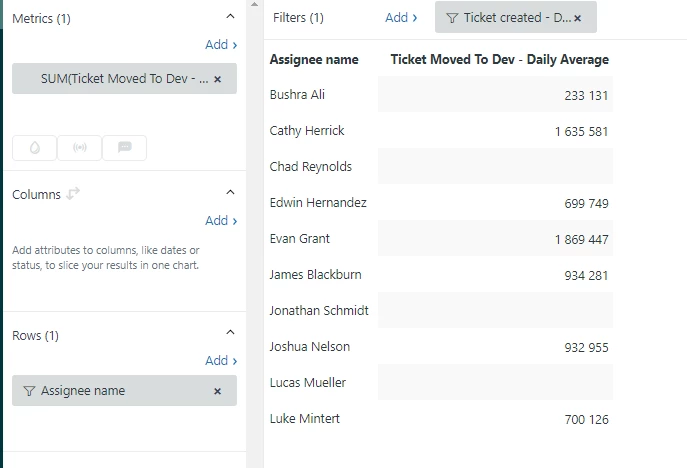
I changed the metric to pull the Ticket ID at the end, but the numbers are way off:

I would expect the numbers to be from 2-4.


  • Author
  • January 3, 2023

Hi Hope,

I think this might be because you are using "sum" as an aggregator. So it just adds up all the IDs.


  • January 3, 2023

Aha! That was it. I changed it to "COUNT" and it worked. Should have seen that one! Thank you so much!


Hannah12
  • August 20, 2024

Hello!

Is there a way to report on when a field value changes and what the original value and new value is? Preferrably the UI value and not the API # value?