Creating calculated metric with ticket custom field | Community
Skip to main content

Creating calculated metric with ticket custom field

  • March 8, 2021
  • 5 replies
  • 0 views

Hi,

I'm trying to recreate some of our Insights metrics which use custom fields but can't figure out how to do so. Does anyone know how to create a formula that does a distinct count of tickets created for a specific ticket custom field?

Our formula in Insights is:

SELECT # Tickets WHERE Ticket Group IN (Open Access) AND #Manuscript title <> - AND Test <> true

I tried following this https://support.zendesk.com/hc/en-us/articles/360047452734-Explore-recipe-Count-of-tickets-for-a-custom-ticket-field-value, but I end up with a table and not a metric. 


5 replies

Christophe17

Hi Dominic,

In Explore, numeric fields are considered as a metric. So you would need first to convert #Manuscript title, which seems to be a numeric field, as an attribute. This article explains how to do it:

Once you converted #Manuscript title to an attribute, we can use it to build this metric:

IF ((([Ticket group] = "Open Access") AND ([Manuscript title] != "-" ) AND ([Test] != TRUE))) THEN [Ticket ID] ENDIF

You can directly copy paste this metric. Here are more information about creating metrics:

I hope this helps!


  • Author
  • March 23, 2021

Hi,

Thanks for this. Our #Manuscript title ticket custom field is not numeric it's text (sorry should have been more specific). Is it still possible to do this using a text field? It would basically be counting all of the tickets where this field has been filled in.

Thanks,

Dominic


Taline
  • May 27, 2021

Hi, 

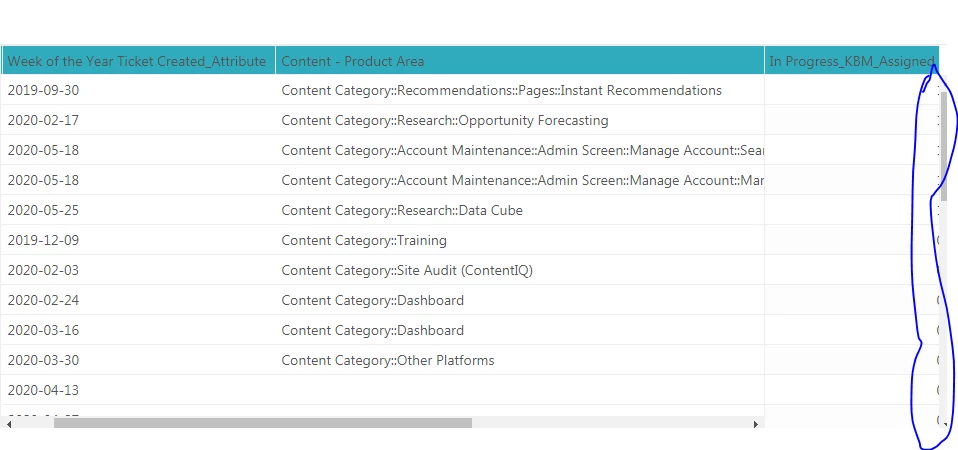
I used the formulas here and I noticed that the calculated custom metric is providing 1 and 0 values. Is there a way to filter the metric to show 1 only. 


ZZ55
  • May 28, 2021

Taline

Have a look at the metric filter article here.

Hope that helps 


Taline
  • May 28, 2021

Hi Graeme, 

That helps. Thank you!

Taline