Chat Concurrency - What is this supposed to show? | Community
Skip to main content

Chat Concurrency - What is this supposed to show?

  • November 26, 2021
  • 7 replies
  • 0 views

CJ99

Hi, 
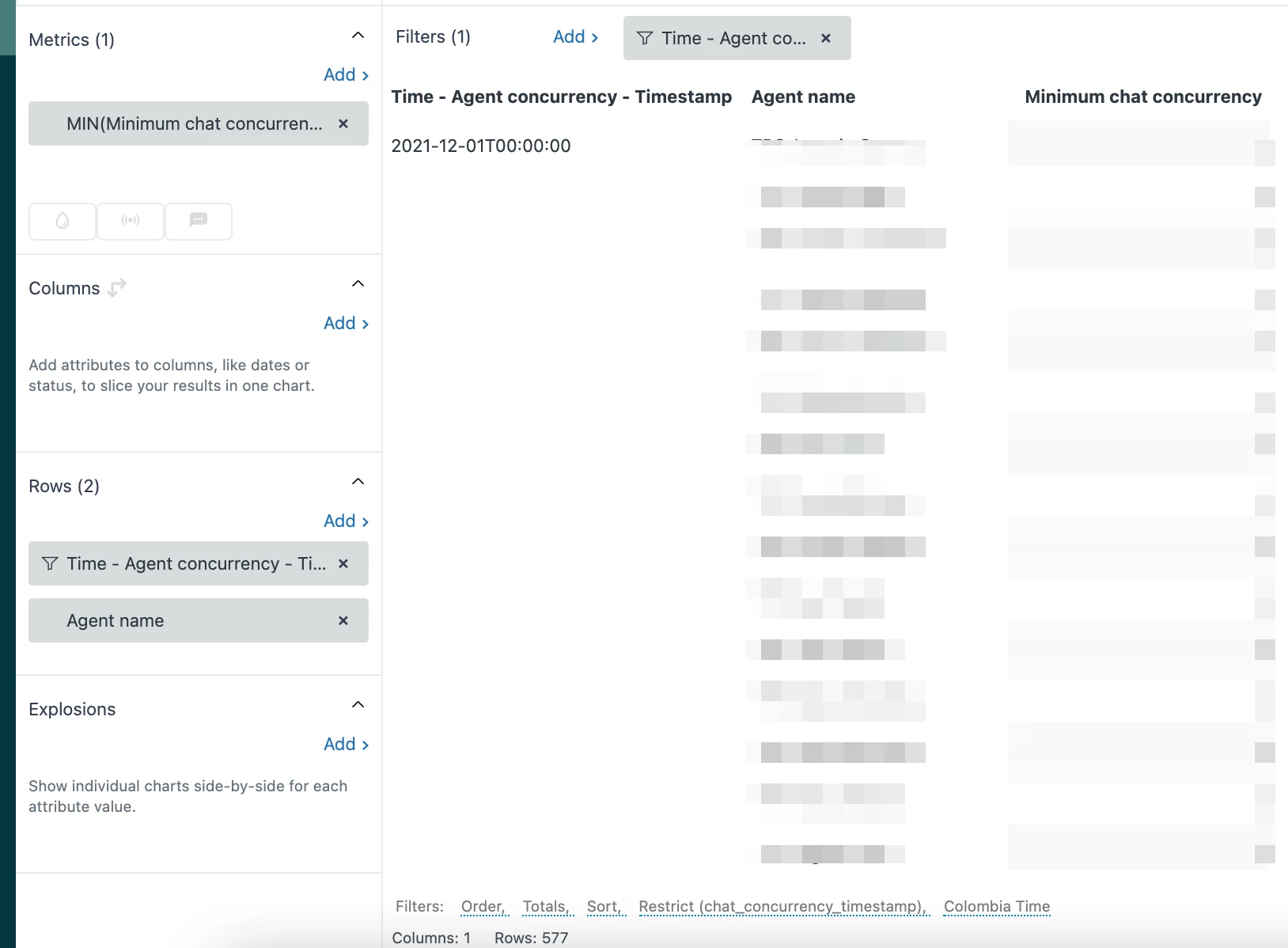
I was asked to post this here. When I look at Chat Concurrency for a specific day and hour, I see 5 agents displayed with a chat concurrency result (Min if it matters, the results are the same no matter what calculation type I used though). There was 15 agents online and available on chat at the time. Why do I not see every agent who was online and available during the hour I am viewing for concurrency? I have screenshots from that same hour proving there was more online, available agents than the names listed. 

7 replies

Dave12
  • December 2, 2021
Hi CJ, I'll see what i can find out. To make sure I understand: it sounds like you've built a query using the Minimum concurrent chats metric from the Chat Concurrency dataset, and you've broken it down by Agent (via rows? drill-in?) for a specific period of time, and the question is, what determines which agents will be represented there? 

CJ99
  • Author
  • December 3, 2021

Yep, I have agent name as the rows and also timestamp. In a given hour, I can see for instance, 15 agent names listed with a minimum value, but 23 agents were online and available during that same hour. It's like it's a random selection of agents for each hour and doesn't make any sense. 

Edit: And I should preemptively confirm that I have my timezone in Explore, and the timezone of the snapshots of what agents were online and available in the chat platform, in sync. I didn't take the snapshots personally, and I set my timezone to match the visible timezone in the snapshots, so I'm quite sure I'm not just mismatching timezones. 


CJ99
  • Author
  • December 3, 2021

I have been informed that Chat Concurrency doesn't display the chat concurrency for the agents who were available online during a time period. It ONLY displays the chat concurrency for "agents who were available and online and accepted at least one chat". So if you had more agents than chats during the time period, you won't see anyone who didn't accept any chats, listed, and cannot use this to calculate the maximum volume received vs actual volume, or anything else that I would have used this for, unfortunately. 


Dave12
  • December 17, 2021
Hey CJ., thanks for the followup, and I'm sorry it's not giving you what you need. Have you created a product feedback post on your needs here? 

CJ99
  • Author
  • December 17, 2021

Hi Dave, 

I've been waiting for support to get back to me, as they told me this seemed like a bug and not the correct behavior. 


CJ99
  • Author
  • July 13, 2022

Just as an update, it's been confirmed this dataset is broken and cannot return correct values, and continues to remain broken. I've been told to watch the release notes but that it's not a priority to Zendesk to fix, so I shouldn't expect it any time soon. Disappointing, but it explains why nobody could figure out how this was being calculated. 


CJ99
  • Author
  • October 21, 2022

I'm really not happy that this is marked "answered" when the answer was "Oops! It was broken." It's still broken *to this day*. How is this an answer?