Average Ticket Age Backlog Timeline (Not by ticket create) | Community
Skip to main content

Average Ticket Age Backlog Timeline (Not by ticket create)

  • September 25, 2019
  • 4 replies
  • 0 views

I'm attempting to report on the impact of ticket age month over month. Similar to the backlog evolution report, I need to understand the average age of tickets that were in the backlog month over month.


Insights only lets me plot the data by ticket create date which isn't helpful to me.

4 replies

Chris112
  • September 27, 2019

Hello Mani,


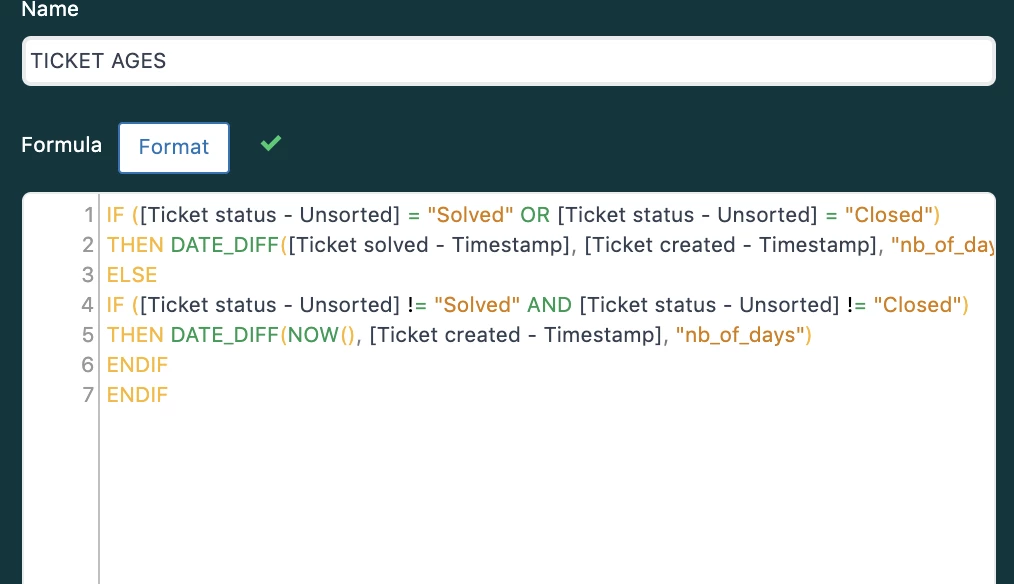
You can do this in Explore using a custom metric. I have created an example I will share the screenshots of it here with you. Here is the metric I created to get that age of tickets in days.

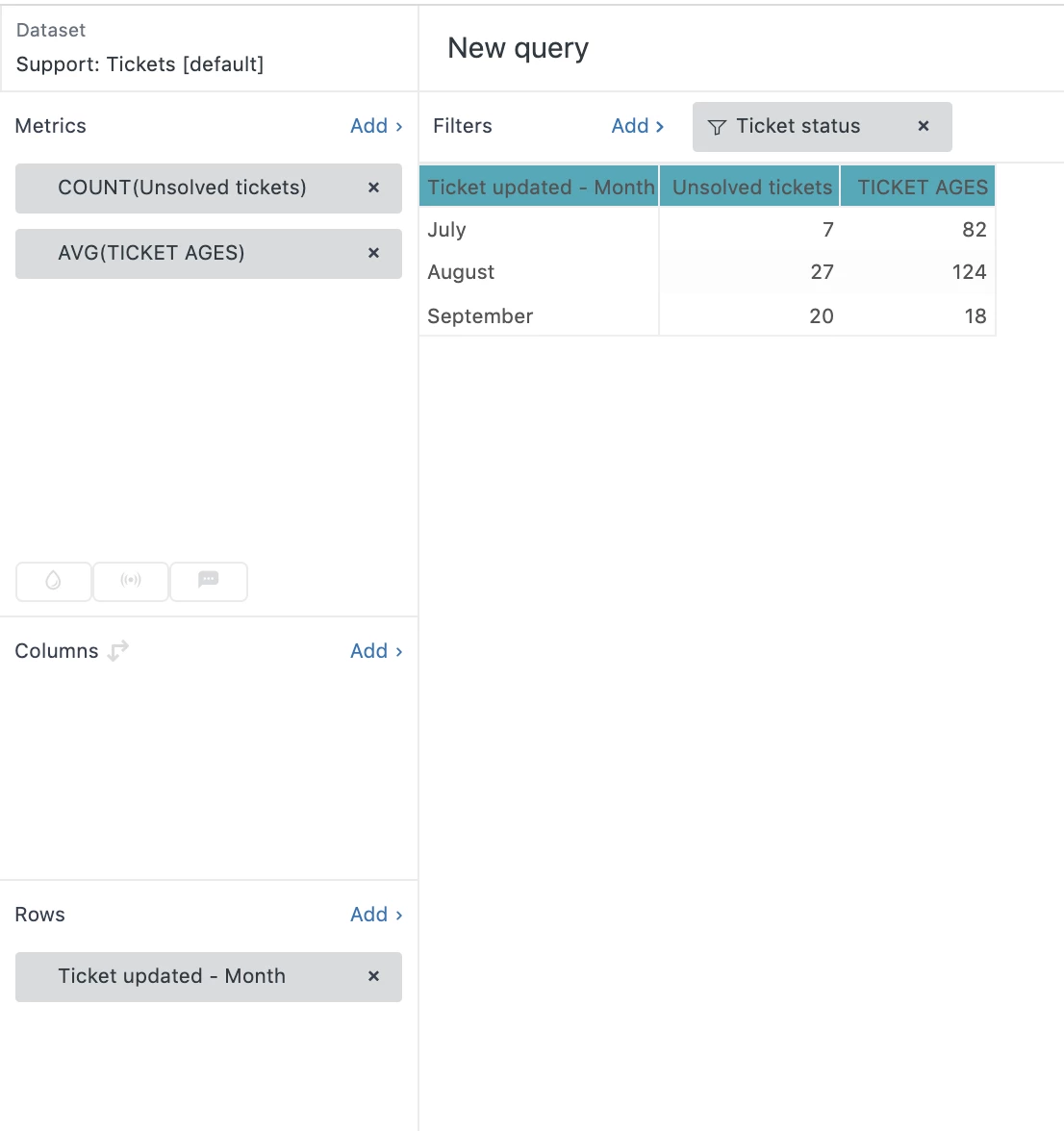
Then I created the report like this.

I hope this helps!


Best,

Chris H


Hi Chris,

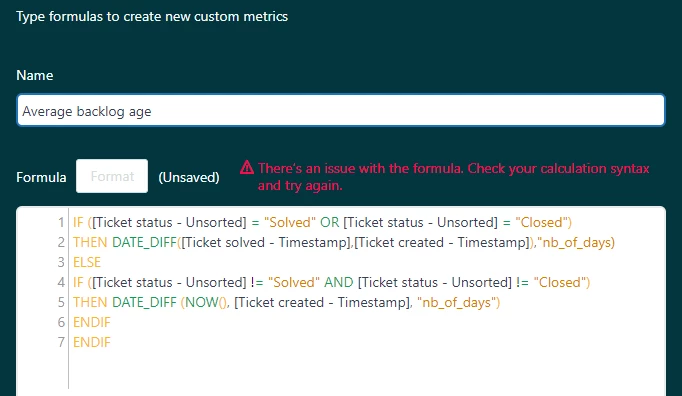
Even I had the same question, when I tried the above query I got syntax error, 
and im expecting differences in hours. not days. Need your help

Thanks
Ranga


ZZ55
  • November 4, 2020

Ranga

We can make this a little simpler:

IF [Ticket status - Unsorted]="Solved" or [Ticket status - Unsorted]="Closed"
THEN DATE_DIFF([Ticket solved - Timestamp],[Ticket created - Timestamp],"nb_of_days")
ELSE
DATE_DIFF( NOW() ,[Ticket created - Timestamp],"nb_of_days")
ENDIF

To age in hours rather than days, change the "nb_of_days" parameter to "nb_of_hours":

IF [Ticket status - Unsorted]="Solved" or [Ticket status - Unsorted]="Closed"
THEN DATE_DIFF([Ticket solved - Timestamp],[Ticket created - Timestamp],"nb_of_hours")
ELSE
DATE_DIFF( NOW() ,[Ticket created - Timestamp],"nb_of_hours")
ENDIF


Hey Graeme,

Thanks for your help. it worked.