
Please let me know how to do settings for using Zendesk AI chatbot correctly.
We applied to Zendesk and got the feature to provide AI chatbot to our customers today. The widget was displayed on our Guide, but we thought it was not working correctly. Because the bot said the following message in Japanese.
"Sorry, we were unable to answer your question. The following topic may be helpful."
Whatever the question, he answers same. How can we get the answer based on our Guide?

By default, your AI agent’s language matches the account's default language, but you can easily change it whenever you need to.
For the best experience and to keep things clear, it’s a good idea to have the AI agent’s language match the language used in its standard replies.
To configure a default language for an AI agent
- In Admin Center, click
 AI in the sidebar, then select AI agents > AI agents.
- Click the AI agent you want to configure a default language for.
- Click the Settings tab.
- Click the Language section to expand it.
-
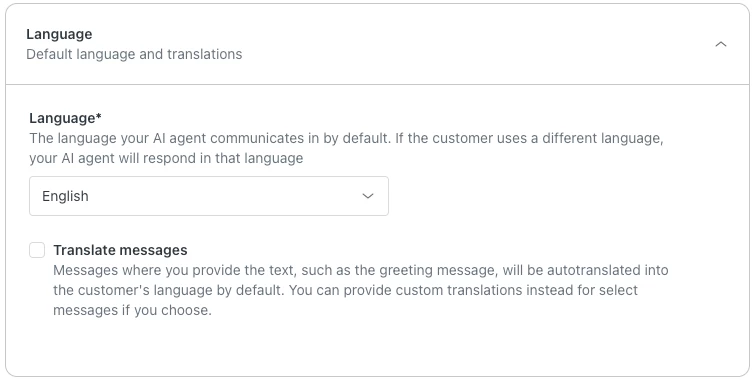
Your changes are automatically saved, but updates to the AI agent’s default language won’t be presented to customers until you publish the AI agent.Use the drop-down menu to select your language.
You can check the following articles to further configure your Zendesk AI chatbot
How can I train my AI agent and improve suggestions?
Managing languages and translation support in AI agents
Configuring Zendesk Support for your locale and language
I hope this helps!