

Hi Everyone,
Im helping our CRM configuring there Conversation bot/Chat bot on Checking for agent availability. He provided a link to me as her guide on setting up. https://internalnote.com/a-full-guide-to-handling-agent-availability-in-zendesk-messaging/#checking-for-agent-availability
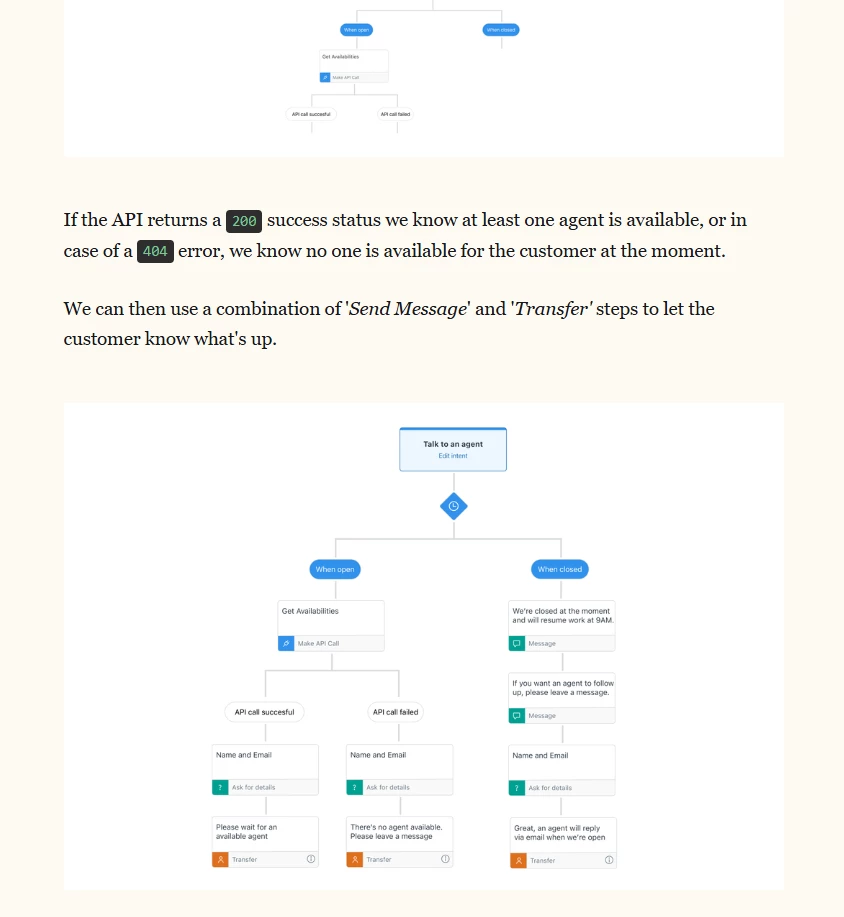
On article it said this the endpoint.
GET 'https://domain.zendesk.com/api/v2/agent_availabilities?filter[channel_status]=messaging%3Aonline'
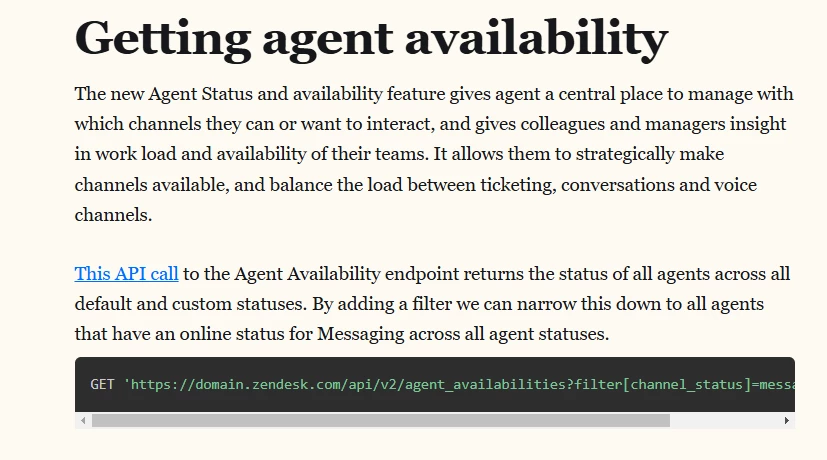
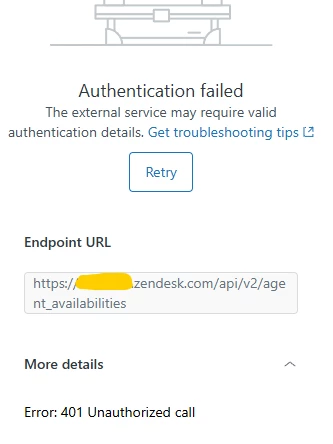
But when i try it. Im receiving an Error 401 which is related to authentication.

Thanks for sharing the details and the setup guide you’re following — that’s a great approach for checking agent availability through the Conversation Bot!
Regarding the 401 authentication error, this usually indicates that the API token or credentials being used don’t have the necessary permissions or that the request wasn’t authenticated correctly. Here are a few things to double-check:
-
-
Basic Auth with your Zendesk email address and an API token (email/token:API_token), or
-
OAuth if your environment requires scoped access.
-
-
-
Once those are set up, try running the GET call again in Postman or a similar tool to confirm that the authentication is valid. You should receive a 200 OK response with the list of available agents.Authentication Method – Make sure you’re using either:
Permissions – The account making the call must be an admin or agent with access to the Agent Status API feature. If this is being done through a bot or integration, make sure the associated role has Manage channels permission.
Endpoint Domain – Replace domain.zendesk.com with your actual Zendesk subdomain (for example: mycompany.zendesk.com).
Agent Workspace – Confirm that Agent Workspace and Agent Availability are enabled in your account, as this specific API depends on both being active.
Hope this helps clear up the 401 error! Please let me know how it goes — I’ll keep my fingers crossed this gets resolved quickly, and I’ll hope Zendesk considers adding more clarity around API authentication in this area soon.