Automations | Community
Skip to main content

Automations

  • August 10, 2021
  • 10 replies
  • 0 views

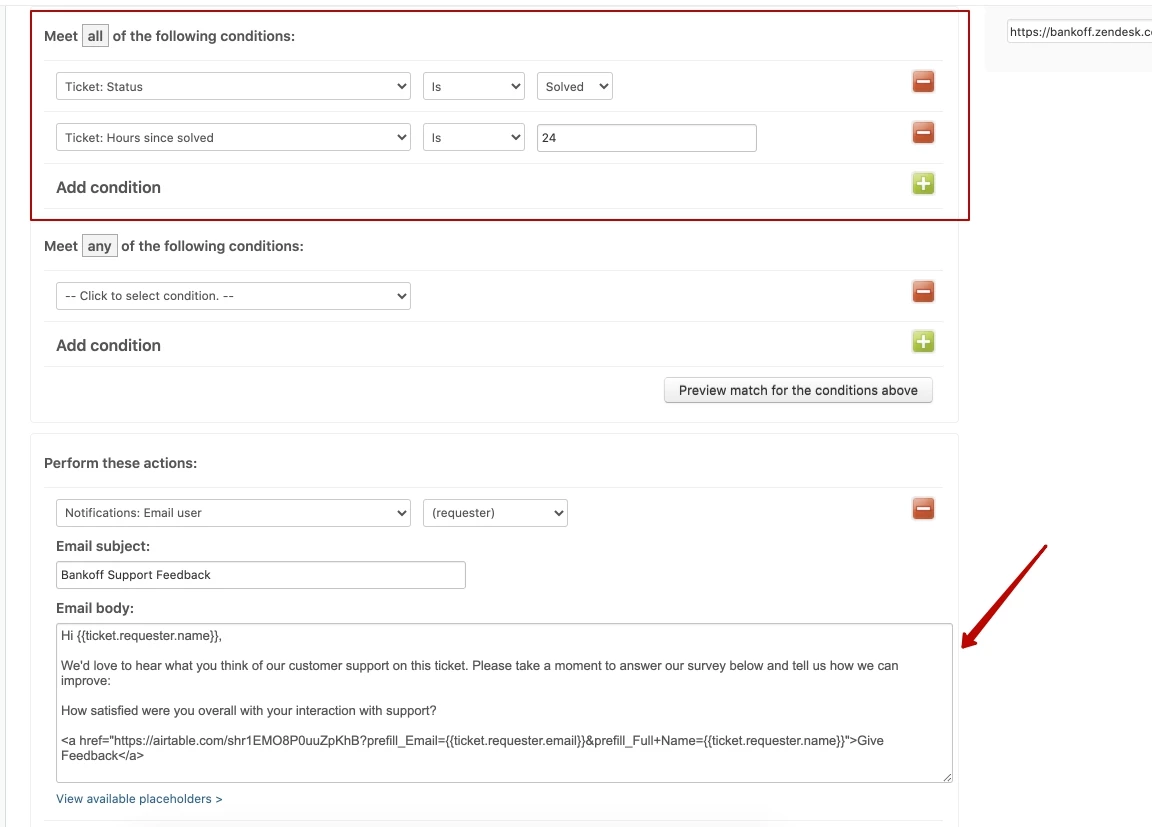
Hi there. I added automation to get feedback from the customers whose ticket is solved and the Hours since solved is 24. Unfortunately, automation has not sent any emails to the customers. The email is:

<a href="https://airtable.com/shr1EMO8P0uuZpKhB?prefill_Email={{ticket.requester.email}}&prefill_Full+Name={{ticket.requester.name}}">Give Feedback</a>

Could you please help me to solve this issue?
10 replies

Pedro17
  • August 10, 2021

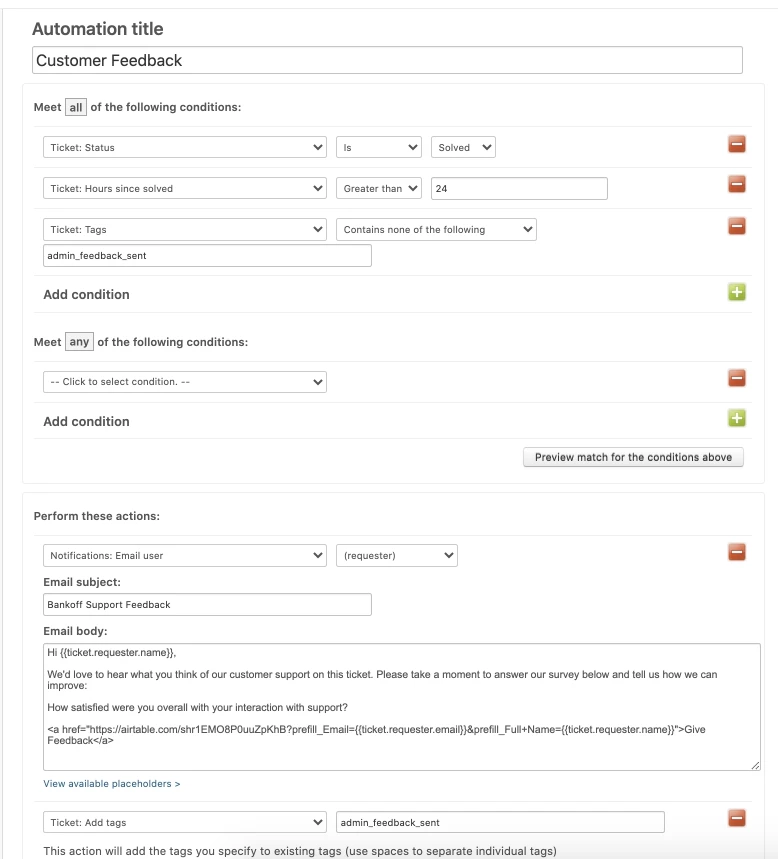
Hi @Rustam Samadzade, I'd suggest changing the "Hours since solved" condition to "Greater than" 23 or 24. This is because using "is" only gives your automation a one-hour window to be true and fire (more about this here). This could be the main reason why it still hasn't fired.

I'd also recommend adding a "Tags contain none of the following condition" and add a control tag ('admin_feedback_sent', for example). Then you can add an action to Add tags = 'admin_feedback_sent'. This way you ensure this only fires once per ticket.

Hope this helps, but please let us know if it doesn't.

Tip: you can clone the existing automation to create a test automation with an extra condition (i.e. if tags include 'admin_test_auto', which you add to test tickets), and have it run when hours since solve > 1 for example.


  • Author
  • August 10, 2021

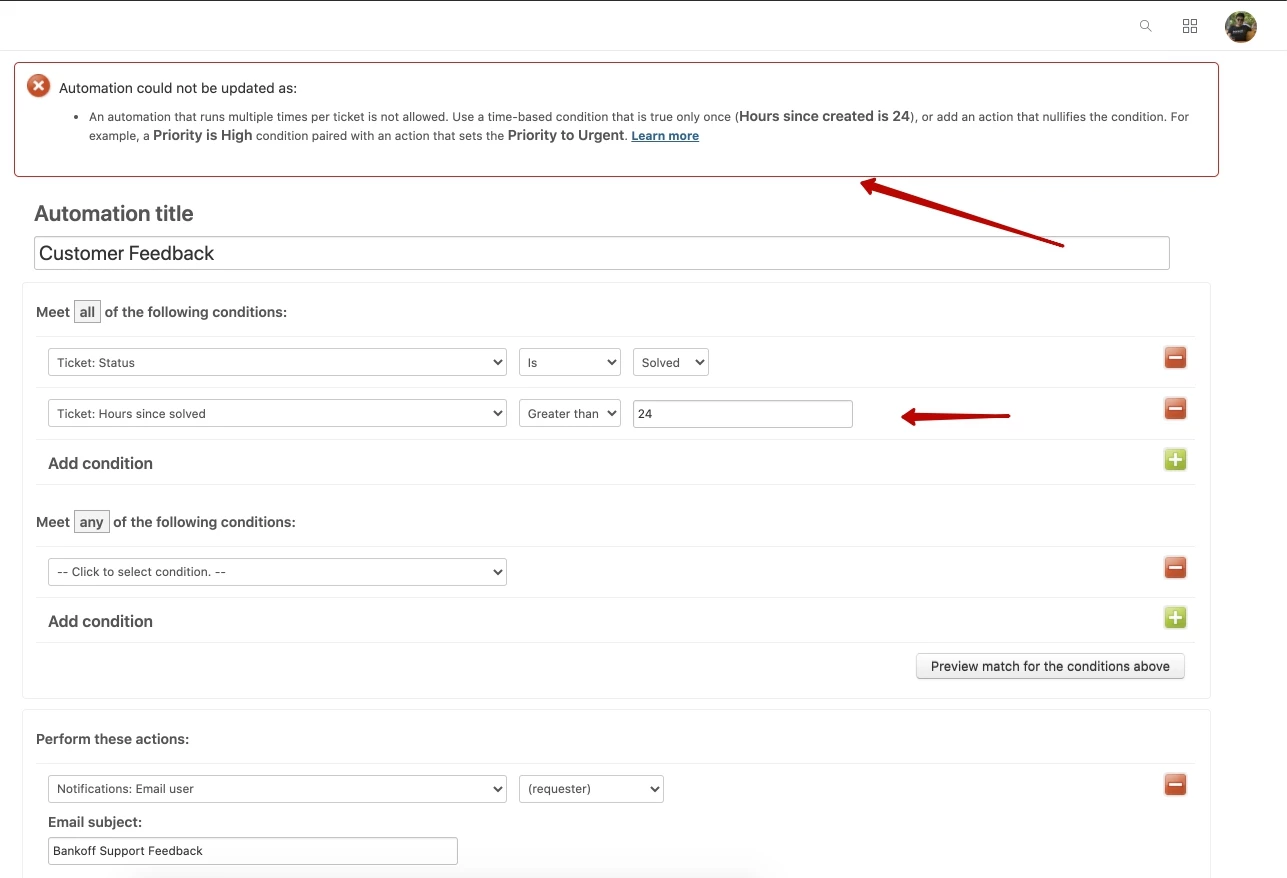
Hi 314006666! I could not change the condition.


Pedro17
  • August 10, 2021

Hi @Rustam Samadzade, that's because you don't have a nullifying condition, like the alert says. Consider adding the tag suggestion I shared before, and it should work :-)


  • Author
  • August 10, 2021

I thought that the tags were the 2nd option. I will try it. Thanks.


  • Author
  • August 12, 2021

Hi 314006666. It still does not work - http://joxi.ru/D2PnLL9tBv0gZr. Is it because of email's body?


Pedro17
  • August 12, 2021

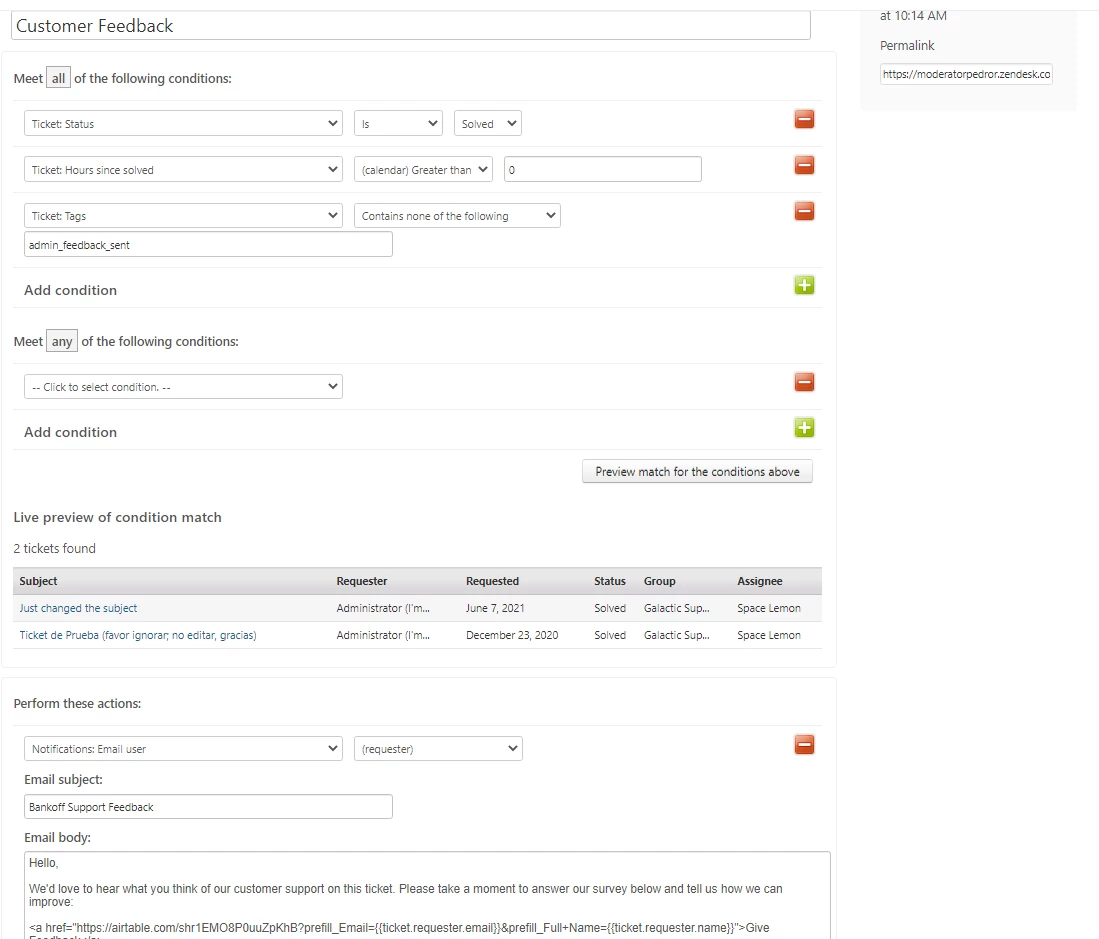
Hi 1262864736810, I don't think it's because of the message body. I managed to replicate that automation in my account (only difference was 'hours since solved' to speed up the test), and it matched a couple of test tickets:

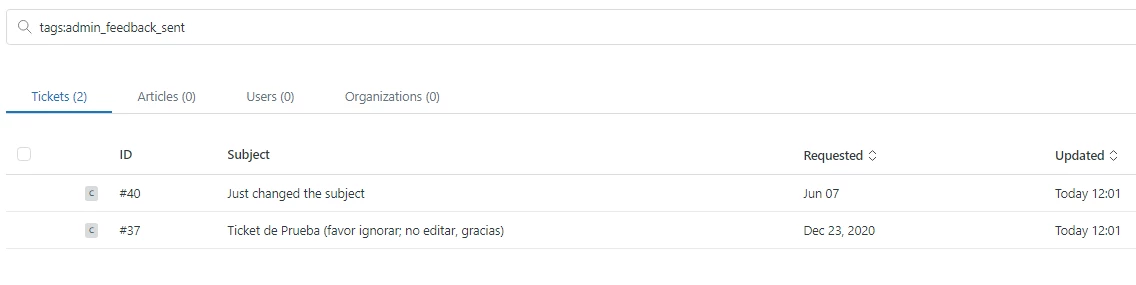
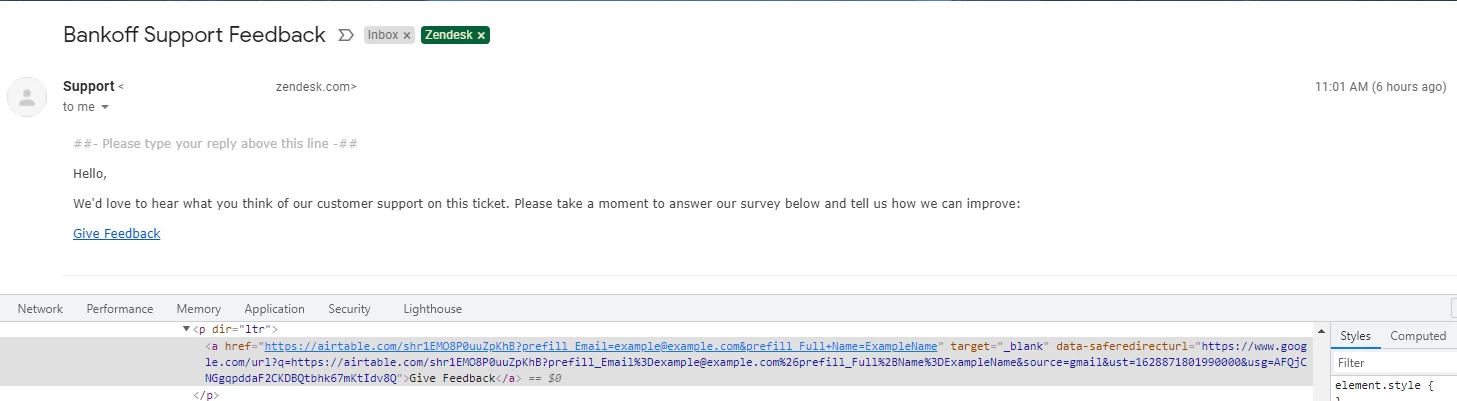
It ran successfully, and I received the notification with the expected link:

My next guess is it's something related to how many tickets match the automation conditions.

If you open the automation and click "Preview match for the conditions above", does the system show you any tickets?

If not, how are you Solving and Closing tickets? Could it be that you're changing status to Close too soon?


  • Author
  • August 12, 2021

Hi @Pedro Rodrigues. When clicked the "Preview match for the conditions above" button it returned to me "No matching tickets found". http://joxi.ru/BA0YooEUvoJZPr - I click to "Submit as solved" button to solve the ticket.


Pedro17
  • August 14, 2021

Thanks for confirming! So the first step is to make sure there are solved tickets for the automation to modify. Then it should work as expected.


Jennifer39

Is there a maximum number of tags that can be excluded? I have a group being survey that should not and I have tried everything I can think of to exclude them. 


Antonio17
Hi Jennifer,
 
I wanted to let you know that it seems there are no restrictions on the text length in the automation tags text box. If you come across any limitations, you can simply use multiple conditions in the ANY field by selecting multiple tags field, and that should help you overcome the issue.
 
Have a great day!