Toggling between products in Zendesk | Community
Skip to main content

Toggling between products in Zendesk

  • February 8, 2022
  • 3 replies
  • 0 views

Theo11

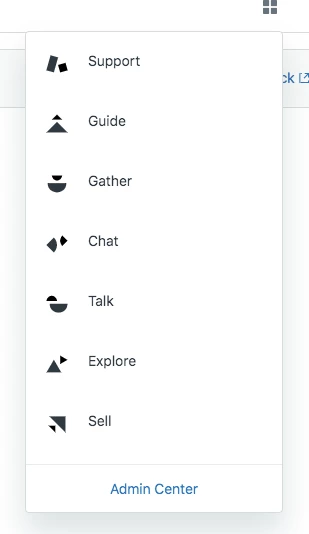
Quick question. So lets say a client has three Zendesk products: Support, Chat, and Guide. How would navigating these three products in the admin look?

3 replies

Ifra
  • February 8, 2022

Hi,

An agent can toggle the products using the dropdown list which would be shown by clicking on the icon.

Top > Left Corner on your screen


Hope I'm telling the right answer :)

  1. Open any Zendesk product.
  2. Click the Zendesk Products icon () in the top bar, then select Admin Center.


https://support.zendesk.com/hc/en-us/articles/4408883355546-Introduction-to-the-Support-agent-interface-standard-agent-interface-


Theo11
  • Author
  • February 8, 2022

Hi Ifra,  

I think you are but I think this is for zendesk product suite. Would it look like this too for standalone products? 

Thanks

Theo


Ifra
  • February 8, 2022

Check your screen top-right corner, is there this icon: