Team -
Changed a user role to a Light Agent but the user is still blocked because he is not a direct member of a group with access. But, he now has a Light Agent role so he shouldn't be blocked.
Ideas?

Team -
Changed a user role to a Light Agent but the user is still blocked because he is not a direct member of a group with access. But, he now has a Light Agent role so he shouldn't be blocked.
Ideas?
No account yet? Create an account
Enter your E-mail address. We'll send you an e-mail with instructions to reset your password.

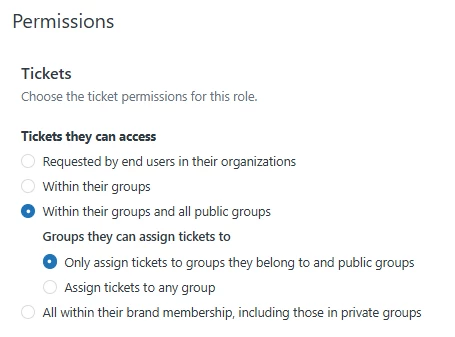

Changing a user's role to Light Agent in Zendesk does not automatically grant them access to tickets—they must also be a direct member of the relevant group(s) to view or interact with those tickets. While the Light Agent role limits what actions a user can perform, group membership controls which tickets they can access. Therefore, if the user is still blocked after the role change, it’s likely because they are not assigned to any groups with ticket access. To resolve this, you need to add the user as a member of the appropriate group(s), ensuring their permissions align with both their role and group membership.